Validating an email address in PHP usually starts and ends with one line:
filter_var($email, FILTER_VALIDATE_EMAIL). It's built in, it's fast, and it's
genuinely useful — but it answers only the first of the three questions real
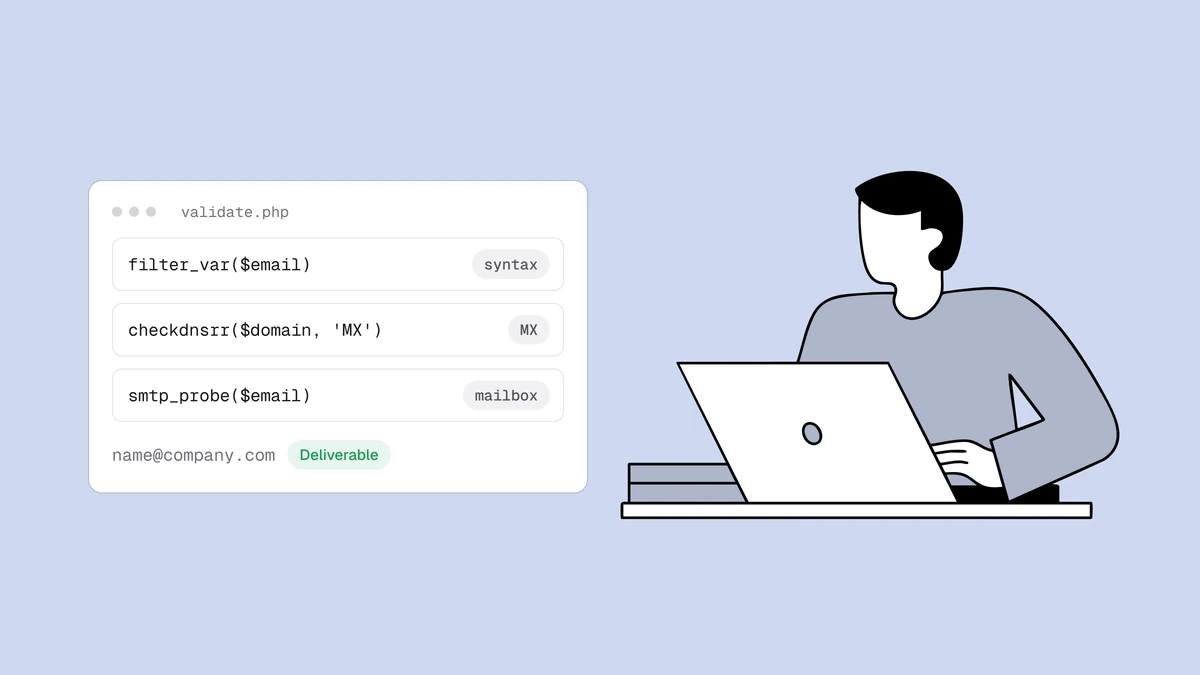
validation asks. Is the address shaped correctly? Can its domain receive mail?
Does the mailbox actually exist? PHP's standard library answers the first two
out of the box; the third is a network problem worth handing off. This guide
builds PHP email validation in layers, with working code for each, and shows
exactly where filter_var stops.
The short answer#
Use filter_var() with FILTER_VALIDATE_EMAIL for syntax, checkdnsrr() or
getmxrr() for the MX lookup, and a verification API for the SMTP mailbox
check — cheapest first, short-circuiting as soon as one is decisive. Don't try
to open an SMTP session from PHP to probe mailboxes yourself: outbound port 25
is blocked on most hosts, and the answer depends on sending-IP reputation and
greylisting you don't want to reimplement. Each
layer rules addresses out more cheaply than the last; only the final one can
rule an address in.
Layer 1: syntax with filter_var#
For PHP, filter_var is the right tool for layer one — it saves you from
hand-rolling a regex, and it's better tested than anything you'd paste from
Stack Overflow. FILTER_VALIDATE_EMAIL returns the address on success and
false on failure, so compare strictly:
function is_valid_syntax(string $email): bool
{
    return strlen($email) <= 320
        && filter_var($email, FILTER_VALIDATE_EMAIL) !== false;
}
is_valid_syntax('jane@example.com'); // true
is_valid_syntax('not-an-email');     // false
is_valid_syntax('a@@b.com');         // false
The strict !== false matters. filter_var returns the filtered string on
success, not true, so a loose if (filter_var(...)) works only because a
non-empty string is truthy — comparing against false says what you mean and
survives refactoring. The length guard is belt-and-braces: an address longer
than 320 characters can't be a real one, and it's cheaper to reject early than
to hand a giant string to anything downstream.
Know what this filter does and doesn't do. By default it validates against an
RFC-derived grammar and rejects internationalized (Unicode) local parts — so
用户@example.com fails unless you add the FILTER_FLAG_EMAIL_UNICODE flag on
PHP 7.1 and up. It is a syntax filter, full stop: it never touches DNS, never
opens a socket, and has no idea whether example.com exists. Also note that
FILTER_SANITIZE_EMAIL is a different beast — it strips disallowed characters
and returns a mangled string rather than a yes/no answer, so don't reach for it
when you mean to validate.
Why a filter_var pass isn't a green light#
A filter_var pass means the string is shaped like an email address. It says
nothing about whether mail will arrive. definitely-fake@gmail.com passes.
info@company-that-folded.com passes. typo@gmial.com passes. All three are
undeliverable, and no amount of pattern matching — filter_var or the most
elaborate regex you can find — will ever tell you so, because syntax and
deliverability are different questions. One is a fact about the string; the
other is a fact about the internet. This is the same trap that makes
regex email validation fail, and
filter_var sits on exactly the same side of the line.
If you want to see the gap for yourself, paste a syntactically perfect address
into the free email checker and watch a filter_var-
approved string come back undeliverable.
Layer 2: can the domain receive mail?#
This is where PHP earns its keep with no dependencies at all. A domain with no
mail route can't accept mail for anyone, so this one lookup eliminates dead
domains, misspelled company names, and invented TLDs. The quickest check is
checkdnsrr(), which returns a boolean for whether a given record type exists:
function has_mail_route(string $domain): bool
{
    // checkdnsrr() returns true if the domain publishes at least one MX record.
    // Fall back to A for domains that accept mail on an implicit MX.
    return checkdnsrr($domain, 'MX') || checkdnsrr($domain, 'A');
}
has_mail_route('gmail.com');               // true
has_mail_route('company-that-folded.com'); // false
Split the domain off the address with strrpos so you always cut at the last
@:
$domain = substr($email, strrpos($email, '@') + 1);
When you need the actual mail hosts rather than a yes/no — say, to log them or
inspect priorities — reach for getmxrr(). It fills a hosts array and a
matching weights array by reference and returns false when there's no MX
record at all:
function mail_hosts(string $domain): array
{
    $hosts = [];
    $weights = [];
    if (!getmxrr($domain, $hosts, $weights)) {
        return [];
    }
    array_multisort($weights, $hosts); // lowest weight = highest priority
    return $hosts; // e.g. ['gmail-smtp-in.l.google.com', 'alt1.gmail-smtp-in.l.google.com', ...]
}
Layer 3: does the mailbox actually exist?#
Layers one and two can only rule an address out. A domain can publish perfect
MX records and still have no mailbox at the address you're holding —
noreply-9f2x@gmail.com is valid syntax on a domain with a live mail route, and
it's still a mailbox that was never created. Confirming that a specific mailbox
exists means the SMTP delivery conversation: connect to the mail host, issue
RCPT TO, read the reply, and disconnect before sending anything. There's more
to it — how email verification works walks
the full pipeline, including catch-all domains
that accept every address and defeat a naive probe.
In principle you can script this in PHP with fsockopen() and raw SMTP
commands. In practice you shouldn't run it from your application server: most
cloud providers block outbound port 25, the answer depends on the reputation of
the IP you connect from, and receiving servers greylist and rate-limit
unfamiliar senders — so a probe that works in a local test quietly fails, or
gets you blocklisted, in production. This is the layer worth delegating.
Doing the full check with an API#
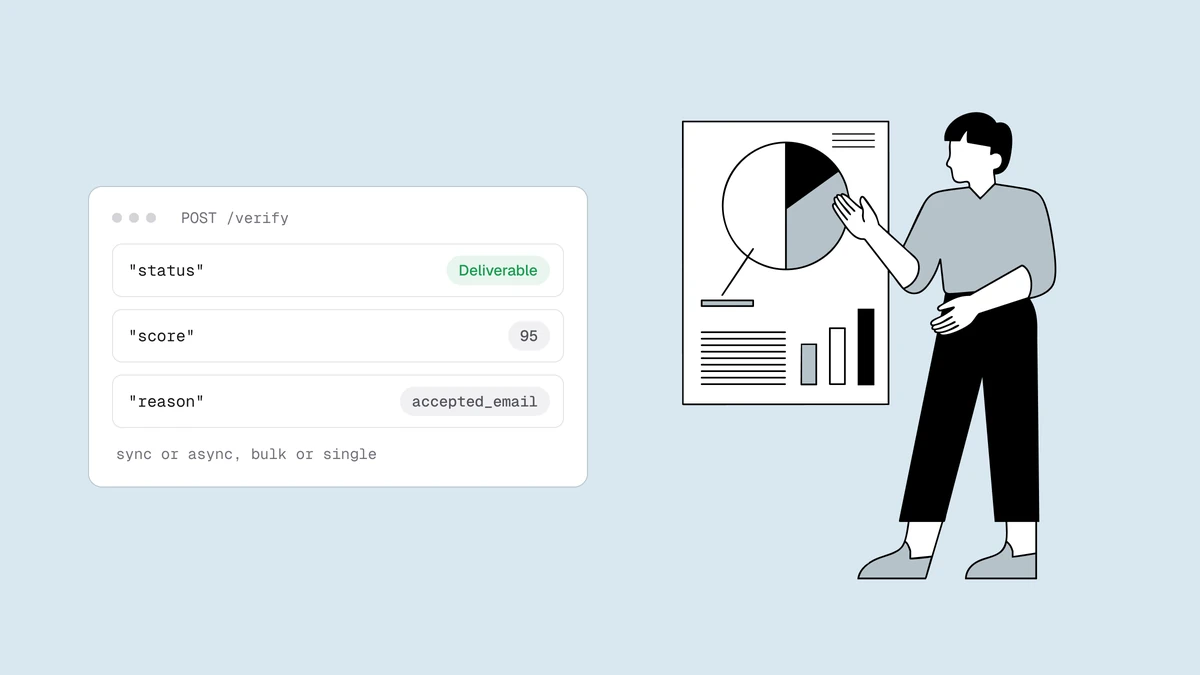
Qualisend's POST /verify runs the whole pipeline — syntax,
DNS, and the SMTP mailbox probe — from reputation-managed infrastructure built
for it, and returns a verdict. With no framework, a small cURL helper covers
every call you'll make:
const QUALISEND_BASE = 'https://app.qualisend.com/api/v1';

function qualisend(string $method, string $path, ?array $body = null): array
{
    $ch = curl_init(QUALISEND_BASE . $path);
    curl_setopt_array($ch, [
        CURLOPT_CUSTOMREQUEST  => $method,
        CURLOPT_RETURNTRANSFER => true,
        CURLOPT_HTTPHEADER     => [
            'Authorization: Bearer ' . getenv('QUALISEND_API_KEY'),
            'Content-Type: application/json',
        ],
        CURLOPT_POSTFIELDS => $body !== null ? json_encode($body) : null,
        CURLOPT_TIMEOUT    => 10,
    ]);

    $raw    = curl_exec($ch);
    $status = curl_getinfo($ch, CURLINFO_RESPONSE_CODE);
    curl_close($ch);

    if ($raw === false || $status >= 400) {
        throw new RuntimeException("Qualisend responded {$status}");
    }
    return json_decode($raw, true);
}

function verify(string $email): array
{
    return qualisend('POST', '/verify', ['email' => $email]);
}
If you already use Guzzle, the same request is a few lines shorter and handles JSON and error status codes for you:
use GuzzleHttp\Client;

$http = new Client(['base_uri' => 'https://app.qualisend.com/api/v1/']);

$response = $http->post('verify', [
    'headers' => ['Authorization' => 'Bearer ' . getenv('QUALISEND_API_KEY')],
    'json'    => ['email' => 'jane@example.com'],
    'timeout' => 10,
]);
$result = json_decode((string) $response->getBody(), true);
The local checks come back immediately, with the SMTP probe queued:
{
  "job_id": "6f1c2e0a-9b3d-4a1e-8c77-1a2b3c4d5e6f",
  "probe_queued": true,
  "result": {
    "email": "jane@example.com",
    "status": "deliverable",
    "score": 95,
    "sub_flags": { "role": false, "disposable": false, "free_mail": false, "catch_all": false },
    "did_you_mean": null,
    "smtp": "pending",
    "reason": null
  }
}
For live signup validation the immediate result is usually enough to act on —
reject undeliverable, offer the did_you_mean correction, flag disposable.
When you need the SMTP-confirmed verdict, poll the job until the probe finishes.
That's only needed while result.smtp is pending; cached or skipped means
the first result is already final. Run the loop from a background worker or
queue, never inside the signup request, and don't call /verify again to
refresh an address:
function verify_and_wait(string $email, int $tries = 10, float $delay = 1.5): ?array
{
    $response = verify($email);
    if ($response['result']['smtp'] !== 'pending') {
        return $response['result']; // cached or skipped: already final
    }
    $jobId = $response['job_id'];

    for ($i = 0; $i < $tries; $i++) {
        $job = qualisend('GET', "/jobs/{$jobId}?include=results");
        if ($job['status'] === 'completed') {
            return $job['results'][0]; // ['status' => ..., 'score' => ..., 'reason' => ...]
        }
        if ($job['status'] === 'canceled' || $job['status'] === 'failed') {
            return null; // the job ended without a verdict
        }
        usleep((int) ($delay * 1_000_000));
    }
    return null; // still processing — treat as unknown, retry later
}
Putting the layers together#
Cheapest first, stop as soon as you have an answer:
function validate_email(string $email): array
{
    if (!is_valid_syntax($email)) {
        return ['status' => 'undeliverable', 'reason' => 'invalid_email'];
    }

    $domain = substr($email, strrpos($email, '@') + 1);
    if (!has_mail_route($domain)) {
        return ['status' => 'undeliverable', 'reason' => 'invalid_domain'];
    }

    try {
        return verify($email)['result']; // deliverable | risky | undeliverable | unknown
    } catch (RuntimeException $e) {
        // Timeout or API error (e.g. 402, 429, 5xx): fail open, re-verify later.
        return ['status' => 'unknown', 'reason' => 'unknown'];
    }
}
The two local layers cost nothing and catch most junk instantly; the API layer runs only on addresses worth the network round-trip. That ordering is the whole trick — the same shape you'll find in the Node.js and Python versions of this guide, because the layering, not the language, is what makes validation work.
Frequently asked questions
01Is filter_var enough to validate an email address in PHP?
For syntax, yes - filter_var($email, FILTER_VALIDATE_EMAIL) is the right layer- one check and a better bet than a hand-rolled regex. But it validates shape, not deliverability: it never resolves DNS or contacts a mail server, so a pass means "looks like an email," not "will deliver." Pair it with an MX lookup and an SMTP mailbox check before you trust the address.
02What's the difference between checkdnsrr() and getmxrr()?
checkdnsrr() answers a yes/no question - does the domain publish a record of a given type? - and returns a boolean, which is all you need to confirm a mail route exists. getmxrr() goes further: it fills arrays with the actual MX hostnames and their weights by reference, so use it when you want to inspect or sort the mail servers rather than just confirm they're there. Both return false when there's no matching record.
03Can I verify a mailbox in PHP without an external service?
Partly. checkdnsrr() and getmxrr() confirm the domain accepts mail, which rules out dead domains for free and needs nothing beyond the standard library. Confirming the mailbox means an SMTP conversation, which you can attempt with fsockopen() but shouldn't run from your app server - port 25 is widely blocked and the result depends on your IP's reputation. That's the layer a verification service exists to handle.
04Should I run these checks at signup or when cleaning a list?
Both, at different depths. Run syntax and the MX lookup synchronously at signup - they're fast enough to block the request and give instant feedback - and act on the immediate API verdict there too. Reserve the full SMTP-confirmed result for list cleaning and slower back-office work; the serverless signup guide shows the pattern end to end.
Ready to add the SMTP layer? The free plan includes 100 credits that
run the complete pipeline, and the API reference has the full
/verify and /jobs endpoints with copy-paste examples in seven languages.