An online store collects email addresses at the two highest-stakes moments it has: account signup and checkout. Every one of those addresses goes straight to work — it receives the order confirmation, the receipt, the shipping and delivery updates, and then the abandoned-cart nudges, win-back offers, and campaign sends that drive repeat revenue. That dual role is what makes email verification for ecommerce matter more than it does for almost any other kind of sender. A single mistyped or fake address doesn't just cost you a subscriber — it costs a customer their receipt, opens a support ticket, produces a hard bounce, and, repeated across thousands of orders, chips away at the sending reputation your whole store depends on. This guide covers why online stores need verification, where to run it, and how to wire it into checkout and your existing list without turning away real buyers.
The short answer#
Verify in two places. Catch bad addresses in real time at checkout and signup,
so a typo like @gmial.com gets flagged while the shopper is still on the page
and can fix it — before the order confirmation bounces off a mailbox that never
existed. And periodically bulk-clean the customer and marketing list you already
have, because addresses decay and an established store accumulates dead ones
faster than it notices. Real-time verification keeps bad addresses from getting
in; bulk cleaning removes the ones already inside. Both feed the same goal: keep
transactional mail landing in inboxes and keep the reputation behind your
marketing sends intact.
Why email verification for ecommerce is different#
Most senders capture an address for one purpose. A store captures it for two at once, from the same form field, in the same instant — and the two purposes pull in different directions when the address is wrong.
The first stream is transactional: the order confirmation, the receipt, the "your package shipped" and "out for delivery" emails. These aren't marketing. The customer is actively waiting for them, they often contain the only record of what was purchased, and when one fails to arrive the shopper doesn't shrug — they email support, dispute the charge, or assume the order didn't go through and order again. A wrong address here is a customer-service problem with a face attached to it.
The second stream is marketing: abandoned-cart flows, post-purchase sequences, restock alerts, promotions. This is where a bad address behaves like it does for any other sender — it bounces, and enough bounces drag down the reputation of the domain doing the sending.
| Email stream | Examples | Cost of a bad address |
|---|---|---|
| Transactional | Order confirmation, receipt, shipping and delivery updates | Lost receipt, a support ticket, a chargeback risk, a repeat order |
| Marketing | Abandoned-cart flow, post-purchase series, promotions, win-backs | Hard bounce, wasted send credits, reputation damage at scale |
The uncomfortable part is that these two streams usually share infrastructure. If your transactional and marketing mail go out under the same domain or closely related subdomains, the bounces your marketing sends generate can drag down the placement of the receipts customers are actually waiting for. Verification is how you keep the junk from ever entering either stream.
What a bad address actually costs a store#
It's worth being concrete about where the damage lands, because "verify your emails" sounds like hygiene advice until you trace a single fat-fingered address through a real order.
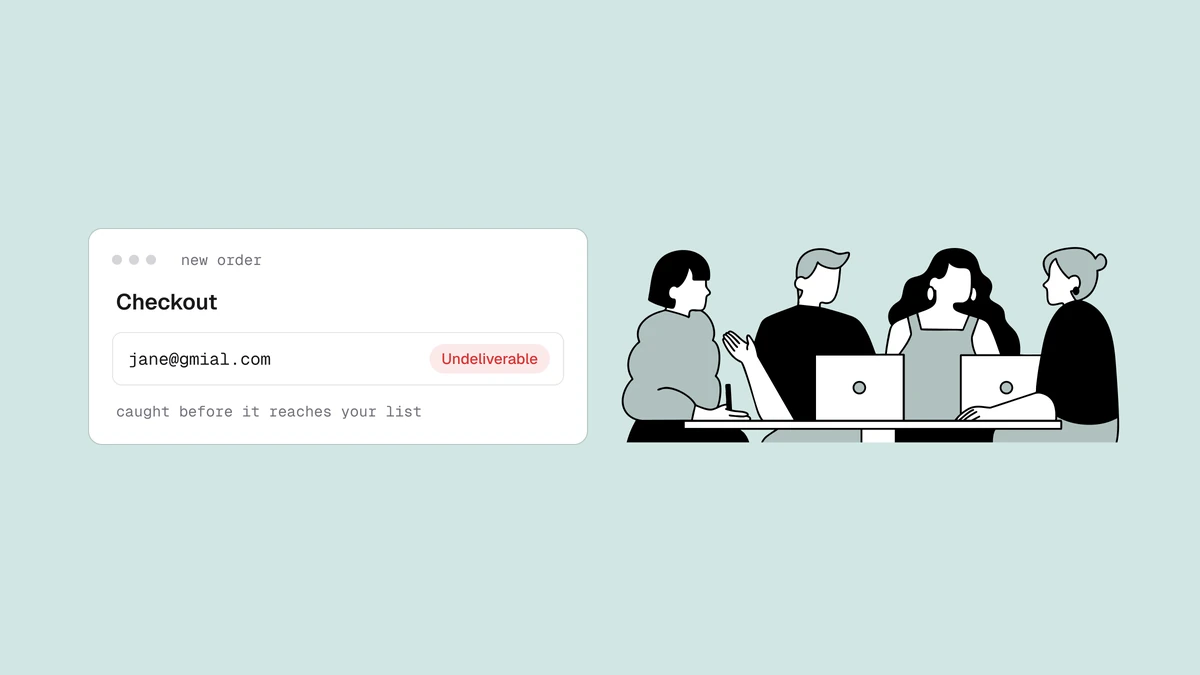
A shopper types jane@gmial.com at checkout. The order completes. Four things
now happen, none of them good:
- The receipt never arrives. Jane waits, sees nothing, and either emails support asking where her confirmation is or assumes the payment failed. Either outcome costs you time or a duplicate order to untangle.
- You log a hard bounce. The order confirmation hits a domain that doesn't exist and bounces immediately. Do this across enough orders and your bounce rate climbs into the range mailbox providers read as a warning sign.
- Your sender reputation takes the hit. Gmail, Outlook, and the rest score senders on how they behave, and a steady stream of bounces and dead addresses is one of the fastest ways to erode sender reputation — the score that decides whether your mail reaches the inbox at all.
- Good mail starts landing in spam. Once a provider begins distrusting your domain, even your clean, wanted mail suffers, which is a big part of why emails go to spam in the first place. Now the receipts and shipping updates to your real customers are at risk too.
None of this requires bad intent from the shopper. Typos at checkout are constant, throwaway addresses get entered to grab a first-order discount, and some fields get filled with obvious junk. Verification catches all three categories before they turn into the chain above.
Verify in real time at checkout and signup#
The cheapest possible moment to catch a bad address is before it ever enters your system — while the shopper is still on the page and able to fix it. That's what real-time verification does. You call a verification API as the address is entered at signup or checkout, read the result, and act on it in the flow.
A real-time check returns a status — deliverable, risky, undeliverable, or
unknown — along with a reason code, a 0–100 confidence score, and sub-flags for
things like disposable or role addresses. Your checkout logic decides what to do
with that. The high-value move is catching the obvious mistake: when the result
comes back undeliverable because the domain is a near-miss of a real provider,
you can prompt the shopper — "did you mean gmail.com?" — and recover an address
you'd otherwise have lost silently along with the sale's follow-up.
The rule that keeps this from backfiring: flag, don't blindly block. The
point of checkout is to complete the sale. A soft, correctable prompt on a
clearly bad address is good UX; a hard wall that rejects anything less than a
confirmed-deliverable result will eventually block a real buyer whose mail server
was just slow to answer (an unknown, not a bad address). The
mechanics of the verification pipeline and
the patterns for verifying at the point of signup
go deeper on wiring this in without adding friction to the funnel.
Clean the existing customer and marketing list in bulk#
Real-time verification protects new orders. It does nothing for the list you've already built — and that list is where most of the risk is hiding. Stores accumulate dead addresses in ways that are easy to overlook: customers change jobs and abandon old inboxes, a platform migration drags years of stale contacts along, a pre-launch list was imported wholesale, or discount-hunters left throwaway addresses that have since expired.
For that, you clean in bulk. Export your customer and subscriber list to a CSV, run every address through verification at once, and get back the same status-reason-score-flags for each — then suppress the undeliverables and decide deliberately what to do with the rest. This is the standard move before any big send: a seasonal campaign, a re-engagement push to a dormant segment, a Black Friday blast. The full step-by-step is in how to clean an email list, and bulk email verification covers running large lists efficiently, including the fact that duplicates only need checking once.
Handling catch-all, role, and disposable without turning away buyers#
Ecommerce lists are messier than a typical newsletter list, and three address types show up constantly at checkout. The mistake is treating all three as "block on sight." Each deserves a deliberate call, and verification gives you the sub-flags to make it.
- Catch-all domains. A catch-all domain accepts mail for every possible address, so the verifier can't confirm the specific mailbox exists — the result comes back risky rather than deliverable. Plenty of legitimate business buyers sit behind catch-all domains, so blocking every one at checkout means turning away real orders. The better play is to let the order through and treat the address with a little caution in your marketing sends, not to reject it.
- Role addresses. Shared mailboxes like
orders@,info@, orsales@are common when a business is buying. They're fine for a transactional receipt but a poor fit for marketing, since no single person owns them. The role, disposable, and free address breakdown covers the send-or-suppress call for each. - Disposable addresses. Throwaway inboxes are the one type worth catching hard at signup, because they're usually entered to grab a first-order discount and will never be reachable again. The disposable sub-flag lets you decline the incentive without necessarily blocking the purchase.
The through-line: a status and its sub-flags let you make a finer decision than "allow or reject." You keep the real buyers, decline the throwaways, and route the risky-but-plausible addresses into a more cautious lane instead of losing them.
Connecting verification to your store#
Whatever platform your storefront runs on — Shopify, WooCommerce, or a custom stack — there are two integration paths that don't depend on any pre-built plugin, and they map cleanly onto the two moments above.
For real-time checks, you call the verification API from your signup or checkout flow. Qualisend issues scoped API keys, so you can create a dedicated key for your storefront integration and keep its access and rate limits contained. The address gets verified in the request, and your own code decides whether to prompt for a correction or let the order proceed. The developer docs cover the endpoints, the response shape, and the status and reason codes you'll branch on.
For bulk cleaning, you work in CSV. Export the customer or subscriber list from your platform or ESP, upload it for verification, and download the cleaned file with a status, reason, score, and sub-flags appended to every row — then re-import the suppressions or filter your segments accordingly. It's the same export-verify-act loop whether the list came from your store's admin or your email platform.
Both paths are platform-agnostic on purpose: the API doesn't care what renders your checkout, and a CSV is a CSV no matter which cart exported it. Start with whichever matches your most urgent problem — a leaky checkout or a stale list — and add the other once the first is in place.
Frequently asked questions
01Should an ecommerce store verify emails at checkout or in bulk?
Both, because they solve different problems. Real-time verification at checkout and signup - via the API - stops bad addresses from ever entering your system and lets you catch a typo while the shopper can still fix it, protecting the order confirmation before it's even sent. A periodic bulk clean of your existing customer and marketing list removes the addresses that have decayed since you collected them. Most stores start with a one-time bulk clean of the list they already have, then add real-time verification at capture to keep it clean going forward.
02Will verifying at checkout slow down or block orders?
Not if you set it up to flag rather than hard-block. A real-time check returns a status in the request, and the right pattern is to prompt for a correction on a clearly bad address - a domain typo, a disposable inbox - while letting anything ambiguous (an unknown result from a slow mail server) through so you never reject a real buyer. The goal is to recover mistyped addresses, not to add a wall in front of the sale.
03Does a verified email guarantee the order confirmation won't bounce?
It dramatically reduces bounces but doesn't promise zero. Verification is a snapshot of the truth at check time - an address confirmed deliverable at checkout can still go bad later if the mailbox fills up or the account is closed. Addresses on catch-all domains are also genuinely unconfirmable, which is why they come back risky rather than deliverable. Verifying at capture and re-cleaning before major sends is what keeps bounce rates consistently low.
04How do I handle catch-all and disposable addresses on a store?
Treat them differently. Catch-all addresses often belong to legitimate business buyers, so let the order through and just apply a little caution in marketing sends rather than blocking the purchase. Disposable addresses are the ones worth catching at signup, since they're usually entered to grab a discount and won't be reachable again - the disposable sub-flag lets you decline the incentive without necessarily refusing the sale. The status and sub-flags on each result give you the detail to make that call per address instead of a blanket allow-or-reject.
Keep bad addresses out of your store's mail two ways at once: run a quick check in the free email checker to see the result shape, wire real-time verification into checkout with the developer docs, and grab credits on the pricing page to bulk-clean the customer list you already have — so every receipt lands and your marketing domain stays trusted.