A newsletter is only as healthy as the list behind it, and the list is only as healthy as the addresses you let onto it. The problem is that a public signup form is an open door — it collects typos, throwaway inboxes, and the occasional bot right alongside your real readers, and every junk address quietly works against you the moment you hit send. Email verification for newsletters is how you keep that door open to genuine subscribers while turning away the addresses that bounce, drag down your open rates, erode your sending reputation, and — on any platform that bills you per subscriber — cost real money just to sit on your list. This guide covers where to verify (at the form and in bulk), how double opt-in fits alongside it, and what clean addresses actually buy you.
The short answer#
Verify in two places and let double opt-in carry the rest. Check every address in real time at the signup form, so typos and disposable inboxes get caught before they ever join the list, and periodically bulk-clean the subscribers you already have, because even a list that was clean last year has decayed since. Pair that with double opt-in so a real person confirms intent, not just a valid-looking string. Verification keeps junk out and removes what's already inside; double opt-in proves the human on the other end actually wanted in. Together they protect the two things a newsletter can't run without — inbox placement and a sending reputation the mailbox providers still trust.
Why free signup forms attract junk#
Every sender captures addresses, but a newsletter captures them in the most exposed way there is: a public form, no purchase, no account, no friction, often behind a lead magnet that people want without necessarily wanting your emails. That combination pulls in three kinds of bad address, constantly.
- Typos. A reader means to type
jane@gmail.comand fumbles it intojane@gmial.comorjane@gmail.con. The address looks plausible, passes a basic format check, and joins the list — then bounces on the very first send because that domain or mailbox never existed. - Disposable and throwaway inboxes. When the signup is really about the free PDF, people reach for a burner address that forwards nowhere and expires within the hour. It counts as a subscriber, but it will never open a thing.
- Bots and junk. An unprotected public form is a magnet for automated submissions and gibberish entries that exist only to inflate — or poison — your list with addresses no human is behind.
None of these needs bad intent to hurt you. They pad your subscriber count with addresses that can't receive mail, and undoing that inflation is what the rest of this guide is about.
Email verification for newsletters starts at the signup form#
The cheapest moment to stop a bad address is before it ever joins the list — while the reader is still on the page and able to fix a mistake. That's what real-time verification does. You call a verification API as the address is submitted, read the result, and decide what happens next in the flow. The patterns for verifying at the point of signup cover the wiring; the behavior is what matters here.
A real-time check returns a status — deliverable, risky, undeliverable, or unknown
— with a reason code, a 0–100 confidence score, and sub-flags for things like
disposable, role, and free addresses. Your form logic branches on that. The
highest-value move is catching the honest typo: when a result comes back
undeliverable because the domain is a near-miss of a real provider, you prompt the
reader — "did you mean gmail.com?" — and recover a genuine subscriber you'd
otherwise have lost silently, along with every email you would have sent them.
The rule that keeps this from backfiring: flag and correct, don't blindly
block. The point of the form is to grow the list, so a soft, correctable prompt
on a clearly bad address is good UX, while a hard wall that rejects anything short
of a confirmed-deliverable result will eventually turn away a real reader whose
mail server was simply slow to answer — an unknown, not a bad address. Catch the
disposable inbox and the obvious typo at the form; let the genuinely ambiguous
through and let confirmation sort it out.
Double opt-in is a complement, not a substitute#
Plenty of newsletter operators treat double opt-in as the whole answer to list quality, and it is genuinely valuable — a confirmation email proves someone can receive mail at that address and actually intended to subscribe, which filters out bots and half the throwaways on its own. But it solves a different problem than verification does, and leaning on it alone leaves gaps.
Confirmation happens after the address is on your list and after you've sent to it. If the subscriber fat-fingered their address, the confirmation email bounces off a mailbox that never existed — so you still logged a hard bounce, and they never saw the email to confirm in the first place. Verification catches that typo at the form, before the confirmation is even sent, so double opt-in only ever mails addresses already known to be reachable. Run in that order, the two reinforce each other: verification guarantees the confirmation lands, and confirmation proves the intent no automated check can measure. Use both — verify to keep the list clean, confirm to keep it wanted.
Bulk-clean the subscriber list you already have#
Real-time verification protects new signups. It does nothing for the list you've already built — and for an established newsletter, that back catalog is where most of the risk is hiding. Lists decay quietly: readers change jobs and abandon old work inboxes, domains get retired, addresses that were fine at signup go dark, and an old import you forgot about keeps generating bounces.
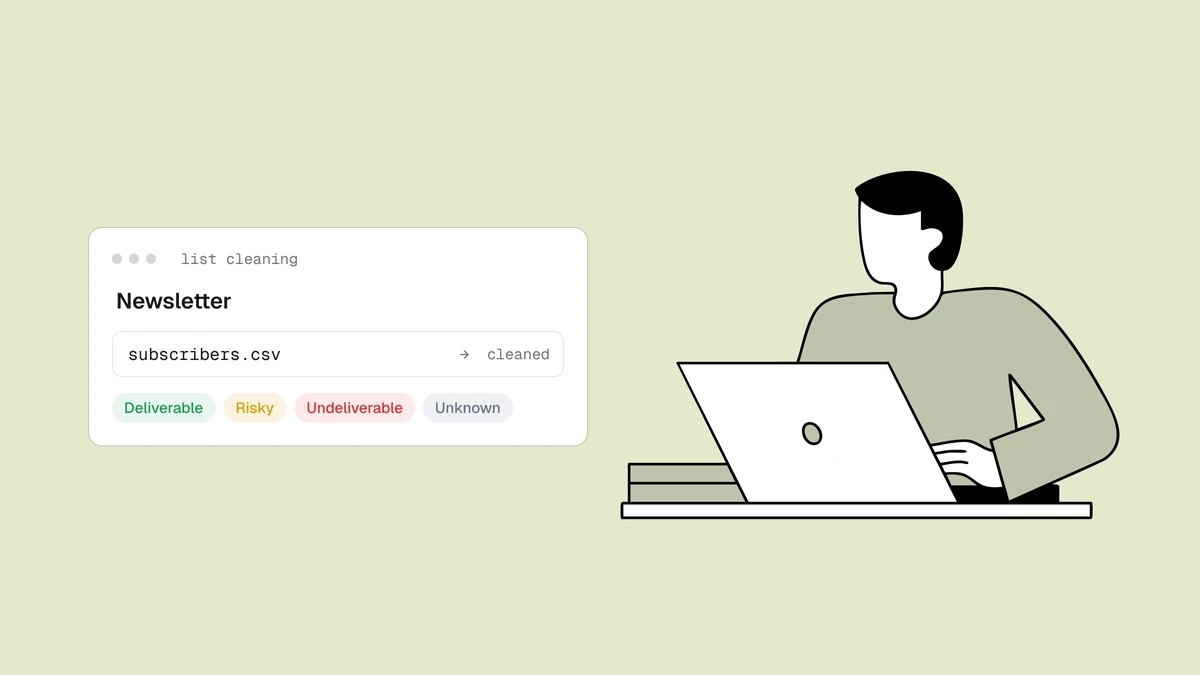
For that, you clean in bulk. Export your subscriber list to a CSV, run every address through verification at once, and get back the same status-reason-score-flags for each row — then suppress the undeliverables and decide deliberately what to do with the rest. This is the standard move before any big moment: a relaunch after a quiet stretch, a migration to a new platform, or a re-engagement push to a segment that's gone cold. The full step-by-step lives in how to clean an email list, and bulk email verification covers running large lists efficiently — including the detail that duplicates only need checking once, so a padded export doesn't bill you twice for the same address.
What clean addresses buy you: reputation and cost#
It's tempting to file list hygiene under "nice to have," so it's worth tracing what a dirty list actually does — because the damage compounds in two directions at once.
First, deliverability. Mailbox providers judge senders on behavior, and dead addresses are the clearest bad signal you can send. Every send to a nonexistent mailbox is a hard bounce, and enough of them push your bounce rate into the range Gmail and Outlook read as a warning sign. Junk addresses also depress the metrics providers watch most: disposable inboxes and typo'd addresses never open and never click, so a padded list posts weak engagement even when your real readers love the newsletter. Both signals erode sender reputation — the score that decides whether your next issue lands in the inbox or the spam folder — and once it slips, even engaged subscribers stop reliably seeing you.
Second, cost. Most newsletter platforms bill by subscriber count, so every dead address, burner inbox, and bot on your list is something you pay to store month after month for zero return. The disposable, role, and free-address sub-flags let you find and drop exactly those addresses — the ones inflating the invoice without ever opening an email — so you pay for readers, not padding.
| Address type | What it does to a newsletter | Verification signal |
|---|---|---|
| Typo / nonexistent | Hard bounce on every send, directly raises bounce rate | Undeliverable + reason |
| Disposable inbox | Never opens, inflates count, costs money to store | Deliverable + disposable flag |
| Role / shared mailbox | No single owner, weak engagement, complaint risk | Deliverable + role flag |
| Slow / unconfirmable server | May be a real reader — don't block outright | Unknown — let opt-in decide |
The through-line is that clean addresses aren't hygiene for its own sake. They're the difference between a newsletter that lands in the inbox at a subscriber count worth paying for, and one that pays to mail people who were never going to read it while its reputation erodes.
Frequently asked questions
03Will verifying at the signup form cost me real subscribers?
Not if you flag and correct instead of hard-blocking. A real-time check returns a status in the request, and the right pattern is to prompt for a correction on a clearly bad address - a domain typo, a disposable inbox - while letting anything ambiguous through. An unknown result usually means a real mail server was just slow to answer, not that the address is bad, so blocking on it would turn away genuine readers. The goal is to recover mistyped addresses and decline throwaways, not to put a wall in front of your signup form.
Keep your newsletter list to real, reachable readers: run a quick check in the free email checker to see the status and flags on any address, then grab credits on the pricing page to bulk-clean the subscribers you already have and verify new signups at the form — so every issue lands, your reputation holds, and you stop paying to mail people who were never going to read it.