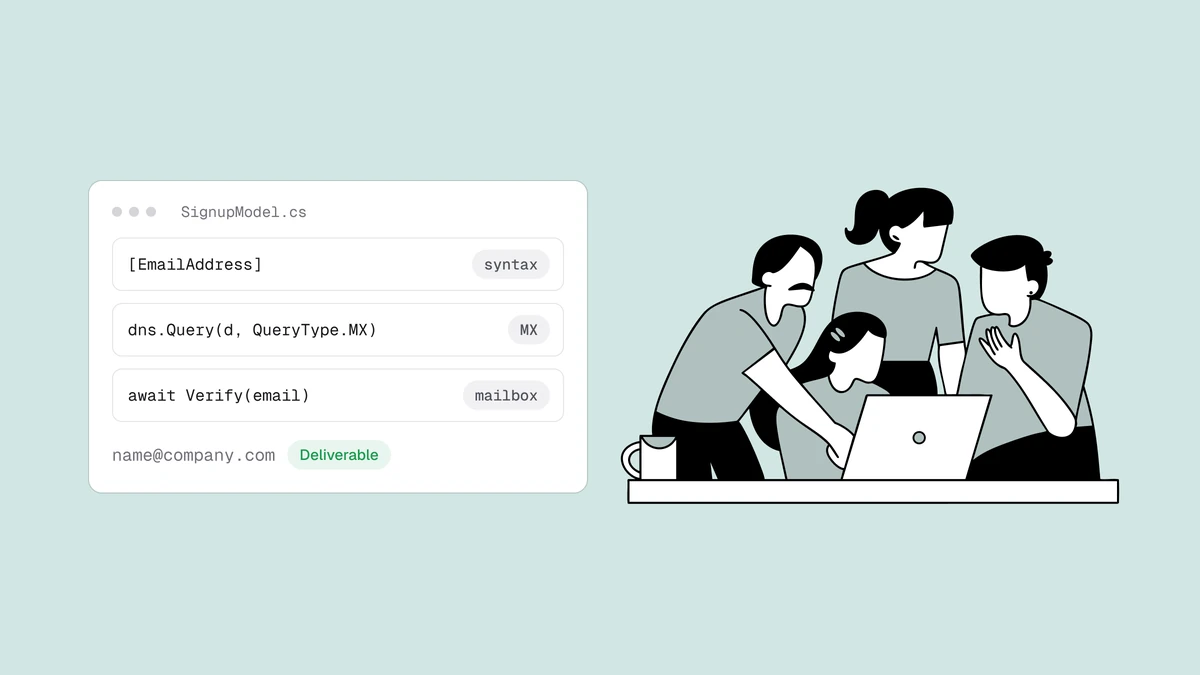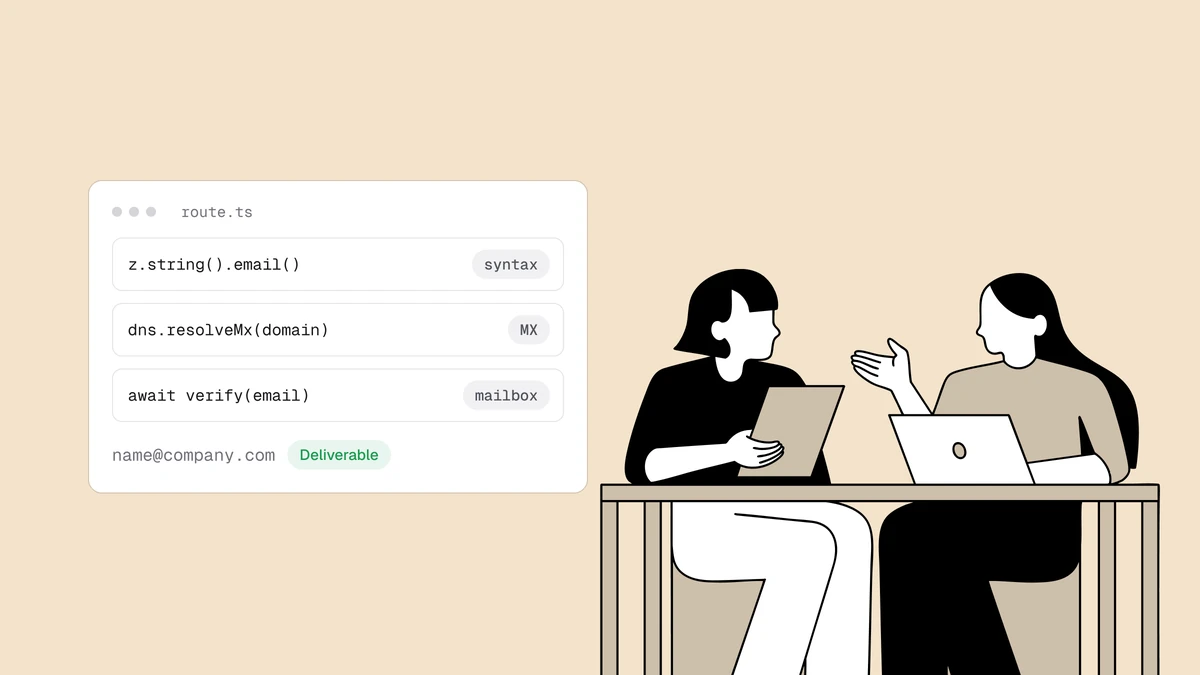
To validate an email address in Next.js you have to answer three questions, and
the App Router gives you a clean place to answer each one. Is the address shaped
correctly? Can its domain receive mail? Does the mailbox actually exist? The
first is a zod schema you share between a Client Component and the server; the
second is a DNS lookup; the third is a network problem you hand to a verification
API. The trap is stopping at the first question — a z.string().email() pass in
the browser is a UX nicety, not validation, and it never reaches your database
intact, because anyone can POST straight past it.
The short answer#
Validate with a shared zod schema for syntax on both the client and the server,
node:dns/promises for the MX lookup inside a Route Handler, and a verification
API for the SMTP mailbox check — cheapest first, short-circuiting as soon as one
layer is decisive. Keep every check that matters on the server: the client copy
is for instant feedback, and the API key that authenticates the mailbox probe
must never ship to the browser. Don't try to open SMTP connections from a Next.js
function to probe mailboxes yourself — outbound port 25 is blocked on most hosts
(and unavailable on the Edge runtime entirely), and the answer depends on
sending-IP reputation and greylisting you don't want to reimplement.
Layer 1: format validation with a shared zod schema#
Next.js has no email primitive of its own, but the idiomatic format check is a
zod schema, and the reason zod fits so well here is that the same schema
runs in the browser and on the server. Define it once:
// lib/email.ts
import { z } from "zod";

export const signupSchema = z.object({
  email: z.string().email("Enter a valid email address."),
});
In a Client Component, parse against it on submit so the user gets an instant
error without a round-trip. safeParse returns a discriminated result you can
read without a try/catch:
"use client";

import { useState } from "react";
import { signupSchema } from "@/lib/email";

export function SignupForm() {
  const [error, setError] = useState<string | null>(null);

  async function onSubmit(e: React.FormEvent<HTMLFormElement>) {
    e.preventDefault();
    const email = String(new FormData(e.currentTarget).get("email"));

    // Instant feedback only — this is not a security boundary.
    const parsed = signupSchema.safeParse({ email });
    if (!parsed.success) {
      setError(parsed.error.issues[0].message);
      return;
    }

    const res = await fetch("/api/signup", {
      method: "POST",
      headers: { "Content-Type": "application/json" },
      body: JSON.stringify({ email }),
    });
    setError(res.ok ? null : (await res.json()).error);
  }

  return (
    <form onSubmit={onSubmit}>
      <input name="email" type="email" autoComplete="email" required />
      {error && <p role="alert">{error}</p>}
      <button type="submit">Sign up</button>
    </form>
  );
}
The client check is worth having — it saves a request on obvious typos — but it
is the opposite of trustworthy. A user with the network tab open can POST to
/api/signup directly and skip it entirely, so the server has to run the exact
same schema again before it believes anything.
Layer 2: can the domain receive mail?#
This is the first check the browser can't do and zod won't do: a domain with no
MX records can't accept mail for anyone, so one DNS lookup eliminates dead
domains, misspelled company names, and invented TLDs. A Next.js Route Handler runs
on Node by default, so you have node:dns/promises with zero dependencies:
// lib/email.ts (continued)
import { resolveMx } from "node:dns/promises";

export async function hasMailRoute(domain: string): Promise<boolean> {
  try {
    const mx = await resolveMx(domain);
    return mx.length > 0;
  } catch {
    // ENOTFOUND / ENODATA → the domain doesn't exist or publishes no MX.
    return false;
  }
}
A pass here means "the domain accepts mail," not "this mailbox exists" — but a failure is decisive and free, which is exactly what you want from a cheap layer.
Layer 3: does the mailbox actually exist?#
Layers 1 and 2 can only rule an address out. A domain can publish perfect MX
records and still have no mailbox at the address you're holding —
noreply-9f2x@gmail.com is valid syntax on a live mail route, and it's still a
mailbox that was never created. Confirming a specific mailbox means the SMTP
delivery conversation: connect to the mail host, issue RCPT TO, read the reply,
and disconnect before sending anything.
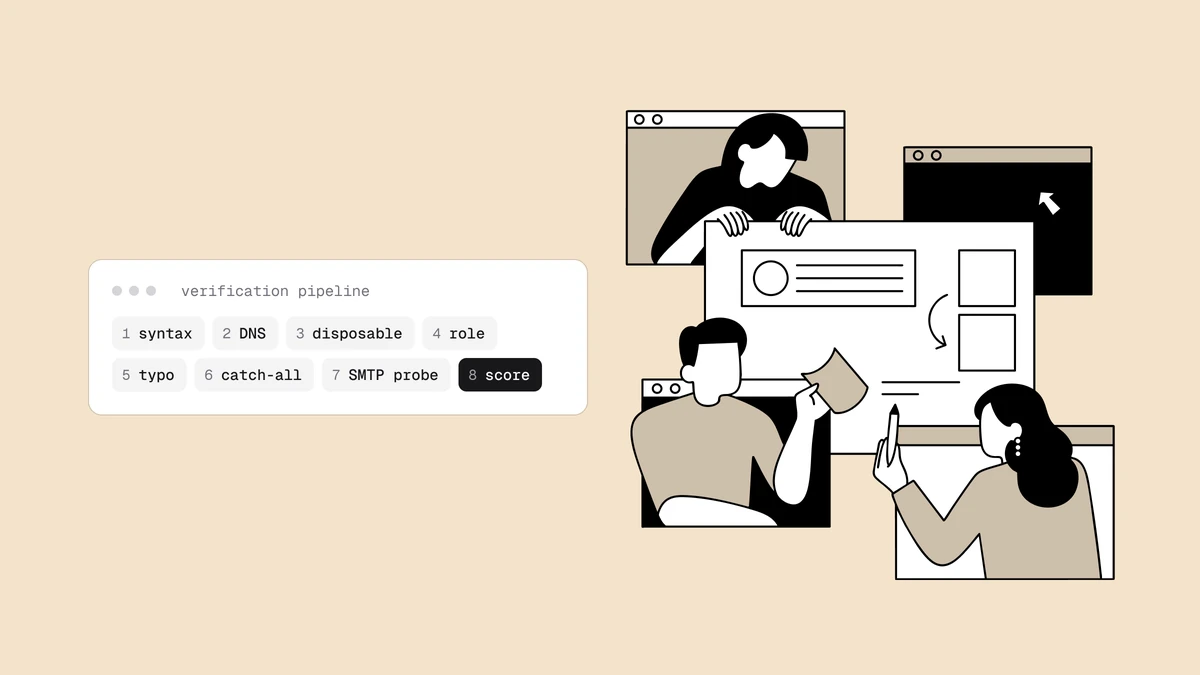
You could script that from a Node runtime, but you shouldn't run it from a Next.js function. Most cloud hosts block outbound port 25, the answer depends on the reputation of the IP you connect from, and receiving servers greylist and rate-limit unfamiliar senders — so a probe that works locally quietly fails, or gets you blocklisted, in production. How email verification works walks the full pipeline, catch-all domains and all. This is the layer worth delegating.
Qualisend's verify endpoint runs the whole pipeline from reputation-managed
infrastructure and returns a verdict. Call it server-side with fetch, reading
the key from an environment variable so it never leaves the machine:
// lib/email.ts (continued)
export async function verifyMailbox(email: string): Promise<string> {
  const res = await fetch("https://app.qualisend.com/api/v1/verify", {
    method: "POST",
    headers: {
      Authorization: `Bearer ${process.env.QUALISEND_API_KEY}`,
      "Content-Type": "application/json",
    },
    body: JSON.stringify({ email }),
    signal: AbortSignal.timeout(4000), // a slow call must not stall signup
  }).catch(() => null); // timeout or network error: fail open too

  // Don't block a real signup on our outage — treat a failure as "unknown".
  if (!res?.ok) return "unknown";

  const { result } = await res.json();
  return result.status; // "deliverable" | "risky" | "undeliverable" | "unknown"
}
The response carries the verdict in a result envelope next to a job_id. You
read result.status alongside a score, a reason, and sub_flags for traits
like role or disposable addresses:
{
  "job_id": "6f1c2e0a-9b3d-4a1e-8c77-1a2b3c4d5e6f",
  "result": {
    "status": "deliverable",
    "score": 95,
    "reason": "accepted_email",
    "smtp": "cached",
    "sub_flags": { "role": false, "disposable": false, "free_mail": false, "catch_all": false }
  }
}
That result is the instant verdict. When result.smtp is "cached" or
"skipped", it is already final. While it is "pending", the SMTP mailbox probe
is still running: status stays unknown, reason stays null, and the final
verdict arrives on GET https://app.qualisend.com/api/v1/jobs/{job_id}. Act on
the instant verdict at signup; if you want the final one, poll that job from a
background task, never inside the request and never by calling /verify again.
Check the API reference for the exact field shapes; the helper
above only needs status to reject an address that won't deliver. Note the
environment variable is plain QUALISEND_API_KEY, not prefixed with
NEXT_PUBLIC_ — that prefix is what inlines a value into the client bundle, and a
verification key in the browser is a key anyone can read and spend.
Composing the layers to validate an email address in Next.js#
Now stitch the three helpers into one route.ts, cheapest first, so the API
credit is only spent on an address that already passed syntax and the MX check:
// app/api/signup/route.ts
import { NextResponse } from "next/server";
import { signupSchema, hasMailRoute, verifyMailbox } from "@/lib/email";

export async function POST(request: Request) {
  // Layer 1 — re-validate on the server; the client check is not a boundary.
  const parsed = signupSchema.safeParse(await request.json());
  if (!parsed.success) {
    return NextResponse.json({ error: "Enter a valid email address." }, { status: 400 });
  }

  const { email } = parsed.data;
  const domain = email.slice(email.lastIndexOf("@") + 1);

  // Layer 2 — cheap MX gate, rules out dead domains before any API call.
  if (!(await hasMailRoute(domain))) {
    return NextResponse.json({ error: "That domain can't receive email." }, { status: 400 });
  }

  // Layer 3 — the SMTP mailbox probe, delegated to Qualisend.
  if ((await verifyMailbox(email)) === "undeliverable") {
    return NextResponse.json(
      { error: "We couldn't confirm a mailbox at this address." },
      { status: 400 },
    );
  }

  // Every layer passed (or the probe was inconclusive) — create the account.
  // await createUser(email);
  return NextResponse.json({ ok: true });
}
That ordering is the whole trick: the schema short-circuits junk, the local DNS
check rules out dead domains for nothing, and the API is hit only for addresses
that cleared both. The handler hard-fails only undeliverable and lets risky
and unknown through, so a borderline address or a transient API failure never
turns a real customer away — you can branch on score or a sub_flags entry
downstream instead of blocking registration.
If you'd rather post the form without writing client fetch code, the identical
body works in a Server Action. Return { error } instead of NextResponse and
consume it with useActionState:
"use server";

import { signupSchema, hasMailRoute, verifyMailbox } from "@/lib/email";

export async function signup(_prev: unknown, formData: FormData) {
  const parsed = signupSchema.safeParse({ email: formData.get("email") });
  if (!parsed.success) return { error: "Enter a valid email address." };

  const { email } = parsed.data;
  const domain = email.slice(email.lastIndexOf("@") + 1);
  if (!(await hasMailRoute(domain))) return { error: "That domain can't receive email." };

  if ((await verifyMailbox(email)) === "undeliverable") {
    return { error: "We couldn't confirm a mailbox at this address." };
  }
  return { ok: true };
}
This is the same three-layer shape you'll find in the Node.js guide — the layering, not the framework, is what makes validation reliable. Run this fast pipeline synchronously at signup and reserve deeper batch checks for list cleaning; the serverless signup guide shows the real-time pattern end to end, and the API comparison lines up the services that can back layer three.
Frequently asked questions
01Is z.string().email() enough to validate an email address in Next.js?
For syntax, yes - z.string().email() is the right layer-one check and far better than a hand-rolled regex. But it validates shape: it never resolves DNS or contacts a mail server, so a pass means "looks like an email," not "will deliver." And a browser-only check is trivially bypassed by posting to your route directly. Re-run the schema on the server, then add an MX lookup and an SMTP mailbox check before you trust the address.
02Where do I put the Qualisend API key in a Next.js app?
In a server-only environment variable named QUALISEND_API_KEY - never one prefixed with NEXT_PUBLIC_. The NEXT_PUBLIC_ prefix inlines a value into the client bundle, so a verification key with that prefix is readable by anyone who opens your site. Read process.env.QUALISEND_API_KEY inside a Route Handler or Server Action, where it stays on the server, and let the browser call your own endpoint instead of Qualisend directly.
03Should I validate an email on the client or the server in Next.js?
Both, but only the server counts. Run the shared zod schema in the Client Component for instant feedback on typos, and run the exact same schema again in the Route Handler or Server Action because the client check can be skipped entirely. The DNS and SMTP layers are server-only by nature - they need Node APIs and a secret key - so the browser never sees them.
04Can I run the DNS/MX check on the Edge runtime?
No. node:dns/promises requires the Node.js runtime, which Route Handlers use by default; a route with export const runtime = "edge" has no dns module. If you need Edge, drop the local MX gate and let Qualisend resolve DNS as part of the verify call - its pipeline already does the MX lookup and the SMTP probe, so the single API call covers layers two and three.
Ready to add the mailbox layer? Drop a syntactically perfect address into the
free email checker to watch a zod-approved string come
back undeliverable, then wire the same verdict into your Route Handler with the
copy-paste examples in the API reference.