Mailchimp is one of the few major ESPs that prices by audience size, so every contact you keep — active, dead, or long-unsubscribed — is something you pay to store. The lever most senders miss: you don't have to delete a contact to stop being billed for it. Archiving one pulls it out of your billable audience, which can drop you back under an audience-tier price, while keeping its full history so a known-bad address can't quietly reappear on your next import.
That makes cleaning your Mailchimp list a bill-control exercise as much as a deliverability one. This guide leads with the archive-not-delete move and how often to re-clean an audience so junk doesn't creep your tier back up — then the export → verify → archive loop that catches the addresses Mailchimp's automatic bounce cleaning never sees, before your next campaign hits them.
What Mailchimp already does for you#
Mailchimp's native hygiene is built around one concept: the cleaned contact.
- Hard bounces are cleaned automatically. An address that hard-bounces is marked "cleaned" and excluded from all future sends — usually after a single hard bounce.
- Repeated soft bounces escalate. An address that keeps soft-bouncing across campaigns is eventually treated as a hard bounce and cleaned. Mailchimp deliberately doesn't publish the exact threshold (it varies by ISP), and it holds off on removing an address that has recently engaged, even after a bounce.
- Cleaned contacts aren't billed. They don't count toward your audience limit and Mailchimp doesn't charge for them, so its own cleaning never inflates your bill.
- Cleaned is permanent. A cleaned address can't be edited back to active — though you can add a corrected address as a new contact.
Mailchimp behavior above last verified against the Mailchimp help center, July 2026.
Credit where due: for addresses Mailchimp has actually mailed, this is reliable, automatic hygiene. The problem is everything it hasn't mailed yet.
What Mailchimp can't catch#
Every mechanism above is reactive — it needs a send and a bounce to fire. That leaves the same blind spot every ESP has:
- Never-mailed invalid addresses. Imports from another platform, old signups, and typos made at capture have never bounced because they've never been sent to. Mailchimp has no signal on them until your first campaign hits them — and that first campaign is where a mailbox provider forms its first impression of you. Even a spotless list still lands in spam if that domain isn't authenticated, so authenticate your Mailchimp sending domain with SPF, DKIM, and DMARC before that first send.
- Disposable addresses accepted at signup that will quietly stop existing.
- Role addresses (
info@,support@) that skew your engagement metrics. - Decayed addresses that will bounce next month but look healthy today.
An imported list is the sharpest version of this: it arrives with its bounce history amputated, so addresses that were failing on the old platform look brand new in Mailchimp. Verify before the import, not after the first send.
Step-by-step: export, verify, act#
The native Mailchimp connector is now live: connect it to verify your audience and write results back in place, with real-time checks on new contacts. The CSV loop below is the manual alternative that works on any plan — the same flow as the Klaviyo guide, adapted to Mailchimp's terms:
- Export from Mailchimp. Open your audience, then Export Audience (or build a segment first for a maintenance clean) and download the CSV.
- Verify the file. Upload it to Qualisend bulk cleaning — up to 1,000,000 addresses, duplicates charged once — or paste addresses directly. The free plan's 100 credits cover a first sample.
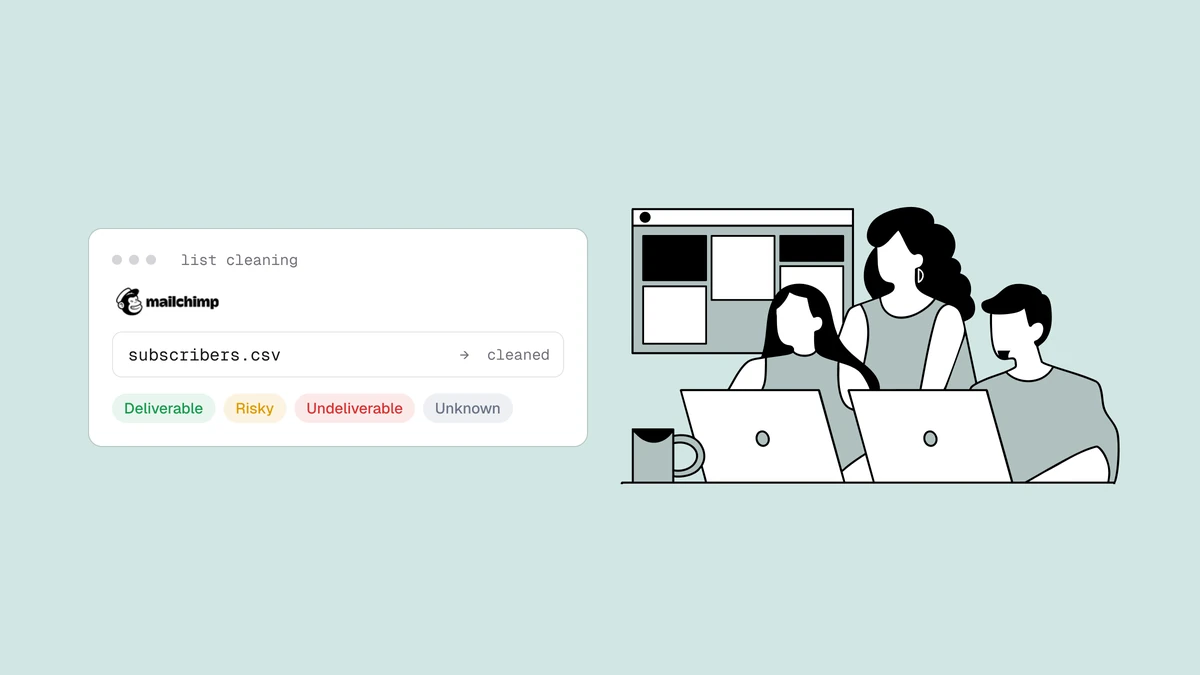
- Read the results. Every address returns
deliverable,risky,undeliverable, orunknownwith a reason code and sub-flags (catch-all, disposable, role, full mailbox), plus the MX provider and probe detail as evidence. Download the cleaned CSV. - Remove the undeliverables in Mailchimp. Mailchimp has no "import to
suppressed" list the way some ESPs do, so the clean way to retire dead
addresses is to archive them: filter your results to
undeliverable, build or update a Mailchimp segment of those addresses, and archive it. Archived contacts stop receiving mail and drop out of your billable count without being permanently deleted. - Handle everything else per verdict — the table below.
What to do with each verdict#
| Verdict | Mailchimp action |
|---|---|
deliverable | Keep sending as normal. |
deliverable + role flag | Keep for transactional content; exclude from engagement-judged automations — see role, disposable & free. |
risky + catch-all flag | Move to a dedicated segment and throttle — see the catch-all guide. |
risky + disposable flag | Archive. The inbox was built to expire. |
unknown | Keep active and re-verify next clean — greylisting or rate-limiting, not a verdict on the mailbox. |
undeliverable | Archive via the segment above. Don't wait for the bounce to prove it. |
Archive or delete?#
Mailchimp offers both, and archiving is almost always the right choice. Archiving stops all sends and removes the contact from your billable audience while preserving their history, so you keep the record that the address was bad and won't accidentally re-import it. Deleting erases the contact entirely — which means a future import could add it straight back, bounce and all. Mailchimp itself recommends archiving over deleting to avoid exactly that loop.
How often to re-clean#
There's no universal number, and we won't invent a decay statistic. The real drivers are how fast your audience grows and how it's sourced: a double-opt-in list decays slowly, while one fed by imports and lead magnets accumulates junk continuously. Three habits cover most senders:
- Before any high-stakes send — a launch or seasonal campaign.
- After any import, before the first send touches it.
- On a regular cycle sized to your volume, with your per-campaign bounce rate as the tripwire between cleans. If bounces climb toward the warning thresholds, clean now (see why bounce rate matters).
Frequently asked questions
01Does cleaning my list lower my Mailchimp bill?
It can. Mailchimp bills on your contact count, and archived contacts don't count - so archiving the undeliverable and disposable addresses you'll never reach again can move you under a pricing threshold. Cleaning a list before importing keeps the junk out of your billable count from the start.
02Should I archive or delete cleaned contacts?
Archive. Archiving stops sends and removes contacts from your billable audience while keeping their history, which prevents a future import from silently re-adding a known-bad address. Deleting removes that safety record. Mailchimp's own guidance recommends archiving over deleting.
03Can I verify addresses before they enter Mailchimp?
Yes, and it's the highest-leverage option: verifying at signup through the API keeps typos and disposable addresses out of Mailchimp entirely, so there's less to clean later. The native Mailchimp connector is now live for cleaning your list in place, and the CSV loop above remains a valid path on any plan.