The short answer#
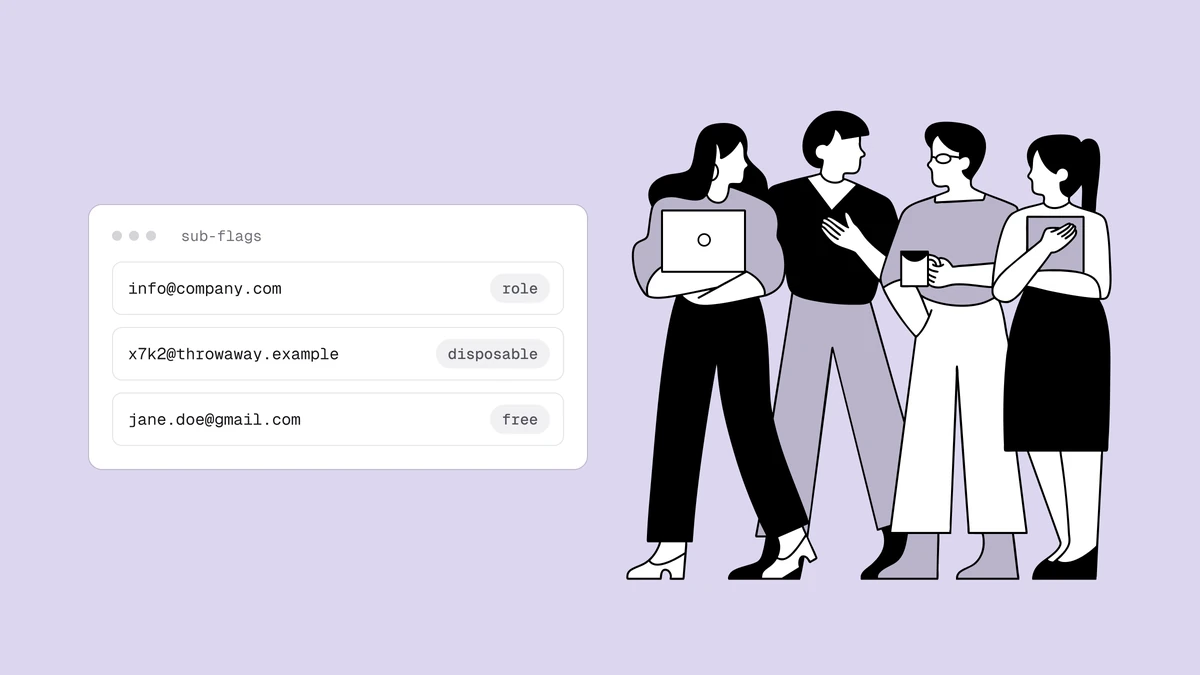
Role, disposable, and free are three different flags a verifier can raise on
an address that is technically deliverable, and they call for three
different decisions. A role address (info@, support@) is a real shared
mailbox you might keep but shouldn't market to. A disposable address is a
throwaway inbox you should almost always suppress. A free address (Gmail,
Outlook) is not a problem at all — it's just information. Conflating them, or
treating all three as "bad", throws away good subscribers. Here's how to tell
them apart and what to do with each.
The key idea: these are sub-flags, not statuses. A verifier's status
answers "will it deliver?"; these flags answer "what kind of address is it?"
An address can be deliverable and a role account and on a free provider
all at once. The flag is a fact; the action is your call.
Role addresses: keep, but segment#
A role address is a mailbox owned by a function rather than a person —
info@, sales@, billing@, support@, hello@, no-reply@. Qualisend
detects them from the local part (case-insensitively, and ignoring any +tag
suffix, so support+ticket@ still counts) and flags them while leaving the
status as deliverable, because they usually are.
Why they need care anyway:
- No single owner. Nobody personally opted in, so consent for marketing is murky, and several people may see — and complain about — your email.
- They skew engagement. A shared inbox opened by a rotating team produces engagement numbers that don't mean what per-person numbers mean.
- Higher complaint risk.
abuse@andpostmaster@in particular are monitored addresses; mailing them is a fast way to earn a spam report.
What to do: keep role addresses for transactional and operational mail
(receipts, account notices), but exclude them from cold outreach and
engagement-judged flows. In a B2B context a sales@ address may be exactly
who you want to reach — so this is a segment decision, not a blanket suppress.
Disposable addresses: suppress#
A disposable address lives on a domain that exists only to hand out temporary
inboxes — the ten-minute addresses people use to clear a signup gate, grab a
discount, or dodge a paywall. Qualisend matches the domain against a
maintained disposable list and reports the address as risky with reason
low_quality.
The distinction that matters: a disposable address may accept mail today.
That's why it's risky and not undeliverable — the SMTP probe might get a
clean 250. But the inbox is designed to stop existing, and the person behind
it never intended to hear from you again. Sending to it is spending
deliverability on someone who is, by construction, not a subscriber.
What to do: suppress disposables, and — more valuably — block them at the point of capture. Rejecting a disposable domain at signup keeps it out of your list entirely, which beats cleaning it out after it has diluted your metrics and your bill.
Free addresses: not a problem#
This is the flag people most often misread. A "free" address is simply one on
a well-known consumer provider — gmail.com, outlook.com, yahoo.com,
icloud.com. Qualisend flags it for context, but a free address is not
risky and not penalized — a Gmail address that passes the SMTP probe is
deliverable, full stop. In consumer email, free addresses are most of your
list.
The flag is useful, not damning:
- In B2B outbound, a free address where you expected a corporate domain can be a signal — a personal Gmail from someone who should have a work address. That's a targeting judgment, not a deliverability one.
- In B2C, free addresses are simply your audience. Treating "free" as a quality problem would suppress most real customers.
What to do: nothing, in most cases. Use the flag as context for segmentation if your business model cares about business-vs-personal, and otherwise let it be.
Side by side#
| Flag | Status | What it is | Default action |
|---|---|---|---|
| Role | deliverable | Shared team mailbox (info@, support@) | Keep for transactional; exclude from cold/engagement sends |
| Disposable | risky / low_quality | Throwaway inbox that will stop existing | Suppress; block at signup |
| Free | deliverable | Consumer provider (Gmail, Outlook) | None — context only |
These three sit alongside the catch-all flag and the full-mailbox and disabled signals as the sub-flags a verifier layers on top of the four core statuses. The 8-stage pipeline shows where each one is detected. And whatever you decide, the golden rule from bounce-rate management still applies: verify before you send, so the flags are acted on before they become bounces and complaints.
Frequently asked questions
01Should I delete all role-based email addresses?
No. Role addresses are usually real, deliverable mailboxes - deleting them blindly can cut off legitimate B2B contacts and operational recipients. The right move is to segment: exclude them from cold outreach and engagement-scored campaigns, but keep them for transactional mail and, in B2B, for the accounts where a shared inbox is genuinely the right contact.
02Is a Gmail or Outlook address lower quality?
No. Free-provider addresses are flagged for context, not penalized - a Gmail address that passes verification is deliverable and is most of a typical consumer list. The flag only matters if your business specifically needs to distinguish personal from corporate addresses; it is never a reason to suppress on its own.
03Why is a disposable address "risky" and not "undeliverable"?
Because it may still accept mail at the moment you verify it - the inbox hasn't expired yet. risky reflects exactly that: deliverable today, gone tomorrow, and never a real subscriber. Suppressing disposables is about list quality and reputation, not about a current bounce.
04Can I block these at signup instead of cleaning later?
Yes, and you should. Verifying at the point of capture through the API lets you reject disposable domains and flag role addresses before they ever enter your list - cheaper and cleaner than suppressing them after they've diluted your metrics.