When someone hits "report spam" on your email, a feedback loop is how you find out — if you're signed up for one. Complaints are the loudest negative signal a mailbox provider reads, and a feedback loop turns each one into a chance to suppress that recipient before they complain again. Ignore them and your reputation erodes one report at a time.
The short answer#
A feedback loop (FBL) is a service where a mailbox provider forwards spam complaints back to the sender, so you can immediately stop mailing the person who complained. You register per sending IP or domain, receive complaint reports, and suppress the complainers on arrival. Most major providers offer an FBL; Gmail is the notable exception, reporting complaints in aggregate through Postmaster Tools rather than one by one.
How a feedback loop works#
The flow is simple:
- A recipient clicks "report spam" or "junk" on your message.
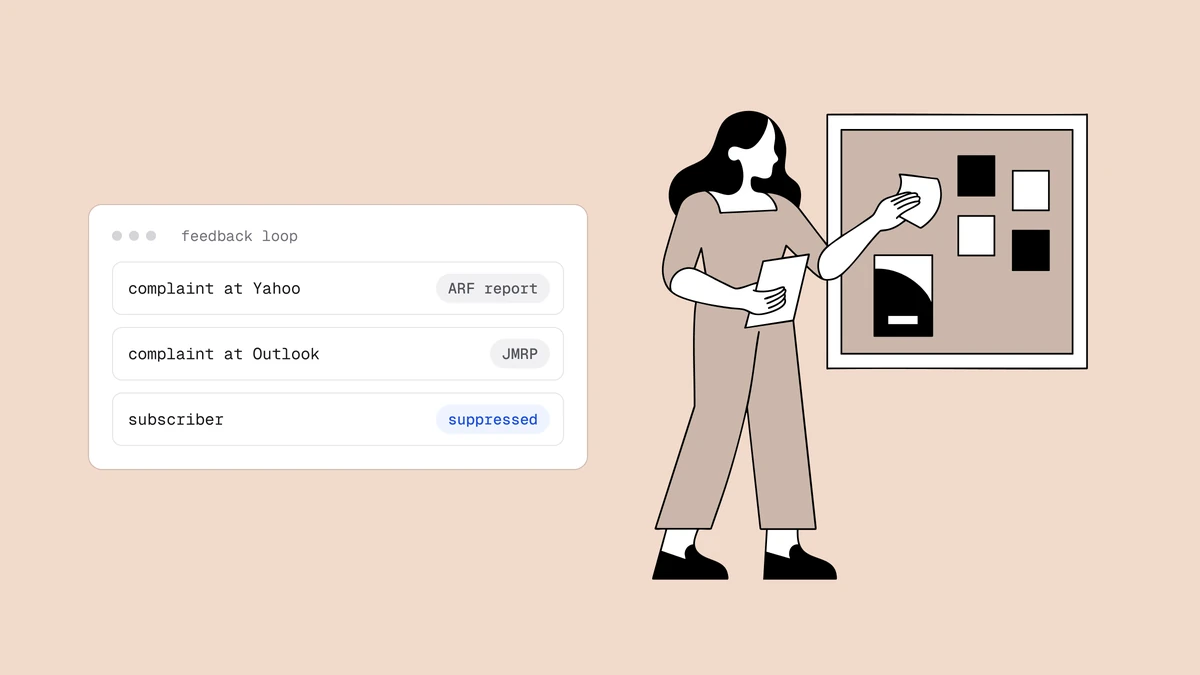
- If you're registered for that provider's feedback loop, the provider sends you a complaint report — usually in the standardized ARF (Abuse Reporting Format) — for that message.
- You identify the recipient from the report and suppress them, so they never receive another send.
The whole point is speed: a complainer who keeps getting your mail keeps complaining, and each complaint pushes your rate toward the threshold providers punish. Suppressing on the first complaint stops the bleeding.
Which providers offer feedback loops#
Coverage varies, and it's worth knowing the shape of it:
- Microsoft (Outlook, Hotmail, Live) offers the Junk Mail Reporting Program (JMRP) alongside its SNDS reputation data.
- Yahoo and a number of other providers offer ARF-based feedback loops you register for per IP or domain.
- Gmail is the exception. It does not send per-complaint reports to individual senders; instead it exposes your aggregate spam-complaint rate in Google Postmaster Tools, and offers a header-based feedback loop for ESPs that returns aggregated data. So for Gmail, you watch the rate rather than suppress individual complainers.
Because each provider runs its own program, full coverage means registering with each one separately — which is a large part of what an ESP does for you.
What to do with a complaint#
Treat a spam complaint as a stronger "stop" than an unsubscribe, and act on it immediately:
- Suppress the complainer at once. They've told a provider your mail is unwanted; continuing to send guarantees more complaints and more reputation damage.
- Look for patterns. A spike from one campaign, segment, or acquisition source points at the real problem — a bad list, a misleading subject line, or mail people don't remember opting into.
- Keep the overall rate low. Providers act on the rate, so the goal is to stay well under the ~0.3% complaint threshold — suppression plus fixing the source is how you do it.
Feedback loops and your ESP#
Here's the practical part: if you send through a reputable ESP on shared IPs, the ESP is almost certainly registered for the major feedback loops and automatically suppresses complainers for you — it's one of the core things you pay them for. If you send from your own infrastructure, registering for each provider's FBL and wiring up automatic suppression is on you. Either way, the complaints must result in immediate suppression to be worth anything.
Frequently asked questions
01What is an email feedback loop?
A service where a mailbox provider forwards spam complaints back to the sender, so you can suppress recipients who report your mail as junk. You register per sending IP or domain, receive complaint reports (usually in ARF format), and stop mailing the complainers - which keeps your complaint rate, and your reputation, from sliding.
02Does Gmail have a feedback loop?
Not a traditional per-complaint one. Gmail reports your spam-complaint rate in aggregate through Google Postmaster Tools rather than forwarding individual complaints, and offers a header-based feedback loop aimed at ESPs that returns aggregated data. In practice, you monitor your Gmail spam rate in Postmaster Tools and keep it well under 0.3% rather than suppressing named complainers.
03What should I do when I get a spam complaint?
Suppress that recipient immediately - a complaint is a stronger signal than an unsubscribe that your mail is unwanted, and continuing to send generates more complaints. Then look for the pattern behind it: a spike usually points to a specific campaign, segment, or list source that needs fixing.
04Do I need to set up feedback loops myself?
If you use a reputable ESP, probably not - it registers for the major feedback loops and auto-suppresses complainers as part of the service. If you run your own sending infrastructure, you need to register with each provider's program and handle suppression yourself. Check whether your provider already does this before building it.
Feedback loops catch the complaints; verification prevents many of the sends that trigger them, by keeping dead and unwanted addresses off your list in the first place. The free plan runs the full verification pipeline, and the deliverability guide covers how complaints fit the wider reputation picture.