When email deliverability collapses without warning, most senders assume they've been flagged as a spammer. The Composite Blocking List — almost always shortened to the CBL — tells a different and more alarming story. A CBL blacklist listing rarely means you deliberately sent spam; it means a machine on your network or behind your IP has been hijacked and is emitting the automated, malware-driven traffic that botnets and compromised servers produce. It's a security alarm wearing a deliverability costume. Here's what the CBL detects, why an otherwise clean business IP gets listed, how it feeds Spamhaus, and how to find the source and get delisted.
The short answer#
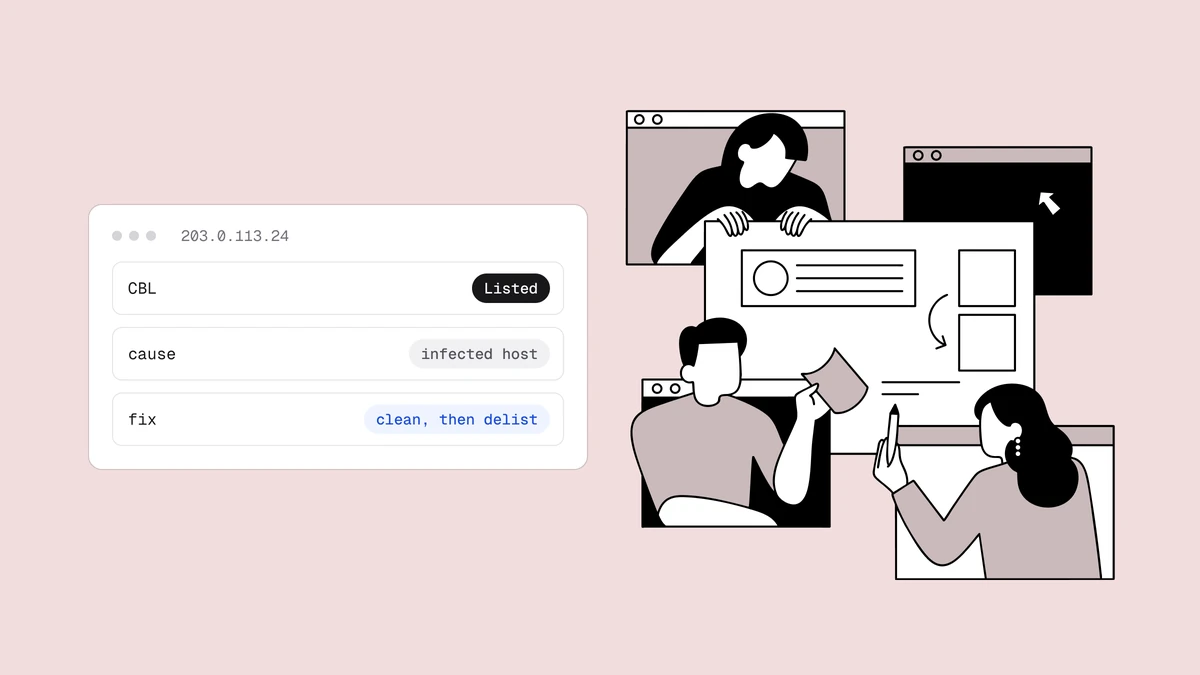
The CBL is an automatically generated blocklist of IP addresses observed sending traffic characteristic of infected or abused machines — botnet chatter, malware-driven spam, open proxies, and open relays. It is populated entirely by machine detection, with no human "this looks like a spam operation" judgment involved. Its data is the source behind the Spamhaus XBL (Exploits Block List), so a CBL listing almost always surfaces as an XBL hit too — and XBL is consulted by a large share of the world's mail servers through Spamhaus's combined zones. Removing a listing means finding and fixing the compromised device or misconfiguration first, then requesting self-service removal.
What the CBL blacklist actually detects#
Most blocklists are built around a judgment about intent: this sender bought a list, this operation runs snowshoe spam, this domain appears in junk mail. The CBL works differently. It doesn't care who you are or whether your marketing is legitimate — it watches for the behavioral fingerprints of a machine that has been taken over. When an IP starts producing those signatures, it gets listed, regardless of how reputable the business behind it is.
The kinds of traffic that trigger a CBL listing include:
- Botnet activity — an IP participating in a botnet, phoning command-and-control servers or blasting mail on a schedule no human set.
- Malware-driven spam — mail generated by a virus, worm, or trojan running on an infected host rather than by a person or a mailing platform.
- Open proxies — a proxy left open to the internet that anyone, anywhere can route abusive traffic through.
- Open relays and misconfigured mail servers — an SMTP server that accepts and forwards mail for senders it should reject, effectively lending your IP to strangers.
The common thread is that these are machine-generated problems. A CBL listing is telling you that something on your IP is behaving as though it is no longer under its owner's control.
How the CBL relates to Spamhaus XBL#
If you've read our Spamhaus deep-dive, you already know the XBL. The XBL is Spamhaus's Exploits Block List — the zone that flags hijacked machines, exploited hosts, open proxies, and compromised devices sending spam. What many senders don't realise is that the CBL is the primary data source feeding that zone. The two are so tightly coupled that, in practice, being on the CBL means being on the XBL.
That coupling is what makes a CBL listing consequential rather than obscure. The XBL is bundled into Spamhaus's combined ZEN zone, which most receivers query for inbound IP filtering — so a CBL listing rides into a lookup that mailbox providers, ISPs, and filtering appliances around the world already perform on every message. Mail from a CBL-listed IP can be rejected or filtered across a wide slice of your audience, often within hours and with no notification.
Why a clean business IP ends up on the CBL#
The confusing part is that the listed IP usually belongs to an organization that never knowingly sent a single spam message. The CBL flags the IP that emitted the traffic, and on a modern network that IP is often a shared gateway sitting in front of dozens or hundreds of devices. A NAT gateway makes an entire office look like one address to the outside world, so a single compromised laptop can get your whole building's public IP listed.
| Likely source | What's actually happening | Where to look |
|---|---|---|
| Infected workstation behind NAT | A laptop or desktop picked up malware and is sending spam or botnet traffic directly on port 25. To the internet, it wears the office's shared public IP. | Every device that shares that outbound IP — not just servers. |
| Compromised website or CMS | An out-of-date CMS, plugin, or web app was exploited and is now sending spam from the hosting server. | Your web server, its mail queue, and recently modified files. |
| Open relay or open proxy | A mail server or proxy accepts traffic from senders it should reject, so strangers route abuse through your IP. | SMTP relay rules and proxy configuration on any internet-facing host. |
| Hijacked mail account or credentials | Leaked or brute-forced login lets an attacker send authenticated spam through your legitimate mail server. | Authentication logs, unusual send volumes, and password hygiene. |
| IoT or embedded device | A camera, printer, router, or other device with weak firmware joined a botnet and is generating traffic from your network. | Anything connected that isn't a normal workstation or server. |
Notice what none of these are: a marketing campaign that drew complaints, a stale list, or a batch of dead addresses. Those hygiene failures land you on other lists — the ones tied to sender reputation and spam traps. The CBL is a different animal, and it needs a different response.
A CBL listing is a security problem, not just a reputation one#
This is the mindset shift that separates a CBL listing from most deliverability problems. When you appear on a reputation-based list, the worst case is lost email. When you appear on the CBL, the email problem is the least of your worries: something on your infrastructure is executing code you didn't authorise — and that same compromise could be exfiltrating data, harvesting credentials, or waiting for its next instruction from a botnet controller.
So while it's tempting to rush to the delist button, the right first move is to escalate it like the security event it is. The good news: the investigation that clears the listing — finding the machine emitting bad traffic — is exactly the investigation that contains the breach. Fixing one fixes the other.
How to find the infected source#
Because the listed IP is often a shared gateway, the hunt is to identify the single device behind it that's misbehaving. A practical order of operations:
- Confirm which IP is listed and what it fronts. Run the address through the Spamhaus or CBL lookup and note whether it's a mail server, a web server, or the NAT gateway for a whole office. That tells you how wide the search is.
- Look at outbound port 25 traffic. Malware and botnets usually send mail directly rather than through your real mail server. Watch for internal devices making outbound SMTP connections that aren't your legitimate mail host — that's often the fastest way to fingerprint the culprit.
- Scan every device that shares the IP. Run up-to-date anti-malware across workstations, servers, and anything else on that outbound address. Don't stop at the obvious servers — the infected host is frequently an ordinary laptop or an overlooked IoT device.
- Audit web applications and CMS installs. If a hosting or web server is listed, check for outdated software, unexpected scripts, unfamiliar files, and a backed-up mail queue — a hallmark of a compromised site sending spam.
- Check mail server configuration. Verify the server isn't acting as an open relay and that no proxy is open to the world. Review authentication logs for hijacked accounts and abnormal send volumes.
If your mail infrastructure runs on a shared IP, coordinate with your provider — another tenant's compromise can list an address you share. Understanding the tradeoffs of dedicated versus shared IPs helps you decide whether isolating your sending is worth it.
How to self-delist from the CBL#
The CBL offers self-service removal, and it's deliberately simple — but the order of operations is everything. Follow the same discipline that governs every blacklist removal:
- Remediate first. Clean or quarantine the infected device, patch the exploited application, close the open relay or proxy, and reset any compromised credentials. Confirm the abusive traffic has actually stopped. The CBL will relist an IP if the behavior continues, so a delist request before the fix is wasted effort.
- Request removal. Use the CBL/Spamhaus lookup for your IP and follow its self-service removal path. Because the CBL is machine-driven, removal is generally quick once the underlying signal is gone — you're telling an automated system the problem is resolved.
- Watch for a relist. If the address reappears shortly after, you haven't found the whole source. Go back to the investigation; there's likely a second infected device, or the malware reinstalled itself. Confirm you're genuinely clean before assuming the incident is closed.
Delisting is not the finish line — a clean, uncompromised network is. If you're unsure whether the listing has actually cleared, our guide to checking whether you're blacklisted walks through verifying an IP across the major lists.
Catch a CBL listing before it costs you#
The CBL gives you no warning. By the time deliverability falls off a cliff, the compromised machine may have been running for days — and the longer it runs, the more damage it does on both the security and the reputation fronts. The reliable way to hear about it in time is continuous blacklist monitoring, which watches your IPs and domains against the CBL, Spamhaus, and other major lists and alerts you the moment a listing appears, so you can start the investigation while it still matters.
Frequently asked questions
01What is the CBL blacklist?
The Composite Blocking List (CBL) is an automatically generated DNS blocklist of IP addresses seen sending traffic characteristic of infected or abused machines - botnet activity, malware-driven spam, open proxies, and open relays. Unlike lists that flag deliberate spammers after human review, the CBL is populated purely by machine detection of that abusive behavior. Its data is the source behind the Spamhaus XBL, so a CBL listing typically means your mail is being filtered wherever Spamhaus is used.
02Why is my IP on the CBL if I never sent spam?
Because the CBL lists the IP that emitted the traffic, and on most networks that IP is shared by many devices behind a NAT gateway. A single infected laptop, a compromised website, an open relay, or a hijacked IoT device can get your whole network's public IP listed. The listing isn't accusing you of spamming on purpose - it's telling you something on your infrastructure has been compromised and is sending abusive traffic on its own.
03Is the CBL the same as Spamhaus XBL?
They're not identical, but they're tightly linked: the CBL is the primary data source that feeds the Spamhaus XBL (Exploits Block List). In practice, if you're on the CBL you'll almost always show on the XBL as well, and the XBL is bundled into Spamhaus's combined ZEN zone that most receivers query. That coupling is why a CBL listing has such wide impact despite the CBL being a specialized, machine-driven list.
04How do I get removed from the CBL?
Fix the underlying compromise first - clean or quarantine the infected device, patch the exploited application, close any open relay or proxy, and reset compromised credentials - and confirm the bad traffic has stopped. Then use the CBL or Spamhaus lookup for your IP and follow its self-service removal path; removal is generally quick once the signal is gone. If the address gets relisted, you haven't found the whole source, so return to the investigation before trying again.
A CBL listing is a security incident before it's a deliverability one, and it gives you no notice. Qualisend's blacklist monitoring watches your domains and IPs against the CBL, Spamhaus XBL, and other major lists continuously and alerts you the moment anything changes, so you can find the compromised source before it costs you the inbox. Pair it with a free blacklist and email check to see where your sending stands right now.