An email list re-engagement campaign is a deliberate, time-boxed attempt to wake up subscribers who have quietly stopped opening and clicking — before their silence drags down the engagement signals every mailbox provider watches. Dormant contacts feel harmless because they never complain, but they are one of the quieter ways good senders slide into the spam folder. This guide covers why inactive subscribers hurt deliverability, how to decide who counts as inactive, how to run a win-back campaign that actually protects your reputation, and how to write a sunset policy so the pruning keeps happening on its own.
The short answer#
Inactive subscribers who never open or click are a liability, not neutral dead weight. A re-engagement (win-back) campaign targets that dormant segment with a short "we miss you" or "confirm you still want this" message and gives everyone a clear choice: click to stay, or fall silent and be removed. A sunset policy is the standing rule that decides when to stop mailing someone who never responds and move them to suppression. Run the campaign to give the dormant a last chance, then let the sunset policy handle the ongoing pruning automatically. One preliminary step matters more than people expect: verify the dormant segment before you send, because addresses that have sat idle for months are the ones most likely to have decayed into hard bounces or spam traps.
Why inactive subscribers hurt deliverability#
It is tempting to leave the quiet subscribers alone — they are not costing you anything, and a bigger list number looks better in the dashboard. But mailbox providers do not grade you on list size. They grade you on how the people you mail react, and a large dormant segment quietly poisons that grade in two ways.
Engagement signals get diluted. Gmail, Outlook, Yahoo, and the rest infer whether your mail is wanted by watching what recipients do with it: opens, clicks, replies, moving a message out of spam, deleting without reading, and marking as junk. These signals feed your sender reputation, which providers track at the domain and IP level — so it applies to every message you send, not just the one that annoyed someone. When a big chunk of your audience never engages, your aggregate open and click rates fall, and low engagement is one of the leading reasons legitimate mail goes to spam. Keep mailing the dormant and you drag placement down for the engaged subscribers who still want to hear from you.
Dead addresses turn into spam traps and complaints. An abandoned mailbox does not just stop opening — after a long enough dormancy the provider may recycle it into a recycled spam trap, an address that once belonged to a real person and is now used specifically to catch senders who never clean their lists. Hitting one tells the provider you are mailing from stale data. Others among the disengaged never unsubscribe; they just hit "report spam" when your name shows up again, pushing up your spam complaint rate. Google asks bulk senders to keep the complaint rate reported in Postmaster Tools below 0.3%, and a wall of half-forgotten subscribers is exactly the population that breaches it.
How to define inactivity#
There is no universal number of days that makes a subscriber "inactive," and any guide that gives you one is guessing. The right window depends on how often you send and how long your natural buying or usage cycle is. A daily newsletter can reasonably call someone dormant after 90 days of no engagement; a business that emails a few times a quarter, or sells something people buy once a year, needs a much longer horizon before silence means anything.
A more important decision than the exact number is which signal you count. Opens are the obvious metric, but they have become unreliable: privacy features like Apple's Mail Privacy Protection pre-fetch images, which fires the tracking pixel and records an "open" the recipient may never have made. Clicks are the sturdier signal — a click is a deliberate action that is much harder to fake — so lean on last-click, and bring in other real signals where you have them, such as last purchase, last login, or a recent reply. Define inactivity as the absence of any of those meaningful actions over your chosen window.
| Sending pattern | Rough inactivity window | Best signal to trust |
|---|---|---|
| Daily or several times a week | ~60–90 days no engagement | Clicks, then opens as a weak backup |
| Weekly newsletter | ~3–4 months | Clicks; last-purchase if you sell |
| Monthly or lower frequency | ~6+ months | Clicks, purchases, logins, replies |
Treat these as starting points to tune against your own data, not fixed rules. The goal is a segment you can name with confidence: "people who have received at least a few of our emails and taken no meaningful action in X months."
Running an email list re-engagement campaign#
Once you can define the dormant segment, an email list re-engagement campaign is a short, purposeful sequence aimed only at that group. Keep it tight and honest — this is a last conversation, not a fresh sales push.
1. Isolate the segment, then verify it. Build the audience from your inactivity rule and, before you send anything, run it through verification (more on why in the next section). This strips out the addresses that have already decayed so you are not opening the campaign with a spike of hard bounces.
2. Send a short series, not a single shot. Two to four messages spaced over a couple of weeks generally works better than one email. Lead with a clear reason to stay — the value they signed up for, a genuine incentive, or simply an honest "are you still interested?" A useful pattern is to make the ask a confirmation: invite them to click a link or update their preferences to keep receiving mail, which echoes the logic of confirmed opt-in and gives you an unambiguous signal of who still wants you.
3. Make leaving effortless. Re-engagement mail draws more complaints than usual because you are prodding people who had drifted away, so a prominent, working unsubscribe — including the one-click unsubscribe header that Gmail and Yahoo now require of bulk senders — is a feature, not a failure. Someone choosing "unsubscribe" over "report spam" is the good outcome; it protects your complaint rate.
4. Send conservatively and watch the signals. Because this segment is your lowest-engagement population, sending it all at once can dent your reputation. Throttle the volume, watch complaints and bounces in real time, and be ready to stop. Some senders route win-back mail through a separate subdomain so any short- term reputation hit doesn't touch their primary sending stream.
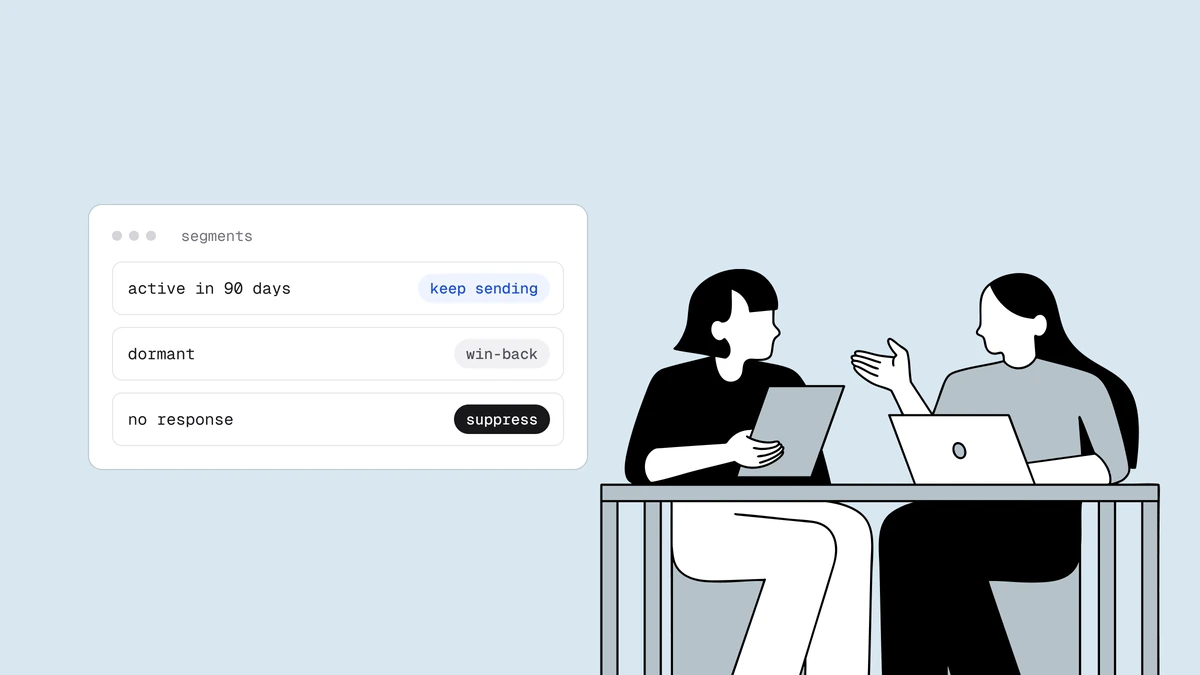
5. Split the results into two piles. Anyone who opens, clicks, or converts graduates back to your active list. Everyone who stays silent through the whole series has told you something clear: they are done. That is not a failure of the campaign — it is the campaign doing its job, and it feeds directly into your sunset policy.
Setting a sunset policy#
A re-engagement campaign is a one-time event; a sunset policy is the standing rule that keeps dormancy from ever piling up again. It answers a single question in advance: when a subscriber goes dark and does not respond to a win-back attempt, at what point do we stop mailing them?
A workable policy reads roughly like this: when a contact crosses your inactivity window, automatically enroll them in the re-engagement series; if they take no meaningful action by the end of it, stop sending them regular campaigns and move them to suppression. The key word is suppress, not delete. A suppressed address stays on file so it cannot be re-imported and re-mailed by accident on the next upload — deleting it outright loses that memory and invites the exact mistake you were trying to prevent. Most ESPs have a suppression list built for this.
Automate the whole thing so it runs without you remembering to. A sunset policy that only fires when someone manually cleans up is a sunset policy that quietly lapses. Wiring it into your automation platform turns list hygiene from an annual chore into a background process — which is the same reason it pays to clean your list on a regular cadence rather than only before a big send.
Verify before you win back#
The single step people skip — and the one that turns a healthy win-back into a reputation problem — is verifying the dormant segment before the first send. Inactive addresses are, almost by definition, the most decayed part of your list. Months of silence is often not a disengaged human at all: it is a mailbox that was abandoned when someone changed jobs, a domain that lapsed, or a typo that never worked. Mail that population blind and you open your win-back with a bounce spike, and a climbing bounce rate is precisely the signal that convinces providers to route the rest of your campaign to spam.
Verifying first splits the dormant into the genuinely-still-valid and the already-gone. The valid addresses are the ones worth a re-engagement email; the undeliverable ones should be suppressed immediately, no send required. This is the same export → verify → act → suppress hygiene you'd apply to any list, focused on the riskiest slice of it. Doing it before the win-back keeps your bounce and complaint rates low at the exact moment your reputation is most exposed — and makes sure the only thing your campaign is testing is interest, not whether the address still exists.
Frequently asked questions
01What is an email list re-engagement campaign?
It is a short, targeted email sequence sent only to subscribers who have stopped opening and clicking, designed to find out who still wants your mail. A typical "we miss you" or "confirm you're still interested" series asks dormant contacts to take one clear action to stay on the list. Those who engage return to your active audience; those who stay silent are suppressed, which stops their inactivity from dragging down the engagement signals mailbox providers use to decide inbox placement.
02How long should someone be inactive before a re-engagement email?
There is no universal number - it depends on how often you send and how long your buying or usage cycle is. A daily sender might treat 60 to 90 days of no engagement as dormant, while a monthly sender may wait six months or more. Base the window on clicks and other deliberate actions (purchases, logins, replies) rather than opens, since privacy features like Apple Mail Privacy Protection can record opens the recipient never actually made.
03What is a sunset policy in email marketing?
A sunset policy is a standing, automated rule that defines when to stop mailing a persistently unengaged subscriber. Typically it enrolls a contact in a re-engagement series once they cross your inactivity window, and if they take no meaningful action by the end, moves them to a suppression list rather than deleting them - so they can't be re-imported and mailed again by mistake. It keeps dormant contacts from accumulating and quietly eroding your deliverability.
04Should I verify inactive addresses before a win-back send?
Yes. Dormant addresses are the most likely to have decayed into invalid mailboxes or recycled spam traps, so mailing them blind risks a bounce spike right when your reputation is most exposed. Verifying the segment first lets you suppress the already-dead addresses without sending to them and reserve the win-back email for the ones that are still valid, keeping your bounce and complaint rates low throughout the campaign.
Re-engagement only works when you're testing interest, not whether an address still exists. Qualisend's full verification pipeline strips the decayed addresses and spam traps out of your dormant segment before the first win-back email goes out — so your last-chance campaign protects your reputation instead of spending it.