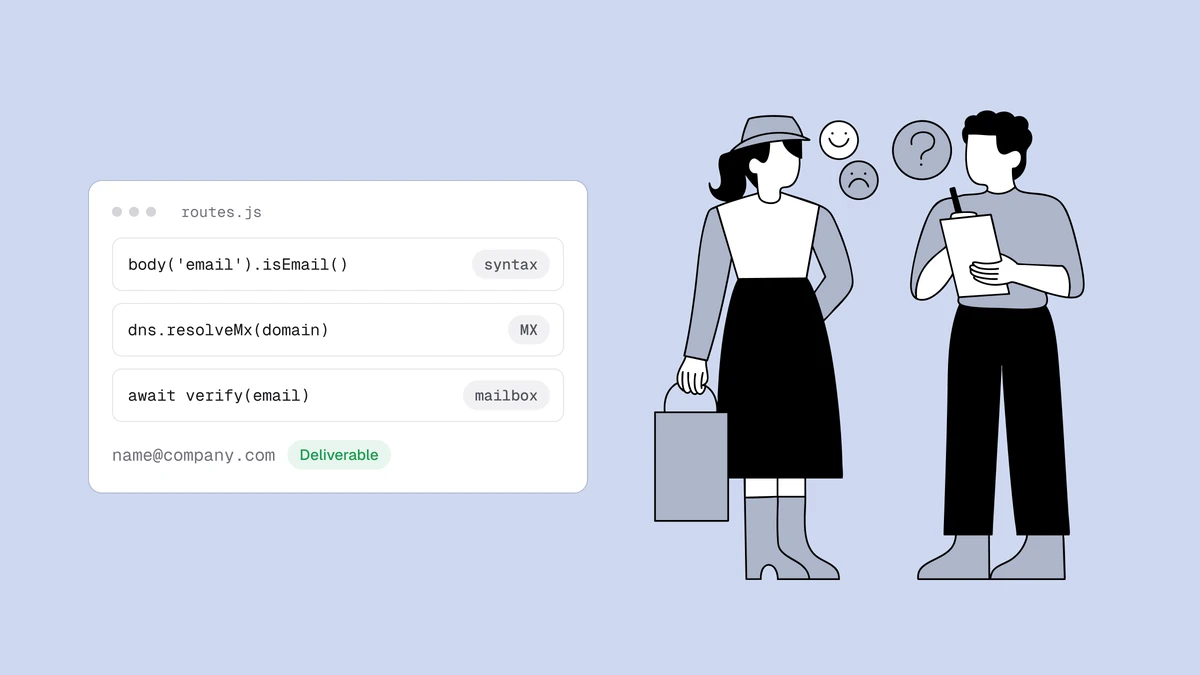
To validate an email address in Express you wire up middleware, not a single
check — and the middleware has to answer three different questions in order. Is
the address shaped correctly? Can its domain receive mail? Does the mailbox
actually exist? Express itself ships none of these, but the ecosystem around it
makes each one a few lines: express-validator for syntax, Node's built-in
dns/promises for the domain, and a verification API for the mailbox. This
guide builds all three as validators on a single POST route and shows exactly
where the framework stops and a real check begins. It's the Express-shaped
version of the Node.js email validation guide,
so the DNS and SMTP reasoning there carries over intact.
The short answer#
Chain three validators on the email field, cheapest first, and let
express-validator's .bail() short-circuit as soon as one is decisive: use
body('email').isEmail() for syntax, an async custom validator wrapping
dns/promises resolveMx for the domain, and a second async custom validator
that calls a verification API for the mailbox — returning a 422 when the verdict
is undeliverable. Don't try to open SMTP connections from your Express process
to probe mailboxes yourself: outbound port 25 is blocked on most hosts, and the
answer depends on sending-IP reputation and greylisting you don't want to
reimplement. Each layer rules addresses out more cheaply than the last; only
the API can rule one in.
Layer 1: syntax with express-validator#
express-validator is the de-facto validation middleware for Express — a thin,
Express-native wrapper around the
validator.js library. Its isEmail() check is validator.js's isEmail,
so you get the same battle-tested syntax parser every Node project already leans
on, exposed as a chainable middleware. Declare a rule on the field and it runs
before your handler:
import { body } from "express-validator";

const validateEmail = body("email")
  .trim()
  .isEmail()
  .withMessage("Enter a valid email address.")
  .bail();
.trim() sanitizes leading and trailing whitespace, .isEmail() validates the
shape, .withMessage() sets the error text, and .bail() stops the chain for
this field the moment syntax fails — so the more expensive layers below never run
on a malformed string. That .bail() is the Express equivalent of stopping at
the cheapest possible check.
Know exactly what this buys you. isEmail() reads the string — it never
resolves DNS and never opens a socket. definitely-fake@gmail.com passes.
info@company-that-folded.com passes. typo@gmial.com passes. All three are
undeliverable, and no validator that only inspects the string will ever tell you
so — the same reason regex email validation fails.
Syntax and deliverability are different questions: one is a fact about the
string, the other is a fact about the internet.
Layer 2: can the domain receive mail?#
This is the first layer Express doesn't hand you, and it's cheap to bolt on. A
domain with no MX records can't accept mail for anyone, so one DNS lookup
eliminates dead domains, misspelled company names, and invented TLDs before you
spend anything on the network. Node's built-in node:dns/promises resolves MX
records with no dependencies, and express-validator's .custom() accepts an
async function — throw inside it to fail the field, return true to pass:
import { resolveMx } from "node:dns/promises";

async function hasMailRoute(email) {
  const domain = email.slice(email.lastIndexOf("@") + 1);

  let records = [];
  try {
    records = await resolveMx(domain);
  } catch {
    // ENOTFOUND / ENODATA — the domain doesn't exist or publishes no MX
    throw new Error("This domain cannot receive email.");
  }

  if (records.length === 0) {
    throw new Error("This domain cannot receive email.");
  }
  return true;
}
Because that's a plain async function, it drops straight into the chain as a
custom validator, guarded by another .bail() so the mailbox layer only runs on
a domain that actually resolves a mail route:
body("email")
  .isEmail()
  .bail()
  .custom(hasMailRoute)
  .bail();
await hasMailRoute("jane@gmail.com");               // true
await hasMailRoute("jane@company-that-folded.com"); // throws — no MX
Some domains accept mail on an A record with no MX (implicit MX). If you want to
honour that edge case, fall back to resolve4 when resolveMx comes back empty
— but for the overwhelming majority of real addresses, an MX check is the right
filter.
Layer 3: does the mailbox actually exist?#
Layers 1 and 2 can only rule an address out. A domain can publish perfect MX
records and still have no mailbox at the address you're holding —
noreply-9f2x@gmail.com is valid syntax on a live mail route, and it's still a
mailbox that was never created. Confirming a specific mailbox means the SMTP
delivery conversation: connect to the mail host, issue RCPT TO, read the reply,
and disconnect before sending anything.
In principle you could script that from Express with the net module. In
practice you shouldn't run it from your application server: most cloud hosts
block outbound port 25, the answer depends on the reputation of the IP you connect
from, and receiving servers greylist and rate-limit unfamiliar senders — so a
probe that works in a local test quietly fails, or gets you blocklisted, in
production. How email verification works
walks the full pipeline, catch-all domains and all. This is the layer worth
delegating.
Calling Qualisend from an async custom validator#
The delegation is just another custom validator. Qualisend's verify endpoint
runs the whole pipeline (syntax, DNS, and the SMTP mailbox probe) from
reputation-managed infrastructure. It answers at once, often before the mailbox
probe has finished, and the probe's verdict then lands on a job you can fetch
later. Call it with the global fetch (built into Node 18+), read your key from
an environment variable, cap the wait with a timeout, and throw only when the
verdict is undeliverable:
async function isDeliverable(email) {
  let res;
  try {
    res = await fetch("https://app.qualisend.com/api/v1/verify", {
      method: "POST",
      headers: {
        Authorization: `Bearer ${process.env.QUALISEND_API_KEY}`,
        "Content-Type": "application/json",
      },
      body: JSON.stringify({ email }),
      signal: AbortSignal.timeout(5000),
    });
  } catch {
    // A timeout or a network error: don't block a real signup.
    return true;
  }

  // Out of credits, rate limited or our own outage: don't block a real signup.
  if (!res.ok) return true;

  const { job_id, result } = await res.json();

  if (result.status === "undeliverable") {
    throw new Error("We couldn't confirm a mailbox at this address.");
  }

  // The mailbox probe is still running: collect its verdict off the request path.
  if (result.smtp === "pending") {
    recheckLater(email, job_id).catch(() => {});
  }
  return true;
}
The API reference documents the full request and response. The
verdict comes back in a { "result": { ... } } envelope next to the job_id:
{
  "job_id": "8c2f4e1a-5b7d-4c3e-9a6f-2d1b0e7c4a91",
  "result": {
    "status": "unknown",
    "score": 60,
    "smtp": "pending",
    "reason": null,
    "sub_flags": { "role": false, "disposable": false, "free_mail": false, "catch_all": false }
  }
}
status is one of deliverable, risky, undeliverable, or unknown. The
validator above hard-fails only undeliverable and lets risky and unknown
through, so you can decide downstream what to do with them — gate on score, or
branch on a sub_flags entry like disposable — instead of turning a borderline
address into a form error. Treat the JSON above as the shape, not the contract;
the full field list lives in the developer docs.
When smtp is "pending", as in the sample above, the mailbox probe is still
running: reason stays null and the final verdict lands on the job. The
recheckLater call collects it away from the request, polling
GET /jobs/{job_id} every few seconds until the job settles. In production, hand
the job id to a queue or a background worker instead of polling in-process:
async function recheckLater(email, jobId) {
  const url = `https://app.qualisend.com/api/v1/jobs/${jobId}?include=results`;
  const headers = { Authorization: `Bearer ${process.env.QUALISEND_API_KEY}` };

  for (let attempt = 0; attempt < 180; attempt++) {
    await new Promise((resolve) => setTimeout(resolve, 5000));

    let job;
    try {
      const res = await fetch(url, { headers, signal: AbortSignal.timeout(5000) });
      if (!res.ok) continue;
      job = await res.json();
    } catch {
      continue; // a network blip: try again on the next tick
    }

    if (job.status === "canceled" || job.status === "failed") return;
    if (job.status === "completed") {
      const [final] = job.results ?? [];
      if (final?.status === "undeliverable") {
        await flagEmail(email); // your own follow-up, e.g. ask the user to fix it
      }
      return;
    }
  }
}
Putting the layers together to validate an email address in Express#
Compose all three on one body("email") chain, cheapest first, with .bail()
between each so a failure short-circuits before the next layer runs. The API
validator only fires on an address that already cleared syntax and the MX
check:
import { body } from "express-validator";

const validateEmail = [
  body("email")
    .trim()
    .isEmail()
    .withMessage("Enter a valid email address.")
    .bail()
    .custom(hasMailRoute)
    .bail()
    .custom(isDeliverable),
];
Wire that array in front of your route handler, then read the collected errors
with validationResult. When the chain fails, respond with a 422 and the
error array; otherwise every layer has passed and the address is safe to persist:
import express from "express";
import { validationResult } from "express-validator";

const app = express();
app.use(express.json());

app.post("/signup", validateEmail, (req, res) => {
  const errors = validationResult(req);
  if (!errors.isEmpty()) {
    return res.status(422).json({ errors: errors.array() });
  }

  // Every layer passed — safe to create the account.
  const { email } = req.body;
  return res.status(201).json({ email });
});
That ordering is the whole trick: isEmail() short-circuits junk before your
code runs, the local MX check rules out dead domains for nothing, and the API is
hit only for addresses that cleared both. Wrong-order validation — or skipping the
cheap layers — spends an API credit on every typo. The layering, not the
framework, is what makes validation reliable; it's the same shape as the
Node.js version, with Express's middleware
chain standing in for the pipeline.
One decision to make up front: what happens when the API call itself fails. A
network timeout or a thrown fetch inside isDeliverable shouldn't hand a real
customer a 422 they can't fix. The validator above already softens that case: it
returns true on a timeout, a network error, or a non-OK response such as a
402, 429 or 5xx, treating an unreachable service as unknown rather than
undeliverable, letting the signup through and leaving re-verification for
later. The syntax and MX layers already ran locally, so
you're only relaxing the layer that depends on the network.
Run this fast synchronous pipeline at the point of collection and reserve heavier batch verification for list cleaning. The serverless signup guide shows the real-time pattern end to end, and when you're choosing which service backs layer three, the API comparison lines up the options.
Frequently asked questions
01Is express-validator's isEmail enough to validate an email address?
For syntax, yes - body("email").isEmail() wraps validator.js's isEmail and is the right layer-one check, far better than a hand-rolled regex. But it validates shape, not deliverability: it never resolves DNS or contacts a mail server, so a pass means "looks like an email," not "will deliver." Pair it with an MX lookup and a mailbox check before you trust the address.
02How do I write an async custom validator in Express?
Pass an async function to express-validator's .custom(). The function receives the field value; return true (or resolve) to pass, and throw an Error (or reject) to fail - the thrown message becomes the validation error. That's how the hasMailRoute and isDeliverable functions above plug into the same body("email") chain. Put a .bail() before each so a failed layer stops the chain instead of running the next one.
03Can I check if a mailbox exists in Express without an API?
Partly. node:dns/promises confirms the domain accepts mail, which rules out dead domains for free and needs no dependency. Confirming the mailbox means an SMTP conversation you can attempt with the net module but shouldn't run from your app server - port 25 is widely blocked and the result depends on your IP's reputation. That's the layer a verification service exists to handle; what email verification is covers the terms.
04Should I return a 422 or let the signup through on an unknown result?
Reject undeliverable with a 422 - it's a confirmed bad address the user can fix. But don't fail on your verification service's own outage: treat a non-OK response, a timeout, or an unknown status as "let it through and re-check later," so a transient network problem never blocks a real registration. The isDeliverable validator does exactly this by returning true when the response isn't OK.
Ready to add the mailbox layer? Drop a syntactically perfect address into the
free email checker to watch an isEmail-approved string
come back undeliverable, then wire the same verdict into your Express middleware
with the copy-paste examples in the API reference.