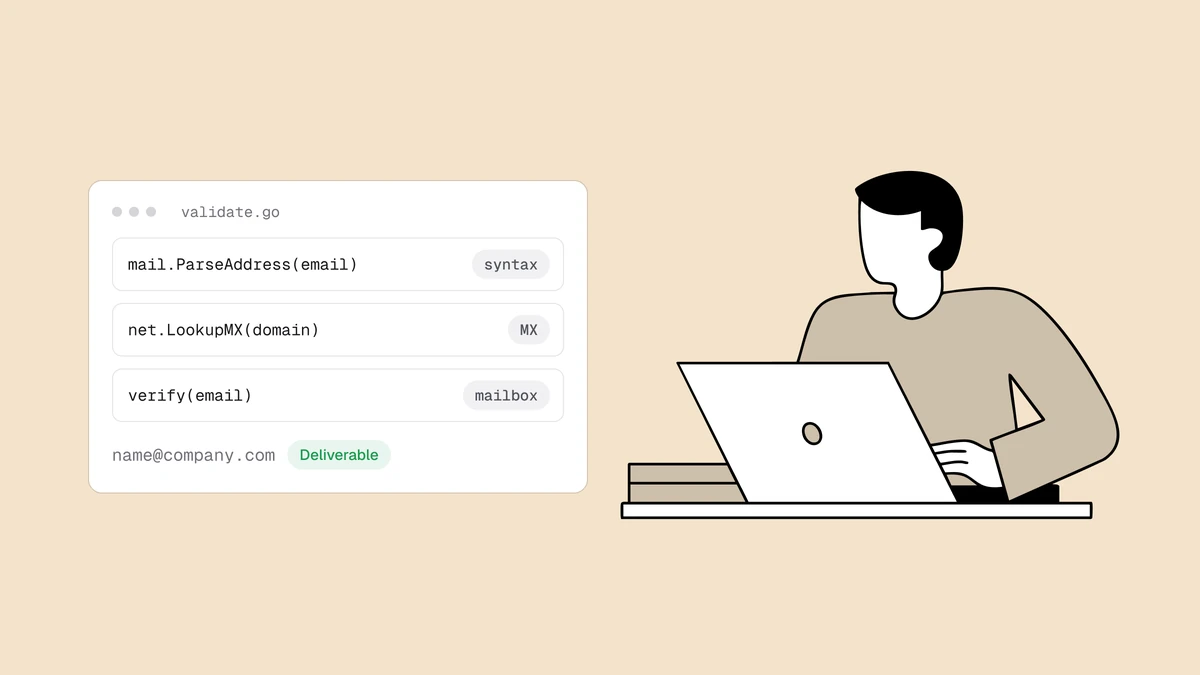
Validating an email address in Java is really three checks wearing one name. Most tutorials reach for a regex, confirm the string is shaped like an address, and call it done — but shape is the least useful of the three things you actually want to know. Real validation is layered: a cheap format check, a DNS lookup for the domain's mail route, and an SMTP mailbox probe. Java's standard library and Jakarta Mail cover the first two cleanly; the third is a network problem worth handing off. This guide builds each layer with working code, and shows exactly where each one stops.
The short answer#
Use jakarta.mail.internet.InternetAddress (or Apache Commons Validator) for
syntax, the JDK's built-in JNDI DNS provider for the MX lookup, and a
verification API for the SMTP mailbox check — cheapest first, short-circuiting
as soon as one is decisive. Don't open SMTP connections from your app to probe
mailboxes yourself: outbound port 25 is blocked on most hosts, and the answer
depends on sending-IP reputation and greylisting you don't want to reimplement.
Each layer rules addresses out more cheaply than the last; only the final one
can rule an address in.
Layer 1: syntax with Jakarta Mail#
Jakarta Mail — the library renamed from javax.mail when it moved to the
Jakarta EE namespace — ships an address parser you can lean on instead of
hand-rolling a regex. Construct an InternetAddress and call validate(): the
constructor parses the address, and validate() enforces RFC 822 syntax,
throwing AddressException on anything malformed.
import jakarta.mail.internet.AddressException;
import jakarta.mail.internet.InternetAddress;

public static boolean isValidSyntax(String email) {
    if (email == null || email.length() > 320) {
        return false;
    }
    try {
        InternetAddress address = new InternetAddress(email);
        address.validate();
        // Rejects "Jane <jane@example.com>": the parser keeps only the address part.
        return email.equals(address.getAddress());
    } catch (AddressException e) {
        return false;
    }
}
That last comparison closes a gap most examples miss. InternetAddress is
documented to parse the Personal Name <user@host.domain> form, and validate()
checks only the address part, so Jane <jane@example.com> passes both. Without
the check, layer 2 would get the domain example.com>. Requiring getAddress()
to equal the raw input rejects anything carrying a name or angle brackets.
One thing to know: validate() is permissive about the domain. It accepts
jane@localhost and jane@example — no dot required — because RFC 822 allows
dotless domains. That is fine here. Layer 1 is a format gate, not a
deliverability check, and layer 2's DNS lookup is what actually decides whether
the domain can receive mail. Keep this check permissive and let DNS do the
ruling-out; chasing format perfection with a bigger regex is a
losing game anyway.
If you're on an older javax.mail jar, the code is identical bar the package
name. And if you already depend on Apache Commons Validator, its EmailValidator
is a fine layer-one alternative — it's a touch stricter (it rejects dotless
domains by default):
import org.apache.commons.validator.routines.EmailValidator;

boolean valid = EmailValidator.getInstance().isValid(email);
Prefer Jakarta Mail if you're already using it to send mail — one fewer
dependency. Either library only ever answers the syntax question. So does Bean
Validation's @Email, which the
Spring Boot guide covers.
Email validation regex in Java (if you must)#
If you can't add a library, or need one rule shared with a front end, keep the regex permissive and compile it once:
import java.util.regex.Pattern;

// Dot-separated runs with no whitespace, @ or quotes, one @,
// then a domain with at least one dot.
private static final Pattern EMAIL = Pattern.compile(
    "[^\\s@.\"]+(?:\\.[^\\s@.\"]+)*@[^\\s@.]+(?:\\.[^\\s@.]+)+",
    Pattern.UNICODE_CHARACTER_CLASS);

public static boolean looksLikeEmail(String email) {
    return email != null && email.length() <= 320 && EMAIL.matcher(email).matches();
}
It's the same permissive pattern
why regex email validation fails
recommends: the dot is kept out of the local-part runs, so a..b@example.com,
.a@example.com and a.@example.com all fail. It needs no ^ or $ because
matches() must match the whole input; find() looks for a matching substring,
so it would accept junk jane@example.com junk. UNICODE_CHARACTER_CLASS makes
\s match Unicode spaces, as JavaScript's does.
Avoid two common traps: a TLD cap like [a-zA-Z]{2,7}, which rejects real TLDs
such as .photography, and sprawling "RFC 5322" patterns that accept forms no
signup form wants. A match proves shape, nothing more.
Layer 2: can the domain receive mail?#
A domain with no mail route can't accept mail for anyone, so a quick DNS lookup
(MX first, then the domain's own address as the fallback) eliminates dead
domains, misspelled company names, and invented TLDs. Java does this with no
external dependency at all: the JDK bundles a DNS service provider for JNDI, so
you resolve the MX attribute through a DirContext.
import java.util.Hashtable;
import javax.naming.NameNotFoundException;
import javax.naming.NamingException;
import javax.naming.directory.Attribute;
import javax.naming.directory.DirContext;
import javax.naming.directory.InitialDirContext;

public static boolean hasMailRoute(String domain) {
    Hashtable<String, String> env = new Hashtable<>();
    env.put("java.naming.factory.initial", "com.sun.jndi.dns.DnsContextFactory");
    env.put("com.sun.jndi.dns.timeout.initial", "2000"); // don't hang on a slow resolver
    env.put("com.sun.jndi.dns.timeout.retries", "1");

    DirContext ctx = null;
    try {
        ctx = new InitialDirContext(env);
        Attribute mx = ctx.getAttributes(domain, new String[] { "MX" }).get("MX");
        if (mx != null && mx.size() > 0) {
            return true;
        }
        // No MX: mail goes to the domain's own address (A or AAAA), the implicit MX.
        // One type per call: asking for several at once sends an ANY query.
        for (String type : new String[] { "A", "AAAA" }) {
            Attribute addr = ctx.getAttributes(domain, new String[] { type }).get(type);
            if (addr != null && addr.size() > 0) {
                return true;
            }
        }
        return false;
    } catch (NameNotFoundException e) {
        return false; // NXDOMAIN: the domain doesn't exist
    } catch (NamingException e) {
        return true;  // timeout or resolver failure: can't tell, so don't reject
    } finally {
        if (ctx != null) {
            try { ctx.close(); } catch (NamingException ignored) { }
        }
    }
}
Split the domain off the address at the last @ so quoted local parts don't
trip you up:
String domain = email.substring(email.lastIndexOf('@') + 1);

hasMailRoute("gmail.com");               // true
hasMailRoute("company-that-folded.com"); // false
A missing or empty MX attribute means the domain publishes no MX record; a
NameNotFoundException (a NamingException subclass) means it doesn't resolve
at all. Some domains accept mail on an A or AAAA record with an implicit MX, so
the snippet falls back to querying "A" and "AAAA" when the MX set comes back
empty, one type per call: JNDI turns a multi-type request into an ANY query,
which many DNS servers answer with only a minimal placeholder. For the
overwhelming majority of real addresses, an MX check is the right filter.
Because the lookup blocks on a DNS resolver, keep the timeouts above in a signup
path and treat a transient failure as "check later," not a hard reject — a DNS
hiccup shouldn't turn a real customer away. So any other NamingException,
such as a timeout, returns true and lets layer 3 decide. To check a domain by
hand, use the MX record lookup.
Layer 3: does the mailbox actually exist?#
Layers 1 and 2 can only rule an address out. A domain can publish perfect MX
records and still have no mailbox at the address you're holding —
noreply-9f2x@gmail.com is valid syntax on a domain with a live mail route, and
it's still a mailbox that was never created. Confirming that a specific mailbox
exists means the SMTP delivery conversation: connect to the mail host, issue
RCPT TO, read the reply code, and disconnect
before sending anything. There's more to it —
catch-all domains accept every address and
defeat a naive probe — how email verification works
walks the full pipeline.
You can script SMTP in Java with a raw Socket, but you shouldn't run it from
your application. Most cloud providers block outbound port 25, the answer
depends on the reputation of the IP you connect from, and receiving servers
greylist and rate-limit unfamiliar senders — so a probe that passes in a local
test quietly fails, or gets you blocklisted, in production. This is the layer
worth delegating.
Qualisend's verification API runs that pipeline from reputation-managed
infrastructure built for it. POST /verify returns an instant verdict from the
local checks (syntax, DNS, disposable and typo detection) plus a job_id; if
the mailbox probe is still pending, its verdict lands on that job. Java 11+
ships java.net.http.HttpClient, so you need no HTTP dependency; pair it with
Jackson (or Gson) to read the JSON. Keep your key in an environment variable and
never hard-code it:
import java.io.IOException;
import java.net.URI;
import java.net.http.HttpClient;
import java.net.http.HttpRequest;
import java.net.http.HttpResponse;
import java.time.Duration;
import java.util.Map;

import com.fasterxml.jackson.databind.JsonNode;
import com.fasterxml.jackson.databind.ObjectMapper;

public class QualisendClient {
    private static final String BASE_URL = "https://app.qualisend.com/api/v1";

    private final HttpClient http = HttpClient.newHttpClient();
    private final ObjectMapper mapper = new ObjectMapper();
    private final String apiKey = System.getenv("QUALISEND_API_KEY"); // holds YOUR_API_KEY

    /** POST /verify: a job_id plus the instant verdict under "result". */
    public JsonNode verify(String email) throws IOException, InterruptedException {
        String payload = mapper.writeValueAsString(Map.of("email", email));
        return send(HttpRequest.newBuilder()
            .uri(URI.create(BASE_URL + "/verify"))
            .header("Content-Type", "application/json")
            .POST(HttpRequest.BodyPublishers.ofString(payload)));
    }

    /** GET /jobs/{id}: the job's status and, once completed, its results. */
    public JsonNode job(String jobId) throws IOException, InterruptedException {
        return send(HttpRequest.newBuilder()
            .uri(URI.create(BASE_URL + "/jobs/" + jobId + "?include=results"))
            .GET());
    }

    private JsonNode send(HttpRequest.Builder builder) throws IOException, InterruptedException {
        HttpRequest request = builder
            .header("Authorization", "Bearer " + apiKey)
            .timeout(Duration.ofSeconds(10)) // throws HttpTimeoutException past this
            .build();
        HttpResponse<String> response =
            http.send(request, HttpResponse.BodyHandlers.ofString());
        if (response.statusCode() / 100 != 2) {
            throw new ApiException(response.statusCode(),
                response.headers().firstValue("Retry-After").orElse(null));
        }
        return mapper.readTree(response.body());
    }

    /** A non-2xx reply. It extends IOException, like HttpTimeoutException. */
    public static class ApiException extends IOException {
        public final int status;
        public final String retryAfter; // seconds, sent with a 429

        ApiException(int status, String retryAfter) {
            super("Qualisend responded " + status);
            this.status = status;
            this.retryAfter = retryAfter;
        }
    }
}
Read the fields you care about off the result node:
JsonNode body   = client.verify("jane@example.com");
JsonNode result = body.get("result");

String  status     = result.get("status").asText();  // deliverable | risky | undeliverable | unknown
int     score      = result.path("score").asInt();    // 0–100 confidence
String  smtp       = result.path("smtp").asText();    // pending | cached | skipped
String  reason     = result.hasNonNull("reason")
                         ? result.get("reason").asText()  // machine-readable reason, null while pending
                         : null;
boolean disposable = result.path("sub_flags").path("disposable").asBoolean();
String  jobId      = body.path("job_id").asText();    // where the mailbox verdict lands
The exact response shape — every sub_flags key and reason code — is in the
API reference. For live signup validation the status is usually
enough to act on: reject undeliverable, treat risky and unknown by policy,
and flag disposable addresses at the input.
Getting the SMTP verdict: poll the job#
Check smtp before you treat status as final. With cached (a recent result
was reused) or skipped (the local checks were decisive), the result is final
and reason is filled in. With pending, the mailbox probe is queued and runs
after the response returns, so status is a provisional unknown and reason
is null: don't reject on it. Servers that greylist
answer an unfamiliar sender only on a retry, so the mailbox verdict can take
minutes, not seconds.
At signup, the instant verdict has already caught bad syntax, dead domains and
disposable addresses, so let a pending unknown through. When you need the
mailbox answer, poll the job from a background worker, never the request
thread, and stop after a fixed number of tries:
// Runs in a background worker, never on the request thread.
public JsonNode awaitMailboxVerdict(String jobId, int maxAttempts)
        throws InterruptedException {
    for (int attempt = 0; attempt < maxAttempts; attempt++) {
        try {
            JsonNode job = client.job(jobId);
            String status = job.path("status").asText();
            if (status.equals("completed")) {
                return job.path("results").path(0); // the post-SMTP verdict
            }
            if (status.equals("canceled") || status.equals("failed")) {
                break;
            }
        } catch (IOException e) {
            // 429, 5xx or a timeout: try again on the next pass
        }
        // queued or processing: back off (5, 10, 20, 40, then 60 s), then ask again
        Thread.sleep(Math.min(60_000L, 5_000L << Math.min(attempt, 4)));
    }
    return null; // gave up: treat the address as unknown and re-check later
}
The row carries the same status and reason fields as the instant result.
Each poll is an API call and counts against the same per-workspace rate limit
as /verify, so back off between tries instead of polling at a fixed short
interval. Don't call /verify again to refresh a pending result; that starts a
new check (and spends another credit) instead of finishing this one.
Timeouts, rate limits and failing open#
verify() throws on anything but a 2xx. That suits a batch job, not a signup
form: there, branch on the failure, let the customer through when the problem is
on the API's side, and re-verify later. The
serverless signup guide uses the same
fail-open pattern:
private final QualisendClient client = new QualisendClient();

private static final JsonNode UNKNOWN =
    new ObjectMapper().createObjectNode().put("status", "unknown");

public JsonNode verifyForSignup(String email) throws InterruptedException {
    try {
        JsonNode body = client.verify(email);
        JsonNode result = body.get("result");
        if ("pending".equals(result.path("smtp").asText())) {
            queueMailboxCheck(body.path("job_id").asText()); // a worker runs awaitMailboxVerdict
        }
        return result;
    } catch (QualisendClient.ApiException e) {
        if (e.status == 429) {
            recheckLater(email, e.retryAfter);     // rate limited: retry after Retry-After seconds
        } else if (e.status == 402) {
            alertOps("Qualisend: out of credits"); // insufficient_credits
            recheckLater(email, null);
        } else if (e.status >= 500) {
            recheckLater(email, null);             // an outage, not the customer's problem
        } else {
            alertOps("Qualisend rejected the request: " + e.status); // 400/401/403: fix the call or key
        }
    } catch (IOException e) {
        recheckLater(email, null);                 // HttpTimeoutException or a dropped connection
    }
    return UNKNOWN;
}
queueMailboxCheck, recheckLater and alertOps stand in for your job queue
and alerting. Catch ApiException first: it's an IOException, and so is
HttpTimeoutException, which lets the last catch cover timeouts and dropped
connections. The rate limit applies per workspace, not per key, so adding keys
won't lift a 429.
Putting the layers together to validate an email address in Java#
Cheapest first, stop as soon as you have an answer. A small record holds the verdict (records are Java 16+; on 11–15 use a plain class):
// mailboxPending: act on the local verdict now; the worker reports the mailbox result later.
public record Verdict(String status, String reason, boolean mailboxPending) {}

public Verdict validate(String email) throws InterruptedException {
    if (!isValidSyntax(email)) {
        return new Verdict("undeliverable", "invalid_email", false);
    }
    String domain = email.substring(email.lastIndexOf('@') + 1);
    if (!hasMailRoute(domain)) {
        return new Verdict("undeliverable", "invalid_domain", false);
    }
    JsonNode result = verifyForSignup(email); // fails open to "unknown"
    return new Verdict(
        result.path("status").asText("unknown"),
        result.hasNonNull("reason") ? result.get("reason").asText() : null,
        "pending".equals(result.path("smtp").asText()));
}
The two local layers cost nothing and catch most junk instantly; the API runs only on addresses worth the network round-trip. That ordering is the whole trick — the same shape you'll find in the Node.js, Python, PHP, Go, and C# versions of this guide, because the layering, not the language, is what makes validation work.
For a whole list, don't loop /verify over a CSV: send it to
POST /verify/bulk (up to 1,000,000 rows) or upload it in the app, as the
list-cleaning guide describes.
Frequently asked questions
01Is InternetAddress.validate() enough to validate an email in Java?
For syntax, it's the right layer-one tool: jakarta.mail.internet.InternetAddress with validate() is better tested than a hand-rolled regex and saves you from reimplementing RFC 822. But it validates shape only. It never resolves DNS or contacts a mail server, and it's permissive enough to accept dotless domains like jane@localhost. It also parses the display-name form Jane <jane@example.com>, so check that getAddress() equals the input. Then pair it with an MX lookup and an SMTP mailbox check before you trust the address.
02What regex should I use to validate an email address in Java?
A short, permissive one, compiled once as a static final Pattern and checked with matcher(email).matches(), which must match the whole string (find() accepts a match anywhere inside it). The pattern in this guide requires one @, no whitespace, no empty dot-separated parts and at least one dot in the domain. Don't cap the TLD length with something like {2,7}: real TLDs such as .photography are longer. A regex only checks shape, so it can't tell you whether the domain or mailbox exists; why regex email validation fails explains the limits.
03How do I check MX records in Java without an external library?
Use the JDK's built-in JNDI DNS provider. Create an InitialDirContext with java.naming.factory.initial set to com.sun.jndi.dns.DnsContextFactory, then call getAttributes(domain, new String[] {"MX"}) and check the returned MX attribute. If there's no MX, query "A" and "AAAA" as well (one type per call), since mail can fall back to the domain's own address records. Treat a NameNotFoundException as a domain that doesn't exist, but don't reject on a timeout or other NamingException: that's a resolver problem, not a bad address.
04Can I verify a mailbox in Java without an API?
Partly. Jakarta Mail and JNDI confirm the address is well-formed and the domain accepts mail - both free and dependency-light. Confirming the mailbox itself means an SMTP conversation, which you can attempt with a raw Socket but shouldn't run from your app server: port 25 is widely blocked and the result depends on your sending IP's reputation. That final layer is what a verification service handles.
05Should I validate emails at signup or when cleaning a list?
Both, at different depths. Run the syntax and MX layers synchronously at signup - they're fast enough to block the request and give instant feedback - and act on the API's instant verdict there too (reject undeliverable, let a pending unknown through), leaving the mailbox verdict to a background worker. Reserve deeper batch work for list cleaning; the serverless signup guide shows the real-time pattern, and the list-cleaning guide covers the batch side.
Ready to add the SMTP layer? Run any address through the
free email checker to watch a syntactically perfect
string come back with a real verdict, or read the API reference
for the /verify endpoint, the full result envelope, and copy-paste examples
in every language above.