One-click unsubscribe is the header pair that lets a recipient leave your list with a single tap, straight from the top of the message, without opening it or finding the fine print. Since 2024, Google and Yahoo require it on bulk marketing mail — and beyond compliance, it is one of the cheapest ways to keep people from reaching for "report spam" instead. Here is what it is and how to make sure you have it.
The short answer#
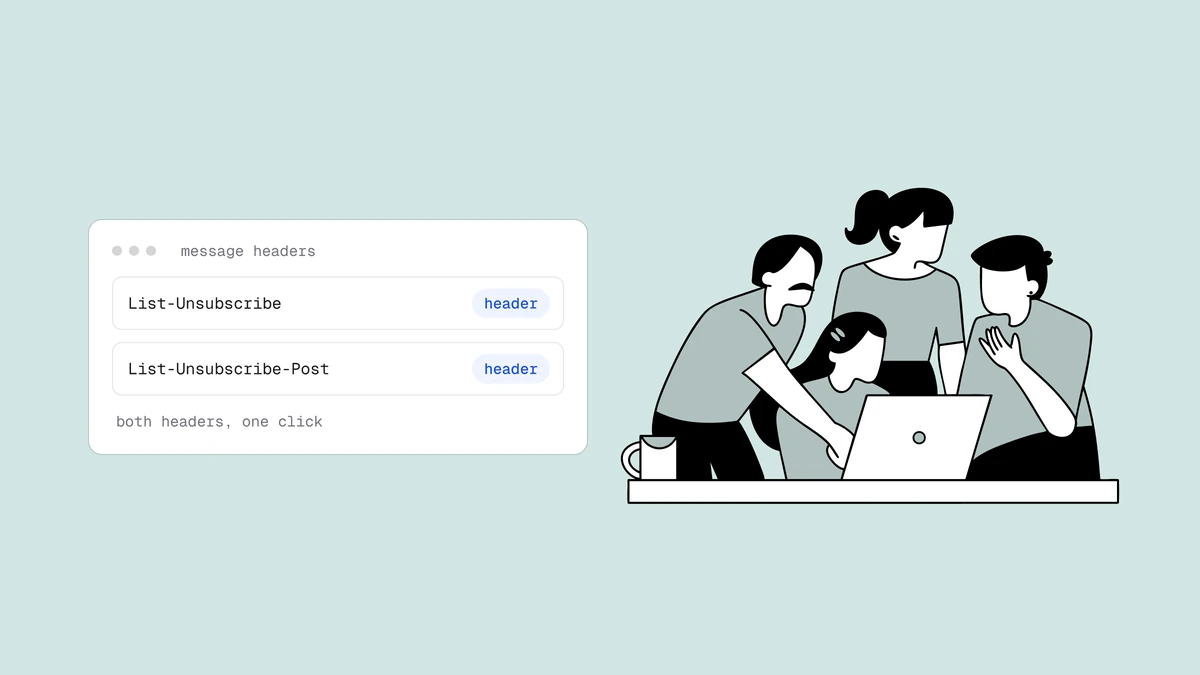
One-click unsubscribe is delivered by two email headers working together:
List-Unsubscribelists one or two ways to opt out — anhttpsURL, amailtoaddress, or both.List-Unsubscribe-Postturns that URL into a true one-click action, so the mail client can unsubscribe the recipient with a single HTTP POST and no landing page.
The second header is defined by RFC 8058, and it is what makes the difference between a link that opens a web page and a button that just works. Mail clients that see both headers render an "Unsubscribe" button near the sender name; one tap removes the recipient, and you must honor that request within two days. Most reputable ESPs add both headers automatically — the practical task is to confirm yours does.
The two headers, and what each one does#
The List-Unsubscribe header is old — it dates to RFC 2369 in 1998 — and on its
own it only advertises where to unsubscribe. A mail client could surface it as a
link, but clicking it typically opened a web page, and that page might ask the
recipient to confirm, log in, or hunt through a preference center. That friction is
exactly what one-click removes.
| Header | Example value | What it does |
|---|---|---|
List-Unsubscribe | <https://example.com/u/abc>, <mailto:unsub@example.com> | Advertises the unsubscribe endpoints — an HTTPS URL and/or a mailto address, each in angle brackets. |
List-Unsubscribe-Post | List-Unsubscribe=One-Click | Tells the mail client it may unsubscribe by sending an HTTP POST to the URL — no page load, no confirmation, no login. |
Put together, the headers on a compliant message look like this:
List-Unsubscribe: <https://example.com/u/abc123>, <mailto:unsub@example.com?subject=unsub>
List-Unsubscribe-Post: List-Unsubscribe=One-Click
When the recipient taps the client's built-in Unsubscribe control, the client
sends a POST request to your HTTPS URL with the body List-Unsubscribe=One-Click.
Your server records the opt-out and stops mailing that person. The
List-Unsubscribe-Post header is the required companion — without it, the URL is
just a link, not a one-click endpoint. The mailto option is a useful fallback for
clients that prefer to unsubscribe by email, which is why including both is the
common pattern.
Why one-click exists#
The point of one-click unsubscribe is to make leaving your list easier than reporting you. When unsubscribing means opening the message, scrolling to the footer, clicking a link, waiting for a page, and confirming, a lot of people skip all of that and hit "report spam" instead — it is right there and it is one tap. To the recipient the two actions feel equivalent, but to a mailbox provider they are worlds apart.
A spam complaint is the single loudest negative signal a provider reads, and it feeds directly into the feedback loops and reputation systems that decide where your mail lands. An unsubscribe, by contrast, is a quiet, private signal that never touches your provider standing. One-click unsubscribe exists to steer people toward the harmless action by making it the easiest one on screen — the mail client renders it as a prominent button so the frustrated recipient reaches for it before they reach for the spam button.
Is it required, and who has to have it#
Yes, for bulk senders. As part of the Google and Yahoo sender requirements that took effect in 2024, anyone sending large volumes of marketing mail must include one-click unsubscribe. Google's threshold is 5,000 or more messages a day to Gmail; Yahoo's rules mirror it. The requirement has three practical parts:
- Support one-click. Marketing and promotional mail must carry both the
List-UnsubscribeandList-Unsubscribe-Postheaders so the recipient can opt out in a single action. - Honor it within two days. Once someone unsubscribes, you have to stop sending them promotional mail within two days. Batch jobs that only reconcile opt-outs weekly do not meet this bar.
- Do not add friction. The unsubscribe cannot require the recipient to log in, reply, fill out a form, or visit a preference center to confirm. One action is the whole point.
Even below the bulk threshold, one-click is worth having: the same header that keeps you compliant also protects your complaint rate at any volume. And a visible, frictionless footer link should still exist inside the message body for clients that do not render the header button.
How to implement it#
For most senders, implementation means checking, not building. If you send through a reputable ESP — Mailchimp, Klaviyo, Brevo, HubSpot, and the rest — the platform almost certainly adds both headers to your campaigns automatically and processes the resulting opt-outs against its own suppression list. Your job is to confirm it, not to write header code by hand.
To verify, send yourself a campaign and inspect the raw headers (in Gmail, "Show
original"). You are looking for a List-Unsubscribe line and a
List-Unsubscribe-Post: List-Unsubscribe=One-Click line. If only the first is
present, you have the old link-style unsubscribe, not true one-click — check your
ESP's settings or contact support, because the POST header is the part Google and
Yahoo now require.
If you run your own sending infrastructure, you own three pieces: emit both headers on every promotional message with a unique, unguessable token in the URL; stand up an endpoint that accepts the POST, verifies the token, and suppresses the address; and make sure the suppression takes effect within the two-day window. Keep the URL per-recipient and per-send so a leaked link cannot be used to unsubscribe someone else in bulk, and make the endpoint idempotent so repeated POSTs are harmless.
What it protects, and what it does not#
One-click unsubscribe protects your complaint rate, and through it your sender reputation. Google expects senders to keep their Postmaster Tools spam-complaint rate below 0.3%, and every recipient who unsubscribes instead of complaining is a data point that never counts against that number. Over thousands of sends, an easy exit is a meaningful lever on the metric providers watch most closely.
What it does not do is fix a list that should not be receiving the mail in the first place. One-click helps the people who chose to leave; it does nothing for the dead addresses, spam traps, and never-engaged contacts that drag down deliverability whether or not anyone unsubscribes. Those are a list-hygiene problem, not a header problem. The durable version of a low complaint rate is a clean, engaged list plus a frictionless way out for anyone who wants it — the header handles the second half, and verification handles the first.
Frequently asked questions
01What is one-click unsubscribe?
It is a pair of email headers - List-Unsubscribe and List-Unsubscribe-Post - that let a recipient opt out of a mailing list with a single action, straight from a button the mail client renders near the sender name. The List-Unsubscribe-Post header, defined by RFC 8058, is what makes it a true one-click: the client sends an HTTP POST to your unsubscribe URL, with no landing page, confirmation, or login required.
02Is one-click unsubscribe required?
For bulk senders, yes. Google and Yahoo's 2024 sender requirements mandate it for anyone sending large volumes of marketing mail - Google's threshold is 5,000+ messages a day to Gmail - and you must honor each unsubscribe within two days without asking the recipient to log in or confirm. Below that volume it is not strictly required, but it is still worth having because it protects your complaint rate at any scale.
03What is the difference between List-Unsubscribe and List-Unsubscribe-Post?
List-Unsubscribe advertises where to opt out - an HTTPS URL, a mailto address, or both - and on its own dates back to 1998, when it typically produced a link to a web page. List-Unsubscribe-Post: List-Unsubscribe=One-Click is the newer RFC 8058 header that tells the mail client it may unsubscribe by sending a POST request directly, turning that link into a genuine one-tap button. You need both headers for compliant one-click behavior.
04Do I have to build one-click unsubscribe myself?
Usually not. Most reputable ESPs add both headers to your campaigns and process the resulting opt-outs automatically, so your task is to confirm it works rather than to write the code. Send yourself a campaign, view the raw headers, and check that both List-Unsubscribe and List-Unsubscribe-Post are present. Only if you run your own sending infrastructure do you need to emit the headers and stand up the POST endpoint yourself.
One-click unsubscribe gives people who no longer want your mail a clean way out; verification keeps the addresses that never wanted it — or never existed — off your list to begin with. The free plan runs the full verification pipeline so your sends reach real, engaged recipients and your complaint rate stays low.