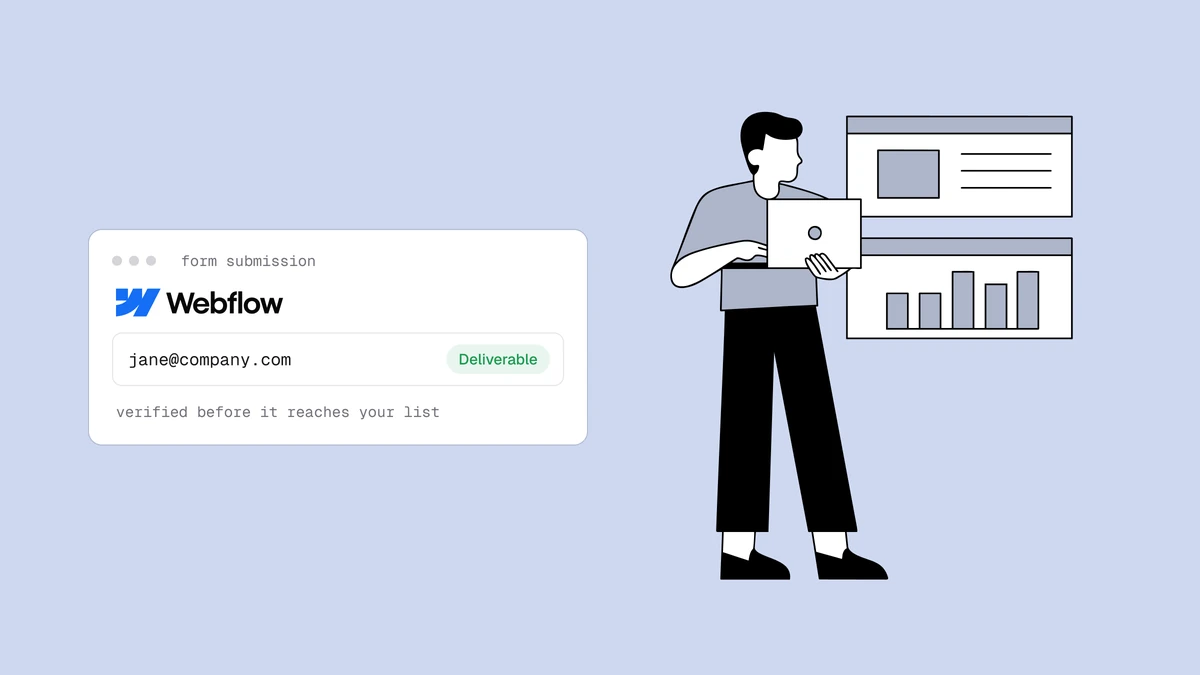
Webflow ships a form on every site, but it will happily store asdf@asdf, a
disposable inbox, or a fat-fingered @gmial.com right alongside your real leads —
and every one of those addresses hard-bounces the moment your ESP tries to mail
it. To verify emails from Webflow forms you point the submission at a
verification check before it lands in your CRM: either in real time, the instant
someone hits submit, or in a batch after the fact. This guide covers both, with
working code for the real-time path and an honest note on where your Webflow plan
limits you.
The short answer#
There is no Qualisend app to install in Webflow today — native platform connectors are being rebuilt — so both patterns route around it. Real time: send each submission to a small server-side function (via a Webflow form webhook, or through a Make/Zapier "watch form submissions" step), have that function call the verification API, and act on the verdict before syncing the lead downstream. Bulk: export your Webflow form submissions to CSV and run them through a bulk verification job. Real time keeps bad addresses out of your list in the first place; bulk is how you clean what is already there.
Why verify emails from Webflow forms at capture#
A dead address caught at the Webflow form is a bounce that never happens. The
same address discovered three sends later has already cost you delivery attempts,
dinged your bounce rate, and nudged your sender
reputation the wrong way. Verification at capture is prevention; a list clean is
cleanup — and prevention is cheaper on every axis. It also stops the quieter
problems that never bounce but still hurt: a role address
like info@ that no single person reads, or a disposable inbox that inflates your
subscriber count and your bill without ever opening a thing.
If you want the underlying mechanics — syntax, MX, and the SMTP mailbox probe — how email verification works walks through the pipeline each verdict comes out of.
Path 1: real-time verification with a webhook#
Real time means the check runs between the Webflow submit and the sync to your ESP or CRM. Three moving parts make it work:
- Getting the submission out of Webflow. Webflow can POST every form
submission to a URL you own. On a paid Site plan you can register a
form_submissionwebhook (Site settings → Integrations, or via Webflow's Data API), which fires without disturbing the submissions Webflow stores for you. No-code alternative: connect Make or Zapier, use their "new form submission" Webflow trigger, and add a Webhooks step that posts to your function. Either way the destination is a small endpoint you control — never the verification API directly, because that would ship your key in a place you don't want it. - A server-side function that holds the API key, calls the verification endpoint, and turns the response into a decision.
- Your sync logic, which only pushes the lead to your CRM once the verdict clears.
The verification function#
Here is the middle piece as a serverless function — the shape works on Vercel,
Netlify, Cloudflare Workers, or any host that gives you an HTTP handler. It reads
the email out of the webhook payload, calls the API, and decides. The endpoint
path and payload below are placeholders — check the API reference
for the exact request — and the scoped key (YOUR_API_KEY) stays server-side in
an environment variable, never in Webflow's page code:
// api/webflow-verify.js — Webflow (or Make/Zapier) POSTs form submissions here
export default async function handler(req, res) {
  // Webflow's form_submission webhook nests the fields under `data`;
  // a Make/Zapier Webhooks step can forward the same shape.
  const fields = req.body?.data ?? req.body ?? {};
  const email = fields.email ?? fields.Email;
  if (!email) return res.status(400).json({ error: "no email field" });

  let verdict = { status: "unknown" }; // default if the API can't be reached
  try {
    const r = await fetch("https://app.qualisend.com/api/v1/verify", {
      method: "POST",
      headers: {
        Authorization: `Bearer ${process.env.QUALISEND_API_KEY}`, // your scoped key
        "Content-Type": "application/json",
      },
      body: JSON.stringify({ email }),
      signal: AbortSignal.timeout(4000), // don't let a slow probe stall the webhook
    });
    if (r.ok) {
      const { job_id, result } = await r.json();
      verdict = { ...result, job_id }; // { status, reason, score, sub_flags, smtp, job_id }
    }
  } catch {
    // timeout or network error — fall through as "unknown" and sync anyway
  }

  // Act on the verdict BEFORE the lead reaches your ESP/CRM.
  if (verdict.status === "undeliverable" || verdict.sub_flags?.disposable) {
    return res.status(200).json({ synced: false, status: verdict.status });
  }

  await syncToCrm(email, fields, verdict); // your existing ESP/CRM call
  // smtp "pending": the mailbox probe is still running. A background job (not this
  // handler) polls GET /api/v1/jobs/{job_id} for the final verdict and updates the lead.
  if (verdict.smtp === "pending") await queueVerdictCheck(verdict.job_id, email);
  return res.status(200).json({ synced: true, status: verdict.status });
}
The response gives you a status (deliverable, risky, undeliverable, or
unknown), a reason code, a 0–100 score, and sub_flags for disposable,
role, free_mail, and catch_all. That is everything you need to route the lead.
The first verdict comes back at once. When its smtp field is "pending", the
mailbox probe is still running: the snippet hands the job_id to a background
job that reads the final verdict from GET /jobs/{job_id} and updates the lead,
instead of holding the webhook open or calling /verify again.
The serverless mechanics — holding the key, timing out, and failing open — are
the same ones covered in depth in
verify email at signup with a serverless function,
and the Node-specific version of the API call is in
validate an email address in Node.js.
Acting on the verdict#
The point of doing this before the sync is that you get to make a routing decision instead of letting everything through:
| Verdict | What to do before syncing |
|---|---|
undeliverable | Don't sync it. It will hard-bounce — keep it off the list entirely. |
disposable flag | Skip or tag, depending on how strict your product is — see role, disposable & free addresses. |
risky / catch_all | Sync, but tag it so you can mail the catch-all segment with care. |
unknown | Sync it. The infrastructure didn't answer — never lose a real lead over a transient failure. |
deliverable | Sync it. This is the clean path. |
Where your Webflow plan matters#
Be honest with yourself about which mechanism you can actually use, because it depends on your plan:
- Native
form_submissionwebhooks and adding custom code to a site require a paid Webflow Site plan. On the free plan you won't have webhook access or custom embeds, and form submissions are capped. - The form-action override (pointing the form's action URL straight at your endpoint) works without webhooks, but it bypasses Webflow's own submission storage and email notifications — you're taking over the whole submit.
- Make or Zapier sidestep the plan question on the Webflow side but add a step you'll pay for on theirs, and add latency. For most teams the native webhook is the cleanest real-time route once you're on a paid plan.
When in doubt, start with whichever you already have access to. The function in the middle doesn't care how the submission reaches it.
Path 2: bulk-verify exported submissions#
If real time is more plumbing than you want right now, or you already have a pile of submissions collected before you set any of this up, verify in bulk instead:
- Open your site's Forms panel in Webflow settings and export the submissions to CSV (exporting submissions is a paid-plan feature).
- Upload that CSV to a bulk verification job in Qualisend. Each row comes back
with the same
status,reason,score, andsub_flagsas the real-time API. - Keep the
deliverablerows, drop or quarantineundeliverableanddisposable, and decide case by case onriskyandcatch_all. - Import the cleaned list into your ESP.
This is the ordinary list-hygiene loop, and how to clean an email list covers how to read the flags and what to do with each bucket. Bulk is also the right tool for a one-off audit of everything Webflow has already collected — there is no reason to leave known-dead addresses sitting in your CRM.
Which path should you pick?#
| Situation | Better path |
|---|---|
| New submissions, ongoing, want them clean at the door | Real-time webhook (Path 1) |
| A backlog already sitting in Webflow or your CRM | Bulk CSV (Path 2) |
| Free Webflow plan, no webhook or custom-code access | Bulk CSV, or route through Make/Zapier |
| You want both prevention and a periodic safety net | Real-time for new leads, bulk on a schedule |
Most teams end up running both: real time to keep the list clean going forward, and a bulk pass every so often to catch addresses that have gone stale since they signed up.
What about a native Webflow app?#
There isn't one right now. Qualisend's native platform integrations are being rebuilt, so don't go looking for a Qualisend app, plugin, or connector in the Webflow marketplace — none exists yet, and a native Webflow integration is on the roadmap rather than shipping today. Until it lands, the webhook-plus-function pattern above is the supported real-time approach, and CSV bulk verification covers everything else. Neither one waits on the integration.
Frequently asked questions
01Can I call the Qualisend API directly from a Webflow form?
No - and you shouldn't want to. Calling the API from Webflow's page code (custom JavaScript in an embed) would expose your API key to anyone who views source. Keep the key server-side by pointing the form, a form_submission webhook, or a Make/Zapier step at a function you control, and let that call the API. The function is the only thing that ever sees the key.
02Do I need a paid Webflow plan to verify form submissions?
For the real-time path, effectively yes: native form webhooks and custom code both require a paid Site plan, and submission exports are a paid feature too. On the free plan your best options are routing submissions through Make or Zapier, or collecting them and bulk-verifying a CSV export once you upgrade. Check your current Webflow plan's feature list before you build, since the available mechanisms differ by tier.
03Will verifying slow down my Webflow form?
It doesn't touch the visitor's experience. Webflow shows its success state as soon as the submission is accepted; your verification runs afterward, in the webhook handler, out of band. Even in the direct real-time setups, the 4-second timeout and fail-open behavior above cap the worst case - the lead is never held hostage to a slow mail server.
04How do I verify the Webflow submissions I've already collected?
Export them. Open the Forms panel in your Webflow site settings, download the submissions as CSV, and run that file through a bulk verification job. You'll get a per-row verdict you can filter on before re-importing the clean addresses into your ESP - the same loop described in how to clean an email list.
Ready to keep bad addresses out of your Webflow leads? Test any address free with
the single-address checker, grab the /verify endpoint and
scoped keys from the API reference, and start on the
free plan with 100 credits to wire up the webhook end to end.