BIMI is the email standard that finally puts your brand's logo in the inbox — the little avatar next to your name in Gmail, Apple Mail, and Yahoo. It is also the one authentication feature you have to earn rather than simply switch on. So what is BIMI, what does it actually get you, and is it worth the annual certificate fee that Gmail and Apple now demand? Here is the honest version, prerequisites and costs included.
The short answer#
BIMI (Brand Indicators for Message Identification) lets supporting inboxes display your verified brand logo beside the messages you send. You host a specially formatted logo file and publish a small DNS record that points to it; the receiving provider shows that logo only if your mail already passes DMARC at enforcement. It is not a reputation booster — BIMI will not pull mail out of the spam folder — but it strengthens brand recognition and gives recipients a visible signal that a message is genuinely from you. The real catch is cost: to show your logo in Gmail and Apple Mail you need a paid certificate that proves you own the mark.
What is BIMI, exactly#
BIMI is an open specification, developed by the industry AuthIndicators Working Group, that standardises how a mailbox provider can fetch and display a sender's logo. When a message arrives, a supporting inbox checks whether the sending domain publishes a BIMI record. If it does — and if the message passed DMARC in alignment — the provider retrieves the logo and shows it in the avatar slot where a generic colored initial would otherwise appear.
Yahoo (with AOL) pioneered the standard and was the first to display logos at scale. Gmail followed, pairing BIMI with a blue verified checkmark next to the sender name for domains that back their logo with a certificate. Apple Mail added support in iOS 16 and macOS Ventura. The visible result is the same across all of them: your logo, not an anonymous letter, next to every message — on exactly the mail your customers are trying to decide whether to trust.
What BIMI actually gets you#
The honest benefit of BIMI is brand presence, not deliverability. Three things are worth the effort:
- Recognition and trust. A familiar logo in the avatar slot makes your mail instantly identifiable in a crowded inbox and harder for a lookalike to imitate. For a recognized brand, that is a meaningful anti-phishing and anti-spoofing signal to the human reading the message.
- A small engagement lift. Senders often report a modest bump in open rates after turning on BIMI, presumably because a verified logo reads as legitimate at a glance. Treat any specific number you see with caution — results vary by audience and brand, and the effect is incremental, not transformational.
- Proof your authentication is airtight. BIMI is only possible once DMARC is at
quarantineorreject. Displaying a logo is, in effect, a public certificate that your SPF, DKIM, and DMARC house is in order.
What BIMI does not do is move mail from spam to the inbox. Placement is still decided by sender reputation, engagement, and list quality. BIMI decorates mail that already reaches the inbox; it does not rescue mail that doesn't.
The prerequisites, and why they are strict#
BIMI has three technical requirements, and every one of them exists to stop a bad actor from displaying a logo they have no right to.
1. DMARC at enforcement. Your domain must publish a DMARC policy of
p=quarantine or p=reject — never p=none — applied to 100% of your mail (that
is, no pct value below 100). This is the load-bearing prerequisite. BIMI trusts
that a message showing your logo genuinely came from you, and only an enforced DMARC
policy makes that guarantee. If you have never read your aggregate reports, do that
before touching BIMI: confirm every legitimate stream authenticates in alignment,
exactly as covered in the DMARC setup guide. The
Google and Yahoo sender requirements
already push bulk senders toward enforcement, so many teams are closer than they
think.
2. A logo in the right format. The logo has to be an SVG Tiny Portable/Secure (SVG P/S) file — a tightly restricted profile of SVG Tiny 1.2. It must be square (1:1 aspect ratio), have a solid background rather than transparency, and contain no scripts, no animation, and no references to external files. Most vector logos need to be re-exported or hand-edited to meet the profile, and the file is normally kept well under about 32 KB. It must be hosted over HTTPS at a stable URL.
3. A certificate proving you own the logo — for Gmail and Apple. This is the step that carries a real cost, so it gets its own section below.
The Verified Mark Certificate and its cost#
To display your logo in Gmail and Apple Mail, the BIMI record must point to a Verified Mark Certificate (VMC) — a special certificate, issued by one of a small number of approved certificate authorities, that attests you legally own the logo. Historically a VMC required the logo to be a registered trademark in a recognized trademark office, which put BIMI out of reach for any brand without a registration.
A newer certificate type, the Common Mark Certificate (CMC), relaxes that requirement. A CMC covers marks that are not registered trademarks — for example a logo in prior public use or a government-issued mark — widening eligibility, though it is recognized by fewer mailbox providers than the VMC. As of this writing Gmail generally requires a VMC, while Apple Mail accepts either a VMC or a CMC; confirm current provider support before you buy, because this area is still evolving.
Either certificate is an annual, paid product. Pricing varies by the issuing authority and certificate type, but budget for a recurring fee on the order of several hundred to over a thousand US dollars per year, plus the time and paperwork of the vetting process — verify current figures directly with a certificate authority rather than trusting a number in an article. One important nuance: Yahoo and AOL display BIMI logos without any certificate at all. If your goal is Yahoo visibility only, you can publish a record with no certificate and skip the cost entirely — you just won't get the logo (or the blue checkmark) in Gmail.
How to set up BIMI, step by step#
Once DMARC is enforced and your logo and certificate are ready, the record itself is the easy part.
1. Confirm DMARC enforcement. Verify your policy is p=quarantine or
p=reject at 100%, and that your legitimate mail is passing in alignment. Do not
proceed until this is genuinely clean.
2. Prepare and host the SVG P/S logo. Convert your logo to the SVG Tiny Portable/Secure profile — square, solid background, no scripts or animation — and upload it to an HTTPS URL you control and won't move.
3. Obtain a VMC or CMC if you want Gmail and Apple Mail coverage. Apply through an approved certificate authority; the vetting can take days to weeks. The authority issues a PEM file, which you also host over HTTPS.
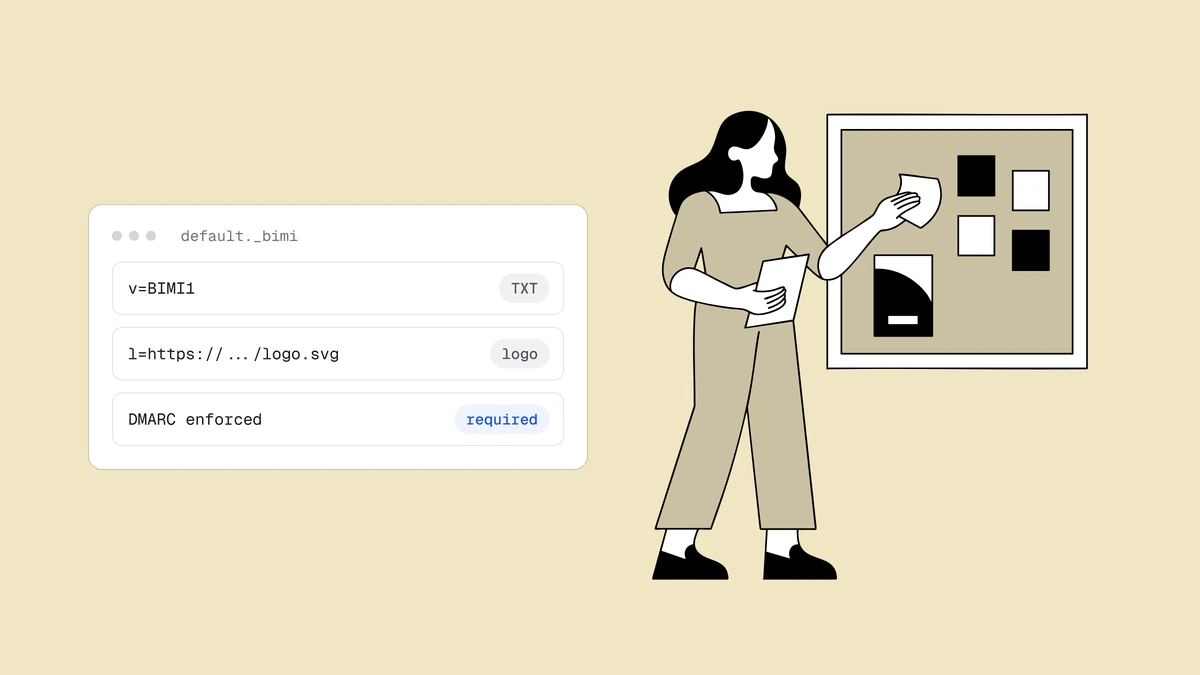
4. Publish the BIMI DNS record. Create a TXT record at the default._bimi
subdomain of your sending domain. The value carries the version, the logo location
(l=), and the certificate authority evidence (a=):
default._bimi.example.com. TXT "v=BIMI1; l=https://example.com/bimi/logo.svg; a=https://example.com/bimi/vmc.pem"
The three tags are all you need:
v=BIMI1— the version, and it must come first.l=— the HTTPS URL of your SVG P/S logo.a=— the HTTPS URL of your VMC or CMC PEM file. Leave it empty (a=;) if you are targeting only providers like Yahoo that don't require a certificate.
default is the standard selector; senders can use alternate selectors via the
BIMI-Selector header, but the default is right for almost everyone. After
publishing, use a BIMI record checker to validate the syntax, then send yourself a
test message — remember that providers cache aggressively, so the logo may take time
to appear.
Does BIMI improve deliverability?#
Not directly, and it is worth being precise about this because the two ideas get conflated. BIMI has no effect on whether a message lands in the inbox or the spam folder — that decision is made before BIMI is ever consulted, based on authentication, reputation, and engagement. What BIMI does is change how mail that already reaches a supporting inbox looks once it arrives.
The indirect benefit is real but comes from the prerequisite, not the logo. To qualify for BIMI you must run DMARC at enforcement, and getting there means your domain is protected from spoofing and your legitimate streams all authenticate — which is genuinely good for how you land in Gmail and everywhere else. In that sense BIMI is a reward for good deliverability hygiene rather than a cause of it. If your mail is still landing in spam, fix the fundamentals first; BIMI is the finishing touch, not the foundation.
Frequently asked questions
01Do I need a Verified Mark Certificate for BIMI?
It depends on which inboxes you care about. Gmail and Apple Mail require a certificate that proves you own the logo - a Verified Mark Certificate, or in some cases a Common Mark Certificate for Apple - and that is a paid, annual product. Yahoo and AOL, however, will display your BIMI logo with no certificate at all, as long as your DMARC is enforced and your logo and DNS record are valid. So a certificate is optional for Yahoo visibility but effectively mandatory for the blue checkmark and logo in Gmail.
02Does BIMI work without DMARC at p=quarantine or p=reject?
No. An enforced DMARC policy is the non-negotiable prerequisite. If your DMARC record is still at p=none, or if a pct value applies enforcement to only part of your mail, no provider will render your logo. You must reach p=quarantine or p=reject at 100%, with your legitimate mail passing in alignment, before BIMI can do anything.
03Which email providers display BIMI logos?
The main ones today are Gmail, Apple Mail (iOS 16 / macOS Ventura and later), Yahoo, and AOL, with a growing list of others such as Fastmail. Support and exact requirements differ by provider - notably, Gmail and Apple require a certificate while Yahoo and AOL do not - and the list keeps expanding, so check current provider documentation before you invest.
04Does BIMI improve email deliverability?
Not directly. BIMI does not decide inbox versus spam placement; that is settled by authentication, sender reputation, and engagement before BIMI is considered. Its value is brand visibility and trust on mail that already reaches the inbox. The indirect upside is that qualifying for BIMI forces you to enforce DMARC, which is good deliverability hygiene in its own right - but the logo itself is a reward for that work, not the thing that earns the inbox.
BIMI puts your logo in the inbox only after your authentication and list hygiene are in order — and a clean list is what keeps you there. The free email checker catches dead addresses, typos, and risky domains before they bounce and drag down the reputation that BIMI rewards, so the mail carrying your verified logo actually reaches real people.