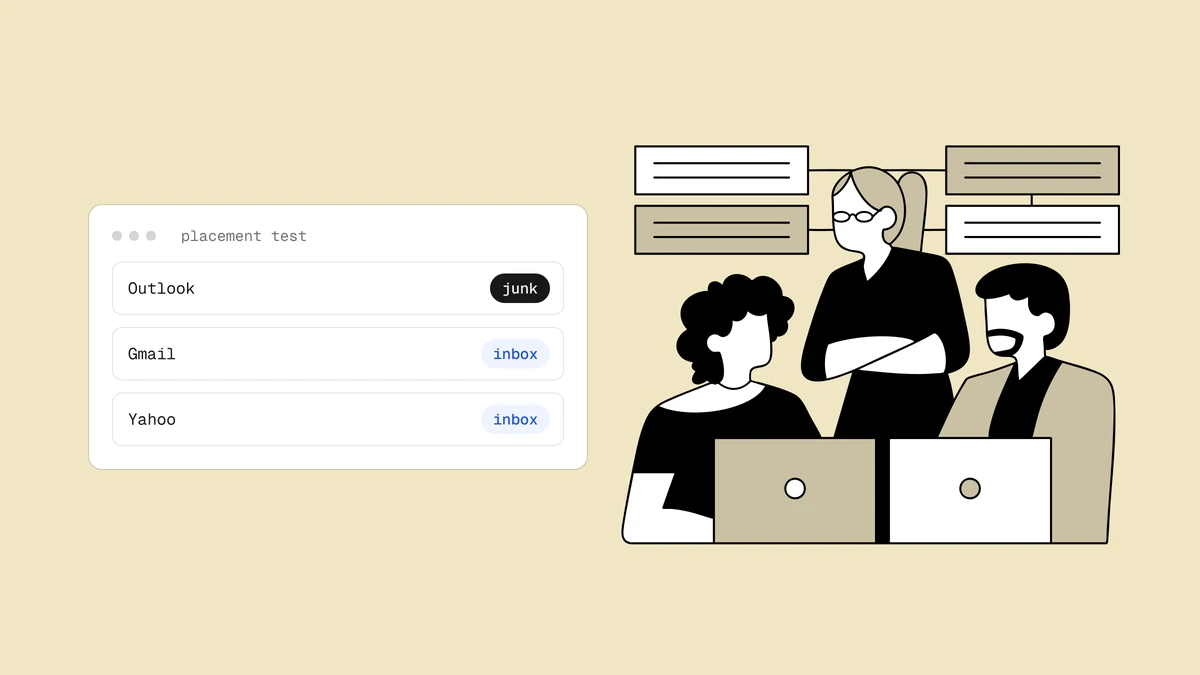
Gmail is usually the single biggest slice of any mailing list, so when your messages start landing in its spam folder — or quietly piling up in the Promotions tab — the damage is immediate and broad. Gmail also filters differently from every other provider, leaning harder on how real people treat your mail than on any rule you can toggle. This is why Gmail sends mail to spam, and how to move it back to the inbox.
The short answer#
Gmail decides placement mainly on two things: how recipients engage with your mail, and the reputation Gmail has attached to your sending domain and IP. Authentication with SPF, DKIM, and DMARC is the entry ticket — mandatory since Google's 2024 bulk-sender rules — but passing it isn't enough on its own. When Gmail routes you to spam, it is almost always because spam complaints are too high, engagement is too low, your list is generating hard bounces, or your reputation has slipped. The fastest way to see which of those is happening is Google Postmaster Tools, which shows you the exact signals Gmail acts on.
How Gmail decides where your mail lands#
Every mailbox provider filters, but Gmail is unusually engagement-driven. It watches, per recipient and in aggregate, whether people open your mail, reply to it, mark it "not spam", move it to a folder, or delete it unread — and it feeds those signals back into a reputation score for your domain. A message that a recipient's own history says they want will reach the inbox even from a modest sender; a message that recipients routinely ignore or report will get filtered even if every technical box is ticked.
That is the mental model to carry into every fix below. Gmail is asking a single question — do the people receiving this actually want it? — and reading dozens of behavioral signals to answer it. Authentication and clean lists don't buy you placement directly; they clear the obstacles that stop good engagement from being counted in your favor. This engagement-first weighting is what separates Gmail from Outlook and Hotmail, which lean more on IP reputation and complaint thresholds.
Read Google Postmaster Tools before you change anything#
You cannot fix Gmail placement blind, and Gmail gives you a free window into what it sees. Google Postmaster Tools requires a one-time DNS verification of your sending domain, then reports the metrics that decide your fate:
- Spam rate — the share of your delivered mail that recipients marked as spam, as Gmail counts it. This is the single number to watch, and it needs to stay well below the threshold in the next section.
- Compliance status shows whether your traffic meets Gmail's sender requirements, from authentication and DMARC alignment to one-click unsubscribe. Any requirement it flags is a fix to make first.
- Authentication results — the pass rates for SPF, DKIM, and DMARC on your traffic. Anything under 100% points at a misconfiguration to run down.
- Delivery errors — the share of mail Gmail rejected or temporarily deferred, often a sign of reputation or warm-up problems.
Google retired the old domain and IP reputation dashboards, so there is no High, Medium, Low, or Bad rating to check anymore. Read your standing with Gmail from the spam rate, compliance status, and delivery errors, together with the bounce and deferral codes Gmail returns in your own sending logs.
Meet the 2024 bulk-sender requirements#
In February 2024 Google and Yahoo made a set of sender rules mandatory, and Gmail enforces them at the door. If you send more than roughly 5,000 messages a day to Gmail addresses, you must meet all three; below that volume they are still the baseline Gmail expects. The full pillar is written up in the Google and Yahoo sender requirements guide, but the Gmail-specific essentials are:
- Authenticate with SPF, DKIM, and DMARC. All three, set up correctly, with DMARC published on your sending domain. This is non-negotiable — unauthenticated bulk mail is increasingly rejected outright.
- Offer one-click unsubscribe. Bulk senders must include a working one-click unsubscribe header, and honor it within two days. Counterintuitively, making it easy to leave protects placement, because the alternative is recipients hitting "report spam" instead.
- Keep your spam rate low. Google requires a reported spam complaint rate under 0.3%, and advises staying under 0.1%. Cross 0.3% consistently and Gmail starts routing you to spam by policy, not by chance.
The Promotions tab is not the spam folder#
Before you treat a Gmail problem as spam filtering, confirm which problem you actually have — they have different causes and different fixes.
| Promotions tab | Spam folder | |
|---|---|---|
| Delivered? | Yes — it is part of the inbox | No — filtered out of the inbox |
| What it signals | Gmail classified the mail as commercial, not unwanted | Gmail distrusts the sender or the mail |
| Reputation impact | Neutral — a normal home for marketing mail | Damaging — driven by complaints and low trust |
| The real fix | Engagement and content, not "tricks" | Reputation, list hygiene, and complaints |
The Promotions tab is where Gmail files legitimate commercial mail, and most recipients check it. Landing there is not a deliverability failure — it is Gmail sorting the inbox as designed. There is no reliable trick to force marketing mail into the Primary tab, and the schemes that claim to (stripping images, faking a personal tone) tend to hurt more than they help. If your goal is genuinely the Primary tab, the honest lever is engagement: recipients who open and reply teach Gmail to prioritize you. The spam folder is the real problem, and everything below is about staying out of it.
What actually moves Gmail placement#
Once you know whether you're fighting the spam folder or just the Promotions tab, the levers that move Gmail are consistent — and they line up with what Postmaster Tools measures:
- Authentication that passes every time. SPF, DKIM, and DMARC aligned and passing on 100% of your traffic. Fix any gap here first, because it's binary and it gates everything else. The mechanics are in the SPF, DKIM, and DMARC guide.
- Low spam complaints. The loudest negative signal Gmail reads. Mail only people who asked, make unsubscribing trivial, and suppress anyone who complains so the rate never climbs toward 0.3%.
- Engaged recipients. Gmail rewards mail that gets opened and replied to. Segment so relevant mail reaches interested people, and sunset subscribers who have gone silent for months — dead weight drags your whole domain down.
- A clean list. Every hard bounce and spam-trap hit tells Gmail you don't know who's on your list, and the penalty lands on your good subscribers too. Removing dead and invalid addresses before you send is the highest-leverage hygiene step, and the one most senders skip.
- Consistent volume. Steady, predictable sending reads as legitimate. A sudden spike from a quiet domain reads as a compromised account, so grow volume gradually and warm up any new domain or IP.
- Sustained good behavior. Sender reputation is built from a rolling history, so it recovers slowly. Fix the cause, then send well and consistently — there is no reset button, and any tool selling one is selling snake oil.
If you're triaging an active problem, work top-down: confirm authentication, then check your spam rate and bounce rate in Postmaster Tools, then clean the list. The first two are binary or fast to read; the third is the biggest controllable win. Most Gmail spam problems trace back to one of them, and the broader playbook for why emails go to spam covers the signals every provider shares.
Frequently asked questions
01Why are my emails suddenly going to spam in Gmail?
A sudden drop usually means one specific thing changed: a complaint spike from a bad segment, a jump in hard bounces from a stale or purchased list, a broken DKIM or DMARC record after a DNS change, or a volume spike that looked like a compromised account. Open Google Postmaster Tools and check the spam rate, compliance status, and delivery errors around the date placement dropped, and compare the bounce and deferral codes in your own sending logs for the same days. The metric that moved points straight at the cause.
02How do I stop Gmail from sending my emails to spam?
Fix the binary things first: confirm SPF, DKIM, and DMARC all pass on your traffic, and add a working one-click unsubscribe. Then attack complaints and list quality - mail only engaged recipients, suppress anyone who reports spam, and remove dead addresses before you send so bounces stay near zero. Reputation recovers over weeks of consistent good sending, so start immediately and don't expect an overnight change.
03Is the Gmail Promotions tab the same as spam?
No. The Promotions tab is part of the inbox - your mail was delivered, and most recipients still see it. Gmail simply classified it as commercial rather than personal. The spam folder is a different outcome entirely: it means Gmail filtered your mail out because it distrusts the sender. There is no reliable trick to force marketing mail into the Primary tab; genuine engagement is the only lever that moves it.
04How do I check my Gmail sender reputation?
Use Google Postmaster Tools, which is free and shows your spam rate, compliance status, and delivery errors as Gmail itself measures them. It requires a one-time DNS verification of your sending domain and needs enough volume to Gmail addresses to populate. Google retired the old domain and IP reputation dashboards, so there is no High, Medium, Low, or Bad rating to check anymore. Instead, keep the spam rate under 0.3% (aim below 0.1%), clear anything the compliance status flags, watch delivery errors, and read the bounce and deferral codes in your own sending logs. Postmaster Tools is the authoritative source for Gmail placement - far more reliable than any third-party score that only estimates what Gmail actually sees.
Most Gmail spam problems start with a dirty list generating bounces and complaints you can't see coming. Qualisend's free plan runs the full verification pipeline on 100 addresses so you can strip the dead ones out before they cost you Gmail placement, and the free email checker catches typos and dead domains right in the browser.