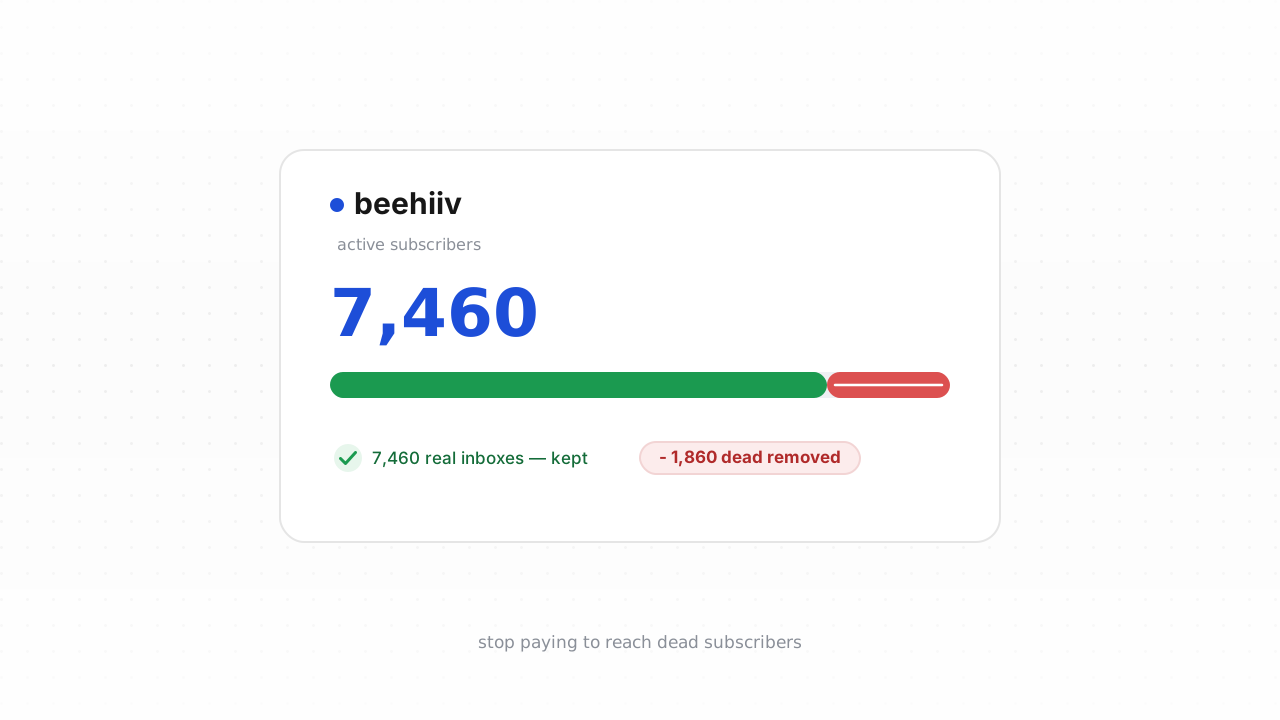
beehiiv is built for creators, and it does more list hygiene automatically than most people realize. But there is a category of dead and risky addresses it will never surface on its own, because its hygiene is reactive: it reacts to bounces from sends you have already made. If you import a list, run a giveaway, or embed a signup form on a high-traffic page, invalid and risky addresses accumulate silently until the day you mail them. Since beehiiv bills on active subscribers, those addresses are costing you money and dragging your sender reputation before they ever bounce. This guide covers what beehiiv cleans for you, what it structurally cannot catch, and how to verify your list so you only pay to reach real inboxes.
What beehiiv already does for you#
Give beehiiv credit. Its native deliverability hygiene is genuinely good, and for organically grown lists it handles the common cases:
- Hard bounce retirement. When an address returns a permanent failure on a send, beehiiv marks the subscriber inactive so you stop mailing it. That address won't count against your active-subscriber billing going forward.
- Suppression of repeat soft bounces and complaints. Addresses that repeatedly soft-bounce or generate spam complaints get suppressed, protecting your reputation with the mailbox providers.
- Unsubscribe and manual removal. Anyone who unsubscribes, or whom you remove by hand, drops out of your active count.
The pattern across all of these: beehiiv learns an address is bad by mailing it and watching the result. That is exactly the right behavior for a sending platform, and it means a list you have mailed consistently for a year is already fairly clean at the edges. The problem is everything that has never been mailed, or was mailed once long ago. beehiiv behavior above last verified against beehiiv's documentation, August 2026.
What beehiiv can't catch#
Reactive hygiene has a blind spot: an address has to fail a send before beehiiv can act on it. Anything that hasn't triggered a bounce yet looks perfectly healthy in your dashboard. Here is what slips through:
- Never-mailed invalids from imports and signups. Addresses added through a CSV import, an embedded form, or a giveaway have often never received a single send from you. Typos (
gmial.com), fake entries, and long-abandoned mailboxes sit in your active count looking fine until your next campaign bounces off them. - Imported lists arrive with their bounce history stripped. This is the big one. When you move a list from another tool into beehiiv, the previous platform's suppression and bounce data does not come with it. beehiiv sees a clean slate and treats every imported address as active and mailable, even the ones your old provider had already retired. You are effectively re-mailing known-dead addresses.
- Disposable and throwaway domains. Temporary-inbox services used to grab a lead magnet. They may accept mail briefly, then evaporate.
- Role addresses.
info@,support@,admin@,sales@. These belong to teams or aliases, not individual readers, and they complain and bounce at higher rates. - Decayed mailboxes. An address that was valid when someone subscribed can go dormant or get shut down. It won't reveal itself until it bounces, which for a decayed personal mailbox might be your next send.
- Catch-all domains. Some domains accept every address at the SMTP layer and sort (or discard) internally, so a live-looking response tells you nothing about whether a real person is behind it. See what a catch-all address is for why these need a confidence-scored verdict rather than a yes/no.
None of these will fire a bounce until you send. Verification catches them before the send, which is the entire point. If you want the deeper background, our guide on how to clean an email list walks through the categories in more detail, and why bounce rate matters explains what these addresses do to your reputation.
Step-by-step: export, verify, unsubscribe#
The fastest path is the native connector, which skips the export entirely. Connect the beehiiv integration and Qualisend cleans your list in place: it verifies existing subscribers and writes the results back, and it runs a real-time check on every new contact as it signs up, so imports and form entries get screened at the door instead of after the damage is done. If your plan supports it, that is the shortest route to a clean list and the least ongoing work.
If you'd rather work manually, or you're on a plan where the CSV loop is easier, the export-and-reupload approach works everywhere:
- Export from beehiiv. In your beehiiv dashboard, go to Audience > Subscribers and export the subscriber list to CSV. This is your working file.
- Verify the CSV with Qualisend. Upload the file to Qualisend. A single bulk job handles up to 1,000,000 addresses, and duplicates are only charged once. Each address comes back with one of four verdicts — deliverable, risky, undeliverable, or unknown — plus a reason code, sub-flags (catch-all, disposable, role, full mailbox), the MX provider, SMTP probe evidence, and a 0–100 confidence score. If you just want to try it, the free plan gives you 100 one-time credits that never expire.
- Sort the results. Keep everything scored deliverable. Isolate every undeliverable address — this is your removal set. Decide a policy for risky and unknown rows based on their sub-flags: you might drop disposable and role addresses, and hold catch-alls for lower-stakes sends where a soft failure won't hurt you.
- Unsubscribe or remove the dead in beehiiv. Back in Audience > Subscribers, find the undeliverable addresses and set them to unsubscribed, or delete them outright. Removing them from your active count is also what stops them from counting toward your beehiiv bill.
- Re-import cleaned segments if needed. If you cleaned externally and want the results reflected, re-import the deliverable segment. Note that any freshly imported addresses arrive without bounce history, so verify them too.
Compared to the connector, this loop is fully manual and captures a point-in-time snapshot — new signups after your export are not screened until you run it again. That's the trade-off, and it's why the native integration exists.
How often to clean beehiiv#
There is no universal decay number worth quoting, so don't clean on superstition. Clean on triggers instead:
- Before every high-stakes send. A launch, a paid sponsorship where you've guaranteed open rates, or a re-engagement campaign to a segment you haven't touched in months. These are the moments a spike in bounces does the most reputational damage.
- Immediately after any import. Imported lists arrive with bounce history stripped, so treat every import as unverified until you've run it through Qualisend. This is the single highest-value moment to verify.
- On a recurring cadence, with bounce rate as the tripwire. Pick an interval that matches how fast your list grows, then let your bounce rate override it. If bounce rate climbs above your normal baseline on a routine send, clean now regardless of when you last did. Our how often to clean your list piece goes deeper on setting that cadence.
The connected integration changes this math. With real-time checks on new contacts, the bulk of new invalids never enter your list, so periodic full cleans become a safety net rather than the main line of defense. Either way, pair verification with proper authentication — authenticate beehiiv with SPF, DKIM, and DMARC so the mail you send to clean addresses actually lands, and review the Google & Yahoo sender rules and our broader email deliverability guide while you're at it. If you're automating, the Verification API exposes the same verdicts with scoped keys, rate limits, and webhooks, so you can gate signups programmatically.
Frequently asked questions#
Does Qualisend have a native beehiiv integration?#
Yes. The native beehiiv integration is live. You can connect it at /integrations/beehiiv and clean your list in place — Qualisend verifies your existing subscribers and writes the results back, and it runs a real-time check on every new contact as they sign up. It's the fastest path and the least ongoing work. If you'd rather not connect it, the CSV export-and-reupload loop works on any plan.
Can I verify addresses before they enter beehiiv?#
Yes, and it's the ideal setup. With the native integration connected, new contacts get a real-time check as they sign up, so most invalids never make it into your active-subscriber count. If you want programmatic control, the Verification API lets you gate your own signup forms with scoped keys and webhooks, rejecting or flagging bad addresses before they're ever written to beehiiv.
Will cleaning my list lower my beehiiv bill?#
It can. beehiiv bills on active subscribers, so every undeliverable address you remove from your active count is one you're no longer paying to keep. Verifying and removing dead weight both protects your deliverability and stops you from paying to store addresses that will never open an email.
What's the difference between what beehiiv catches and what Qualisend catches?#
beehiiv's hygiene is reactive — it retires hard bounces and suppresses repeat soft bounces and complaints, but only after a send fails. Qualisend is proactive: it verifies addresses before you send, catching never-mailed invalids, disposable and role addresses, decayed mailboxes, and catch-all domains that haven't yet triggered a bounce. This matters most for imported lists, which arrive with their bounce history stripped.
How should I handle risky and unknown verdicts?#
Use the sub-flags. A risky verdict flagged as disposable or role is usually safe to drop. Catch-all and unknown results are judgment calls: the 0–100 confidence score and the reason code tell you how much to trust each one. A common policy is to mail high-confidence deliverables freely, exclude risky addresses from high-stakes sends, and only test low-confidence rows in low-risk campaigns.