Moosend keeps your account tidy in ways you may never see, but its housekeeping is reactive by design: it responds to what happens after you press send. That leaves a gap. Never-mailed invalids sit quietly on your list until the day they bounce, and on a plan that bills by contact, every one of them is a line item. This guide walks through what Moosend cleans on its own, what it structurally cannot catch, and how to verify a Moosend list before those addresses cost you money or deliverability.
What Moosend already does for you#
Moosend runs the standard post-send hygiene you would expect from a modern ESP. When a campaign goes out, the platform reads the responses from receiving mail servers and acts on them. Addresses that produce a permanent failure get suppressed so they are excluded from future sends, and unsubscribes and spam complaints are added to suppression automatically to keep you compliant. You do not have to manage those states by hand.
Moosend has also retired the older public "hard bounce" nomenclature in favor of a broader delivery-status and suppression model, but the underlying behavior is the same in spirit: a message that cannot be delivered permanently results in that recipient being held back from later campaigns. This protects your sender reputation over time and keeps obviously dead addresses out of the send.
The catch is right there in the mechanism. Every one of these protections needs a real send to a real address first. Suppression is the record of a failure that already happened. Nothing here inspects an address before you mail it, and nothing here removes an address you have never mailed. Moosend behavior above last verified against Moosend's documentation, August 2026.
What Moosend can't catch#
Because Moosend's hygiene is reactive, a whole category of bad addresses slips through until you actually send to them:
- Never-mailed invalids from imports and signups. A typo'd address or a mailbox that was deleted last year looks identical to a good one on your list. Moosend only learns it is dead when a campaign bounces off it, which means the damage to your bounce rate is already done.
- Imported lists arrive with their bounce history stripped. When you move contacts in from another tool or a CSV, none of the prior delivery signals come with them. As far as Moosend is concerned, a five-year-old list you just uploaded is brand new and unproven.
- Disposable addresses. Throwaway domains used to grab a lead magnet may accept mail briefly, then vanish. They pad your subscriber count without ever engaging.
- Role addresses. Shared inboxes like info@, sales@, and support@ tend to draw complaints and rarely convert, but they accept mail, so nothing flags them.
- Decayed mailboxes. An address that was valid when someone signed up can quietly go abandoned or full. It only reveals itself as dead on the next send.
- Catch-all domains. These accept every address at the domain, so a live-looking response tells you nothing about whether a specific mailbox exists. Moosend cannot resolve that ambiguity for you; see what a catch-all address is for why it is tricky.
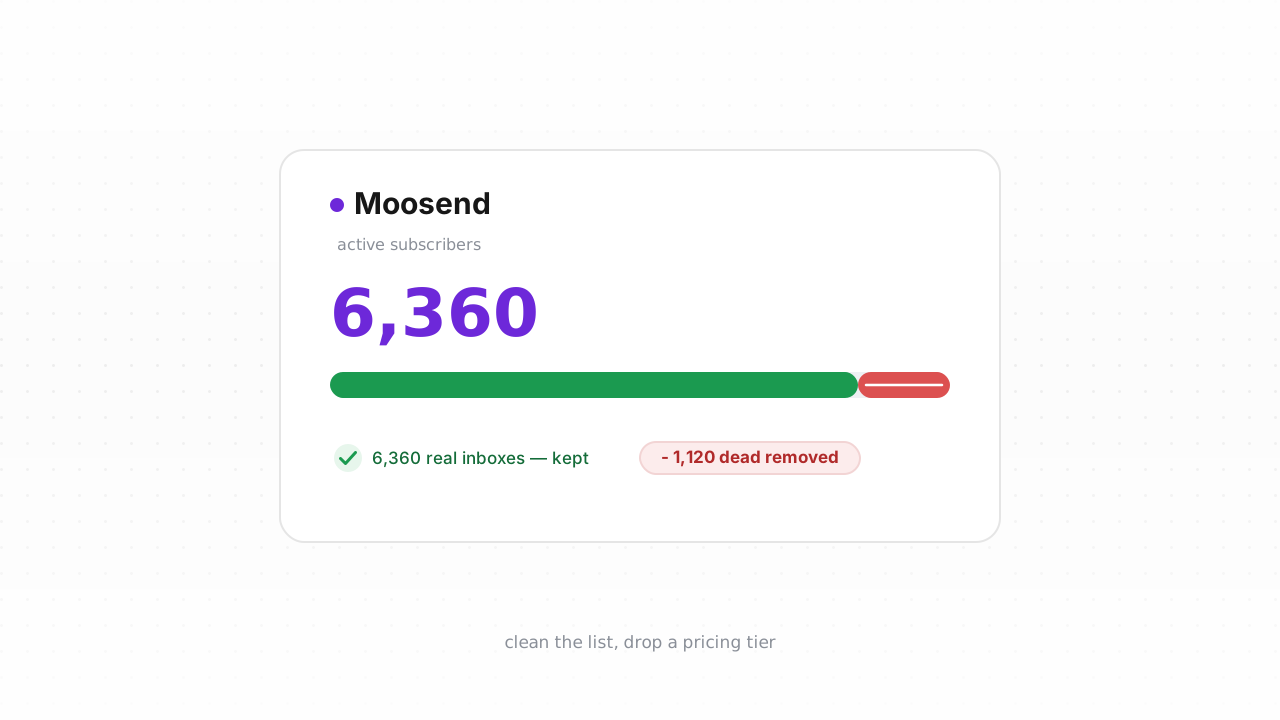
All of these are invisible to a reactive system right up until the moment they fire as a bounce. On a subscriber-billed plan, they also inflate what you pay every cycle while contributing nothing.
Step-by-step: export, verify, remove#
The fix is to check addresses against a verification service before Moosend ever mails them, then remove the dead weight. The fastest path is the native integration; the CSV loop works on any plan.
- Connect the native integration (recommended). Link the Moosend integration and Qualisend cleans your list in place: it verifies existing contacts, writes the results back, and runs real-time checks on new contacts as they sign up. This keeps invalids from ever settling into your billable count, with no manual export.
- Or export a list to CSV. If you would rather work offline or your plan predates the connector, open your audience in Moosend, select the mailing list you want to clean, and use the export option to download it as a CSV. Include the email column plus any identifier you need to match rows later.
- Verify the file with Qualisend. Upload the CSV (bulk jobs handle up to 1,000,000 addresses each, and duplicates are only charged once). Every address comes back with one of four verdicts — deliverable, risky, undeliverable, or unknown — plus a reason code, sub-flags for catch-all, disposable, role, and full mailbox, the MX provider, SMTP probe evidence, and a 0–100 confidence score. If you would rather wire this into your own signup flow, the verification API exposes the same checks with scoped keys, rate limits, and webhooks.
- Decide what to cut. Remove everything marked undeliverable. Treat risky as a judgment call: disposable and role addresses are usually worth cutting, while catch-all results depend on your appetite for uncertainty. Keep deliverable. Route unknown to a slower re-check or a suppression segment rather than a hard delete.
- Remove the dead from Moosend. If you cleaned in place through the connector, the results are already written back. Working from a CSV, delete or unsubscribe the failing addresses in Moosend, or re-import the cleaned file into a fresh list and mail that one instead. On a subscriber-billed plan, deleting the dead contacts is also what stops you paying for them.
For the broader mechanics beyond Moosend, how to clean an email list covers the general workflow, and the approach mirrors what you would do to clean a Klaviyo list or clean a Mailchimp list.
How often to clean Moosend#
There is no universal decay number worth quoting, so treat cleaning as event-driven rather than calendar-driven:
- Before any high-stakes send. A big announcement, a re-engagement push, or a send to a segment you have not touched in months all deserve a verification pass first.
- After every import. Since imported contacts arrive with no bounce history, verify them before their first campaign instead of letting the first send be the test.
- On a light recurring cadence, with bounce rate as the tripwire. Pick an interval that matches how fast you add contacts, but let your bounce rate override the schedule. If bounces start climbing on sends that used to be clean, clean now rather than waiting. Why bounce rate matters and the guidance on how often to clean your list go deeper on setting thresholds.
Verification handles the addresses; it does not fix how your mail is authenticated. Make sure Moosend is set up to authenticate with SPF, DKIM, and DMARC so the mail you send to a clean list actually lands, and review the Google and Yahoo sender rules that now gate the inbox. The email deliverability guide ties list hygiene and authentication together.
Frequently asked questions#
Does Qualisend have a native Moosend integration?#
Yes. The native Moosend integration is live. You can connect it at /integrations/moosend to clean your existing list in place — Qualisend verifies your contacts and writes the results back — and it runs real-time checks on new contacts as they sign up. It is the fastest path. If you are on a plan where the connector is not an option, the CSV export-verify-remove loop achieves the same result manually.
Can I verify addresses before they ever enter Moosend?#
Yes, and it is the ideal setup. The native connector runs real-time checks on new contacts, and the verification API lets you validate an address at the point of signup before it is written to Moosend at all. Catching invalids at the door keeps your bounce rate low and, on a subscriber-billed plan, stops you paying for contacts that were never real.
Doesn't Moosend already remove bad addresses?#
Moosend suppresses addresses that bounce, unsubscribe, or complain, but only after a real send triggers that signal. It cannot flag a never-mailed typo, a disposable domain, or a decayed mailbox before you send. Verification inspects those addresses in advance, so the bounce never happens.
Will cleaning my list lower my Moosend bill?#
If your plan bills on the number of subscribers or contacts, then removing undeliverable and unwanted addresses reduces your billable count. Verifying before contacts land — and deleting the dead ones you already have — is a direct way to avoid paying for addresses that will never open an email.
What do the Qualisend verdicts mean?#
Every address returns one of four verdicts: deliverable, risky, undeliverable, or unknown. Each comes with a reason code, sub-flags for catch-all, disposable, role, and full mailbox, the MX provider, SMTP probe evidence, and a 0–100 confidence score. Remove undeliverable, judge risky case by case, keep deliverable, and re-check unknown later rather than deleting it outright.