Every subscriber you add is a small bet on deliverability. Single opt-in maximizes how many people you collect; double opt-in maximizes how sure you are that each one is real and wants your mail. The choice has been framed as growth versus quality for years — but a third option has quietly made that tradeoff far less painful. Here is how the two models compare, where each one fails, and why verifying an address at the point of capture changes the math.
The short answer#
Single opt-in adds a subscriber the moment they submit the form. Double opt-in adds them only after they click a confirmation link in a follow-up email. Double opt-in produces a cleaner list and documented proof of consent, at the cost of friction and drop-off. Single opt-in grows faster but lets typos, invalid addresses, and malicious sign-ups straight onto your list, where they turn into bounces and spam-trap hits. Real-time verification on the signup form — verify-at-capture — fixes single opt-in's core weakness without adding double opt-in's confirmation step, which is why it belongs in the conversation alongside both.
What single opt-in is#
Single opt-in is one step: someone types an address, submits the form, and they're on your list. Nothing else has to happen. That's the whole appeal — every person who intends to subscribe becomes a subscriber, with no second action that can go wrong. It's the highest-growth collection method there is.
The problem is that there's no gate between the keyboard and your list. Whatever gets typed goes in, exactly as typed:
- Typos.
jane@gmial.comorbob@yaho.comlooks fine to a signup form and is completely dead. The subscriber wanted your mail; they'll simply never get it, and you'll never know why. - Invalid and dead addresses. Mailboxes that never existed or have been shut down enter the list and sit there as future hard bounces.
- Disposable addresses. Throwaway inboxes someone used to grab a lead magnet and never open again.
- Malicious sign-ups. Bots and bad actors submit addresses that aren't theirs — including, occasionally, an address that turns out to be a spam trap. You didn't collect it with consent; you collected it because your form accepted anything.
Every one of those becomes a problem the first time you send. Dead addresses bounce, and a rising bounce rate is one of the clearest negative signals a mailbox provider reads.
What double opt-in is#
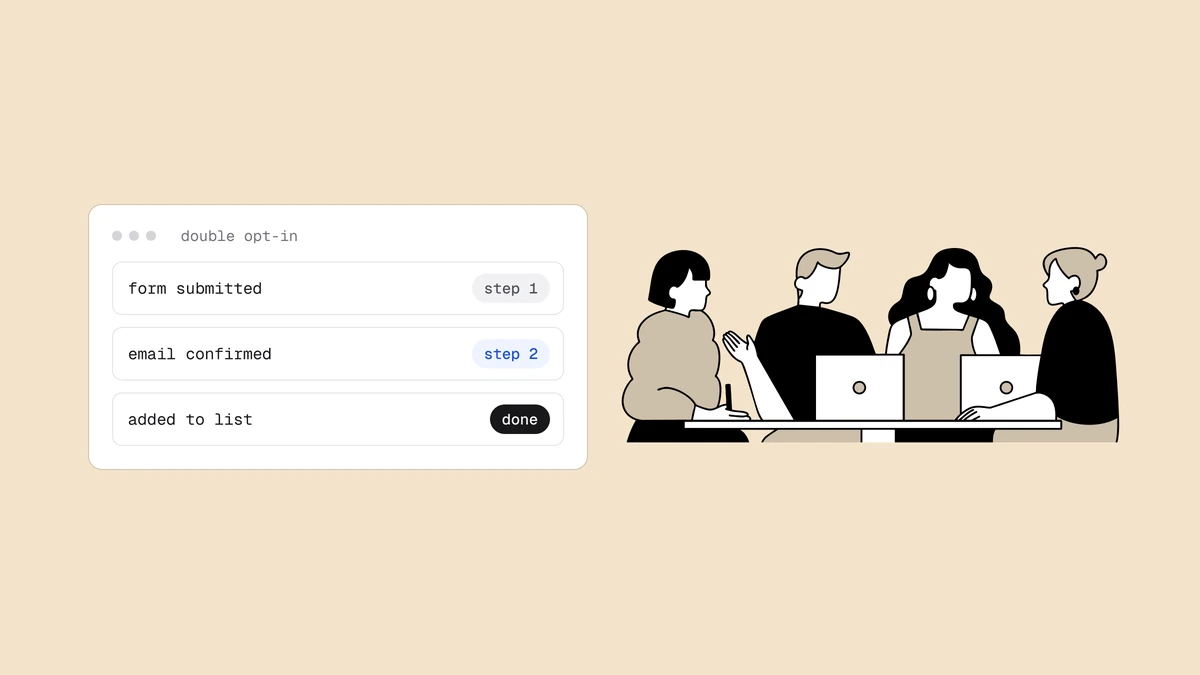
Double opt-in adds a confirmation step. After someone submits the form, you send a short email with a confirmation link, and they only join the list once they click it. The address has now proven two things: it can receive mail, and a human on the other end acted on it.
The benefits are real:
- A cleaner list. Only confirmed, reachable, and at least minimally engaged addresses make it through. Bots and mistyped addresses rarely click a confirmation link, so they never become subscribers.
- Proof of consent. The confirmation click is a documented, timestamped record that the recipient agreed to hear from you — useful under consent-based regimes like GDPR, and a strong defense if a complaint is ever disputed.
But the costs are just as real:
- Friction and drop-off. Every extra step loses people. A meaningful share of legitimate subscribers never confirm — the email lands in a promotions tab, they get distracted, or it's filtered to spam. Those are real people who wanted your mail and didn't get on your list.
- The confirmation itself can bounce. This is the subtle failure. If the address is a typo or a dead mailbox, the confirmation email bounces — which means double opt-in still generates a bounce, and the would-be subscriber vanishes silently with no chance to correct the mistake. A typo caught by a bounced confirmation is a lost subscriber; a typo caught on the form is a saved one.
The deliverability difference#
The two models produce measurably different lists, and the difference shows up in the three metrics providers watch most.
Bounce rate. Single opt-in lists carry more dead and mistyped addresses, so they bounce more. Every hard bounce tells a provider you're mailing addresses you shouldn't have, and a high bounce rate is one of the fastest ways to lose inbox placement. Double opt-in filters out the addresses that can't even receive a confirmation, so its lists bounce less by construction.
Spam-trap exposure. Single opt-in can let a recycled or pristine spam trap onto your list — a mistyped domain that happens to be trap infrastructure, or a malicious sign-up. Double opt-in rarely admits a pristine trap, because no human ever clicks the confirmation. Trap hits are among the most damaging signals a list can carry, and the two models handle them very differently.
Sender reputation. Bounces, trap hits, and the complaints that follow low-quality sign-ups all erode your sender reputation, and reputation is what decides whether your mail reaches the inbox at all. A dirtier list doesn't just bounce more once — it degrades every send after it.
The third option: verify at capture#
There's a way to keep single opt-in's low friction and get double opt-in's clean list at the same time — verify the address the moment it's typed.
Real-time email verification runs the address through the same checks a bounce would eventually reveal, but instantly and before it lands on your list. In a fraction of a second it checks syntax, resolves the domain and its mail servers, flags disposable and role addresses, and — critically — offers a "did you mean" correction for obvious typos. Each address comes back with a status, so your form can act on it:
- Reject an
undeliverableaddress inline, before it's stored. - Offer the correction when someone types
gmial.com— turning a would-be lost subscriber into a saved one, with no bounce and no lost signup. - Flag or block disposable addresses at the gate.
- Accept everything else, exactly as a single opt-in form would.
This fixes single opt-in's core weakness — garbage in — without double opt-in's core cost, the friction of a second email and the silent drop-off that comes with it. There's no confirmation step to abandon, because the address was validated at the keyboard instead. The practical build is a small server-side function behind your form; the pattern, including the fail-open rule that keeps a slow API from blocking real signups, is walked through in verifying email at signup with a serverless function. You can also try it by hand with the free email checker or wire it into your form with the verification API.
Verify-at-capture confirms reachability, not consent. If you need a documented record that someone agreed to hear from you, that's still double opt-in's job — which is why the two are complementary rather than competing.
Which to choose#
The right model depends on what you're optimizing for.
- Growth-focused consumer signup (ecommerce, newsletters, apps). Use single opt-in with verify-at-capture. You keep the friction low and the conversion high, and verification strips the typos, dead addresses, and disposables that would otherwise make single opt-in a liability. This is the best all-round setup for most senders.
- Consent-sensitive or regulated lists (EU marketing, high-risk sends). Use double opt-in for the documented consent — but put verify-at-capture in front of it, so the confirmation email actually reaches people and doesn't bounce on a typo. This is the strongest possible configuration: the address is validated before the confirmation is sent, and the confirmation proves consent.
- When you're unsure. Default to verify-at-capture on the form regardless, then decide whether the extra confirmation step is worth the drop-off for your audience. Verification is the layer that pays off under either model.
The framing of single versus double opt-in as a straight tradeoff is outdated. The friction that made double opt-in costly and the dirty-list problem that made single opt-in risky are two different failures, and verify-at-capture addresses the second one directly — leaving double opt-in to do only what it's uniquely good at, which is proving consent.
Frequently asked questions
01Is double opt-in better for deliverability than single opt-in?
Generally yes, on its own. Double opt-in keeps unreachable and unconfirmed addresses off your list, so it produces fewer hard bounces and far less spam-trap exposure than raw single opt-in - and lower bounce and trap rates protect your sender reputation. The catch is that it earns that cleaner list by adding friction and by letting bad addresses fail silently: the confirmation email still bounces on a typo, and you never see it. Verifying at capture closes that gap without the friction.
02Does double opt-in hurt list growth?
It reduces the number of subscribers who make it onto your list, because every extra step loses some people - the confirmation email gets buried in a promotions tab, filtered to spam, or simply forgotten. Some of those are bots and mistakes you're glad to lose, but some are real people who genuinely wanted your mail. Single opt-in with verify-at-capture avoids that drop-off while still keeping the bad addresses out.
03Can email verification replace double opt-in?
For list quality and deliverability, largely yes - real-time verification catches the typos, dead mailboxes, and disposable addresses that double opt-in is usually meant to filter, and it does so without the confirmation step's friction. What it does not replace is documented proof of consent: verification confirms an address is reachable, not that its owner agreed to be emailed. If you need that consent record, keep double opt-in and run verification in front of it.
04Which should I use, single or double opt-in?
For most growth-focused signups, single opt-in with verify-at-capture gives you a clean list at the lowest friction. For consent-sensitive or regulated lists, use double opt-in for the consent proof, with verify-at-capture in front so the confirmation email doesn't bounce on a typo. Either way, verifying the address at the moment it's entered is the step that does the most work - it's the common denominator of every good setup.
The cleanest list starts before the first send — validate each address the
moment it's typed. The free plan includes 100 credits to test
verify-at-capture on your own signup form, and the
API reference has the /verify endpoint ready to drop behind it.