Your Ecwid store collects an email address at every checkout, and each fake or mistyped one you keep quietly chips away at the deliverability of the order confirmations, receipts, and shipping updates real buyers are waiting on. Those transactional emails and any newsletter you send ride on the same sender reputation, so one bad address does damage far beyond a single bounce. This guide shows how to verify emails from Ecwid two ways: the fastest path is Qualisend's native Ecwid integration, which cleans your list in place; the portable alternative is a CSV export you can run on any plan. Both are covered below.
Why customer email quality matters for a store#
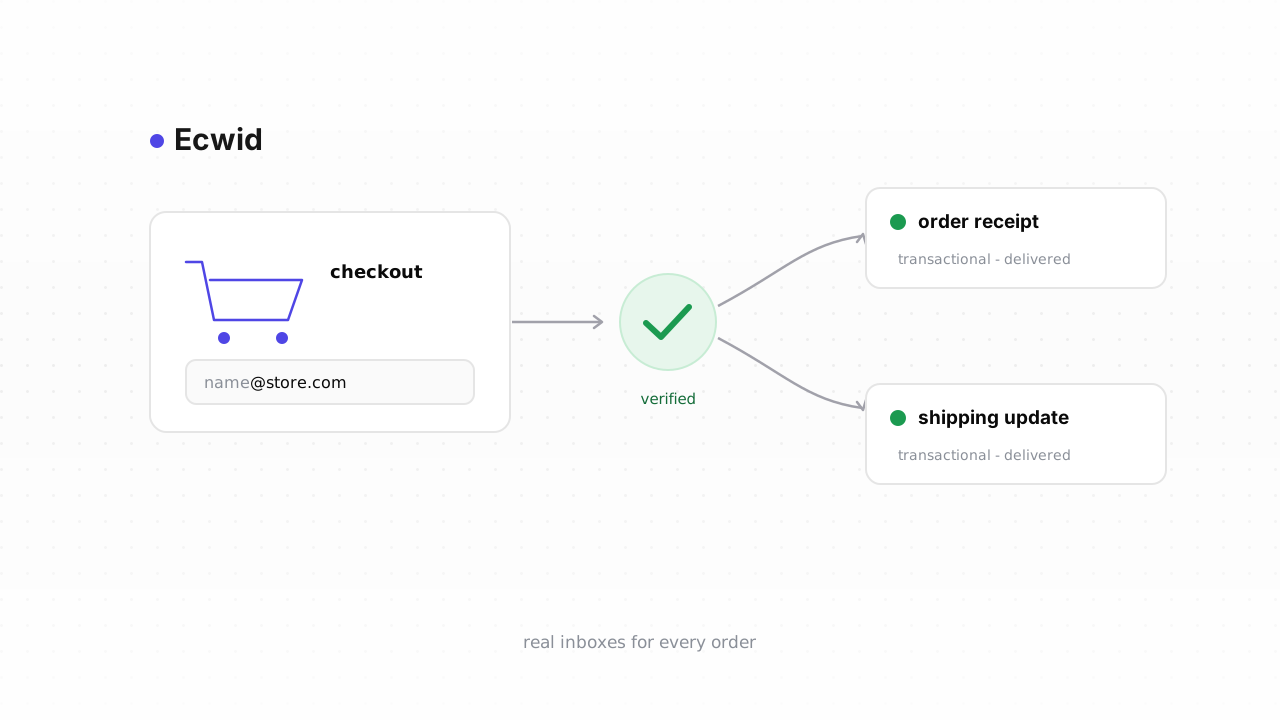
An Ecwid store is a transactional sender before it's a marketing one. When someone buys, Ecwid immediately fires an order confirmation, and later a shipping notification and any receipt or invoice — those messages must land, or you generate support tickets and chargebacks instead of happy customers. All of that mail leaves on the same sending identity, which means a hard bounce from a fake or fat-fingered checkout email doesn't just fail once. It signals to inbox providers that you send to addresses that don't exist, and that reputation is what your entire store's mail rides on.
The stakes are higher than for a plain newsletter. A typo like gmial.com, a throwaway address someone used to grab a discount, or a role inbox like sales@ all look fine in your customer list but behave badly when you send. As your bounce rate climbs, even your legitimate order emails start landing in spam. Gatekeepers have made this explicit — the Google and Yahoo sender requirements cap the complaint and bounce levels they'll tolerate before they start throttling you. Verification keeps the addresses you actually send to made of inboxes that exist. For the wider picture, see our guide to email verification for ecommerce.
What Ecwid does and doesn't do about bad addresses#
Ecwid (now part of Lightspeed) checks that a checkout email is formatted like an email — it won't accept bob@. That's the extent of it. It does not confirm the domain can receive mail, that the mailbox exists, or that the address isn't disposable. A buyer who types john@gmial.com sails through checkout, and Ecwid dutifully tries to send the confirmation to an address that will never accept it.
Ecwid also has no dedicated bounce-suppression list the way a full email service provider does. When a transactional or marketing email bounces, that's handled by whatever actually delivers the mail — Ecwid's own sending, or a connected tool like Mailchimp. There's no native screen inside Ecwid where you review bounced customers and stop mailing them. That gap is exactly what verification fills: you find the bad addresses yourself, before they cost you reputation, and act on them in the tool that sends. Ecwid behavior above last verified against Ecwid's documentation, August 2026.
Step-by-step: export customers, verify, tag the risky ones#
The biggest, cheapest win is the customer list you already have. The manual loop below works on any Ecwid plan.
- Export your customers. In your Ecwid control panel, open My Sales → Customers. You can filter first — for example to customers who opted into marketing, or who haven't ordered in a year — then use the Export action to download a CSV. The file includes each customer's email and their contact details.
- Bulk-verify the file. Upload the CSV to Qualisend's bulk verification. A single job handles up to 1,000,000 addresses, and duplicates are only charged once. Each row comes back with one of four verdicts —
deliverable,risky,undeliverable, orunknown— plus a reason code, sub-flags for catch-all, disposable, role, and full mailbox, the MX provider, SMTP probe evidence, and a 0–100 confidence score. If you're just testing, the free plan gives you 100 one-time credits that never expire. - Act on each verdict. Keep every
deliverable. Suppress or stop mailing everyundeliverablein whatever sends your campaigns — Mailchimp, another connected ESP, or Ecwid's own marketing.undeliverableaddresses are the ones dragging your reputation down; getting them out of your sends is the whole point. - Tag the risky ones instead of deleting. Don't purge
risky, catch-all, orunknownrows. A catch-all domain accepts everything at the server, so a probe can't confirm the specific mailbox — that's a real business address more often than not. Role, disposable, and free addresses each deserve their own handling rather than a blanket delete. Tag these into a segment you send to more carefully and less often, so one inconclusive result never costs you a recoverable customer.
Because native Ecwid has no bounce-review screen, the "act on each verdict" step happens in your sending tool, not in Ecwid itself. That's the one wrinkle worth planning for.
Verify new customers in real time#
Cleaning the list you have is a one-time fix; keeping it clean means checking new addresses as they arrive. The fastest way to do this is the native Ecwid integration, which is live today. Connect it and Qualisend cleans your existing customer list in place — verifying every contact and writing the results back — and runs a real-time check on each new customer as they come in. It's the least-work option and we recommend connecting it first.
If you're on a plan where that doesn't fit, or you want a check earlier in the flow, call the API yourself. Point a webhook at your own endpoint on the new-customer event, or add a step in a no-code tool like Zapier, Make, or n8n, and hit Qualisend's verification API before the address settles into your marketing audience. The REST API uses scoped keys, respects published rate limits, and can push results to your own webhooks — full details and code live in the developer docs. Note that Ecwid's own hosted checkout can't be interrupted to run a verification step, so real-time protection lives on the customer records and any signup form you control, not on the payment page itself.
Whichever route you pick, pair a one-time cleanup with an ongoing check so junk never rebuilds. Our note on how often to clean your list covers the cadence.
Frequently asked questions#
Does Qualisend have a native Ecwid integration?#
Yes. The native Ecwid integration is live. Connect it and Qualisend cleans your existing customer list in place — verifying every contact and writing the results back — while running a real-time check on each new customer. It's the fastest path; the CSV export-and-verify loop is the alternative that works on any plan.
Can I verify addresses before they enter Ecwid?#
You can verify at the earliest point you control. Ecwid's hosted checkout can't be paused to run a verification step, so you can't block a bad address on the payment page itself. For any signup or newsletter form you own, post the address to your own endpoint and call the verification API before you keep it. For everything flowing through Ecwid, the native integration checks each new customer in real time as they arrive.
What do the four verdicts mean?#
Every address returns deliverable, risky, undeliverable, or unknown, each with a reason code and sub-flags for catch-all, disposable, role, and full mailbox, plus the MX provider, SMTP probe evidence, and a 0–100 confidence score. Keep deliverable, suppress undeliverable, and tag risky and unknown into a segment you send to more cautiously rather than deleting them.
How often should I clean my Ecwid customer list?#
Run a full bulk cleanup on the list you already have, then keep it clean going forward with the native integration's real-time check on new customers. Most stores also re-verify the whole list periodically, since addresses go stale over time — see how often to clean your list for a practical cadence.
Will verifying hurt deliverability of my order emails?#
No — it protects them. Order confirmations, receipts, and shipping updates share a sender reputation with everything else you send, so removing addresses that bounce is what keeps those transactional emails landing. The email deliverability guide explains how bounces and reputation interact in more depth.