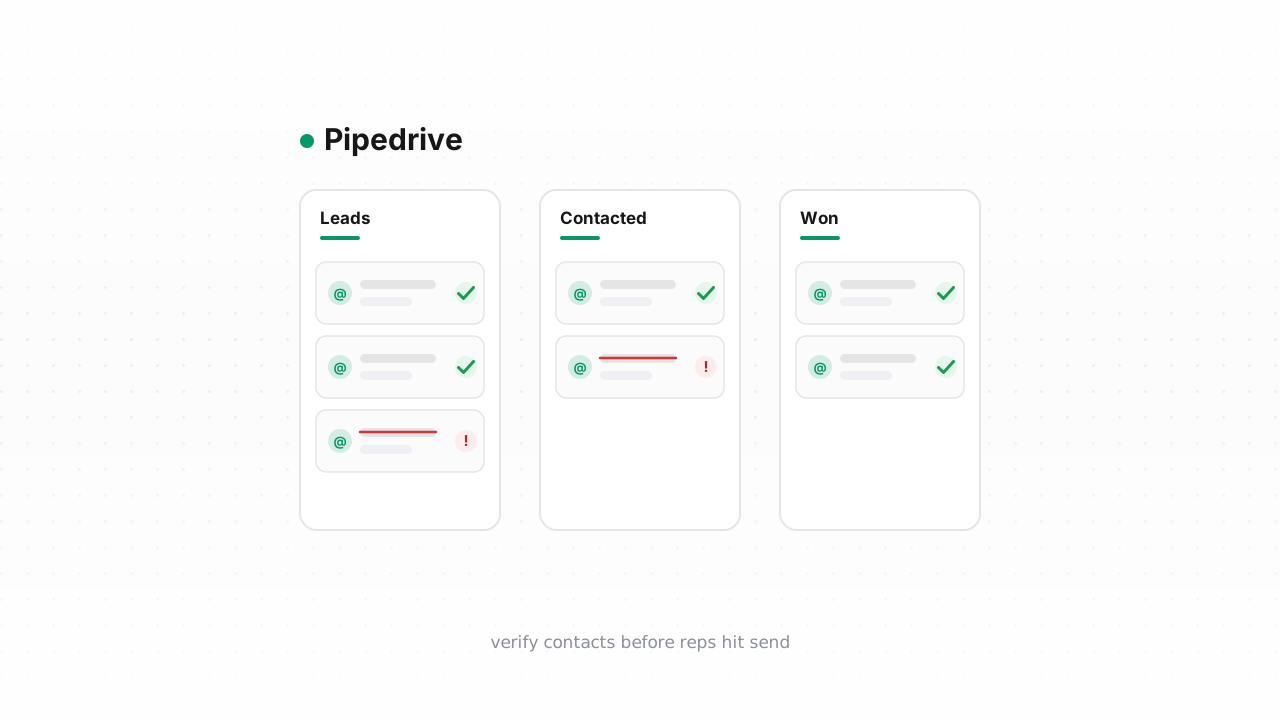
Your Pipedrive account is a sales tool, not an email list — but the moment you turn on the Campaigns add-on or fire a sequence, every dead inbox in it becomes your problem. Persons get added by reps in a hurry, imported from trade-show scanners, or scraped off business cards, and none of that data gets checked. Over time you accumulate typo'd domains, people who left the company, and role inboxes nobody reads. When those addresses bounce, two things happen at once: your reps waste follow-up time on contacts who will never reply, and Pipedrive's built-in email tools send straight to invalid mailboxes, which hurts the sending reputation of your own domain. This guide walks through cleaning your Pipedrive persons the right way, using Pipedrive's real export and archive tools plus a verification pass in between.
Why a sales CRM needs list hygiene#
Pipedrive is a sales CRM first. It stores persons, organizations, and deals — and its email features (Smart Email BCC, group email, sequences, and the paid Campaigns add-on) send through your connected mailbox or a verified sending domain. There is no deliverability engine sitting between you and the recipient's mail server the way a dedicated ESP has. That means a bounce in Pipedrive is a bounce your own domain absorbs directly.
Sales data decays fast. People change jobs, companies get acquired, and email formats change after a rebrand. A contact captured 18 months ago at a conference may point to a mailbox that no longer exists. Send a sequence to a few hundred of those and you get a bounce spike that mailbox providers read as a spam signal — the same mechanics we cover in why bounce rate matters. If you use Campaigns for newsletters or product announcements, the stakes rise further because you're sending to a larger slice of the database at once.
There's also a pure efficiency argument. Reps who spend an hour a day emailing and calling contacts whose inbox is dead are burning pipeline time. Cleaning the list is as much a productivity fix as a deliverability one.
Export your Pipedrive persons to CSV#
Pipedrive lets you export person records from the Contacts view. Go to Contacts → People, apply a filter so you're working with the segment you actually plan to email (for example, persons added in the last two years, or everyone in a specific pipeline stage), then use the export control to download the list as a spreadsheet. Pipedrive supports exporting to CSV and Excel from the list view, and you can choose which columns come along.
At minimum, keep the Person ID and the Email column. The Person ID is the anchor you'll use to write results back later or to find each record for archiving — without it, matching thousands of rows by hand is miserable. Because a person in Pipedrive can hold multiple email addresses (work, home, other), check whether your export splits those into separate columns and plan to verify each one you intend to send to.
Pipedrive behavior above last verified against Pipedrive's documentation, August 2026.
Verify the list before you send#
Once you have the CSV, run the email column through verification. Qualisend returns one of four verdicts for every address — deliverable, risky, undeliverable, or unknown — and each verdict carries a reason code plus sub-flags for things like catch-all, disposable, role, and full mailbox. You also get the MX provider, SMTP probe evidence, and a 0–100 confidence score, so you're not guessing why an address was flagged. Bulk jobs handle up to 1,000,000 addresses at a time, and duplicates are charged once, which matters when the same person shows up under two deals.
Here's how to act on each verdict for a sales database:
- Deliverable — keep and send. The mailbox accepted the probe.
- Undeliverable — archive or delete. These are the bounces you're trying to avoid.
- Risky — slow down. This bucket includes catch-all domains and full mailboxes. For catch-alls, the server accepts everything so a definitive answer isn't possible; the catch-all explainer covers how to treat them. Keep them for one-to-one rep outreach but hold them out of large Campaigns sends.
- Unknown — the target server didn't give a clear answer. Re-verify later or leave these out of bulk sends.
Role and disposable flags deserve special attention in a CRM. A sales rep who saves info@ or sales@ as a person's email is saving a shared inbox, not a decision-maker — see role, disposable and free addresses for why those convert poorly and can drag deliverability. If you'd rather verify programmatically than round-trip a spreadsheet, the verification API exposes the same verdicts with scoped keys, rate limits, and webhooks, and no-code paths through Zapier, Make, and n8n let you wire it into your existing ops.
The fastest path: connect Pipedrive directly#
The CSV loop works on any plan, but you don't have to do it manually. Qualisend's native Pipedrive integration is live. Connect it once and you can clean your persons in place — Qualisend verifies the email fields and writes the results back to each record, so your reps see the status right inside Pipedrive without anyone exporting or re-importing anything. It also runs real-time checks on new contacts as they're created, which is the part that actually keeps the list clean instead of letting it rot again between quarterly cleanups.
That last point matters more than any one-time scrub. The best time to catch a bad address is before it ever enters the CRM — a typo'd domain that gets flagged at entry never becomes a bounce three months later. For teams that want verification at the point of capture (web forms, lead handoffs), the same checks that back the integration are available through the verification API, and the broader playbook is in email verification for SaaS.
Archive or delete the dead contacts#
After verification you'll have a set of Person IDs marked undeliverable. Pipedrive gives you two ways to remove them from active sending.
Archiving hides a person from your default views and reports while keeping the record and its history intact — useful when a contact bounced but is tied to a closed-won deal you don't want to lose. Archived persons drop out of your working lists so reps stop wasting time on them, but you can restore them if the person resurfaces at a new company.
Deleting removes the record. Pipedrive moves deleted items to a recycle bin where they're recoverable for a limited window before permanent removal, so a mistaken delete isn't instantly fatal — but treat deletion as the option for genuine junk (fake signups, obvious typos with no recoverable address) rather than for a real person whose email simply went stale.
Whichever you choose, the goal is the same: the addresses your Campaigns and sequences target should be the ones verification said are deliverable. Do this on the segment you're about to send to, not the whole database at once, so you can review the archive list before it disappears from your views.
Keep the domain healthy too#
Cleaning the list is half the job. The other half is making sure the domain you send from is properly authenticated so the good mail you send actually lands. If you send through Pipedrive, confirm your SPF, DKIM, and DMARC records are set up for your sending domain — walk through it with the Pipedrive authentication guide. Authentication and a clean list reinforce each other: mailbox providers weigh both when deciding whether to inbox you, as laid out in the Google and Yahoo sender rules and the broader email deliverability guide. A clean Pipedrive list plus authenticated sending is what protects your sender reputation over time.
Frequently asked questions#
Does Qualisend have a native Pipedrive integration?#
Yes. The native Pipedrive integration is live. You can connect it at /integrations/pipedrive and clean your persons in place — Qualisend verifies the email fields and writes the results back to each record, and it runs real-time checks on new contacts as they're created. It's the fastest path; the CSV export-and-verify loop is the alternative that works on any plan.
Can I verify addresses before they enter Pipedrive?#
Yes, and it's the best way to keep the list clean. The native integration runs real-time checks on new contacts as they're created, and you can also verify at the point of capture — web forms, lead handoffs — through the verification API, which returns the same four verdicts with scoped keys, rate limits, and webhooks. Catching a typo'd or dead address at entry means it never becomes a bounce later.
Should I archive or delete a contact that bounced?#
Archive when the person is tied to real history — a closed deal or past conversation — because archiving hides them from your working views and reports while keeping the record recoverable. Delete only genuine junk like fake signups or unrecoverable typos. Pipedrive keeps deleted items in a recycle bin for a limited window, so an accidental delete can be restored before permanent removal.
What do Qualisend's four verdicts mean for my CRM?#
Every address gets one of four verdicts: deliverable (keep and send), undeliverable (archive or delete), risky (includes catch-all and full-mailbox cases — fine for one-to-one rep outreach, but hold out of large sends), and unknown (the server gave no clear answer — re-verify later). Each verdict comes with a reason code, sub-flags for catch-all, disposable, role, and full mailbox, the MX provider, SMTP probe evidence, and a 0–100 confidence score.
How many contacts can I verify at once, and what does it cost to start?#
Bulk jobs handle up to 1,000,000 addresses per job, and duplicates are charged only once — helpful when the same person appears under multiple deals. The free plan includes 100 one-time credits that never expire, so you can verify a sample of your Pipedrive persons before committing to a full cleanup.