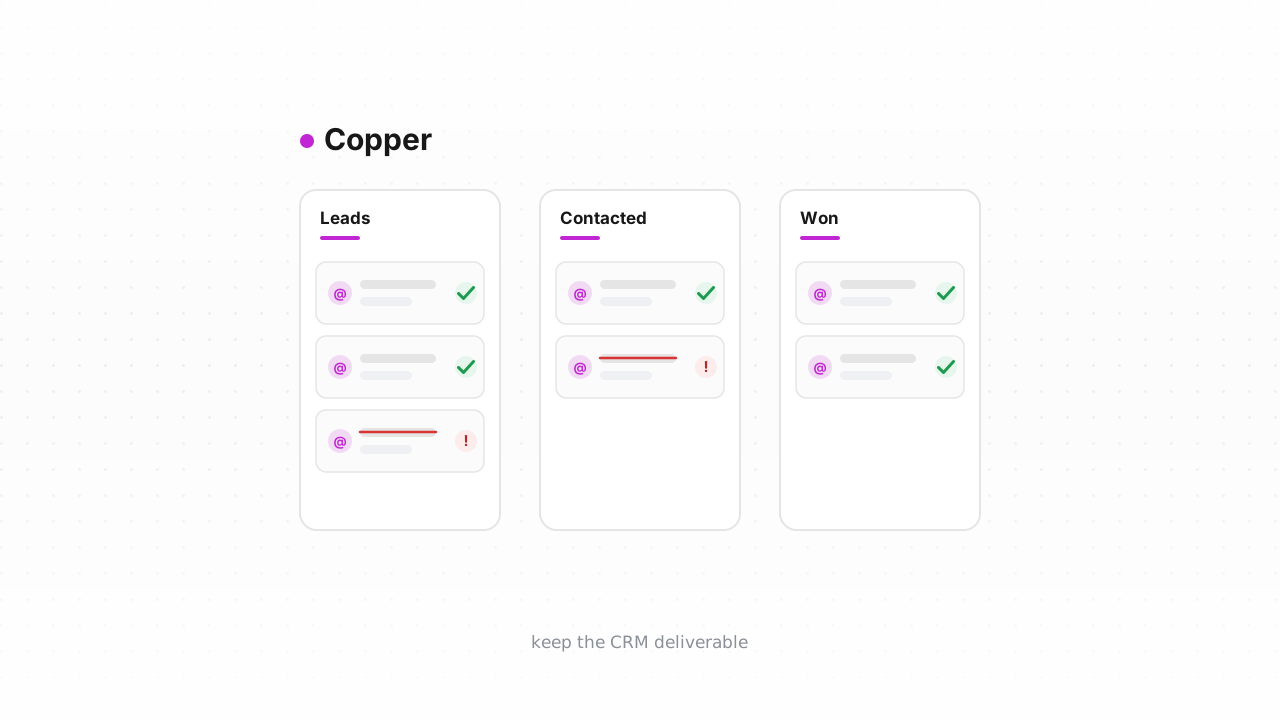
Copper is a CRM built to live inside Google Workspace, so your reps work contacts straight from Gmail and Copper syncs the record. That tight coupling is exactly why a dead address hurts more here than in a marketing tool. When a rep emails a contact, or when Copper's built-in bulk email and sequences fire, the message goes out through your connected Google account — so every bounce lands against your own sending domain, not some shared ESP pool. A list full of decayed and mistyped addresses quietly burns rep hours on inboxes that no longer exist and chips away at the reputation your real prospects depend on. This guide covers what Copper does (and doesn't) do about that, the fastest way to clean your People in place, and the export → verify → act loop that works on any plan.
Why dead contacts cost you twice in Copper#
In a marketing platform, the main cost of a bad address is deliverability. In a sales CRM, you pay twice.
- Reps waste real time. A person record that looks active gets worked — an SDR drafts a note, waits, follows up — before anyone learns the mailbox is gone. Multiply that across a book of stale imports and it's hours a week spent mailing the void.
- Your Google Workspace domain takes the hit. Copper's bulk email and email sequences send through the Gmail account you connected. Gmail and other providers judge you on how many messages bounce or draw complaints, so a batch fired at dead contacts pushes your bounce rate up and your sender reputation down — the same domain your deliverable prospects rely on to reach the inbox.
Because reps import from LinkedIn tools, trade-show lists, and old spreadsheets, Copper accumulates addresses that were never valid and were never mailed — so nothing has flagged them yet.
What Copper does — and doesn't — do#
Copper is a relationship CRM, not a deliverability platform. It has no dedicated verification or suppression engine. There is no "bounced" status that automatically quarantines a bad address the way an ESP would, and no billing lever tied to a suppressed contact. Sequences will stop on a reply or an unsubscribe, but a hard bounce doesn't retire the person record — the address just sits in People looking fine, and the next rep or the next bulk send hits it again.
Copper behavior above last verified against Copper's documentation, August 2026.
So the responsibility for hygiene is yours, and it splits into two questions Copper can't answer on its own: which of your People have addresses that will bounce, and what to do with each one. Verification answers the first; the table further down answers the second. This is the same list-cleaning discipline any sending tool needs — Copper just doesn't automate any of it for you.
The fastest path: connect the native Copper integration#
You don't have to move data around to clean it. Qualisend's native Copper integration is live: connect it once, and it verifies your existing People in place and writes the results back onto the records — the verdict and its flags land where your reps already work. It also runs a real-time check on new contacts as they're created, so a mistyped or disposable address is caught at the point of entry instead of at the next send.
For most teams this is the shortest route from a messy list to a clean one: no CSV to export, no file to re-import, and no window where the CRM and your cleaned file drift apart. Connect it from the Copper integration page, let it verify, then act on the verdicts with the table below. If your plan or admin policy doesn't allow the connection yet, the manual loop next does the same job on any plan.
The manual alternative: export, verify, act#
The CSV loop works on every Copper plan and needs no connection — just export permission.
- Export your People from Copper. Open the People tab, apply a filter or saved view for the segment you want to clean (or select all), and use Copper's export action to download the records to CSV. Make sure the email column is included. Larger or account-wide exports may require an admin role.
- Verify the file with Qualisend. Upload the CSV to Qualisend bulk cleaning — up to 1,000,000 addresses per job, and duplicates are charged once — or paste addresses directly. The free plan's 100 credits that never expire are enough to sample a segment before you commit.
- Read the results. Every address comes back as
deliverable,risky,undeliverable, orunknown, each with a reason code and sub-flags (catch-all, disposable, role, full mailbox), plus the MX provider and SMTP probe evidence and a 0–100 confidence score. Download the cleaned CSV. - Act on the record in Copper — using the verdict table below to decide keep, throttle, or remove.
What to do with each verdict#
| Verdict | Copper action |
| --- | --- |
| deliverable | Keep and work the contact normally. |
| deliverable + role flag | Keep for account contact, but expect info@ / sales@ to route to a team, not a person — see role, disposable & free addresses. Don't drop these into a personal-tone sequence. |
| risky + catch-all flag | The domain accepts everything, so the mailbox can't be confirmed — tag it, keep it out of large bulk sends, and let a rep confirm before mailing. See what a catch-all address is. |
| risky + disposable flag | Remove or delete. A throwaway inbox is not a prospect worth a rep's time. |
| unknown | Keep and re-verify next clean — usually greylisting or rate-limiting, not a verdict on the mailbox. |
| undeliverable | Retire it now (below). Don't wait for the bounce to prove it and cost you a point of reputation. |
Removing or tagging the dead in Copper#
Copper gives you two honest ways to retire an address, and which you choose is a data-retention call.
- Delete the person. Select the undeliverable records in the People list and delete them in bulk. Cleanest for genuine junk — typos and disposables you never want re-worked — but you lose the record, so nothing stops the same bad address from being re-imported later.
- Tag or flag it instead. Add a custom field or tag like
email:undeliverableand exclude that tag from every bulk email and sequence audience. You keep the account history and any deal context while making sure no rep and no automated send ever touches the address again. For a sales CRM, tagging is usually the safer default — the relationship data outlives the dead inbox.
Either way, the point is the same: get the undeliverables out of every send path so your bulk email and sequences only ever go to addresses that resolve. That's what keeps your bounce rate under the thresholds mailbox providers watch — see why bounce rate matters and the Google & Yahoo sender rules your Workspace domain is measured against.
Keep it clean: verify before contacts enter Copper#
Cleaning is a cycle, not a one-time fix, because addresses decay and reps keep importing. Two habits keep the list from sliding back:
- Verify at the point of entry. The native integration's real-time check on new contacts, or a call to Qualisend's verification API from whatever form or enrichment tool feeds Copper, stops typos and disposable addresses before they ever become a person record. This is the highest-leverage move — the same verification-at-signup pattern SaaS teams use — because a bad address that never enters Copper never wastes a rep or a send.
- Re-clean on a cadence. Run the connected verify (or the CSV loop) on a regular schedule sized to your import volume, and treat a rising bounce rate on your bulk sends as the tripwire to clean sooner.
Do both and Copper stays what it's supposed to be — a book of contacts your reps can actually reach.
Frequently asked questions#
Does Qualisend have a native Copper integration?#
Yes. The native Copper integration is live: connect it from the Copper integration page and Qualisend verifies your existing People in place and writes the results back onto the records, plus runs a real-time check on new contacts as they're created. It's the fastest path for most teams. If your plan or admin policy doesn't allow the connection, the CSV export → verify → act loop does the same job on any Copper plan.
Can I verify addresses before they enter Copper?#
Yes, and it's the highest-leverage option. The native integration checks new contacts in real time as they're created, and you can also call Qualisend's verification API from any form or enrichment tool that feeds Copper. Catching a typo or disposable address at the point of entry keeps it out of your People list entirely, so it never wastes a rep's time or a send.
Will Copper's bulk email hurt my domain if I mail dead contacts?#
It can. Copper's bulk email and sequences send through your connected Google Workspace account, so bounces and complaints count against your own sending domain rather than a shared ESP pool. Mailing a batch of undeliverable addresses raises your bounce rate and lowers your sender reputation — the same domain your deliverable prospects rely on.
Should I delete a dead contact or just tag it?#
Deleting is cleanest for genuine junk but loses the record, so nothing stops the address from being re-imported later. Tagging the record (for example email:undeliverable) and excluding that tag from every bulk send keeps the account history and deal context while ensuring no rep or automation mails the address again. For a sales CRM, tagging is usually the safer default.
What do the four verdicts mean?#
Every address returns one of four verdicts — deliverable, risky, undeliverable, or unknown — each with a reason code and sub-flags (catch-all, disposable, role, full mailbox), the MX provider, SMTP probe evidence, and a 0–100 confidence score. Keep deliverable contacts, throttle or confirm risky ones, retire undeliverables, and re-verify unknowns on your next clean.