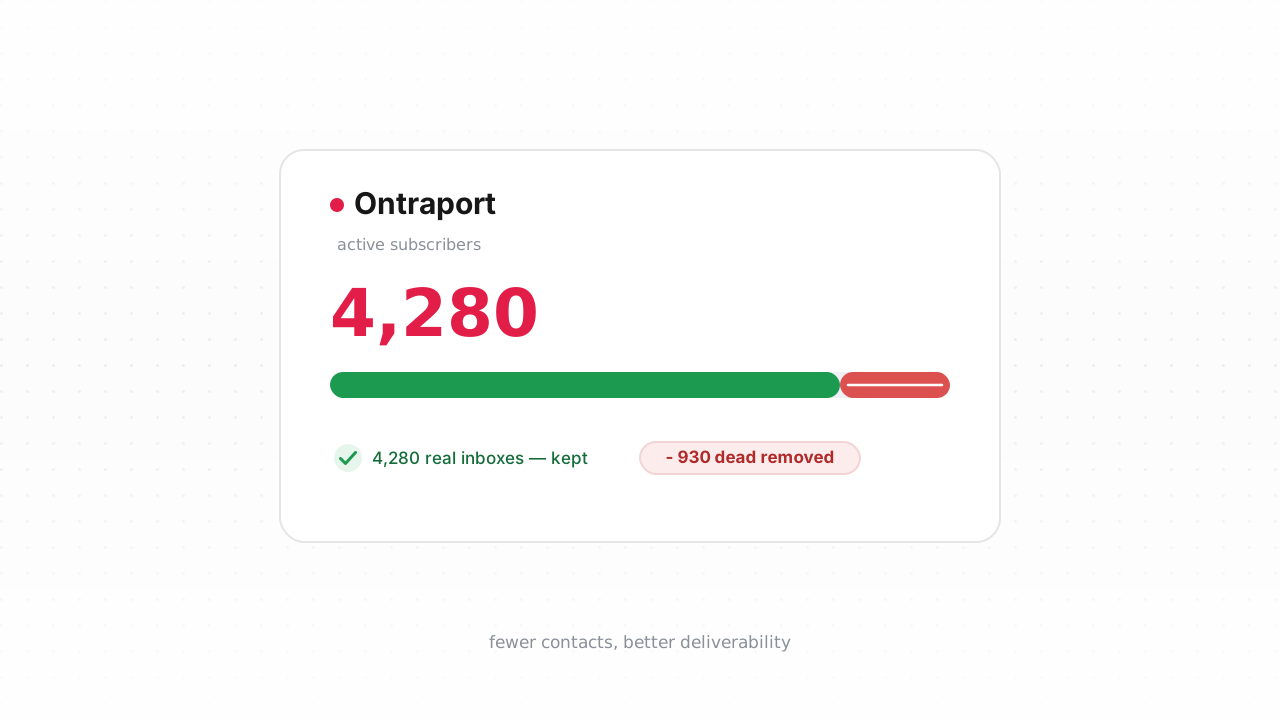
Ontraport bills you on contacts. Every address sitting in your account counts toward your plan tier, whether it opens your emails or has never accepted a single message. That pricing model makes list hygiene a line-item decision, not just a deliverability one: dead addresses cost you money in your subscription and cost you sender reputation at the inbox. Ontraport does a respectable job cleaning up after a send goes out, but it cannot see the problem addresses that arrive from imports and web forms before you ever mail them. This guide covers exactly what Ontraport handles on its own, where the gaps are, and how to close them with verification.
What Ontraport already does for you#
Ontraport has real, reactive email hygiene built in. When you send a broadcast or automated message, it processes the delivery results and acts on them. Hard bounces are retired: an address that returns a permanent failure gets marked so Ontraport stops mailing it, which protects your sending reputation from repeat attempts against a dead mailbox. Soft bounces are tracked separately, since those are usually temporary problems like a full inbox or a server hiccup.
Ontraport also maintains suppression around unsubscribes and spam complaints. When a contact opts out or a mailbox provider reports a complaint, Ontraport honors it and keeps that contact out of future sends. Combined with bounce retirement, this is a solid feedback loop. The important thing to understand is that all of it is reactive. It fires on the results of a message you already sent. Ontraport learns an address is bad by watching it fail, which means the address has to receive at least one send attempt before Ontraport can act. That single fact is the root of everything Ontraport can't catch on its own.
Ontraport behavior above last verified against Ontraport's documentation, August 2026.
What Ontraport can't catch#
The gap is everything that goes wrong before a send, or that never produces a bounce at all.
- Never-mailed invalids. Addresses that entered from an import or a signup form and have not yet been sent to are completely unvetted. A typo like
gmial.com, a fake address someone typed to grab a lead magnet, or a mailbox that was deleted last year all sit in your list looking identical to good contacts. Ontraport has no bounce on record for them because you haven't mailed them yet. - Imported lists with stripped history. When you import contacts from a CSV or another platform, the bounce history does not come with them. Ontraport starts fresh, treating every imported address as mailable until proven otherwise, so a list that was already partly dead arrives looking pristine.
- Disposable addresses. Throwaway domains created for a single signup will accept mail briefly and then evaporate. They may not hard bounce on your first send, so they linger.
- Role addresses. Shared inboxes like
info@,sales@, andsupport@are not individual people. They draw complaints and drag engagement, but they rarely bounce. - Decayed mailboxes. An address that was valid when someone signed up can go abandoned or get shut down. Until you mail it and it bounces, Ontraport still counts it as a live, billable contact.
- Catch-all domains. Some domains accept every address at the domain and sort it out later, so a send does not produce a clean bounce signal. That leaves genuinely invalid mailboxes hiding behind an accept-all server.
None of these show up in Ontraport's native reporting until they cause damage, and by then the send has already gone out. If you want to learn more about the categories themselves, our explainers on role, disposable, and free addresses and what a catch-all address is go deeper. The fix is to check addresses proactively, before you send, rather than waiting for a bounce to teach you.
Step-by-step: export, verify, remove#
The fastest path is the native connector. Qualisend's Ontraport integration is live, so you can connect it, clean your list in place, and write verdicts back to your contacts without ever touching a spreadsheet. It also verifies new contacts in real time as they enter, which keeps the invalids from ever landing in the first place. If you prefer to work by hand, or you are on a plan where that suits you better, the export-and-reimport loop below works on any Ontraport account.
- Export your contacts from Ontraport. In Ontraport, open your Contacts collection, apply a group or filter for the segment you want to clean, and use the export action to download a CSV. Include the email field and a unique identifier like the contact ID so you can match rows back later.
- Verify the file with Qualisend. Upload the CSV to a Qualisend bulk job (up to 1,000,000 addresses per job, and duplicates are only charged once). Each address comes back with one of four verdicts: deliverable, risky, undeliverable, or unknown. Every result carries a reason code and sub-flags for catch-all, disposable, role, and full mailbox, plus the MX provider, SMTP probe evidence, and a 0–100 confidence score.
- Sort the results. Keep the deliverable addresses. Remove or suppress the undeliverable ones. Treat risky and unknown by judgment: throttle them out of high-stakes sends, or set them aside for a re-check. The sub-flags help here, since you may choose to drop role and disposable addresses even when they technically accept mail.
- Remove the dead from Ontraport. Match the undeliverable rows back to Ontraport by contact ID. You can delete those contacts outright to stop paying for them, or add them to a suppression group if you want to keep the record without mailing it. Deleting is what actually reduces your billable contact count.
- Re-import your keepers if needed. If you tagged or scored contacts during verification, re-import the cleaned file to update those fields in Ontraport.
Developers who would rather automate the whole loop can skip the CSV entirely and call the verification API directly, or wire it through Zapier, Make, or n8n with no code. Either way, the goal is the same: no undeliverable address survives to the next send.
How often to clean Ontraport#
There is no universal calendar for this, and you should be skeptical of anyone who quotes you a fixed monthly decay rate as if it applied to your list. Clean on triggers instead.
- Before high-stakes sends. Any launch, a re-engagement campaign to a cold segment, or a first send to a new mailbox provider deserves a fresh verification pass. These are exactly the moments a spike in bounces does the most reputational damage.
- After every import. Because imported lists arrive with their bounce history stripped, verify them before their first send, not after. This is the single highest-value moment to clean.
- On a light cadence, with bounce rate as your tripwire. Watch your bounce rate in Ontraport's reporting. When it starts creeping up, that is your signal to clean, regardless of how long it has been. A rising bounce rate is a more honest trigger than a date on the calendar.
For the reasoning behind cadence-versus-trigger cleaning, see how often to clean your list and why bounce rate matters. If you are cleaning ahead of the modern inbox rules, our Google and Yahoo sender rules breakdown covers the thresholds those providers now enforce. And because the billing angle is real, remember that every address you remove is one you stop paying Ontraport to store.
Frequently asked questions#
Does Ontraport already remove bad emails on its own?#
Partly. Ontraport retires hard bounces after a send, tracks soft bounces, and honors unsubscribes and spam complaints. But all of that is reactive: it only acts after a message has gone out and failed. Ontraport cannot flag never-mailed invalids, disposable or role addresses, decayed mailboxes, or addresses hiding behind catch-all domains, because none of those produce a clean bounce before you send. Verifying first closes that gap.
Does Qualisend have a native Ontraport integration?#
Yes. The Qualisend Ontraport integration is live. You can connect it, verify your existing contacts in place, and write the results back to Ontraport without exporting a spreadsheet. It also checks new contacts in real time as they enter your account. Connecting the native integration is the fastest path; the CSV export-and-reimport loop is the alternative that works on any Ontraport plan.
Can I verify addresses before they enter Ontraport?#
Yes, and it is the best way to keep your list clean. With the native integration connected, Qualisend checks new contacts in real time so invalids are caught at the point of entry. For custom signup forms and apps, you can call the verification API or use a Zapier, Make, or n8n connection to verify an address before it is ever written to Ontraport.
Why should I delete contacts instead of just suppressing them?#
Because Ontraport bills on the number of contacts in your account. Suppressing an undeliverable address keeps you from mailing it but does not reduce your billable count. Deleting it does. If you need to retain a record for compliance, suppression is reasonable; if you simply want to stop paying to store dead addresses, delete them.
What do Qualisend's four verdicts mean for my Ontraport list?#
Deliverable addresses are safe to keep and mail. Undeliverable addresses should be removed or suppressed. Risky and unknown addresses need judgment: throttle them out of high-stakes sends or set them aside for a re-check. Each verdict includes a reason code, sub-flags for catch-all, disposable, role, and full mailbox, the MX provider, SMTP probe evidence, and a 0–100 confidence score to guide your decision.