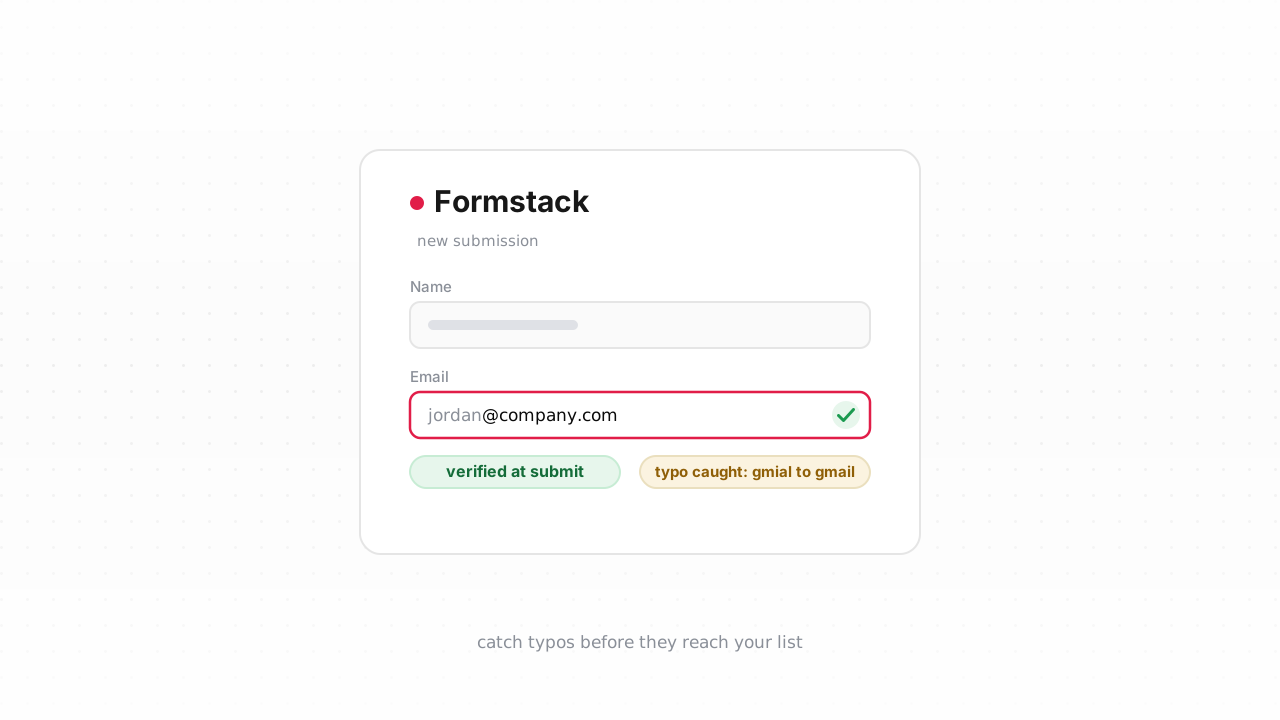
Formstack is built to capture data — registrations, lead-gen forms, support intake, event sign-ups — and it does that well. What it can't do is tell you whether the email address someone typed is a real, reachable mailbox. And Formstack submissions are immutable: once a response lands, that record is a fixed snapshot. There's no going back to "fix" a bad address inside it. So the only place verification actually pays off is at the point of capture — the moment the address leaves Formstack on its way to your CRM or email tool. This guide shows how to verify emails from Formstack with Qualisend: in real time as submissions arrive, and in bulk by exporting your existing responses to CSV.
Why Formstack's form validation lets bad emails through#
Formstack's Email field runs a front-end validation check — it confirms the value has an @, a domain, and no obvious malformed characters, and you can add a "confirm email" field so the respondent types it twice. That catches fat-fingered submissions where someone clearly left the field half-empty. What it does not do is prove the mailbox exists.
Format validation is the same class of check a regex does, and it fails for the same reasons: format is not deliverability. jane@gmial.com sails through — it's perfectly well-formed, it's just going to a domain that doesn't exist. So does signup@mailinator.com, a disposable address that will be dead within the hour. So does a real-looking address at a company domain that shut down last year. None of Formstack's built-in checks resolve DNS, look up MX records, or knock on the mailbox to see if anyone's home.
None of those bad addresses get caught until you actually send — and by then a dead address is a hard bounce that chips at your bounce rate and your sender reputation. Real verification adds the layers Formstack's field can't: a DNS/MX lookup, an SMTP mailbox probe, and flags for disposable, role, catch-all, and full-mailbox addresses. If that pipeline is new to you, what email verification actually checks is the primer.
Verify at the point of capture#
Because a Formstack submission can't be edited after the fact, the highest-value moment to verify is the instant the address flows out of the form — before it ever reaches your list, your CRM, or a welcome email. Verify there and a typo or a disposable address gets flagged, tagged, or routed to review instead of quietly becoming a subscriber.
Formstack sends each new submission outward the moment it's received, and that outbound path is where you insert the check. There are two ways to wire it:
- No-code, via Zapier or Make. Formstack connects to both. A "New Submission" trigger fires per response; add a step that calls Qualisend with the submitted email, then branch on the verdict — send
deliverableaddresses on to your CRM or email platform, and hold, tag, or divert the rest. The full walkthrough of that pattern is in verifying emails with Zapier, and it maps one-to-one onto a Formstack trigger. - Direct, via a webhook. Formstack can POST each submission's data to a URL you control. Point it at a small serverless function that reads the email field, calls the Qualisend verification API with a server-side scoped key, and acts on the result. This is the same server-side pattern described in verify at signup: the key never touches the browser, and you branch on the verdict.
Whichever route you pick, the important honesty here: you are not writing the verdict back into the Formstack submission — that record stays as captured. You're verifying the address in flight and deciding what your downstream systems do with it. A deliverable result flows straight into your list; an undeliverable or disposable one gets suppressed, tagged, or dropped into a review queue before it can hurt a send.
Each check returns one of four verdicts — deliverable, risky, undeliverable, or unknown — each with a reason code, sub-flags for catch-all, disposable, role, and full-mailbox addresses, the MX provider, SMTP probe evidence, and a 0–100 confidence score. Map undeliverable to suppression, risky/catch-all to a segment you send to cautiously (a catch-all domain can't confirm the individual mailbox), and never drop a real lead over an unknown — that just means the infrastructure didn't answer, so accept and re-check later. Role and disposable flags let you decide how strict your funnel should be; see role, disposable & free addresses for where each belongs.
A native Qualisend connector for Formstack is on the way — you can follow its progress on the Formstack integration page — but it isn't live yet. Today the supported paths are the Zapier/Make flow and the direct API webhook above. Both use standard Formstack features, so there's nothing to wait for.
Clean past submissions#
Real-time verification protects everything from today forward, but it does nothing for the addresses already sitting in your account. For those, go in one bulk pass.
In Formstack, open the form's Submissions view and export your responses to CSV or Excel. You'll get one row per submission with the email in its own column. Then:
- Upload the CSV to Qualisend's bulk verification. A single job handles up to 1,000,000 addresses, and duplicates are charged only once, so a messy export with repeat submitters won't cost you extra. Qualisend runs the full pipeline — MX, SMTP probe, and the disposable/role/catch-all/full-mailbox flags — across every row.
- Download the annotated file. Each address comes back with a verdict, a reason code, sub-flags, and a 0–100 score.
- Suppress the undeliverables in whatever tool you actually mail from, and handle the
riskyrows with care. Formstack's own export is your source data; the cleaned list lives wherever you send from.
Bulk is the right tool for a backlog, but it's cleanup, not prevention — an address you catch here has usually already been sitting in your CRM for a while. Pair a periodic bulk pass with the real-time check at capture, and both your history and your new sign-ups stay clean. Formstack behavior above last verified against Formstack's documentation, August 2026.
Frequently asked questions#
Does Qualisend have a native Formstack integration?#
Not yet — it's being built. A native Qualisend connector for Formstack is on the roadmap, and you can follow its progress on the Formstack integration page. Until it ships, the supported paths are the no-code Zapier or Make flow and the direct API webhook, both of which use standard Formstack features and work today.
Can I verify an email before it enters Formstack?#
Not inside the form itself — Formstack has no supported way to call an external API mid-form and block a respondent from submitting, and a completed submission is immutable. In practice you verify at the point of capture instead: the instant a submission is received, a webhook or a Zapier/Make step checks the address and decides what your downstream systems do with it. That happens within seconds, before the address ever reaches a list or receives a message, so bad addresses are caught before they matter.
Can Formstack's own email field catch bad addresses?#
Only malformed ones. Formstack's Email field runs a front-end format check — it confirms there's an @ and a domain, and you can require a confirmation field — but it doesn't resolve MX records or probe the mailbox. A typo'd, disposable, or long-dead address that happens to be well-formed still passes. Catching those needs the DNS and SMTP layers Qualisend adds on top.
Should I verify in real time or clean submissions in bulk?#
Both, for different jobs. Real-time verification at capture keeps new submissions clean and catches typos and disposable addresses before they reach your CRM or email tool. A bulk CSV pass cleans the addresses already sitting in your account. Most teams wire up the real-time check first, then run an occasional bulk export to catch anything that predates it or has gone stale since.
Does verifying at capture change my Formstack submission record?#
No. Formstack submissions are immutable, and verification never writes back into them — that record stays exactly as captured. Qualisend verifies the address in flight, as it leaves Formstack, and returns a verdict your integration acts on downstream: sending deliverable addresses onward and suppressing, tagging, or routing the rest.