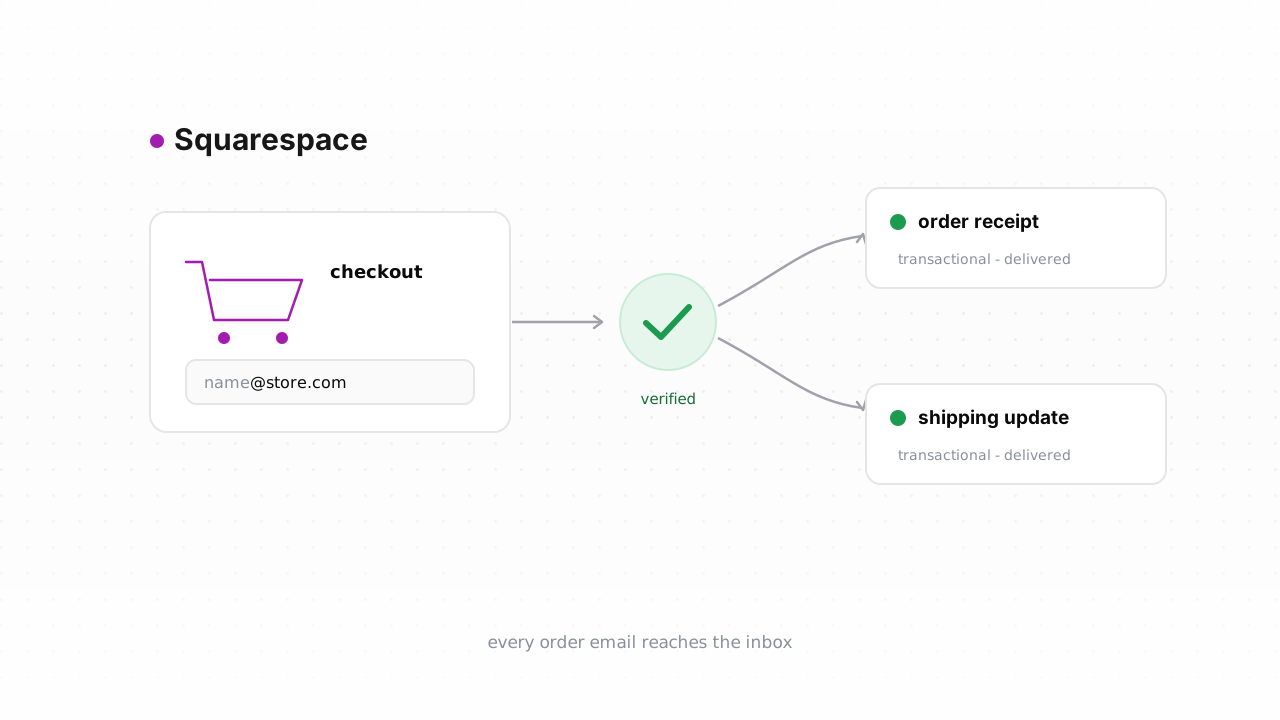
Every sale on your Squarespace store begins with an email address — typed at checkout, dropped into a newsletter block, or left on a contact form — and your store depends on that address to deliver the order confirmation, the receipt, and the shipping update a paying customer is actually waiting for. A single fake or fat-fingered address doesn't just miss one message; it bounces, and bounces quietly chip away at the sender reputation your entire store's mail rides on. This guide shows how to verify emails from Squarespace two ways: the fastest path is Qualisend's native Squarespace integration, which cleans your contacts in place, and the portable fallback is a CSV export that works on any plan.
Why customer email quality matters for a store#
A store is not a plain newsletter. It's a transactional sender and a marketing sender, and both ride on the same sending domain and the same reputation. Order confirmations, receipts, and shipping updates aren't nice-to-haves — they have to land, every time, or you get support tickets and chargebacks instead of quiet, happy customers. When a shopper mistypes gmial.com at checkout, or a bot seeds your newsletter list with a dead address, that message hard-bounces. Mailbox providers read a rising bounce rate as a signal that you don't know who you're mailing, and they start routing everything you send — including the receipt a real buyer needs — to spam or nowhere at all.
That's the trap: the reputation that delivers your marketing campaign is the same reputation that delivers the order confirmation. Let it slip and the whole store's mail suffers at once. This is why bounce rate matters more for a shop than for a hobby list, and why email verification for ecommerce is really deliverability insurance for revenue. Verification keeps the addresses you send to made of mailboxes that genuinely exist.
What Squarespace does — and doesn't do — about bad addresses#
Squarespace does a little, but not nearly enough to protect a store on its own. At checkout and in signup blocks it performs format validation — it rejects an address with no @ or an obviously malformed domain. Squarespace Email Campaigns also handles bounces reactively: when an address hard-bounces on a real send, Squarespace stops mailing it and manages the unsubscribe for you, so you don't keep hammering a dead mailbox forever.
What Squarespace does not do is check, before you send, whether a well-formed address is actually deliverable. It won't catch the gmial.com typo, it won't flag a disposable or role address, and it won't tell you a domain is a catch-all that accepts everything and confirms nothing. In other words, its bounce handling only kicks in after the damage — after the bounce has already been recorded against your reputation. Squarespace behavior described in this guide was last verified against Squarespace's official documentation in August 2026. Verification closes that gap by scoring addresses before the first send, not after. And because deliverability also depends on your domain being properly signed, pair this with authenticating Squarespace with SPF, DKIM, and DMARC so the mail you send is trusted in the first place.
Step-by-step: export customers, verify, tag the risky ones#
The fastest route is to skip the export entirely: connect the native Squarespace integration, and Qualisend reads your contacts, verifies them, and writes the results back in place — no files to shuffle. Connecting it is the recommended path for most stores. If you'd rather work from a file, or you're on a plan where the export is simpler, the CSV loop below does the same job on any plan.
- Export your contacts. Open the Contacts panel from your Squarespace dashboard, filter to the group you care about — newsletter subscribers, or customers who've ordered — and export to CSV. For order data specifically, Commerce → Orders also exports a CSV that includes each buyer's email.
- Bulk-verify the file. Upload the CSV to Qualisend. A single job handles up to 1,000,000 addresses, and duplicates are only charged once. Every row comes back with one of four verdicts —
deliverable,risky,undeliverable, orunknown— plus a reason code, sub-flags for catch-all, disposable, role, and full mailbox, the MX provider, SMTP probe evidence, and a 0–100 confidence score. - Suppress the dead ones. Add every
undeliverableaddress to the suppression or exclusion list in whatever sends your mail — Squarespace Email Campaigns, Klaviyo, Mailchimp. Suppressing stops the sends that would otherwise bounce. - Tag the in-between. Keep
deliverable. Don't dropriskyand catch-all addresses — tag them and send more conservatively. Plenty of real buyers sit on catch-all company domains, and blocking them costs you orders.
| Verdict | What to do in a store |
| --- | --- |
| deliverable | Keep and mail normally. |
| risky / catch-all | Keep, but tag — send to this segment carefully rather than dropping a possible customer. |
| undeliverable | Suppress in your email tool. This is the only safe hard-block. |
| unknown | Keep. The infrastructure didn't answer — never lose a real order over it, and re-check in your next clean. |
Don't delete the Squarespace contact or customer record when you suppress — you still need it for order history, refunds, and lifetime-value reporting. Cleaning is about who you send to, not who exists in your store. For cadence, see how often to clean your list.
Verify new customers in real time#
Cleaning fixes the list you have; real-time checks stop new junk at the door. With the native integration connected, Qualisend runs a live check on new contacts as they arrive, so a bad address gets flagged the moment it enters your store rather than surfacing weeks later as a bounce.
If you'd rather build it yourself, Squarespace's developer platform supports webhook subscriptions on Commerce plans — subscribe to an order event, and Squarespace posts each new order to an endpoint you host. In that endpoint, call the Qualisend verification API with a scoped key, then tag the customer or add undeliverables to a suppression segment. Because the webhook fires after the order is placed, this is verify-then-tag, not verify-then-block — exactly right for a store, where you never want to gate a real purchase on a live check. Keep the scoped key server-side, set a short timeout, and fail open: losing a paying customer to a slow probe is far worse than letting one questionable address through. Prefer no code? Point a Zapier, Make, or n8n step at the same API and skip the server entirely. The full API surface — scoped keys, rate limits, and webhooks — lives in the developer docs, and the same real-time pattern is broken down in the verify-Shopify-emails guide if you want a second worked example.
Frequently asked questions#
Does Qualisend have a native Squarespace integration?#
Yes. The native Squarespace integration is live. Connect it and Qualisend verifies your contacts and writes the results back in place — no CSV shuffling — and runs real-time checks on new contacts as they arrive. It's the fastest path for most stores. The CSV export-and-upload loop remains available as an alternative that works on any plan.
Can I verify an address before it enters Squarespace?#
Squarespace itself only validates format at checkout and in signup blocks, so a well-formed but fake or mistyped address passes straight through. To verify before it lands, call the Qualisend API from the form you control or from a webhook step — verify the address, then decide whether to tag it or route it to suppression. Because Squarespace's own bounce handling is reactive, verifying up front is what actually keeps bad addresses off the list rather than cleaning up after the bounce.
Where do I export my customer emails in Squarespace?#
Open the Contacts panel from your dashboard, filter to the group you want, and export to CSV. For order-level data, Commerce → Orders also exports a CSV that includes each buyer's email. Either file uploads straight into a Qualisend bulk job.
Will verifying my list delete my Squarespace contacts?#
No. Verification only labels addresses — it never removes your Squarespace records. When you act on the results, suppress undeliverable addresses in your email platform rather than deleting the contact, since you still need that record for order history, refunds, and reporting.
How often should I clean my Squarespace list?#
Clean before any large send — a seasonal promotion or a launch — and every few months as a baseline, since new signups and typos keep accumulating. Real-time checks on new contacts slow that accumulation, so the more capture points you protect up front, the less often the bulk clean has to catch up. See how often to clean your list for a fuller schedule.