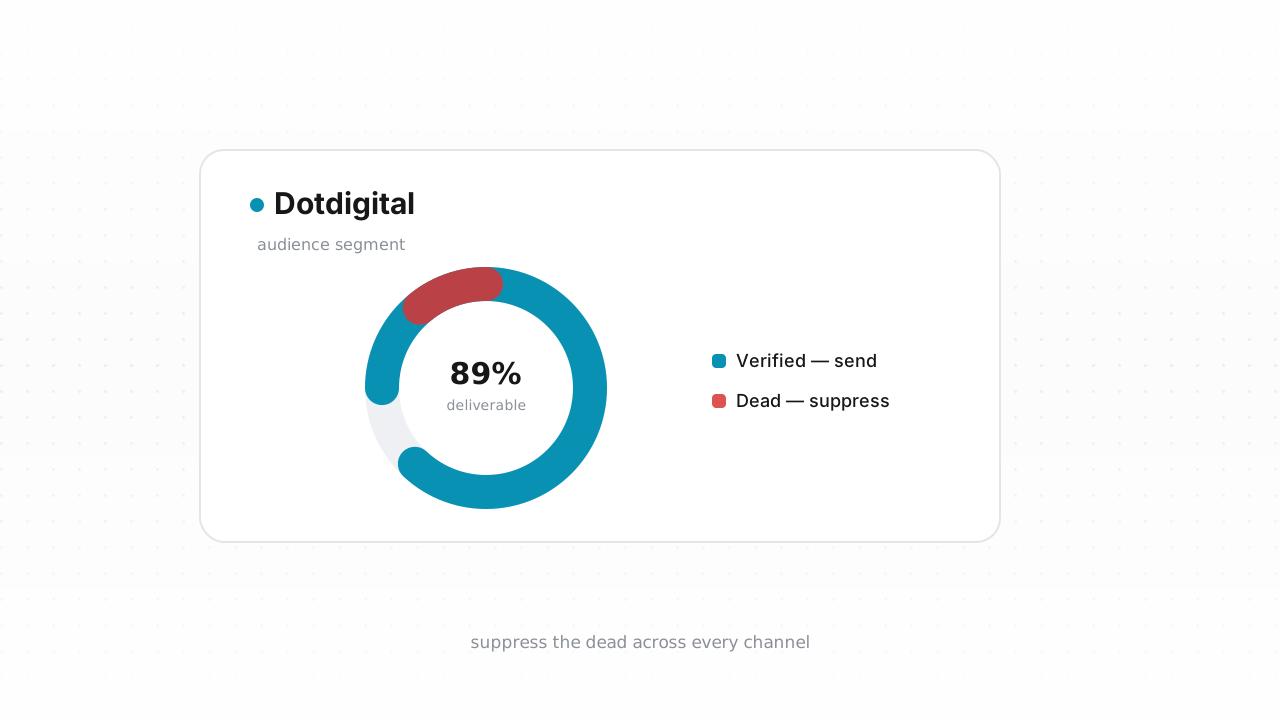
Dotdigital keeps your Engagement Cloud program clean in the ways a sending platform can: it catches hard bounces, drops confirmed unsubscribes into suppression lists, and honors spam complaints across email, SMS, and the other channels it coordinates. What it cannot do is tell you whether an address is real before you mail it. That gap is where deliverability quietly erodes — invalid contacts pile up from imports and web signups, sit in your address book, and only reveal themselves after a send burns your sender reputation. This guide walks through what Dotdigital already handles, what it structurally can't, and how to verify and suppress the dead weight before your next high-stakes campaign.
What Dotdigital already does for you#
Dotdigital's native hygiene is reactive, and that is by design. When a message hard bounces, Dotdigital marks the contact as suppressed so it won't be mailed again. Repeated soft bounces eventually roll into the same treatment. Unsubscribes, whether from the footer link or a list-unsubscribe header, land in a suppression list, and spam complaints routed back through feedback loops do the same. Across the cross-channel program, these suppressions keep you from re-contacting people who've already bounced or opted out.
This is genuinely useful, and for an engaged, permission-based list it may be most of what you need day to day. The suppression model is the important part: suppressed contacts stay in your account for record-keeping but are excluded from sends. Nothing here requires a third-party tool. Dotdigital behavior above last verified against Dotdigital's documentation, August 2026.
The catch is that every one of those mechanisms fires after a message goes out. Dotdigital learns an address is bad by mailing it and watching the bounce come back. If bad addresses never get mailed — or arrive already broken — Dotdigital has nothing to react to.
What Dotdigital can't catch#
The addresses that hurt you most are the ones Dotdigital has never had a chance to test. These slip past native hygiene because there's been no send, and therefore no bounce, to trigger it:
- Never-mailed invalids from imports and signups. A contact you uploaded last week or captured through a form yesterday has no bounce history. If the mailbox doesn't exist, Dotdigital won't know until the campaign that finally hits it — and by then the damage to your bounce rate is done.
- Imported lists with stripped bounce history. When you move a list from another platform into Dotdigital, the prior bounce and complaint history usually does not travel with it. Every address arrives looking pristine, including the ones that were already failing elsewhere.
- Disposable addresses. Throwaway domains created to grab a lead magnet look valid at import and self-destruct days later.
- Role addresses.
info@,sales@, andsupport@inboxes draw complaints and drag engagement, but they accept mail, so they never bounce. - Catch-all domains. A catch-all address accepts everything at the SMTP layer, so a bad local part looks deliverable right up until it silently fails.
- Decayed mailboxes. People change jobs and abandon inboxes. A once-valid address goes full or dead with no signal until your next send bounces off it.
None of these announce themselves. The only way to find them before they cost you is to check every address directly — which is exactly what verification does. For the wider picture on why these matter, see the email deliverability guide and why bounce rate matters.
Step-by-step: export, verify, suppress#
You have two paths. The fastest is the native connector; the CSV loop below works on any plan.
The native path (recommended). Qualisend's Dotdigital integration is live. Connect it once and Qualisend verifies your address book in place, writes results back to your contacts, and checks new contacts in real time as they enter — so invalids get flagged at the door instead of at send time. Connect it, pick the list or segment, and let it run. This is the shortest route from messy list to clean sends.
If you'd rather work from a file, or you're on a plan where the export-and-reimport loop suits you better, here's the manual process:
- Export from Dotdigital. In Dotdigital, go to your address book or the specific segment you plan to mail, and export contacts to CSV. Exporting a targeted segment rather than your entire book keeps the job focused on the addresses that actually matter for the upcoming send.
- Upload to Qualisend. Start a bulk job and upload the CSV — Qualisend handles up to 1,000,000 addresses per job, and duplicates are charged only once. New to the workflow? The how to clean an email list walkthrough covers the fundamentals.
- Read the verdicts. Every address comes back as deliverable, risky, undeliverable, or unknown, each with a reason code and sub-flags for catch-all, disposable, role, and full mailbox, plus the MX provider, SMTP probe evidence, and a 0–100 confidence score.
- Split the results. Keep the deliverables. Route undeliverables to suppression. Treat risky and unknown as a judgment call — catch-all and role addresses often sit here; hold them out of high-stakes sends even if you keep them for lower-risk flows.
- Suppress the dead in Dotdigital. Take your undeliverable list and add those addresses to a Dotdigital suppression list, or import them and suppress on import, so they're excluded from every future send across your channels. Don't just delete them — suppressing keeps a record and prevents re-adding the same bad address later.
- Re-import the clean segment. Update your working list or segment with the verified deliverables, and mail from that.
Developers can skip the file shuffle entirely: the verification API offers scoped keys, rate limits, and webhooks to verify at the point of capture, and no-code connectors for Zapier, Make, and n8n wire the same checks into your signup flow. For a sense of how this looks on other platforms, the Klaviyo and Mailchimp guides follow the same shape.
How often to clean Dotdigital#
There's no universal decay number worth quoting, so anchor your cadence to real events rather than a made-up percentage:
- Before every high-stakes send. Big announcements, re-engagement blasts to older segments, and anything going to contacts you haven't mailed recently deserve a verification pass first.
- After every import. Imported lists arrive with their bounce history stripped, so treat any upload — from a partner, an event, or an old platform — as unverified until Qualisend says otherwise.
- On a steady cadence, with bounce rate as the tripwire. Pick an interval that fits your sending volume, but let your bounce rate override it. When bounces start creeping up, clean immediately rather than waiting for the calendar. The how often to clean your list guide goes deeper on setting that rhythm, and if your program touches Gmail or Yahoo audiences, the Google & Yahoo sender rules explain why staying under their complaint and bounce thresholds isn't optional.
If Dotdigital bills you by contact or subscriber count, there's a direct financial angle here too: every undeliverable, disposable, or role address in your book is a contact you're paying to store and never able to convert. Verifying and suppressing them trims the number your plan counts against, so a clean list can cost less to run, not just perform better.
Frequently asked questions#
Does Qualisend have a native Dotdigital integration?#
Yes. The native Dotdigital integration is live. Connect it and Qualisend verifies your existing address book in place, writes the results back to your contacts, and checks new contacts in real time as they enter Dotdigital. It's the fastest path to a clean list; the CSV export-verify-suppress loop remains available as an alternative on any plan.
Can I verify addresses before they ever enter Dotdigital?#
Yes, and it's the ideal setup. Use Qualisend's verification API — with scoped keys, rate limits, and webhooks — or a no-code connector via Zapier, Make, or n8n to check each address at signup. Only deliverable contacts get written into Dotdigital, so invalids never reach your address book or your bounce rate. The live native integration also checks new contacts in real time once connected.
Doesn't Dotdigital already remove bad addresses?#
Dotdigital suppresses addresses that hard bounce, unsubscribe, or file complaints, but every one of those signals fires after a send. It can't identify a never-mailed invalid, a disposable domain, a role inbox, a catch-all, or a decayed mailbox until a campaign hits it. Verification finds those before you mail, so the bounce never happens.
What happens to the addresses I suppress?#
Suppressed contacts stay in your Dotdigital account for record-keeping but are excluded from all future sends across your channels. Suppressing is better than deleting because it keeps a permanent do-not-mail record and prevents the same bad address from being re-added and re-mailed later.
Will cleaning my list lower my Dotdigital bill?#
It can, if your Dotdigital plan bills by contact or subscriber count. Every undeliverable, disposable, or role address you remove is a contact you stop paying to store — and one that was never going to convert. Verifying and suppressing dead weight trims your billable count while improving deliverability at the same time.