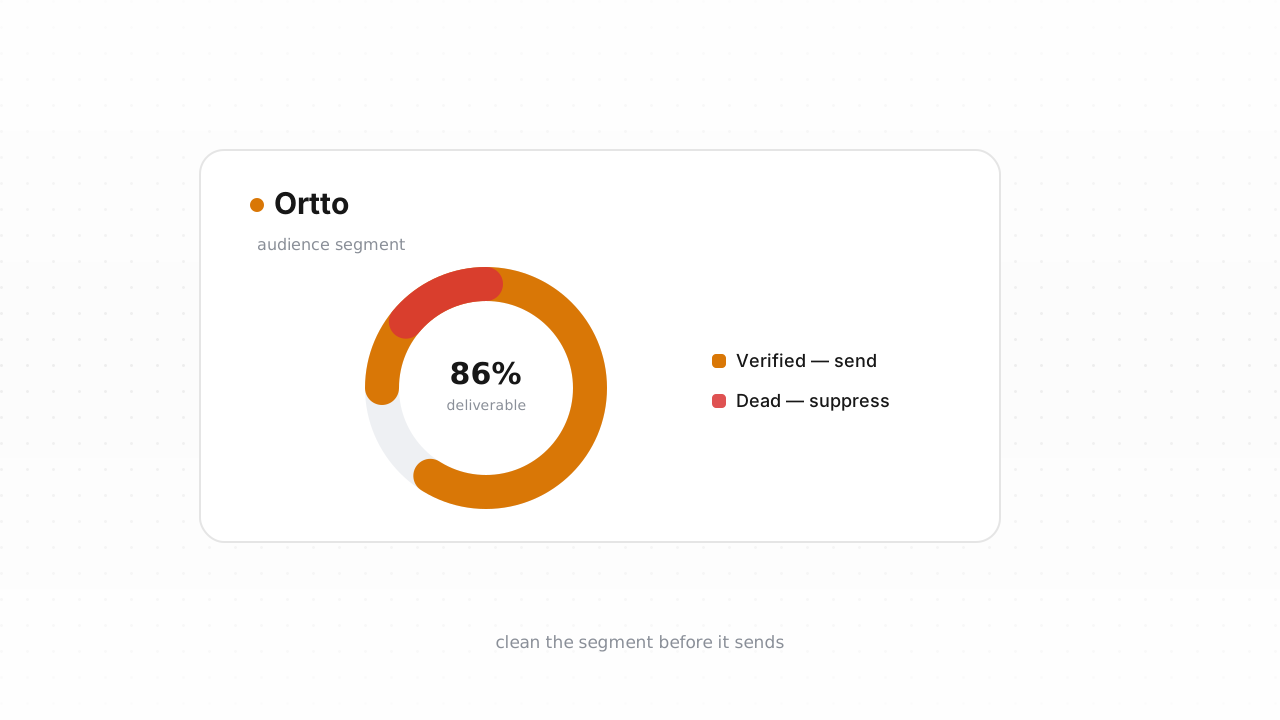
Ortto (formerly Autopilot) runs more list hygiene in the background than most senders realize — but it only reacts to sends that have already happened. That leaves a predictable blind spot: addresses that have never been mailed, so Ortto has no bounce to react to yet. This guide separates what Ortto handles on its own from what it structurally can't, then walks the export, verify, and suppress loop end to end — with the fastest path being the native Ortto integration, which cleans your list in place, and the CSV loop as the alternative that works on any plan.
What Ortto already does for you#
Before you touch anything by hand, know what Ortto has already taken care of:
- Hard bounces are handled automatically. When an address returns a permanent failure, Ortto records the bounce on the contact and stops including it in future email sends. You don't have to hunt those down.
- Unsubscribes become suppressed. A contact who opts out is flagged as unsubscribed and excluded from every marketing send, in line with the consent record Ortto keeps on each person.
- Spam complaints are respected. When a mailbox provider reports a complaint, Ortto stops mailing that contact.
- Subscription status is a first-class field. Because Ortto is a CDP as well as an automation tool, every contact carries a subscription/permission state you can segment on — which is exactly the field you'll write cleaning results back into.
Ortto behavior above last verified against Ortto's documentation, August 2026.
If your list were built only from double opt-in signups and mailed continuously, this might be all the hygiene you need. Most lists aren't built that way.
What Ortto can't catch#
Every mechanism above is reactive — it needs a send, a bounce, or a complaint to fire first. That leaves four kinds of addresses sitting in the gap, invisible to Ortto until they cost you a campaign:
- Never-mailed invalid addresses. Contacts pulled in from an import, an old signup form, or a typo at capture (
jane@gmial.com) have never bounced because Ortto has never sent to them. There is no signal on them until your first campaign generates one. - Disposable addresses. Temporary inboxes accepted at signup last just long enough to grab a discount, then stop mattering. They may never bounce cleanly — they simply go quiet.
- Role addresses (
info@,sales@,billing@). These are real, shared mailboxes read by teams. Fine for receipts, weak for marketing, and worth flagging before they skew your engagement metrics. See role, disposable, and free addresses for how to treat each. - Decayed mailboxes. People change jobs and abandon inboxes constantly. An address that will hard-bounce next month looks identical in Ortto today to one that's perfectly healthy.
- Catch-all domains. A catch-all accepts mail for any local part at the SMTP layer, so no probe can confirm the specific mailbox exists. Ortto can't tell you which catch-all contacts are real — only a delivered-or-bounced send will, and that's exactly the risk you're trying to avoid.
Imports deserve special suspicion. A list migrated from another platform arrives with its bounce history amputated — addresses that were bouncing or suppressed at the old provider come in looking exactly like everyone else, and Ortto will happily mail all of them once. That single send is where a mailbox provider forms its first impression of you, which is why the right order is verify first, import second.
Step-by-step: export, verify, suppress#
The fastest route is the native connector. It's live: connect Qualisend to Ortto, verify your existing contacts in place, write the verdicts straight back onto each contact record, and let real-time checks screen new contacts as they enter. If you'd rather stay manual — or you're on a plan where a CSV is simpler — the export loop below works anywhere and takes about fifteen minutes for most lists:
- Export from Ortto. In the CDP, open People, build or open the segment you want to clean, and use Export to download a CSV. For a first pass, export everyone; for maintenance, an "engaged never" or "created before" segment is a tighter target.
- Verify the file in Qualisend. Upload the CSV to bulk cleaning (or connect the integration and skip the file entirely) — up to 1,000,000 addresses per job, and duplicates are only charged once. The free plan includes 100 one-time credits that never expire, enough to trial the whole loop.
- Read the results. Every address comes back as
deliverable,risky,undeliverable, orunknown, each with a reason code and sub-flags (catch-all, disposable, role, full mailbox), the domain's MX provider, SMTP probe evidence, and a 0–100 confidence score. Download the enriched CSV with the verdict columns attached. - Suppress the undeliverables in Ortto. Filter the results to
undeliverable, then re-import that segment into Ortto and set those contacts' subscription status to unsubscribed so they're excluded from every future send. Suppressing rather than deleting keeps the contact and its history intact — and, unlike a delete, it's reversible if a probe was wrong. - Handle everything else by verdict. Suppress
risky+ disposable (the inbox was built to expire). Moverisky+ catch-all into a throttled segment rather than blocking it outright. Pauserisky+ full-mailbox and re-verify next clean, since full mailboxes often recover. Leaveunknownactive and re-check later — one inconclusive probe, usually greylisting, isn't a verdict. - Watch the next campaign's bounce rate. A clean list should push your hard-bounce rate toward zero. If bounces persist, the remaining source is usually the catch-all segment — a sending-policy question, not a verification one. Clean recipients are only half the job; pair this with the email deliverability guide to make the gains stick.
How often to clean Ortto#
There's no universal cadence, and we won't invent a decay percentage to scare you into one. The honest drivers are how fast your list grows and how it grows: a list fed by double opt-in decays slowly; one fed by imports, lead magnets, and paid acquisition accumulates junk continuously. Three habits cover most senders:
- Before any high-stakes send — a launch or a Black Friday campaign is the wrong moment to discover list rot.
- After any bulk import, before the first campaign touches those contacts.
- On a regular cycle sized to your volume, with your per-campaign bounce rate as the tripwire between cleans. If bounces trend toward the warning thresholds, clean now rather than on schedule — see why bounce rate matters and how often to clean your list for the full framing.
Frequently asked questions#
Does Qualisend have a native Ortto integration?#
Yes. The native Ortto integration is live. You can connect it to verify your existing contacts in place, write the results back onto each contact record, and run real-time checks on new contacts as they enter Ortto. It's the fastest path; the CSV export loop is the alternative that works on any plan.
Can I verify addresses before they enter Ortto?#
Yes, and it's the highest-leverage option. Verifying at the point of capture through the Qualisend API — with scoped keys, rate limits, and webhooks — keeps typos, disposable inboxes, and dead addresses out of Ortto entirely, so they never become contacts you have to clean, mail, or pay for later.
Will cleaning my list shrink my Ortto bill?#
It can, indirectly. Ortto prices on contacts, so the surest way to control that number is to stop junk from ever becoming a contact — verify before you import, and screen new signups through the API. For contacts already in Ortto, removing or archiving the confirmed-dead addresses you were never going to reach again is what actually reduces your count; suppression stops the sends but check how your plan counts unsubscribed contacts.
Is it safe to suppress instead of delete?#
For list cleaning, suppression is the safer default. Setting an undeliverable contact to unsubscribed excludes it from every send while keeping the record and its history — and it's reversible if a probe was wrong. Reserve deletion for when you specifically need the contact off your billed count or gone for data reasons.
How often should I clean my Ortto list?#
There's no fixed schedule worth trusting blindly. Clean before any high-stakes send, always clean after a bulk import before the first campaign, and otherwise run a cadence sized to your volume with your bounce rate as the tripwire — if bounces climb toward the warning range, clean now rather than waiting for the calendar.