Woodpecker is built for cold outreach, and it ships with its own bounce protection to keep bad addresses from wrecking a campaign. That protection is real and worth using, but it is not the whole job. Cold email punishes bounces harder than any other kind of sending, because you have no engagement history to absorb the damage. This guide covers what Woodpecker's built-in verifier actually does, why you still verify independently before a prospect enters a sequence, and the exact steps to keep invalid addresses out of your cadence — whether you connect the native Woodpecker integration or run a CSV loop.
What Woodpecker's bounce protection does#
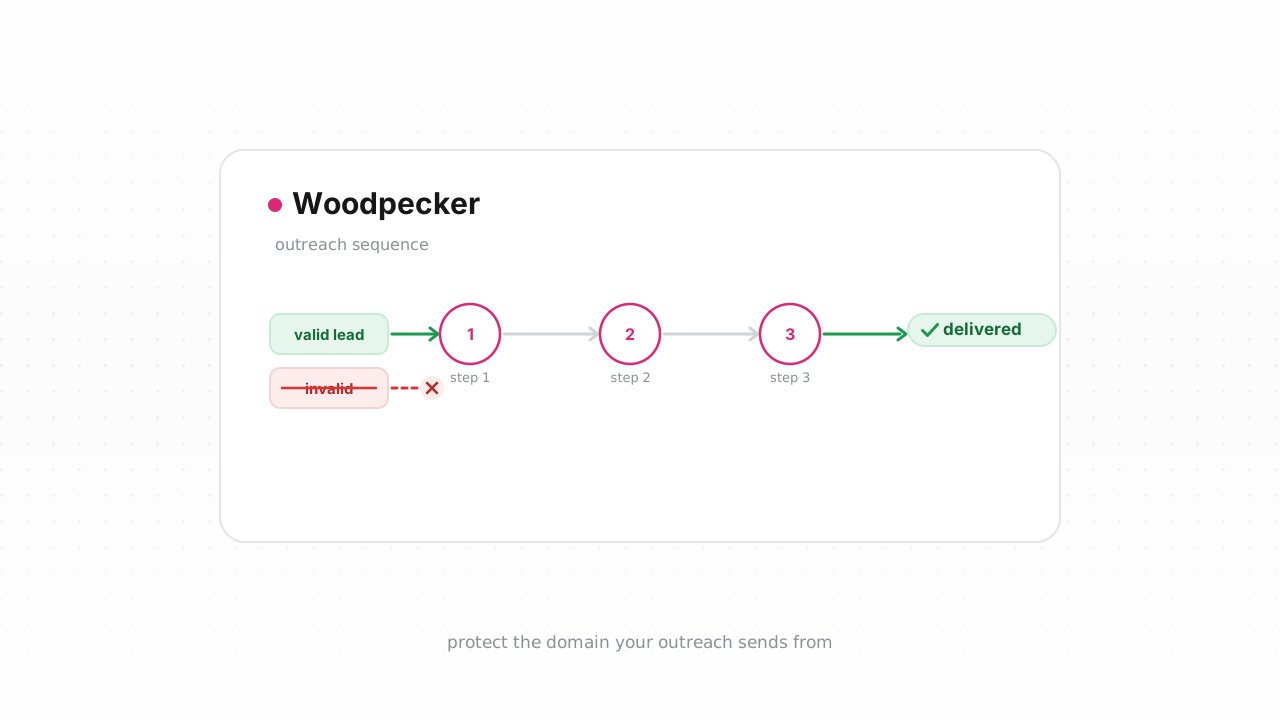
Woodpecker includes a built-in bounce shield that checks addresses as part of sending. When you upload prospects or when a contact is about to receive the first email in a campaign, Woodpecker runs a verification pass and flags addresses it believes will bounce, marking them as BOUNCED or invalid so they are held back rather than mailed. It also monitors live bounces during a campaign and pauses sending to a prospect once a message hard-bounces, which stops the same dead address from being hit again on later steps in the sequence.
This is a genuinely useful safety layer, and you should leave it on. But it is a shield, not a scrub. Woodpecker's check is designed to catch the obvious problems at send time inside one tool — it is not a dedicated verification engine, and it gives you limited visibility into why an address was accepted or rejected. You get a pass/fail-style outcome, not a breakdown of catch-all status, disposable domains, role accounts, mailbox-full signals, or a confidence score you can threshold on. For a warm opt-in list that gap rarely matters. For cold outreach, where the list is the single biggest liability, it does.
Why you still verify independently#
Cold email lives or dies on bounce rate and domain reputation. You are mailing strangers from lists that are scraped, bought, or tool-built — the dirtiest lists there are — and a brand-new sending domain has no positive history to cushion a wave of hard bounces. One unverified list can spike your bounce rate past the threshold where mailbox providers start throttling or blocking you, and that damage lands on the sending domain and the mailbox behind it, not just the campaign. Recovering a burned cold domain is slow and expensive; preventing the burn is cheap. Our email verification for cold email and cold email deliverability guides go deeper on why this is the highest-leverage step you can take.
Independent verification gives you what a built-in send-time check cannot. A dedicated pass returns four verdicts — deliverable, risky, undeliverable, unknown — each with a reason code and sub-flags for catch-all, disposable, role, and full-mailbox addresses, plus the MX provider, SMTP probe evidence, and a 0–100 confidence score. That detail is what lets you make real decisions instead of a blind pass/fail: drop the undeliverables, hold the catch-alls for a separate, slower cadence, and decide deliberately how to treat role and disposable addresses rather than blasting them from a cold domain. It also matters for compliance and inbox placement — bounce rate is one of the signals in the Google and Yahoo sender requirements, and keeping it low is table stakes for cold sending. See why bounce rate matters for the mechanics.
Two things independent verification does not replace: warming the domain and authenticating it. Verification keeps the list clean; it does not build reputation. Pair it with a proper domain warm-up and the fundamentals in our email deliverability guide.
Step-by-step: export, verify, keep invalids out of the sequence#
The rule for cold outreach is simple: verify before a prospect enters a sequence, not after the first email bounces. A bounce is already reputation damage. Here are two ways to do it.
Option A — connect the native integration (fastest). Qualisend's Woodpecker integration is live. Connect it from the integration page and clean your list in place: Qualisend verifies your Woodpecker contacts and writes the results back to Woodpecker, and it runs real-time checks on new contacts as they land — so an address gets scored before it ever reaches the first step of a cadence. This is the path we recommend, because there is no export/re-import loop to manage and nothing falls through the cracks between tools.
Option B — the CSV loop (works on any plan). If you would rather not connect an integration, the manual loop works everywhere:
- Export prospects from Woodpecker. Open the prospect list or the campaign you're building, select the prospects, and export them to CSV. Do this before you assign them to a running campaign, or export a fresh batch that isn't in a cadence yet.
- Verify the CSV in Qualisend. Upload the file as a bulk job — Qualisend handles up to 1,000,000 addresses per job, and duplicates are only charged once. Each row comes back with its verdict, reason code, sub-flags, MX provider, and confidence score.
- Split the results. Keep the deliverable rows. Set aside undeliverable rows entirely — these never enter a sequence. Route catch-all and risky rows to a separate, lower-volume cadence you send more carefully, and decide per-flag what to do with role and disposable addresses. Re-check unknown rows later; a transient failure like greylisting can resolve on a second pass.
- Import only the clean rows into the campaign. Add the deliverable segment to your Woodpecker campaign so the sequence only ever mails addresses that passed. Do not re-import the undeliverables.
- Let Woodpecker's bounce shield backstop you. Keep the built-in protection on as a second line of defense. It pauses sending to any prospect that hard-bounces mid-campaign, which catches the rare address that goes bad between verification and send.
Teams that want this automated rather than manual can wire Qualisend to Woodpecker with no code through Zapier, Make, or n8n, or build a custom flow against the verification API — scoped keys, rate limits, and webhooks let you verify a prospect and gate the campaign add programmatically. Full request and response details are in the developer docs.
Woodpecker behavior above last verified against Woodpecker's documentation, August 2026.
You can try the whole loop before paying: the free plan includes 100 one-time credits that never expire.
Frequently asked questions#
Does Qualisend have a native Woodpecker integration?#
Yes. The native Woodpecker integration is live. You can connect it from /integrations/woodpecker and clean your list in place — Qualisend verifies your existing Woodpecker contacts, writes the results back to Woodpecker, and runs real-time checks on new contacts as they're added. It's the fastest path because there's no export/re-import loop. The CSV method is the alternative that works on any plan.
Should I verify addresses before they enter Woodpecker?#
Yes — verify before a prospect enters a sequence, never after. In cold outreach a hard bounce is reputation damage the moment it happens, and a new sending domain has no history to absorb it. Score each address first, add only the deliverable ones to the campaign, and route catch-all or risky addresses to a slower, separate cadence.
Isn't Woodpecker's built-in bounce protection enough?#
It's a useful safety layer and you should keep it on, but it's a send-time shield, not a dedicated verification engine. It gives you a pass/fail-style outcome without the catch-all, disposable, role, mailbox-full, MX, and confidence detail you need to make cold-list decisions. Use independent verification to clean the list, and let Woodpecker's shield backstop live bounces during the campaign.
What do the verdicts mean and how should I act on them?#
Qualisend returns four verdicts. Deliverable addresses go into the campaign. Undeliverable addresses are removed and never sent. Risky addresses — including catch-alls, role, and disposable accounts — go to a separate, lower-volume cadence rather than your main sequence. Unknown results usually reflect a temporary condition like greylisting and are worth re-checking on a later pass.
How many addresses can I verify at once, and is there a free option?#
A single bulk job handles up to 1,000,000 addresses, and duplicate addresses are only charged once. The free plan includes 100 one-time credits that never expire, so you can verify a sample list and run the full export-verify-import loop before committing to a paid plan.