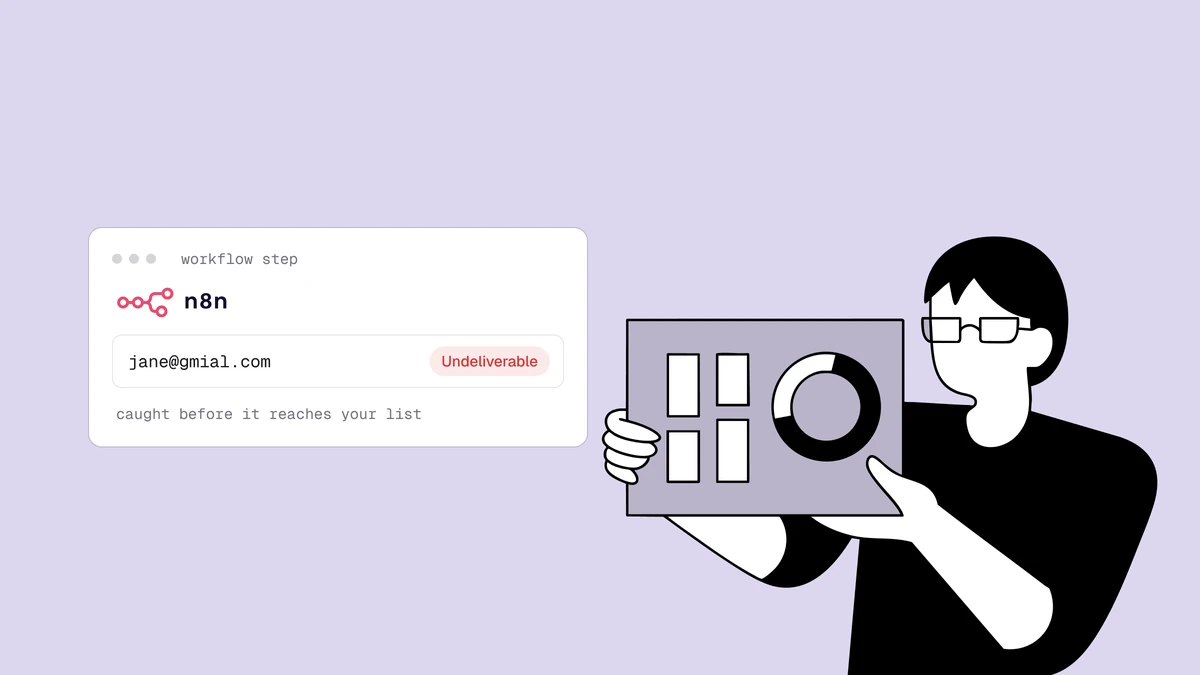
You can verify emails with n8n today without waiting for a branded node — n8n's
generic HTTP Request node calls the Qualisend API just fine, and because n8n
is open-source and self-hostable, the whole flow runs on infrastructure you
control with the API key stored in n8n's own credential vault. The shape is
always built around the same three nodes: a trigger captures the address, an
HTTP Request node POSTs it to Qualisend, and an IF or Switch node
reads the returned status and routes each outcome. While the mailbox check is
still pending, a short Wait and GET loop between the last two fetches
the final verdict. This guide builds that workflow end to end.
The short answer#
There is no native Qualisend node in n8n yet (it is on the roadmap), so the
supported pattern is a generic-node workflow: a trigger (webhook, form, new
row, schedule), an HTTP Request node that POSTs the email to the
verification API with your key in a stored credential, and an IF or
Switch node that branches on result.status. When the first response says
result.smtp is pending, the mailbox check is still running, so a short
Wait and GET loop fetches the final verdict before you branch. Keep the key in an n8n
credential — never pasted inline into the node or into a public field — and
default to letting an address through if the HTTP call ever errors, so a
transient blip never silently drops a real signup.
Two ways to verify emails with n8n#
Before wiring anything up, pick the pattern that matches how fresh the data needs to be:
- Real-time, per-record (a live workflow). Every new address is verified the moment it arrives and routed on the spot. This is the main subject of this guide and the right choice when the verdict changes what happens next — gating a welcome email, tagging a lead, or skipping a fake signup.
- Batch, after the fact (a CSV). Let records pile up in a sheet, database, or CRM, export them periodically, and run them through a bulk verification job. Simpler, cheaper per address, and a better fit when you just need a clean list before a send rather than an instant decision.
Most teams end up doing both: a live workflow on the intake, plus a periodic list clean to catch addresses that have gone stale since they signed up. If the verification pipeline itself is new to you, how email verification works explains what the API is actually doing behind that single request.
Step 1: the trigger node#
Start the workflow with whatever captures the address. n8n gives you a lot of options, and they all feed the same downstream nodes:
- A Webhook node, if a form or app POSTs submissions to a URL you control.
- An n8n Form Trigger node, if you want n8n itself to host the intake form.
- An app trigger — a Typeform, Google Sheets, Airtable, or HubSpot node — that fires on a new submission or row.
- A Schedule Trigger node feeding a database or spreadsheet read, if you'd rather sweep records in small batches on a timer.
If your trigger is a specific form tool, the platform walkthrough for verifying emails from Typeform hands off to the same HTTP Request and IF/Switch steps below — only the trigger node changes.
Whatever you pick, the one thing that matters is that the email address lands in
the item's JSON so later nodes can reference it — commonly as {{ $json.email }}
(adjust the key to match your trigger's output; a Webhook payload might expose it
as {{ $json.body.email }}, a form node under the field label you set). Use
n8n's Execute step button on the trigger to see the exact path before you
build the next node.
Step 2: call the Qualisend API with the HTTP Request node#
Add an HTTP Request node after the trigger. This is the node that actually calls Qualisend. Configure it like this:
| Field | Value |
|---|---|
| Method | POST |
| URL | your verification endpoint — e.g. https://app.qualisend.com/api/v1/verify (check the API reference for the exact path) |
| Authentication | Generic Credential Type → Header Auth, with a stored credential holding Authorization: Bearer YOUR_API_KEY |
| Send Body | On, JSON |
| Body | a single email key mapped to the trigger's address |
Set the JSON body using an expression so the trigger's address flows straight through:
{ "email": "{{ $json.email }}" }
The request n8n fires on your behalf then looks like this — the placeholders are yours to fill in from the developer docs, which list the exact endpoint and show the request in several languages:
POST https://app.qualisend.com/api/v1/verify
Authorization: Bearer YOUR_API_KEY
Content-Type: application/json

{ "email": "jane@example.com" }
Create the key as a scoped, verify-only credential rather than a full-access
key, so if the workflow JSON or a log ever leaks the reference it maps to a key
that can only verify, nothing else. In n8n, that key belongs in a Header Auth
credential — n8n stores credentials separately from the workflow and encrypts
them at rest (on self-hosted instances, under your N8N_ENCRYPTION_KEY), so the
secret never appears in the node parameters, exported workflows, or execution
logs.
When you run the node with Execute step, n8n shows the response body. Under
result you get a status, a reason code, a 0–100 score, a set of
sub_flags, and an smtp field that says whether the mailbox check has
finished. A new address on a working domain usually comes back like this:
{
  "job_id": "3f2b6c1e-8a4d-4f7e-9c21-5b0d7e9a1c44",
  "result": {
    "status": "unknown",
    "reason": null,
    "score": 60,
    "smtp": "pending",
    "sub_flags": { "disposable": false, "role": false, "free_mail": false, "catch_all": false }
  }
}
That unknown is not a verdict yet. The response comes back as soon as the fast
local checks (syntax, domain and MX, disposable, role, typo) are done, while the
SMTP mailbox check is still running; Step 3 picks up the final verdict. When
smtp is cached or skipped instead, result is already final.
Those field names are what the next node branches on, so note that the status
lives at {{ $json.result.status }} and a sub-flag at
{{ $json.result.sub_flags.disposable }}. The same server-side request pattern
underpins the serverless signup guide
— n8n is simply hosting the call for you instead of a function you deploy
yourself.
Step 3: fetch the final verdict when the mailbox check is pending#
Branching on a pending response would send most real signups down the
unknown path. Instead, add a short polling loop between the HTTP Request node
and your router that reads the job the first call created:
- An IF node:
{{ $json.result.smtp }}is equal topending. The false output (cachedorskipped) is already final and goes straight to Step 4. - On the true output, a Wait node set to 5 to 10 seconds.
- A second HTTP Request node with method GET, the same Header Auth
credential, and this URL (swap
Verify emailfor whatever you named the first HTTP Request node):https://app.qualisend.com/api/v1/jobs/{{ $('Verify email').item.json.job_id }}?include=results - An IF node that checks whether the job has finished:
{{ $json.status }}is equal tocompleted,failedorcanceled(three conditions combined with OR). Wire its false output back into the Wait node. - On the true output, an Edit Fields (Set) node that sets a field named
result(type Object) to{{ $json.results[0] }}, so both paths hand Step 4 the sameresult.statusandresult.sub_flags.
Each poll is a regular API call: it spends no credits, but it counts toward your
workspace's per-minute rate limit, so a 5 to 10 second wait is plenty. Don't call
the verify endpoint again to "refresh" an address; that spends a second credit.
A job that ends failed or canceled carries no verdict, so treat it as
unknown. And keep your trigger answering as soon as a submission arrives (a
Webhook node's default Respond: Immediately), so the person signing up never
waits on this loop.
Step 4: branch on the verdict with IF or Switch#
A verification result you do not act on is wasted credit. The whole point is to route addresses differently, and n8n gives you two nodes for that.
Option A — an IF node (simplest). If all you want is "only keep good addresses," add an IF node where the two Step 3 paths meet. Set one condition:
- Value 1:
{{ $json.result.status }}— String — is equal to — Value 2:deliverable
Everything that matches leaves the true output into your downstream nodes
(add to your ESP, create the contact, send the welcome email); everything else
leaves the false output, where you can drop or park it. Simple, but blunt —
it lumps risky, unknown, and undeliverable together, when you often want to
treat them differently.
Option B — a Switch node (route each outcome). A Switch node in Rules mode lets you fork into a separate branch per status, each with its own follow-up nodes:
Rule on the returned status | What to do |
|---|---|
equals deliverable | Add the contact to your ESP or CRM and continue the funnel. |
equals risky or unknown | Add to a "needs review" list or tag it — don't hard-drop it. This bucket includes catch-all domains that can't be probed cleanly. |
equals undeliverable | Don't add it anywhere. Optionally log it to a sheet so you can spot a broken form field or a bad traffic source. |
You can branch on the sub-flags too. If your product is reputation-sensitive, add
a rule that routes any address where {{ $json.result.sub_flags.disposable }} is
true into the review branch even when the status is otherwise fine — the same
call on disposable, role, and free addresses that
the role, disposable, and free breakdown
walks through. Switch rules evaluate top to bottom, so put your strictest branch
first and wire a fallback output for anything unmatched.
Don't let the API call drop a good lead#
One rule matters more than any branch: fail open. If the HTTP Request node
errors — the API is briefly slow, a plan limit is hit, a network blip — you do
not want the whole execution to stop and silently swallow a real signup. Open the
HTTP Request node's Settings tab and set On Error to Continue (using
error output), then treat an address with no verdict as unknown: keep it,
route it to review, and re-check it later rather than dropping it. Give the
Step 3 GET node the same setting.
A verification API is a quality filter, not an authentication gate. Blocking a paying customer because of a transient outage is a far worse outcome than letting one questionable address through and catching it in your next list clean. Because you may be self-hosting, it is also worth giving the node a sane timeout (a few seconds) and a retry or two, so a single slow probe doesn't stall a busy workflow queue.
The bulk alternative: verify a CSV export#
n8n is glue, and glue has a cost: every verified address is one execution, and a per-record HTTP call can feel like overkill — or add up — when you don't need an instant decision. Reach for the batch route instead when:
- You are cleaning a list that already exists — thousands of historical contacts, not new intake. Export them and run a single bulk job.
- Your volume is high enough that per-execution overhead stings, and a nightly or weekly clean is fresh enough.
- You'd rather not keep a live workflow running for a one-off cleanup.
For all three, skip the workflow: export the records to CSV from your database,
sheet, or CRM, and upload that file to Qualisend's
bulk verifier. You get the same status,
score, and sub-flags per row, downloadable as a cleaned file you can re-import.
It is the lowest-effort way to keep a list healthy and your
bounce rate down without maintaining any
automation — and you can even run that export-and-verify as its own scheduled
n8n workflow.
If you're weighing n8n's HTTP node against calling the API directly from your own backend, the API comparison lays out the trade-offs — n8n wins on speed-to-set-up and visual routing, a direct integration wins on cost and control at scale. If you'd rather not self-host, the same three-step pattern works in Zapier.
Frequently asked questions
01Is there a native Qualisend node for n8n?
Not right now. Qualisend's native platform integrations are being rebuilt, so there is no dedicated node to search for in n8n yet - it is on the roadmap. Until it ships, the supported way to verify emails with n8n is the generic HTTP Request node pointed at the Qualisend API, exactly as this guide describes. The HTTP-node approach is also more flexible: you control the request, the stored credential, the timeout, and the branching logic.
02Where does n8n store my Qualisend API key?
In n8n's credential store, not in the workflow. Create a Header Auth credential holding Authorization: Bearer YOUR_API_KEY and reference it from the HTTP Request node. n8n keeps credentials separate from workflow definitions and encrypts them at rest - on a self-hosted instance under your N8N_ENCRYPTION_KEY - so the secret never appears in the node parameters, exported workflow JSON, or execution logs. Use a scoped verify-only key so a leaked reference can't do anything but verify.
03Which status should I let through to my email tool?
Only deliverable for a strict gate. If you want to keep more addresses, allow deliverable plus risky/unknown but route those into a separate, lower-priority segment rather than your main flow - many risky results are catch-all domains that may still deliver. Always reject undeliverable, and consider branching on the disposable sub-flag too if your product is reputation-sensitive.
04How do I test the workflow before turning it on?
Run the whole workflow with n8n's Execute workflow button, once with a known-good address and once with a known-bad one, and confirm the {{ $json.result.status }} that reaches your IF or Switch node changes as expected - then check that each address lands in the right branch. Don't judge by the first HTTP Request node alone: for a new address it usually shows unknown with smtp set to pending, and the final verdict only arrives after the Step 3 polling loop. For quick one-off spot checks outside n8n, paste an address into the free email checker and compare the verdict to what your workflow returns.
Ready to build it? Grab a scoped key and the exact request shape from the developer docs, sanity-check any address in the free email checker, and start on the free plan — 100 credits are enough to wire the whole workflow up and watch a bad address get filtered before it ever reaches your list.