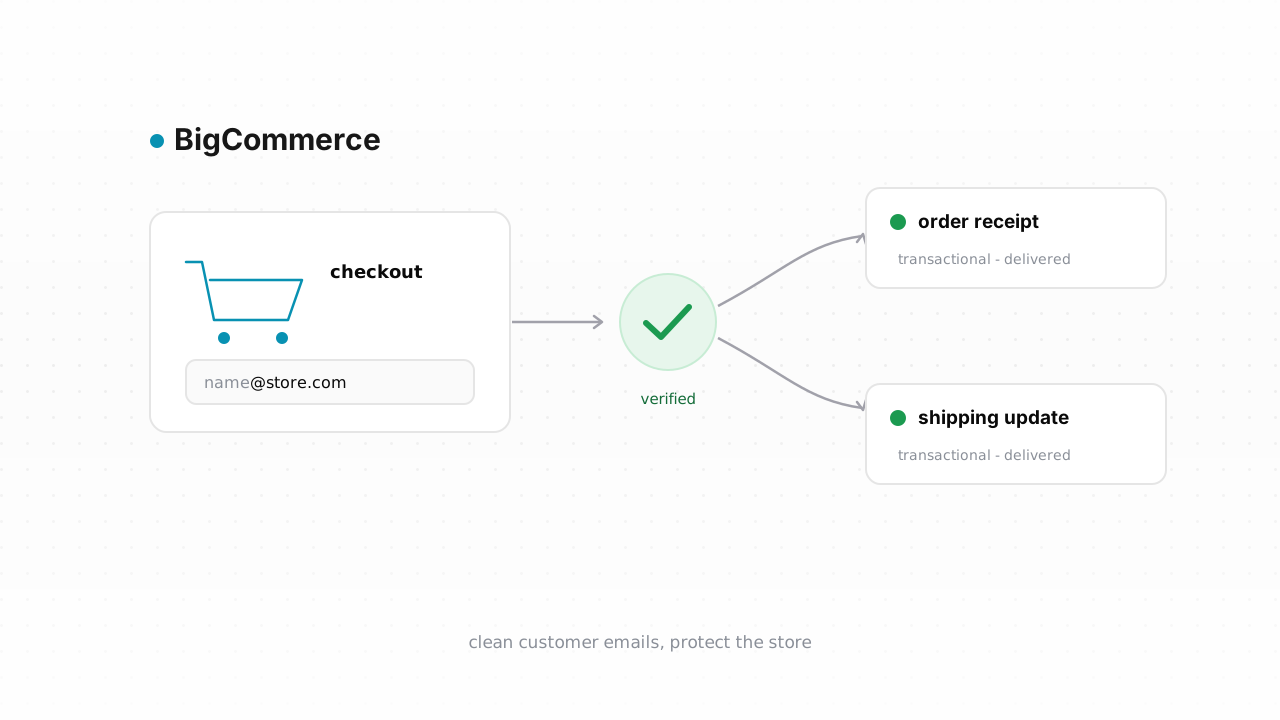
Every order your BigCommerce store ships generates email that has to land: an order confirmation, a payment receipt, a shipping notice with a tracking number. When a customer mistypes their address at checkout, or hands you a throwaway inbox, none of that arrives — and the bounce doesn't just hurt that one order. It chips away at the sending reputation the rest of your store's mail rides on. This guide walks through verifying the customer emails already in BigCommerce, tagging the ones you can't trust, and catching bad addresses on new orders before they cause damage.
Why customer email quality matters for a store#
A store's email is transactional first. Confirmations, receipts, refund notices, and shipping updates are the messages a customer actually waits for, and when they bounce you get support tickets, chargebacks, and "where is my order" emails instead of quiet, satisfied buyers. Marketing email — abandoned-cart flows, back-in-stock alerts, promotions — rides on the exact same infrastructure and the same sender reputation.
The problem is that mailbox providers score you on the aggregate. A batch of hard bounces from fake or mistyped checkout addresses tells Gmail and Yahoo that you don't manage your list, and they start throttling or spam-foldering everything you send, including the receipts that legitimate customers need. That's why bounce rate matters so much for a store: one messy segment can quietly degrade delivery for your whole catalog of mail. Google and Yahoo now publish explicit sender requirements with a bounce threshold you're expected to stay under, and that expectation applies to transactional senders too.
Checkout is where the junk enters. Guest checkout, a typo in gmial.com, a customer using a burner address to grab a first-order discount — all of it lands in your customer records and looks identical to a real buyer until you email them. Verification is how you tell the difference before you hit send. If you sell across more than one platform, the same logic applies to Shopify and the broader case for email verification in ecommerce.
What BigCommerce does and doesn't do about bad addresses#
BigCommerce does a few useful things on its own. It maintains an unsubscribe and suppression model for its native Customer marketing emails, so people who opt out or generate complaints stop receiving those messages. It records bounces against sends you make through connected email tools. And its checkout applies basic format validation — an address has to look like an email to be accepted.
What BigCommerce does not do is tell you whether an address actually exists. Format validation confirms that jane@domain is shaped like an email; it can't confirm there's a mailbox behind it, that the domain has working mail servers, or that the address isn't a disposable one spun up for a discount code. BigCommerce won't flag a typo'd domain, won't detect a role address like sales@, and won't distinguish a real inbox from a catch-all domain that accepts everything and delivers nothing. Its suppression list is reactive — an address lands on it after it has already bounced or complained, which means the reputation damage is already done. Verification is the proactive layer BigCommerce leaves to you. BigCommerce behavior above last verified against BigCommerce's documentation, August 2026.
Step-by-step: export customers, verify, tag the risky ones#
The fastest path is the native connector. Qualisend's BigCommerce integration is live: connect your store, and it verifies your existing customer list in place, writes the results back, and runs real-time checks on new contacts — no spreadsheets to shuttle around. Connect it once and most of the manual work below disappears. The CSV loop that follows is the alternative that works on any plan and any workflow, and it's worth understanding either way.
1. Export your customers from BigCommerce. In your store control panel, go to Customers, then use Export to generate a CSV. BigCommerce hands you a file (via its bulk-export flow) with a column for the customer email address alongside names and order data. This is your working list.
2. Verify the file with Qualisend. Upload the CSV as a bulk job — Qualisend handles up to 1,000,000 addresses per job, and duplicates are only charged once, which matters when the same customer appears across multiple orders. Each address comes back with one of four verdicts: deliverable, risky, undeliverable, or unknown. Every result carries a reason code, sub-flags for catch-all, disposable, role, and full-mailbox conditions, the MX provider, SMTP probe evidence, and a 0–100 confidence score. That detail is what lets you make a judgment call instead of guessing. If you want to try it first, the free plan includes 100 one-time credits that never expire.
3. Decide what each verdict means for your store. Undeliverable addresses will hard-bounce — suppress them from marketing sends immediately. Deliverable is safe to keep. Risky is the interesting bucket: catch-all domains, disposable addresses, and role accounts all live here. You don't necessarily delete these — a catch-all might be a real corporate buyer — but you don't want them in a high-volume promotional blast either. It helps to understand the difference between role, disposable, and free addresses before you decide.
4. Tag the risky ones in BigCommerce. Re-import the verified file or use it to update customers, and apply a customer group or a note that marks the risky and undeliverable segments. Now your marketing tool can build sends that exclude those tags, so promotions only go to addresses you trust while transactional mail still reaches everyone who genuinely bought something. Doing this on a schedule — see how often to clean your list — keeps rot from accumulating between big campaigns.
Verify new customers in real time#
Cleaning the export fixes today's list; it doesn't stop tomorrow's typo. To close the loop, verify addresses as customers enter them. The connected BigCommerce integration does this automatically for new contacts once it's live on your store, so a bad address gets flagged the moment it appears rather than the next time you run an export.
If you'd rather build it yourself, Qualisend's Verification API is designed for exactly this. Point a BigCommerce webhook — the customer-created or order-created event — at a small endpoint that calls the single-address verify route, and act on the verdict as it comes back. You can hold undeliverable results out of your marketing flows, route risky ones to a review queue, and let deliverable addresses proceed untouched. Scoped API keys, rate limits, and webhooks are all documented in the developer docs, and if you'd rather not write code, the same checks run through Zapier, Make, or n8n against a BigCommerce trigger.
Real-time verification also blunts a slower problem: greylisting and temporary deferrals can make a marginal address look fine on first contact and fail later. The confidence score and SMTP evidence Qualisend returns give you a defensible signal at the moment of capture, and combined with sound sending hygiene from the deliverability guide, they keep your store's reputation clean where it starts — at checkout.
Frequently asked questions#
Does Qualisend have a native BigCommerce integration?#
Yes. The native BigCommerce integration is live. You can connect it at /integrations/bigcommerce to verify your existing customer list in place — it writes the results back to your store — and it runs real-time checks on new contacts as they're created. It's the fastest path for most stores. The CSV export-and-verify loop is the alternative that works on any plan.
Can I verify emails before they enter BigCommerce?#
Yes, and it's the best way to keep your records clean. Use the Verification API or a no-code tool like Zapier, Make, or n8n to check an address at the point of capture — via a BigCommerce customer-created or order-created webhook — so undeliverable and risky addresses are flagged or held back before they settle into your customer list. The connected integration also verifies new contacts automatically once it's live on your store.
What do the four verdicts mean for my customer list?#
Qualisend returns deliverable, risky, undeliverable, or unknown. Deliverable is safe to keep and email. Undeliverable will hard-bounce, so suppress it from sends. Risky covers catch-all, disposable, and role addresses — keep them out of high-volume marketing but don't necessarily delete them. Unknown means the check was inconclusive, often due to a temporary server condition. Each verdict includes a reason code, sub-flags, MX provider, SMTP evidence, and a 0–100 confidence score.
Won't BigCommerce's built-in validation catch bad addresses?#
No. BigCommerce checkout validates that an address is correctly formatted, and its suppression list captures addresses after they bounce or complain. Neither confirms a mailbox actually exists, catches a mistyped domain, or flags a disposable or catch-all address up front. Verification is the proactive layer that catches those before you send.
How much does it cost to try?#
Qualisend's free plan includes 100 one-time credits that never expire, so you can verify a sample of your customer list at no cost. Bulk jobs handle up to 1,000,000 addresses each, and duplicates are only charged once — useful because the same customer often appears across multiple orders in a BigCommerce export.