Most bad email addresses aren't fake. They're mistyped. Someone in a hurry on
a phone keyboard types gmial.com, yaho.com or .con, your form accepts it
because it's shaped like an address, and that customer never receives the
receipt, the password reset or the newsletter they asked for. The good news is
that common email typos aren't random: they follow a small set of repeating
patterns. This guide is a reference of those patterns, by provider, by
top-level domain and by structure, plus how to catch each one at signup
without annoying the people who typed their address correctly.
The short answer#
Email typos fall into three groups: misspelled provider domains (gmial.com,
hotmial.com, outlok.com), mistyped top-level domains (.con, .cmo, or
.co instead of .com) and structural slips (a missing @, a space, a
comma, a pasted quote). Catch them at the keyboard. Use type="email" with
autocomplete="email" so browsers can fill the address in for people,
silently fix the slips that have only one possible meaning, and show a "Did
you mean …?" suggestion for domain typos: suggest, never silently
auto-correct. Typos before the @ need a mailbox check, and double opt-in
is the final backstop.
Common email domain typos by provider#
Domain typos come from four mechanical slips: two letters swapped
(gmial), a letter dropped (gmai), a neighboring key hit instead
(gnail, since n sits next to m), or a letter doubled (gmaill). Apply those
to the handful of providers most consumer addresses live on and you get the
table below. These are typical patterns, not a ranking; the exact mix on your
list depends on your audience and devices.
The third column matters as much as the second. Each of these providers also runs real domains that look like near-misses, and "correcting" one of those breaks a valid address.
| Intended domain | Typical misspellings | Real domains you must not "correct" |
|---|---|---|
gmail.com | gmial.com, gmai.com, gamil.com,
gnail.com, gmal.com, gmaill.com,
gmil.com | googlemail.com; mail.com is a separate real
provider |
yahoo.com | yaho.com, yahooo.com, yhoo.com,
yahho.com, yaoo.com, tahoo.com | ymail.com, yahoo.co.uk and other regional
Yahoo domains |
hotmail.com | hotmial.com, hotmal.com,
hotmai.com, hotamil.com,
hotnail.com, hormail.com | hotmail.co.uk, hotmail.fr and other
regional Hotmail domains |
outlook.com | outlok.com, outllok.com,
oulook.com, outook.com,
outlool.com, outlookk.com | live.com, msn.com (also Microsoft) |
icloud.com | iclod.com, icoud.com,
icluod.com, iclould.com,
icliud.com | me.com, mac.com (older Apple domains) |
aol.com | aoll.com, aool.com, aol.con,
aol.co | aim.com |
AOL is a useful warning. With a three-letter name there's little room for a typo inside the name itself, so most slips land in the TLD or double a letter, and a single changed letter usually produces some other company's real domain. The shorter the domain, the more careful a suggestion engine has to be.
TLD typos: .con, .cmo and the ones that are real#
Mistakes after the last dot split into two very different groups. Some produce a top-level domain that doesn't exist, so the address fails the domain check and can never receive mail. Others produce a real country-code TLD, where the mistyped domain may exist, belong to someone else, and accept your mail.
| Intended | Typo | Is it a real TLD? | What happens |
|---|---|---|---|
.com | .con, .cmo, .ocm,
.vom, .xom | No | The domain can't resolve. The address fails verification and hard-bounces if you mail it. |
.com | .co (Colombia), .cm (Cameroon),
.om (Oman) | Yes | The look-alike domain may be registered by someone else and accept the mail: a bounce if you're lucky, a privacy leak if you're not. |
.net | .nte; .ne (Niger) | No; yes | Same split: .nte fails outright, .ne may
deliver to a stranger. |
.org | .ogr, .rog | No | Fails the domain check and bounces. |
The real-TLD typos are the reason a syntax check is not enough.
jane@gmail.co is a perfectly valid address on a real TLD. A syntax check
passes it, and if someone has registered the look-alike, a domain check may
pass it too; a comparison against known providers flags it either way.
Structural errors: missing @, spaces, commas and pasted quotes#
The third group isn't a misspelling at all. It's a broken shape, often from copy-paste or a phone keyboard. The rule for handling these is simple: silently fix anything with exactly one possible meaning, and ask about anything that needs a guess.
| Error | Example | Fix silently, or ask? |
|---|---|---|
| Leading or trailing spaces | jane@gmail.com with a space before or after | Fix: trim |
| Pasted display name, quotes or brackets | "Jane" <jane@gmail.com> | Fix: extract the address |
mailto: prefix | mailto:jane@gmail.com | Fix: strip it |
| Full-width characters from an IME keyboard | jane@gmail.com | Fix: Unicode-normalize (NFKC) to plain ASCII |
| Uppercase domain | jane@Gmail.COM | Fix: lowercase the domain; leave the part before the @ as typed |
| Trailing dot | jane@gmail.com. | Fix: strip it |
| Missing @ | janegmail.com | Ask. You can guess where it goes, but it's still a guess |
| Space inside the address | jane doe@gmail.com | Ask: janedoe or jane.doe? |
| Comma instead of a dot | jane@gmail,com | Ask, with the dotted version as the suggestion |
| Double dots | jane..doe@gmail.com, jane@gmail..com | Ask |
| Two addresses in one field | jane@gmail.com, jo@gmail.com | Ask which one to use |
Why email typos cost more than one bounce#
A typo looks like a small, private failure: one person, one lost message. It spreads further than that.
A guaranteed hard bounce#
An address on a domain that doesn't exist, or a mailbox that was never created, fails permanently the first time you mail it. Each of those hard bounces feeds the bounce rate mailbox providers judge you on, and a list collected without any typo check carries a steady supply of them. The difference between permanent and temporary failures is covered in hard bounce vs soft bounce.
Typo-domain spam traps#
Some trap operators register misspellings of big provider domains precisely because only senders who never check addresses will mail them. Hitting one tells a filter you're collecting without validation. Of the three kinds of spam trap, typo traps are the one kind a verifier reliably removes, because the misspelling is visible in the address itself.
Privacy leaks and account security#
When a typo lands on a real domain that accepts all mail, your messages don't bounce. They arrive somewhere else. That can mean order details, invoices or support conversations delivered to a stranger. For account-based products it's worse: if a user signs up with a mistyped domain, whoever controls that domain can receive their password-reset links. Confirming the address before sending anything sensitive closes that gap.
Customers who never hear from you#
The person behind the typo did nothing wrong. They're waiting for a receipt, a shipping update, a login link or a trial-ending reminder that will never come, and the usual outcome is a support ticket, a chargeback or a quiet churn. For stores and SaaS products that's the real cost, which is why email verification for ecommerce focuses on checkout, not marketing.
How to catch typos at signup#
Prevention at the keyboard beats every later fix, because the person who made the typo is right there to confirm the correction.
Start with the input field#
The cheapest typo prevention is not making people type at all:
<input
  type="email"
  name="email"
  autocomplete="email"
  autocapitalize="none"
  spellcheck="false"
  required
/>
autocomplete="email" lets the browser or password manager fill a saved
address, and a filled address has no typos. type="email" brings up a
keyboard with @ and . on mobile and applies a basic shape check.
autocapitalize="none" and spellcheck="false" stop phone keyboards from
"helpfully" capitalizing or rewriting the address. Remember that
type="email" only checks the shape; as
why regex email validation fails
explains, gmial.com is a perfectly shaped domain.
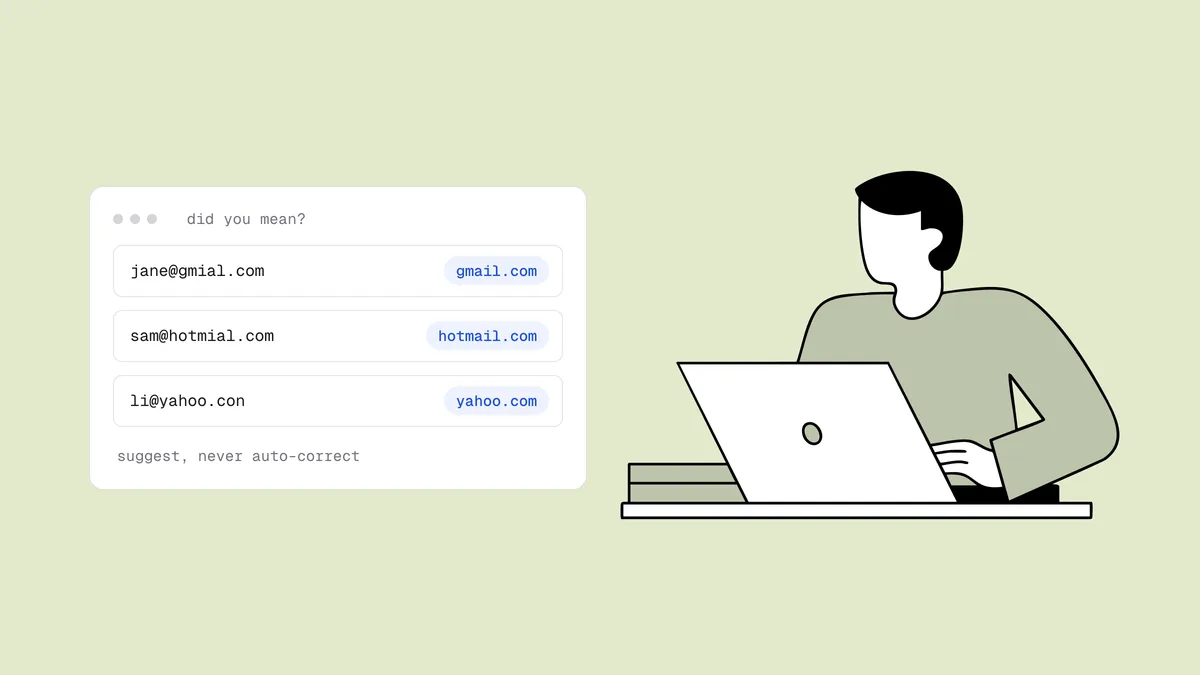
Show a "Did you mean …?" suggestion#
Compare the domain against a list of common providers and, when it's a near miss, offer the fix. A few rules separate a helpful prompt from an annoying one:
- Check on blur or on submit, not on every keystroke, so you don't flag
gmaiwhile someone is still typing. - Show the full corrected address with the changed part highlighted: "Did you mean jane@gmail.com?"
- Make accepting one click and keeping the original easy. Never block the form because a suggestion was ignored.
- Never silently auto-correct.
mail.comis a real provider one deletion away fromgmail.com; a silent fix would change an address someone typed on purpose. - Only suggest against known providers. You can't know that
acme.coshould beacme.com, and guessing about company domains causes more harm than it prevents.
You can build the comparison yourself with an edit-distance check (the
Node.js and
Python validation guides cover the
layers around it), or use the did_you_mean field the
Qualisend API returns when it spots a likely typo. The
serverless signup pattern shows how
to wire that into a form, alongside the
disposable and role flags the same
result carries. To see the logic on a single address, paste it into the free
email typo checker.
Why a "confirm email" field is a weak fix#
The second "type your email again" box is the most common typo defense and one
of the least effective. People paste the first field into the second and copy
the typo with it. Browsers autofill both fields. Someone whose fingers always
produce gmial will produce it twice. And every legitimate signup pays the
friction to catch a minority of errors. A did-you-mean prompt, plus showing
the address back after signup ("We sent your receipt to jane@gmail.com, not
right? Edit it"), catches more with less effort.
Local-part typos need a mailbox check#
jnae@gmail.com has a perfect domain, so no suggestion engine can help: only
the person knows their own name. The only automated way to catch it is an SMTP
mailbox check that asks Gmail whether that mailbox exists. If it doesn't, the
address comes back undeliverable. If the typo happens to hit someone else's
real mailbox, or the domain is a catch-all
that accepts every address, no check can tell. That's where the last layer
comes in.
Double opt-in as the backstop#
A confirmation email catches whatever got past everything else: the typo'd address never clicks, so it never joins your list, and the stranger who received it is never mailed again. The catch is that double opt-in finds typos by losing the subscriber, which is why it works best behind verification rather than instead of it. Single vs double opt-in covers the trade-off, and how to stop fake email signups covers the other layers a signup form needs.
Fixing typos already on your list#
Typos collected before you added any of this are still on your list. Clean them out like this:
- Run the list through verification. Rows with a
did_you_meansuggestion or an undeliverable typo domain get flagged in the results. - Suppress them from sends. They'll bounce, reach a stranger or hit a trap; none of those outcomes helps you.
- Don't bulk-correct and start mailing. The corrected address may well be the person's, but they never entered or confirmed it, and on common local parts it could belong to someone else entirely.
- Recover customers through another channel. For people with accounts, ask them to confirm their address at their next login, or use a phone number you already have. For high-value marketing contacts, one plain confirmation email to the corrected address is the most you should send, and add them back only if they click.
- Track typo rate by form. A sudden jump on one form usually means
something broke, such as a field that lost its
type="email"or a mobile layout where autocorrect switched back on.
The broader routine of verifying, suppressing and re-checking is laid out in the email list hygiene checklist.
Frequently asked questions
01What are the most common email typos?
Misspelled provider domains (gmial.com, gmai.com, gamil.com, hotmial.com, yaho.com, outlok.com, iclod.com), mistyped top-level domains (.con, .cmo, or .co instead of .com), and structural slips like a missing @, a space or a comma in place of a dot. They come from a few mechanical mistakes (swapped letters, dropped letters, a neighboring key, a doubled letter), which is why they're predictable enough to catch automatically.
02Should I auto-correct email typos?
No. Suggest the fix and let the person accept it with one click. Some near-miss domains are real providers (mail.com is one letter away from gmail.com), so a silent correction can change an address someone typed on purpose. Only fix slips with one possible meaning automatically, like stray spaces or a mailto: prefix.
03Does a "confirm your email" field prevent typos?
Not reliably. People paste the first field into the second, browsers autofill both, and someone who habitually makes a typo will make it twice. It adds friction to every signup to catch a fraction of errors. A "Did you mean …?" suggestion, plus showing the address back after signup, catches more with less friction.
04Can a regex catch email typos?
No. A regex checks the shape of an address, and gmial.com is perfectly shaped. Catching a domain typo means comparing it with known providers, and catching a typo before the @ means asking the mail server whether that mailbox exists.
05What should I do with typo'd addresses already on my list?
Suppress them from sends, because they'll bounce, reach a stranger or hit a spam trap. Don't bulk-correct them and start mailing the corrected address, since the person never confirmed it. Ask customers to confirm their address at their next login or through another channel you have; for marketing contacts, a single confirmation email to the corrected address is the most you should send.
Paste any address into the free email typo checker to see the "Did you mean …?" logic in action, or run a full check with the free email checker. To clean a whole list, start with 100 free credits that never expire.