Fake signups rarely look fake. They arrive as ordinary rows (an address, a first name, a timestamp) and only reveal themselves later as bounces, spam complaints, trials that never convert, or a blocklist listing nobody can explain. To stop fake email signups you first have to know which kind you're facing, because a bot, a throwaway inbox and a subscription-bombing attack each slip past a different defense. This guide sorts the five kinds of fake signup, shows what each layer of protection stops and what it misses, and gives you a block, warn or allow rule for every verification result.
The short answer#
No single check stops fake signups; a stack of cheap ones does. Put a honeypot field and per-IP rate limiting in front to drop simple bots, a CAPTCHA such as Cloudflare Turnstile to stop smarter ones, real-time email verification on the form to reject undeliverable and disposable addresses and suggest fixes for typos, and double opt-in so nothing receives marketing mail until a real person confirms. Then monitor signups by source so an attack shows up within hours, not at your next campaign.
Keep one limit in mind: verification judges the address, not whether the person typing it owns it. That's why subscription bombing, where the addresses are real, needs the other layers.
The five kinds of fake signup#
"Fake signup" covers five different problems. The fix depends on which one is hitting your forms, so diagnose before you build.
Bots filling your forms#
Scripts crawl the web, find forms and submit them: random strings at real
domains (xk7q2v@gmail.com), invented domains, scraped addresses, or test
runs of stolen data. Some put a spam link in the name field and let your
welcome email (Hi {first_name}) deliver it for them. Bot signups inflate
your list, hard-bounce when the address was invented, and pollute the
engagement numbers you use to judge every campaign.
Disposable addresses#
A real person with a throwaway inbox. They want the discount code, the
download or the free tier, and they give you an address built to stop
existing shortly after. It may accept mail at signup, so it looks fine, but
nobody will ever read your email there. The
role, disposable and free breakdown
explains why these come back risky rather than undeliverable, and you can
test any domain with the free
disposable email checker.
Typos that look like fakes#
Not every bad signup is malicious. jane@gmial.com is a real customer who hit
one wrong key, and treating her like a bot loses someone you could have kept
with a one-click "did you mean gmail.com?" prompt. Separate typos from fakes,
because the right response is the opposite: help, don't block. The
most common email typos follow patterns
predictable enough to catch at the keyboard.
Subscription bombing#
This is the one that can hurt your domain. In a subscription bombing (or list bombing) attack, a script signs a victim's real address up to hundreds of forms at once, usually to bury a fraud alert or a password-change notice under a flood of welcome emails. Your form is the weapon, not the target.
What makes it dangerous is that the addresses are real and deliverable, so they pass every address check. The victim, drowning in mail they never asked for, marks it as spam, and those spam complaints count against your domain. A form that mails anyone who's been typed into it, with no confirmation, is exactly what blocklist operators treat as a source of unsolicited mail, so a bombing wave run through your form can get your sending IP or domain listed. An attacker's input list can also contain spam traps.
Free-trial and incentive abuse#
The same person signing up again for another trial, another first-order
coupon or another referral bonus. They rotate disposable domains,
plus-addressing (jane+2@gmail.com), Gmail's dot-insensitivity
(j.ane@gmail.com lands in the same inbox as jane@gmail.com), or a fresh
free-mail account each time. Most of these addresses are perfectly
deliverable. The problem is the person, not the mailbox, so the fix lives in
your own duplicate detection (compare a normalized form of each address while
storing what was typed) and in signals beyond email, like payment details.
The layered defense, layer by layer#
Each layer is cheap and each is blind to something. Stacked in this order, they cover each other's gaps.
| Layer | What it stops | What it misses | Friction for real people |
|---|---|---|---|
| Honeypot field | Simple bots that fill in every input | Bots that render the page like a browser; humans | None |
| Rate limiting per IP and per address | Bursts from one source; one address submitted over and over | Attacks spread across many IPs; slow drips | None, if thresholds allow for shared IPs |
| CAPTCHA or Cloudflare Turnstile | Most automated submissions, including list-bombing scripts | Human-solved or farmed signups; real people with throwaway addresses | Low (Turnstile usually needs no interaction) |
| Real-time email verification | Invented, mistyped, dead and disposable addresses | Real addresses typed by someone other than the owner; trial abusers with real mailboxes | Low (a prompt only when something is wrong) |
| Double opt-in | Unconfirmed addresses ever getting marketing mail; gives you a consent record | The confirmation email itself still goes out, so it needs its own rate limit | Medium (some real people never confirm) |
| Monitoring signups by source | Attacks you'd otherwise discover weeks later | Nothing in real time: it detects, it doesn't prevent | None |
Honeypot field#
Add an input real people never see. Hide it with CSS rather than
type="hidden" (many bots skip hidden inputs), wrap it in an element marked
aria-hidden="true", and give it tabindex="-1" and autocomplete="off" so
keyboard users and password managers leave it empty. If it arrives filled,
return your normal success page and silently discard the submission. An error
message only teaches the bot what to change.
Rate limiting per IP and per address#
Limit on the server, not in the browser, and count two things: submissions per IP and submissions per email address. Set the IP threshold well above what a busy office or a mobile carrier's shared IP produces, so real people behind a shared address aren't locked out. The per-address limit matters most against list bombing: the same address hitting your form several times in a few minutes is the signature, and it should never trigger more than one confirmation email in a given window.
CAPTCHA or Cloudflare Turnstile#
A challenge stops most automated submissions, including the scripts behind list-bombing campaigns. Turnstile usually needs no interaction at all, which keeps friction low. The common mistake is checking only in the browser: the widget protects nothing unless your server validates the token with Cloudflare's siteverify endpoint before it accepts the signup, because a bot can post straight to your form handler without ever loading the widget.
Real-time email verification on the form#
Once the bot checks pass, call a verification API from your server before you
save the address, and act on the result with the decision table below. Two
rules: keep the API key server-side, and fail open. If the call errors or
times out, accept the signup and catch it in your next clean. The
serverless signup pattern has
working code, and the Qualisend verification API returns the
verdict, reason code, sub-flags and any did_you_mean suggestion in one
response.
Hosted form builders work differently, because the respondent submits on the vendor's page and you can't reject inline from your own server. Qualisend's native connectors for Typeform, Jotform and Tally check each response as it arrives and give you a clean export; to stop a bad address before it reaches your CRM or ESP, route responses through an automation, as the Typeform, Jotform and Tally guides show. On WordPress you can block before the entry saves, with a validation filter: see the Gravity Forms guide and the WordPress forms guide for Contact Form 7 and WPForms.
Double opt-in#
Don't add anyone to a marketing list until they click a confirmation link. It's the one layer that defuses subscription bombing even when everything before it fails: the victim gets a single confirmation message instead of an ongoing newsletter, and an unconfirmed address never joins your list. Keep that confirmation email plain: no offers, no promotional content, and never echo user-supplied fields like the name, which is how bots smuggle links into your mail. The trade-offs are covered in single vs double opt-in.
Monitoring signups by source#
Prevention fails eventually, so make sure you notice. Track signups per hour by form, source and referrer, and alert when a source jumps far above its normal range. Watch three ratios per source too: the share of signups that fail verification, the share that are disposable, and the confirmation rate. A coupon form whose disposable share suddenly climbs has probably been posted on a deal forum. A form whose confirmation rate collapses while volume spikes is probably being used to bomb someone. Paid lead forms have their own version of this problem, covered in fake leads from lead ads.
Block, warn or allow: acting on each result#
Once an address has passed the bot layers, the verification result decides what happens to it. This is a sensible default:
| Result | What it means | Default action |
|---|---|---|
undeliverable (invalid_email,
invalid_domain, rejected_email) | Malformed, no mail domain, or the server refused the mailbox | Block: "We can't deliver to this address. Please check it." |
risky with the disposable flag | A throwaway inbox | Block on trials, coupons and gated content; flag on low-stakes newsletters |
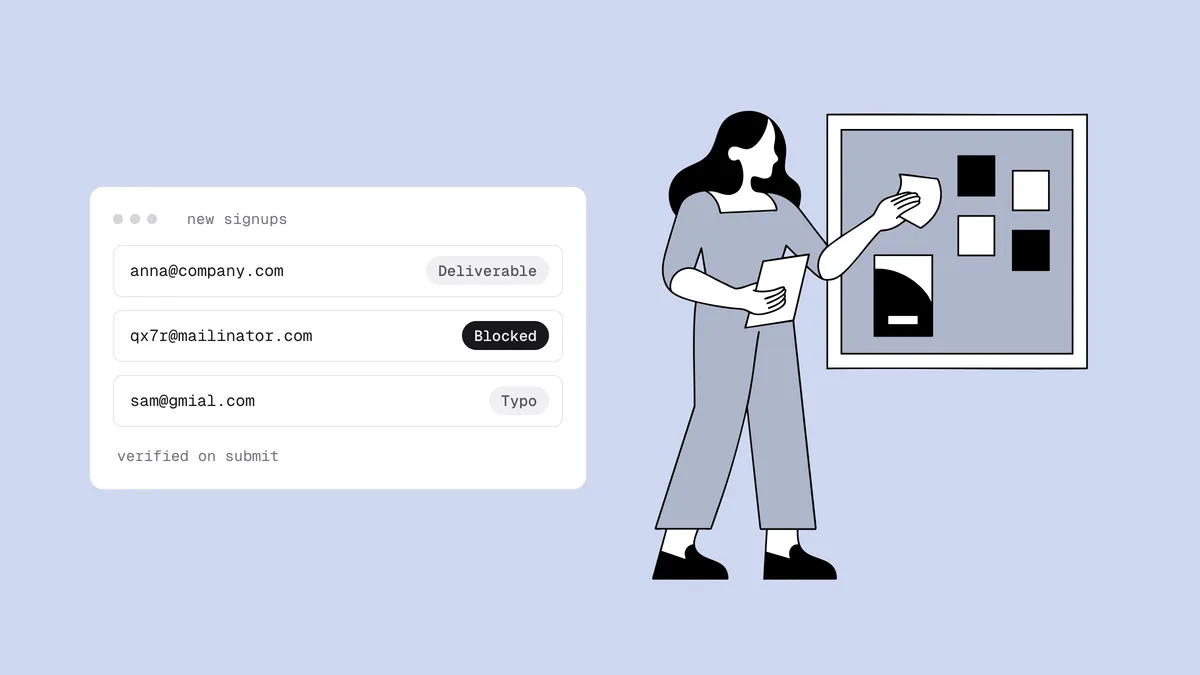
did_you_mean present | Likely a typo of a common domain | Warn: show the suggestion, accept it in one click, let them keep what they typed |
risky with the catch_all flag | The domain accepts any address, so the mailbox can't be confirmed | Allow and tag; watch bounces from this segment |
role flag (info@, sales@) | A shared team mailbox | Usually allow; on personal-account products, ask for an individual address |
free_mail flag | Gmail, Outlook, Yahoo and similar | Allow. On B2B demo forms you can ask for a work email, but don't block |
unknown | The receiving server didn't give an answer | Allow (fail open) and re-check later |
deliverable | The mailbox exists | Allow |
The top three rows are near-universal. The rest depend on your business. A
developer tool will see legitimate admin@ signups; an ecommerce store's
customers are mostly on free mail; a B2B demo form may care about company
domains but still shouldn't turn away a buyer using Gmail. Treat role,
catch-all and free mail as context, not as fakes.
One note on timing: the instant result covers syntax, domain, disposable, role and typo checks, while the mailbox check can finish after your form has already responded. Act on the instant result at the form, and use the full result in a background step (before the welcome series starts or a trial is provisioned) so nobody waits on a slow mail server.
Cleaning up fake signups that already got in#
If fakes are already on your list, work through it in this order:
- Find the window and the source. Sort recent signups by time and form. A bot run or a bombing wave usually shows up as a cliff: hundreds of signups in an hour from a form that normally sees a handful.
- Stop mailing that segment. Pause welcome series and automations for it before the next send, so you don't keep generating bounces and complaints while you sort it out.
- Verify the segment. Export it and run a bulk job, or, if the list lives
in a connected platform such as Klaviyo, Mailchimp or ActiveCampaign, clean
it in place and get the verdicts written back as tags or fields. Suppress
undeliverableand disposable addresses. The list-cleaning guide covers the full loop. - Don't keep bombing victims because they verified. Addresses fed in by a
list-bombing script are real, so they come back
deliverable. If they arrived in the attack window and never confirmed or engaged, remove them anyway. These people never asked for your mail. - Watch the aftermath. Check your complaint rate in Google Postmaster Tools over the following days, and check your sending domain and IPs with the free blacklist checker. If you'd rather be told than keep checking, Blacklist Monitoring re-checks them every 24 hours and emails you when a listing appears.
- Close the hole before you reopen the form. Add whichever layer the attack walked through, then turn the form back on.
From there, fold the fixes into your routine: the email list hygiene checklist covers the ongoing habits, and how to avoid email blacklists covers what else keeps a sending domain off blocklists.
Frequently asked questions
01How do I stop bots from signing up with fake email addresses?
Layer your defenses. A hidden honeypot field and per-IP rate limiting drop simple bots, a CAPTCHA such as Cloudflare Turnstile (validated on your server) stops most of the rest, and real-time verification rejects invented and dead addresses that still get through. Double opt-in makes sure nothing unconfirmed ever receives your marketing mail.
02Does email verification stop subscription bombing?
Not on its own. In a subscription bombing attack the addresses belong to real victims, so they verify as deliverable. What stops it is the layers around verification: a CAPTCHA and per-address rate limiting to block the script, and double opt-in so a victim gets at most one confirmation email rather than an ongoing stream they'll report as spam.
03Should I block disposable email addresses at signup?
On anything with value attached (free trials, first-order coupons, gated downloads, community accounts), yes. A disposable inbox is built to disappear, so the person behind it was never going to stay a subscriber. On a low-stakes newsletter form, flagging them for later suppression adds less friction. Either way, keep them out of your marketing sends.
04Should I block Gmail and other free email addresses on B2B forms?
Usually not. A free-mail address is a real, deliverable mailbox, and plenty of genuine buyers use one. If your sales process needs a company, ask for a work email or add a company field, but blocking free mail outright turns away real leads to solve a targeting question, not a quality one.
05Is a CAPTCHA enough to stop fake signups?
No. A CAPTCHA stops automated submissions, but it does nothing about a real person entering a disposable address, a typo or a recycled trial account, and it only works if your server validates the token. Pair it with verification on the form and double opt-in so each layer covers what the others miss.
06How do I find fake signups that are already on my list?
Look for bursts: sort recent signups by time and source and find spikes that don't match your traffic. Verify that segment in bulk, suppress the undeliverable and disposable addresses, and remove anything from an attack window that never confirmed or engaged, even if it verifies as deliverable, because list-bombing victims use real inboxes.
Want to see what your forms are letting in? Check any address with the free email checker, then add verification to your signup flow with the verification API. New accounts get 100 free credits that never expire.