Of all the blocklists that can hurt your email, one matters more than the rest combined. Most mail servers that filter with a blocklist at all use Spamhaus, so a Spamhaus listing suppresses your mail to a large slice of every audience, often within hours and with no warning. Here's what Spamhaus actually is, the individual lists inside it, how to tell which one you're on, and how to get off each one.
The short answer#
Spamhaus is a non-profit threat-intelligence organization whose DNS blocklists help mail servers decide what to reject or filter. It isn't one list but several — each targeting a different problem — usually queried together through the combined ZEN zone for IPs and the DBL for domains. A listing on any of them can cost you the inbox at a large number of receivers, so it's the first thing to check when deliverability drops and the first to fix.
Why Spamhaus matters more than other lists#
There are dozens of blocklists, and they are not equal. Spamhaus is by far the most consequential because its data is used so widely — by mailbox providers, ISPs, and filtering appliances around the world. Researchers who analyzed bounce messages for a 2025 NDSS paper found 307,244 receiving domains using a DNS blocklist, and 288,514 of them, 90%, used Spamhaus. A listing on an obscure regional list might affect almost no one; a Spamhaus listing affects a large share of your recipients at once. When you check whether you're blacklisted, Spamhaus is the result that decides whether you have a real emergency. What happens when you're blacklisted ranks the other lists by how much a hit on each one should worry you.
The Spamhaus lists, one by one#
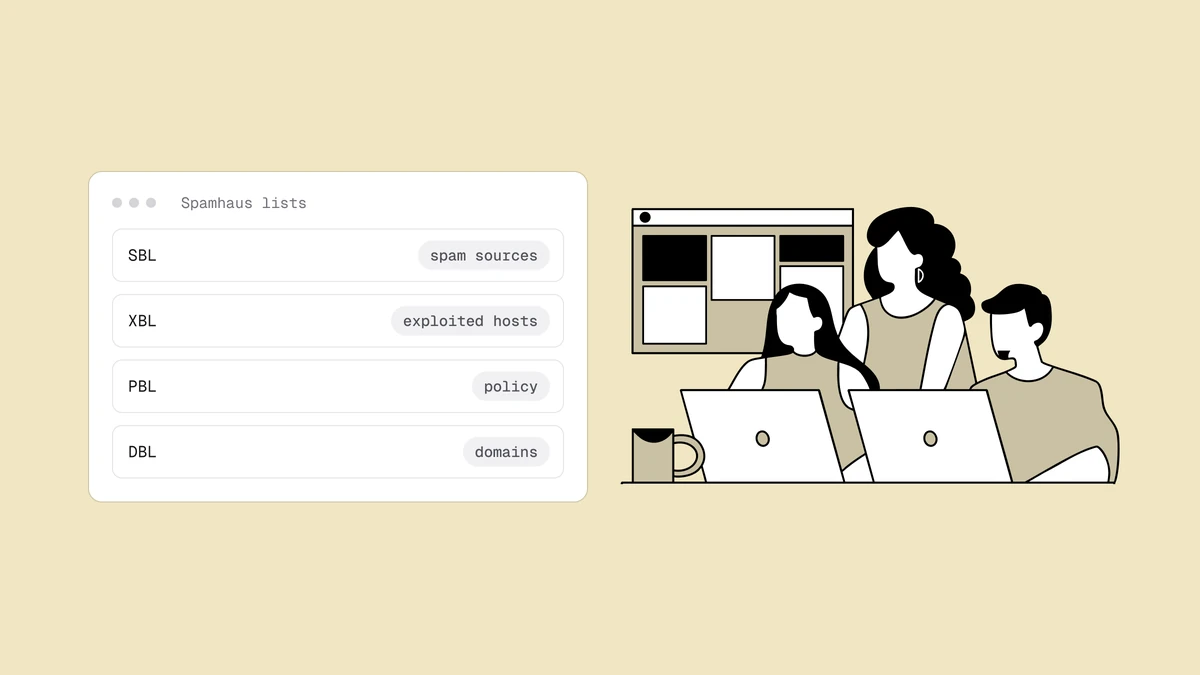
Each zone flags a different kind of problem:
- SBL — Spamhaus Block List. IP addresses Spamhaus has determined are sending spam, listed after evidence and review. The core "this sender is a spam source" list.
- CSS — Combined Spam Sources. An automatically populated part of the SBL that flags low-reputation senders: "snowshoe" spam (low-volume mail spread across many IPs and domains to stay under the radar) and servers that are misconfigured or compromised.
- XBL — Exploits Block List. IPs of hijacked or infected machines, open proxies, and compromised devices sending spam. A listing here often means a machine on your network is compromised. Its main data source is the Composite Blocking List.
- PBL — Policy Block List. IP ranges that ISPs and Spamhaus say should not be sending mail directly to other servers — dynamic and residential ranges. It's a policy statement, not a spam accusation: if you're on it, route through a proper relay or ESP.
- DBL — Domain Block List. Domains found in spam, including the domains of links inside a message. A DBL listing can filter your mail even from a spotlessly clean IP.
- ZEN. Not a separate list but the combined zone that returns SBL, CSS, XBL, and PBL results in a single query — what most receivers actually use for inbound IP filtering.
Which Spamhaus list is it? Read the bounce#
A rejection from a server that queries Spamhaus itself often names both the zone it queried and the sub-list that matched, because it pastes Spamhaus's own explanation into the reply. This illustrative line shows the pattern:
554 5.7.1 Service unavailable; Client host [203.0.113.45] blocked using
    zen.spamhaus.org; Listed by CSS, see https://check.spamhaus.org/query/ip/203.0.113.45
zen.spamhaus.org means your sending IP is the problem. dbl.spamhaus.org
means a domain is: your sending domain, the hostname your server announces in
HELO or reverse DNS, or a domain you link to. The "Listed by" part names the
sub-list. Some big receivers say less: Outlook.com's rejection just says
"blocked using Spamhaus", with no zone or sub-list.
One ZEN hit can cover several sub-lists at once, so look the IP up on check.spamhaus.org and deal with every listing it shows. Start with the SBL if it's there: it's the most serious, and it's the one you can't clear on your own.
Third-party checkers can mislead you here. A result of 127.255.255.254 or
127.255.255.255 is Spamhaus refusing a query that came through a public
resolver or went over its limits, not a listing. Our free
blacklist checker is handy for scanning other IP
lists in one pass, but it may show "No answer" for Spamhaus, and Spamhaus's own
lookup is the authority. The full return-code table is in
what happens when you're blacklisted.
How you end up on a Spamhaus list#
The path onto Spamhaus is the same set of hygiene failures that hurt every other part of deliverability:
- Hitting Spamhaus's own spam traps by mailing addresses you shouldn't have — the clearest signal of a purchased or scraped list.
- Drawing spam complaints at scale.
- Tripping the automated CSS checks. Spamhaus names poor list hygiene, mail that looks unsolicited, and compromised or misconfigured servers. On your side, poor hygiene usually shows up first as sustained hard bounces from a stale list. One misconfiguration Spamhaus calls out is a HELO name that doesn't match the server's forward DNS, or an IP without correct reverse DNS. Check yours with the reverse DNS lookup.
- A compromised account or open relay (which lands you specifically on the XBL).
- Sending directly from a dynamic/residential range (which puts you on the PBL by policy).
- Your domain, or a link domain in your messages, turning up in spam (which lands it on the DBL).
The habits that keep you off all of these are covered in how to avoid email blacklists.
How to get off each Spamhaus list#
Use the Spamhaus lookup to check an IP or domain — it's the authoritative source and links each listing to its own removal path. Who can file, and whether you need to file at all, depends on the list:
| List | Who can file | How it clears |
|---|---|---|
| SBL | Only the ISP or ESP in charge of the IP. If you're their customer, send them the bounce and what you fixed. | Reviewed by Spamhaus. The listing stays until it's removed. |
| CSS | You, from the lookup. Self-removal is "no questions asked," but the number of removals is limited. | Generally expires about 3 days after the last detection. Relisted immediately if the problem continues. |
| XBL | You, from the lookup, once the infected machine is cleaned. The CBL guide shows how to find it. | Expires on its own some time after the malicious traffic stops. Relists the next time the machine misbehaves. |
| PBL | Usually nobody: send through your ISP's relay or an ESP. Only the owner of a static IP running a real mail server should request an exclusion. | Not a spam accusation, so there's nothing to clear if you route mail properly. |
| DBL | You, from the lookup. | An approved removal is processed immediately. It also expires once the domain stops matching the listing criteria. |
If the SBL hit is on your ESP's shared IP, you can't file it yourself: Spamhaus tells end users to go through their ISP or ESP. Send your ESP the bounce text and the evidence. Then check your own domain against the DBL, because a domain listing is yours and follows you to any IP or shared pool.
Whichever list it is, the order is the same:
- Fix the cause first. Spamhaus is explicit that removing a listing without resolving the underlying problem is pointless: you'll be relisted. Clean the list, stop the complaints, secure any compromised machine, and confirm your authentication.
- Request removal where the list takes one: from the listing page for CSS, XBL and DBL, or through your provider for the SBL. Spamhaus never charges for removal.
- Don't repeat it. A second listing is harder to shake, and a pattern of relisting erodes your standing.
For what to write in a request, follow the delisting guide. And expect a lag: delisting stops new rejections but doesn't erase the history behind them, which is why reputation damage can outlast the listing.
Catch a Spamhaus listing before it costs you#
Because Spamhaus is so widely used, the hours between a listing and your response are expensive — and a listing gives you no notification. The reliable way to hear about it is blacklist monitoring, which re-checks your IPs and domains every 24 hours against Spamhaus and other major lists and emails you when a listing appears and when it clears.
Frequently asked questions
01What is Spamhaus ZEN?
ZEN is Spamhaus's combined DNSBL zone: a single query against it returns results from the SBL, CSS, XBL, and PBL at once. Most mail servers use ZEN for inbound IP filtering because it covers spam sources, snowshoe spam, exploited machines, and policy ranges in one lookup.
02What's the difference between the SBL, XBL, PBL, and DBL?
The SBL lists IPs sending spam (with the CSS, short for Combined Spam Sources, catching snowshoe spam and misconfigured senders automatically); the XBL lists hijacked or exploited machines; the PBL lists IP ranges that shouldn't send mail directly as a matter of policy; and the DBL lists spam domains, including link domains inside messages. IP problems show on the first three; domain problems show on the DBL.
03Am I on the Spamhaus PBL, and is that bad?
Being on the PBL isn't a spam accusation - it means your IP is in a range ISPs say shouldn't send mail directly to other servers (typically dynamic or residential). It's only a problem if you're trying to send directly from such an IP; the fix is to send through your ISP's relay or an ESP instead of routing mail yourself.
04How do I get removed from Spamhaus?
It depends on the list. Fix the underlying cause first (clean your list, cut complaints, secure any compromised machine). For the SBL, only the ISP or ESP in charge of the IP can request removal, so send them the bounce and what you fixed. CSS, XBL and DBL listings can be removed from the Spamhaus lookup, though CSS self-removals are limited, and they also lapse once the problem stops. Removal only holds once the cause is resolved; see our delisting guide for the full order of operations.
05Should I switch to a new IP or ESP to get around a Spamhaus listing?
Not as a way out. A new IP can get you past an IP listing for now, but it does nothing for a DBL listing, which follows your domain to any IP or provider, and the cause that got you listed moves with you. Spamhaus's snowshoe criteria also cover ranges and domains with "frequently changing identification," so hopping between IPs can look like the very pattern it lists. Fix the cause and delist first. Our guide to switching email providers explains which reputation moves with you and which stays behind.
A Spamhaus listing is the fastest way to lose the inbox, and the one you most need to hear about quickly. Qualisend's blacklist monitoring re-checks your domains and IPs against Spamhaus and 40+ other lists every 24 hours and emails you when anything changes, while list verification finds the invalid, disposable and mistyped addresses behind many listings.