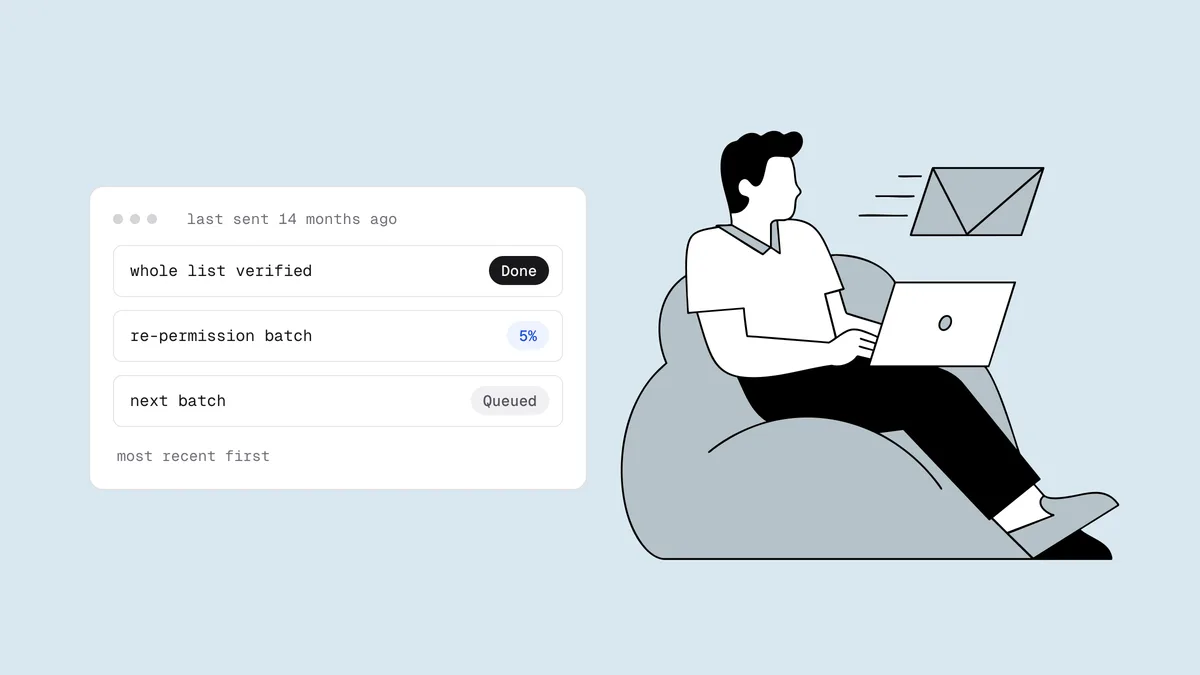
You have a list you haven't mailed in a year, maybe longer: customers from an old store, newsletter signups from before a rebrand, a CRM export nobody has touched since the last campaign. It's tempting to import it and hit send. Don't, at least not yet. When you email an old email list without preparing it, you hit dead addresses, mailboxes that have been turned into spam traps, and people who no longer remember signing up, all on the same day, in front of mailbox providers that have no recent history to judge you by. This guide explains what makes a stale list dangerous and gives you a seven-step plan to bring the usable part of it back safely.
The short answer#
Treat an old list as a new, unproven source, not as subscribers you can simply pick back up. Before anything goes out, confirm you still have a lawful basis to email each group, verify every address and remove the undeliverable and disposable ones, and segment by how recently each person engaged. Then send a short re-permission email to the most recent segment first, ramp volume in small batches with stop rules for bounces and complaints set in advance, and suppress everyone who doesn't confirm. Expect to keep only part of the list. That is the point: the part you keep is the part that won't hurt you.
Old list or dormant subscribers?#
These two problems look alike but need different fixes. Dormant subscribers sit on a list you mail every week; they've just stopped clicking. An old list is one you haven't mailed at all for six to twelve months or more.
| Dormant subscribers on an active list | An old, unmailed list | |
|---|---|---|
| Last time you mailed them | Recently; they stopped engaging | Six to twelve months ago or longer |
| Bounce history | Dead addresses bounced out one by one as they died | Hidden; nothing has bounced since the last send |
| Consent | Usually current and on record | May have lapsed, or the records may be gone |
| Sending history | Established on the same domain and platform | Often a new platform, sometimes a new domain |
| The fix | Re-engagement campaign plus a sunset policy | The re-permission restart in this guide |
If your problem is the left column, a win-back series and a standing email sunset policy are what you need. If it's the right column, read on.
Why an old email list is risky#
Decay you haven't seen yet#
When you mail a list regularly, dead addresses reveal themselves gradually: each one hard-bounces once, your platform suppresses it, and the damage is spread thin. An unmailed list skips that process. Every address that died while the list sat idle (job changes, abandoned inboxes, lapsed company domains) is still on it, and they all fail on the same send. That concentrated spike of hard bounces is exactly what mailbox providers read as "this sender doesn't know who is on their list." How much has decayed depends on the source (B2B lists usually age fastest), and verifying is the only way to know yours.
Recycled spam traps#
According to Spamhaus, an abandoned address typically hard-bounces for a period, often 12 months or more, and is then silently reactivated as a recycled spam trap. A list you mail regularly sees those bounces and drops the address during that window. An old list never did, so some of its dead addresses may now accept mail again and look perfectly normal, except that every message to them is logged against your domain. Free-mail providers also close unused accounts: Google, for example, may delete personal accounts that have been inactive for two years.
Lapsed consent and people who forgot you#
Old lists are where consent problems collect: the signup form changed, the old platform's opt-in records were never exported, or the "consent" was a purchase three years ago. And someone who hasn't heard from you in two years may not recognize your name, so the quickest response is the spam button. Gmail and Yahoo require bulk senders to keep their spam complaint rate under 0.3%, and the safe target is below 0.1%, or one complaint per thousand delivered messages. An old list can blow through that on the first send.
No sending history for these addresses#
If you've changed platforms since the list was last mailed, your mail now goes out from IPs with no history of sending to these addresses. Many ESPs' terms ask that imported contacts opted in and heard from you recently, and a bounce spike from a new import can get an account reviewed or paused.
Step 1: Check permission and the law#
Sort the list into three buckets before you touch it: people you clearly have a lawful basis to email, people where it's unclear, and people where you have none. Only the first bucket moves on.
- EU and UK (GDPR, ePrivacy, PECR): you must be able to demonstrate consent, or another lawful basis, for each person: who agreed, when, how, and to what. GDPR sets no fixed expiry, but years-old permission that was never used is weak. The GDPR email marketing guide covers what valid consent looks like.
- Canada (CASL): express consent lasts until the person withdraws it. Implied consent is time-limited: two years from a purchase or contract, and six months from an inquiry. Once it lapses, you can't send a commercial message to that person. The CASL compliance guide explains the difference.
- United States (CAN-SPAM): no opt-in is required, but every rule still applies, and every old unsubscribe still stands. Make sure past opt-outs are suppressed before the first send, and honor new ones within 10 business days.
Beware the "just ask them" email. A re-permission email is itself a marketing message, so if you can't send marketing to someone, you can't ask them for permission by email either. The UK regulator has fined companies for sending "please update your preferences" emails to people who had opted out or never consented.
If part of the list came from a partner, an event or a vendor rather than your own signups, judge it by the standards in should you buy an email list.
Step 2: Verify the whole list#
Old lists are often several files: an export from the old platform, a CRM dump, a spreadsheet from an event. Merge them and remove duplicates first; the email list deduplicator does that in the browser. Then run every address through bulk email verification and act on each verdict:
- Undeliverable: suppress. Never send to these; each one is a guaranteed hard bounce.
- Disposable: remove. A throwaway inbox from years ago is long gone.
- Role addresses like
info@orsales@: keep only if that inbox genuinely signed up. - Catch-all and unknown: decide deliberately. A catch-all domain accepts every address, so the mailbox can't be confirmed. On an old list, hold catch-all and unknown addresses out of the early batches. Mail them last, only if the confirmed batches stayed clean, or drop them if the list is very old.
- Deliverable: eligible for sending, in the order set by step 3.
In Qualisend you can upload a CSV of up to 1,000,000 rows. Duplicate rows and unknown verdicts are refunded, and each list gets a one-page PDF health report grading its bounce risk as Healthy (under 2%), Needs attention (2–5%) or At risk (over 5%). New accounts get 100 free credits that never expire.
Know the limit: a reactivated recycled trap accepts mail like any other mailbox, so no verifier can flag it. Verification removes the addresses that are still dead; steps 3 to 7 protect you from the ones that came back to life.
Step 3: Segment by recency#
Sort the verified, permitted addresses by the last meaningful thing each person did: a click, a purchase, a login, a reply. Use the signup date only when there's nothing else. Don't use opens: Apple Mail Privacy Protection preloads images, so opens are inflated and tell you little about who is actually reading.
A simple starting split:
- Tier 1: last meaningful action within roughly the past 12 months.
- Tier 2: last action 12 to 24 months ago.
- Tier 3: older than 24 months, or no engagement data at all.
Adjust the windows to your own buying cycle. Tier 3 is the riskiest group and the most likely to be cut entirely.
Step 4: Send a re-permission email to the most recent segment#
Your first message should not be a sales campaign. It asks one question: do you still want to hear from us? Keep it short and recognizable:
- Send from the name and domain people remember. If you've rebranded, mention the old name in the first line.
- Remind them how they joined. "You signed up at our spring workshop in 2024" earns more trust than a generic greeting.
- Say what they'll get and how often, then give one clear button to confirm.
- Make leaving just as easy. A visible unsubscribe link plus the one-click unsubscribe header turns people who would have reported spam into people who simply leave.
Send it to Tier 1 first, then one reminder about a week later to anyone who didn't click. Count confirm clicks, not opens. Two messages is enough; a longer sequence to people who forgot you mostly generates complaints.
Step 5: Ramp volume in small batches#
Don't send the re-permission email to the whole of Tier 1 at once. Split it into batches and let each one prove itself before the next goes out. The schedule below is an illustrative starting point, not a rule; scale it to your list size and slow down whenever your numbers wobble.
| Batch | Who | Size | Move on when |
|---|---|---|---|
| 1 | Tier 1, most recent activity first | A few hundred to ~1,000 addresses | 48 hours pass with bounces and complaints under your stop lines |
| 2 | Rest of Tier 1 | About double batch 1 | Same check after 48 hours |
| 3 | Tier 2 | Double again, split across days if large | Same check, plus no new deferrals at any major provider |
| 4 | Tier 3, then held catch-alls if you chose to keep them | Small batches again; this is the riskiest group | Only if every earlier batch stayed clean |
Wait between batches because complaints arrive late and provider dashboards lag by a day or two. If you also mail an active list, keep old-list batches a small share of each day's volume. On a new platform or IP, the logic of warming up a new domain or IP applies: start with your best audience and let volume follow results.
Step 6: Set stop rules before you send#
Decide in advance what makes you stop, and check every batch against it. The bounce rate calculator and spam complaint rate calculator do the math.
| Signal | Stop line | What to do |
|---|---|---|
| Hard bounce rate on a batch | Above 2% (a verified list should run well below 1%) | Stop. Re-verify the remaining batches and find the source before continuing. |
| Spam complaint rate | Above 0.1% | Hold volume, check which segment complained, tighten the next batch. |
| Spam complaint rate | Approaching 0.3% | Stop all old-list sends. This is Gmail's and Yahoo's ceiling. |
| Deferrals or blocks at one provider | A jump in 4xx throttling or 5.7.x policy rejections | Pause that provider's share and resume at lower volume. |
| Blocklist listing or reputation drop | Any new listing; reputation falling in Postmaster Tools | Stop and investigate before sending anything else. |
Google Postmaster Tools shows Gmail's view of your spam rate and reputation, so set it up before batch 1, not after a problem appears. If you do get listed, the guide to avoiding email blacklists covers what to change.
Step 7: Suppress the non-responders#
When the sequence is done, people who clicked "yes" join your active list on your normal schedule. Everyone who stayed silent has answered too, and the answer is no.
Suppress them rather than deleting them: a suppressed address stays on file, so a future import can't quietly add it back. Don't keep the silent ones "just in case" for another try in a few months. They are the group most likely to include reactivated traps and future complainers.
From here, the revived list needs the same care as any other: verify new signups at capture, re-clean on a schedule, and retire people who go quiet, as covered in email list hygiene.
Frequently asked questions
01Is it safe to email an old email list?
Not as-is. An old list carries dead addresses that will hard-bounce together, abandoned addresses that may have become recycled spam traps, lapsed consent, and people who no longer recognize your name. To make it safer, check permission, verify every address, segment by recency, send a re-permission email to the most recent people first, ramp in small batches with stop rules, and suppress anyone who doesn't confirm.
02How old is too old for an email list?
There's no single cutoff, but risk rises sharply once a list hasn't been mailed for 12 months or more, roughly when abandoned addresses can be reactivated as spam traps. Consent has limits too: under CASL, implied consent from a purchase lasts two years and from an inquiry six months. Contacts with no engagement in over two years and no clear consent record are usually better suppressed.
03Should I verify an old email list before sending?
Yes. Verification removes undeliverable and disposable addresses before they can bounce and flags catch-all and unknown results so you can hold them back. It can't detect a reactivated spam trap, because a live trap accepts mail, which is why a re-permission email and suppressing non-responders are still needed after verifying.
04What is a re-permission email?
A re-permission email asks people on an old or stale list to confirm that they still want your messages, usually with one clear "keep me subscribed" button and an equally visible unsubscribe. Everyone who confirms rejoins your active list; everyone who doesn't is suppressed. It's the safest first message to a list you haven't mailed in a long time.
05Can I email people whose consent has expired to ask them to opt in again?
Generally not under consent-based laws like GDPR and CASL. A message asking for permission is itself a marketing message, so if you no longer have a lawful basis to email someone, you can't send them a re-permission email either. Reserve re-permission emails for people you can still lawfully contact, and suppress the rest. This is general information, not legal advice.
Before an old list sees a single send, find out which addresses are still alive. Check one address with the free email checker, or verify the whole file with 100 free credits that never expire.