Lead ads are built to remove friction, and they remove it from both sides. A prospect can submit a Facebook, Instagram or LinkedIn lead form in two taps without typing anything, which is great for volume and hard on data quality. That's why so many teams running Facebook lead ads end up chasing fake leads: addresses nobody reads, throwaway inboxes, and bot submissions that look exactly like real ones until sales tries to follow up. This guide covers why lead-ad emails go bad, what each platform's form settings can and can't do about it, and how to verify every lead's email automatically before it reaches your CRM or your email platform.
The short answer#
Lead-ad emails are prefilled from the person's account, submitted with a tap, and often attached to an incentive, so the bad ones are mostly old, abandoned, disposable or bot-generated addresses rather than typos. Form settings help with intent, but no ad platform checks whether the mailbox works. So route every new lead through an automation (Zapier, Make or n8n) that calls an email verification API, then branch on the verdict: deliverable leads go straight to sales and nurture, risky ones get handled with care, and undeliverable or disposable ones never reach your active pipeline or your email list. Send that quality signal back to the ad platform so it stops optimizing for junk, and bulk-verify the lead exports you already have.
Why lead-ad emails are so often bad#
A lead-ad email fails for different reasons than a website signup, which is why the usual fixes (CAPTCHAs, typo prompts) don't map over cleanly.
Prefilled from an account, not typed by a person#
Meta's instant forms and LinkedIn Lead Gen Forms fill the email in from the person's account, and Google's lead form assets do the same for signed-in users. That removes most typos, but it introduces a quieter problem: the address on the account is often the one someone used to sign up years ago. A student address, an old internet-provider mailbox, a secondary inbox they stopped checking. Some of those are dead and will hard-bounce. Some are alive but unread, so your follow-ups earn no engagement. And abandoned mailboxes can be reactivated by their provider as recycled spam traps.
One tap, no second thought#
A prefilled form can be submitted without reading it. Accidental taps, curiosity clicks and people who've forgotten the ad by the time sales calls all produce a lead with a perfectly real email and no real interest. Verification can confirm the mailbox, not the intent; that's a job for form settings and sales qualification.
Incentives attract people who don't want your email#
Giveaways, free templates and discount codes pull in people who want the prize and nothing else. Some of them overwrite the prefilled field with a throwaway address or an alias they never read, so disposable addresses cluster on incentive-heavy forms. The role, disposable and free breakdown explains how each of those flags should be treated.
Bots, click fraud and form spam#
Automated and fraudulent submissions reach lead forms too: invented addresses at real domains, addresses at domains that don't exist, and real people's scraped addresses. That last group is the most dangerous, because they're deliverable, and a stranger who starts receiving your nurture sequence reports it as spam. The same patterns hit website forms, covered in how to stop fake email signups.
Edits bring the typos back#
When someone does overwrite the prefilled email on a phone keyboard, the
usual mistakes return. The
common email typos reference covers what to look
for, and a verification result's did_you_mean field flags most of them.
Platform notes: Meta, LinkedIn and Google#
Every platform gives you some control over lead quality. None of them checks whether the email address actually receives mail.
| Platform | Where the email comes from | Quality controls worth using | What still gets through |
|---|---|---|---|
| Meta instant forms (Facebook, Instagram) | Prefilled from the person's account | The "higher intent" form type, which adds a review step where people confirm their details before submitting; custom questions that take a moment to answer | Stale and abandoned account emails, disposable addresses typed over the prefill, bot submissions |
| LinkedIn Lead Gen Forms | Prefilled from the member's profile | Profile-based fields like company and job title, which make qualification easier | Personal or outdated emails on the member's account, which may not match the work address you expect |
| Google Ads lead form assets | Prefilled from the signed-in Google account | Qualifying questions on the form; leads delivered to a webhook you control | Old or rarely checked Google account addresses, low-intent submissions |
Two practical takeaways. First, on Meta, test the higher-intent form type
against the volume-focused one and compare them on valid leads, not raw
leads; the cheaper form isn't cheaper if half its leads can't be reached.
Second, on LinkedIn and Google, expect a lot of free-mail addresses (Gmail,
Outlook and so on). That's how the accounts were created, not a sign of a fake
lead, so don't treat the free_mail flag as a reason to reject.
There's no native lead-ads connector, so use an automation#
Qualisend doesn't have a native connector for Facebook, Instagram, LinkedIn or Google lead ads. The way to verify every lead automatically is a small automation that sits between the ad platform and your CRM or email platform:
- Trigger on each new lead. Zapier and Make have ready-made triggers for new Meta lead ads leads, and all three tools (including n8n) can start a flow from a webhook, which is how Google's lead forms can deliver each lead as it comes in. Check your tool's app directory for a LinkedIn Lead Gen Forms trigger.
- Verify the email. Add an HTTP step that sends the address to the Qualisend verification API and reads the verdict back. The step-by-step setups are in the guides for verifying emails with Zapier (Webhooks by Zapier), with Make (the HTTP module) and with n8n (the HTTP Request node).
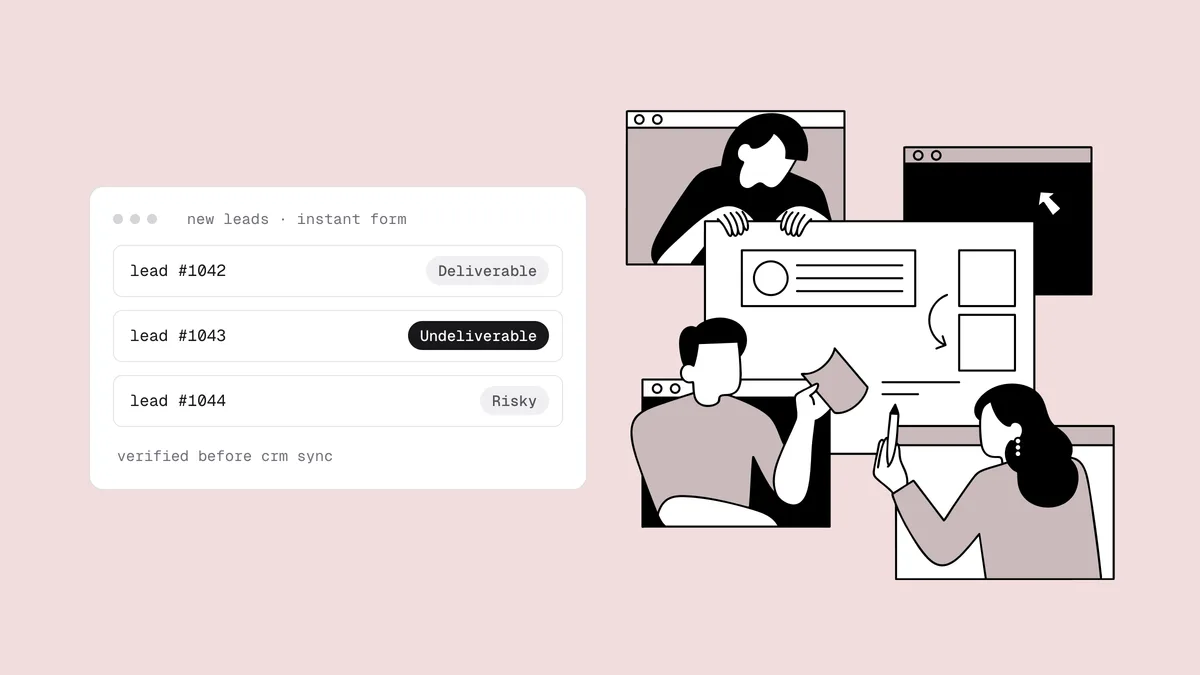
- Branch on the verdict. Use a Filter, Paths, Router or Switch step to route each lead using the table in the next section.
- Store the verdict on the record. Write the status and reason into a field on the CRM lead or contact, so sales can see it and you can report on it by campaign later.
- Fail open. If the verification step errors or times out, route the lead
as
unknown. Never drop a lead because a check failed.
If your lead-ad leads already flow into a CRM or email platform Qualisend connects to, through the ad platform's own sync or another tool, you can verify at that end instead. Native connectors for CRMs such as Pipedrive, Close, Copper, Keap and Attio, and for email platforms such as Klaviyo, Mailchimp and ActiveCampaign, can verify each new contact in real time as it arrives and write the verdict back as a field or tag; Klaviyo and Mailchimp can also suppress or archive undeliverable new contacts automatically. HubSpot is coming soon but not connectable yet, so for HubSpot the automation route is the one to use. The full list is on the integrations page.
What to do with each verdict#
The point of verifying a lead is to treat it differently based on the result. A sensible default for sales and marketing:
| Result | Sales action | Marketing action |
|---|---|---|
deliverable | Route immediately at normal priority | Add to the nurture sequence |
deliverable with the role flag
(info@, office@) | Work it as an account-level lead and find a named contact | Keep it out of person-level nurture; send transactional replies only |
risky, catch-all domain | Work it; lead with a call if you captured a phone number | Add to a separate segment and watch its bounces |
risky, disposable | Don't work it; flag the ad set that produced it | Don't add it |
undeliverable with a did_you_mean
suggestion | Confirm the right address on the first call | Don't add the typo; add the corrected address only once the person confirms it |
undeliverable | Don't count it as a lead; one call attempt if there's a phone number | Don't add it; mark it disqualified for ad-platform reporting |
unknown | Work it normally | Hold it and re-verify before the first marketing send |
Catch-all domains deserve one more sentence: many companies run them, so a
risky catch-all lead from a B2B campaign is often a real person at a real
company. The mailbox just can't be confirmed without sending. The
catch-all guide covers how to mail that
segment without risking your bounce rate.
Feed real lead quality back to the ad platform#
Ad platforms optimize toward whatever you report as a conversion. If every form submission counts as success, the algorithm finds more people who submit forms, including the ones who submit junk. Verification gives you the signal to break that loop:
- Mark leads by quality in your CRM. Leads with undeliverable or disposable emails become disqualified; leads that verify and pass your sales qualification become qualified.
- Send those stages back. Each of the big ad platforms has a way to import what happened to a lead after the form: Meta's conversion-leads optimization uses lead-stage events from your CRM, and Google and LinkedIn both accept offline or CRM-sourced conversions. The names and setup steps change often, so look for "offline conversions" or "CRM integration" in your platform's current documentation.
- Judge campaigns on cost per valid lead. Break verification results down by campaign, ad set and form type. An ad set with a low cost per lead and a high share of undeliverable or disposable addresses is expensive, not cheap.
Clean your historical lead-ad exports#
Leads collected before you added verification carry every problem above, and they've been going stale since the day they were captured. Clean them before anyone mails them:
- Export them. Download leads from each platform's lead center or campaign manager, or export them from the CRM where they ended up. Platforms keep lead downloads for a limited time, so make exporting a habit rather than a rescue mission.
- Verify in bulk. Upload each export as a CSV (up to 1,000,000 rows, duplicates removed) and get a verdict for every row. Uploading each campaign as its own list gets you a one-page health report per campaign, graded Healthy, Needs attention or At risk by bounce risk, which makes sources easy to compare. The bulk verification guide covers the workflow.
- Act on the results. Suppress undeliverable and disposable addresses, keep catch-alls in their own segment, and re-check the unknowns later.
- Write the verdicts back. If the leads live in a connected CRM, clean them in place so the status lands on each record. The routine for keeping that data clean over time is in CRM data hygiene.
- Re-engage old leads gently. Leads that haven't heard from you in months need a careful first send, not a full blast. See how to safely email an old list.
Frequently asked questions
01Why do Facebook lead ads produce so many fake leads?
Because the form is built for speed. The email is prefilled from the person's account, often an old or rarely checked address, and the form can be submitted in a couple of taps without reading it. Incentives attract people who type over the prefill with a throwaway address, and bots and fraudulent traffic submit forms too. The result is a mix of dead, unread, disposable and low-intent leads.
02Does Meta's higher intent form type stop fake leads?
It helps with intent, not with addresses. The higher intent form adds a review step where people confirm their details before submitting, which filters out accidental taps. But the email is still the one on their account, so stale, abandoned and disposable addresses still get through. Pair it with email verification on every lead.
03Is there a native Qualisend integration for Facebook or LinkedIn lead ads?
No. Qualisend has no native connector for Facebook, Instagram, LinkedIn or Google lead ads. Verify each lead with an automation in Zapier, Make or n8n that calls the Qualisend API, or verify the leads where they land if they sync into a CRM or email platform Qualisend connects to.
04Should I reject lead-ad leads with Gmail or other free email addresses?
No. Lead forms prefill the account email, and many people created their Facebook, LinkedIn or Google accounts with a personal address. A free-mail address that verifies as deliverable is a real, reachable person; treat it as context for qualification, not as a sign of a fake lead.
05How do I verify leads from LinkedIn Lead Gen Forms?
Use an automation tool to trigger on each new LinkedIn lead (or on the contact it creates in your CRM), send the email to a verification API, and branch on the verdict before the lead reaches sales or your email platform. Expect more personal addresses than on a website form, since the email comes from the member's account.
06What should I do with old lead-ad leads I never verified?
Export them, verify them in bulk, and suppress the undeliverable and disposable addresses before anyone mails the rest. Keep catch-all addresses in their own segment, re-check the unknowns, and re-engage the remaining leads gradually rather than with one big send.
Paid leads are only worth what you can reach. Check a sample lead with the free email checker, then verify every new lead automatically with the API, starting with 100 free credits that never expire.