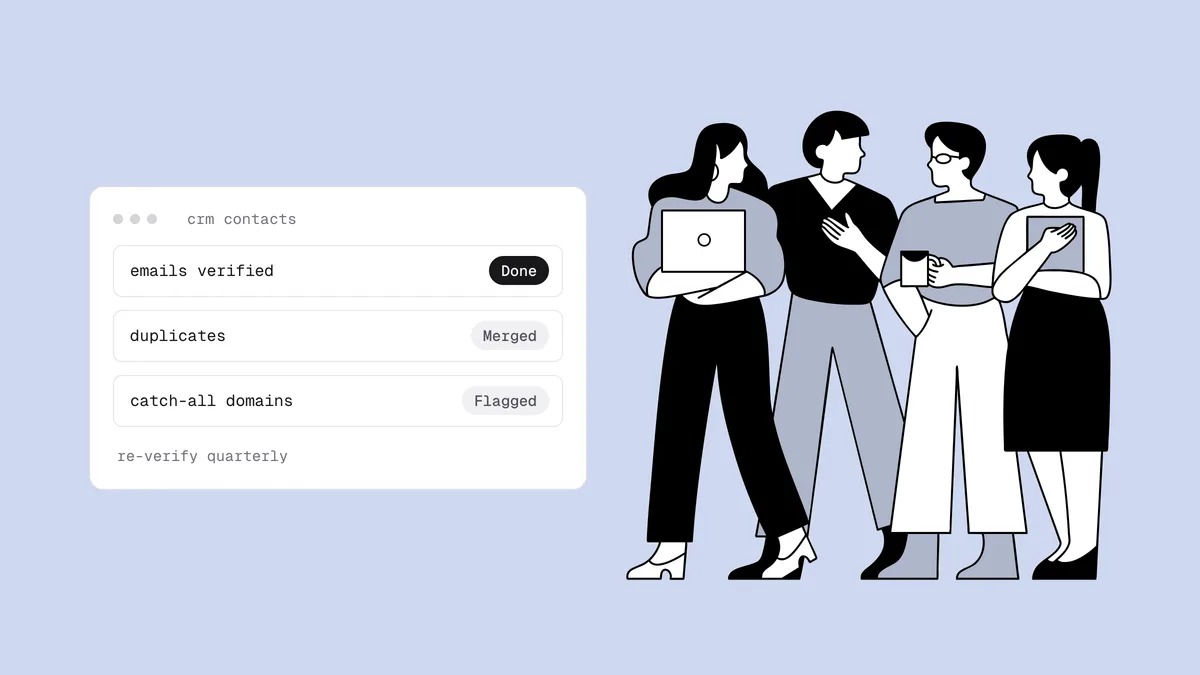
CRM data hygiene is the routine that keeps the contacts in your CRM accurate, deduplicated, and reachable. It gets less attention than marketing list cleaning, yet CRM data goes bad faster and costs more when it does. A bounced sequence step comes off the same domain your reps and customers rely on, and a duplicate record quietly splits the history your forecast is built on. This guide covers why sales contact data decays, what it costs, and a CRM data cleaning routine a revenue operations team can run without turning it into a months-long project.
The short answer#
Treat contact data as something that decays on its own, not something you clean once. Set entry standards so records start clean, verify every email address as it enters the CRM, merge duplicates on a schedule, and re-verify active contacts at least quarterly. Record the result in an email-status field instead of deleting records, decide in advance how reps should treat catch-all domains, and give one person ownership of the rules. Most of the value comes from the first two steps; the rest is maintenance.
If you're cleaning a newsletter or marketing list rather than a sales database, the email list hygiene checklist is the better starting point.
Why B2B contact data decays faster than a marketing list#
A newsletter list has a built-in feedback loop. Subscribers opted in and typed their own address, and every send produces bounces and unsubscribes that your platform acts on automatically. A CRM has almost none of that. Contacts are typed in by reps, scanned from badges and business cards, pulled from enrichment tools, and imported from events, and many of them are emailed rarely or one at a time. Problems stay hidden until a sequence fires.
How fast your database decays depends on your market, the seniority of your contacts, and where they came from. We won't quote a universal percentage, because there isn't one worth planning around. The causes are consistent, though:
- People change jobs. A work address belongs to the employer. When someone leaves, the mailbox is shut down or redirected, and the CRM record keeps pointing at it.
- Companies change domains. After an acquisition, merger, or rebrand, staff move to a new domain. The old one may forward mail for a while and then stop, so addresses that worked last quarter start bouncing all at once.
- Catch-all domains hide the damage. Many corporate mail servers accept mail for any address at the domain. A departed employee's address still appears to accept your email, which then bounces later or lands in an inbox nobody reads.
- Duplicates pile up. The same person arrives through a form fill, a list import, an enrichment sync, and a rep's manual entry, often with different capitalization or with a personal and a work address.
- Role addresses get saved as people. An
info@orsales@copied from a website ends up as someone's primary email. - Manual entry introduces typos. Addresses typed during a call or from a scanned badge pick up transposed letters and misspelled domains, the same common email typos that plague signup forms.
What dirty CRM data costs#
The damage shows up in three places at once:
- Your sending domain. Sales sequences usually send from reps' connected mailboxes on your company domain or a dedicated outreach domain. Hard bounces count against that domain, and mailbox providers read a high bounce rate as a careless sender. That's why bounce rate matters so much, and why cold email deliverability starts with keeping outreach off the domain your invoices and support replies use.
- Rep time. Every dead contact in a sequence means wasted steps, follow-up tasks, and call research on someone who will never reply. Worse, a bounce often goes unnoticed and the deal simply stalls.
- Reporting and attribution. Duplicates split activity across records, so engagement history looks thinner than it is. The same person gets counted twice in pipeline, lead source credits the wrong touch, and routing rules can assign one prospect to two reps.
There's a fourth, quieter cost: CRM contacts usually sync to your email marketing platform, so every bad record becomes a bounce there too.
The CRM data hygiene routine#
Eight habits cover it. The first two keep bad data out; the rest keep what's already inside from rotting.
Set entry standards and required fields#
Clean data starts with records that are complete and consistent from the moment they're created:
- Require the basics at creation: email, name, company, lead source, and owner. A record without an owner is a record nobody maintains.
- Normalize emails: lowercase, trimmed, one address per field. Never put two addresses in one field.
- Use picklists, not free text, for lead source, lifecycle stage, and country, so reports group correctly.
- One person per record. Shared inboxes belong on the company or account record, not as a contact.
Write these rules into a short data dictionary: what each field means, its allowed values, and who can edit it.
Verify every address as it enters#
Most bad data arrives on day one, so the cheapest fix is at the door:
- Web forms: call the verification API in real time and ask
the visitor to fix a typo while they're still on the page. A "did you mean"
suggestion catches
gmial.combefore it becomes a record. - Lead ads and list uploads: verify before import. Lead ad forms prefill whatever address the ad platform has on file, often an old or personal one, and they attract junk submissions too, as covered in fake leads from Facebook and LinkedIn lead ads.
- Rep-entered contacts: let a CRM integration verify new records as they're created, so a mistyped address is flagged before the first email goes out.
Deduplicate on a schedule#
Match records in order of confidence: exact email first (after lowercasing and trimming), then the same name at the same company domain. Treat fuzzy name matches as candidates for a human to review, not automatic merges.
Merge rather than delete. Keep the oldest record as the master so its activity history and attribution survive, and carry over the most recently verified email address. A personal and a work address for the same person aren't a duplicate problem; keep both and mark which one is primary.
Run the duplicate check monthly and after every import. Most CRMs have built-in duplicate management for records already inside. For a file you're about to import, the free email list deduplicator removes repeated addresses first.
Re-verify active contacts every quarter#
Verification at entry tells you an address was good then. Job changes and domain changes happen afterward. Re-verify contacts in active pipelines and open deals, plus anything you plan to sequence, at least once a quarter. Always re-verify before reactivating a segment nobody has emailed in months, the scenario covered in how to safely email an old list.
Quarterly is a baseline, not a rule. Use your sequence bounce rate as the tripwire: if hard bounces climb toward 2%, re-verify now rather than waiting. How often to clean your list explains the trigger-based approach. Because verification is priced per address, focus re-verification on the records you actually intend to contact, not the whole archive.
Record status in a field instead of deleting#
Create an email-status field (deliverable, risky, undeliverable, unknown) and a "last verified" date. Then:
- Sequences filter on status. Only deliverable contacts, plus any risky ones you've approved, get enrolled.
- Undeliverable records stay, with their history and attribution intact. Deleting a contact erases the evidence of past deals and lets a future import add the same dead address back as new.
- The problem becomes reportable. You can see what share of active contacts is unverified or undeliverable, by owner, source, or account.
Decide on a catch-all policy for B2B#
Many corporate domains are set up as catch-all, so a meaningful share of a B2B database comes back risky with a catch-all flag no matter which verifier you use. The server accepts everything, so the individual mailbox can't be confirmed. Without a policy, reps either ignore the flag or treat it as invalid. A workable default:
- One-to-one rep emails: allowed. The rep is watching for a bounce.
- Automated sequences: enroll catch-all contacts in small batches or a separate, slower sequence, and widen only if the batch's bounce rate stays low.
- A reply confirms the address. Note it on the record; it's the confirmation verification can't give you.
- A bounce settles it. Mark the address undeliverable at once.
The catch-all guide explains why no tool can confirm these addresses and how to contain the risk.
Handle role addresses deliberately#
info@, sales@, and support@ belong to a function, not a person. Keep them
on the account record for operational mail, but keep them out of automated
personal sequences: nobody there asked to hear from you, and shared inboxes skew
reply rates. Sometimes a role inbox really is the right door into a small
company; that's a rep's judgment call, not something a sequence should decide.
Role, disposable, and free addresses
covers the trade-offs.
Give one person ownership#
Hygiene with no owner decays as fast as the data. Make one person in revenue or sales operations responsible for the data dictionary, for approving imports (dedupe, verify, map fields, tag the source), for the catch-all and bounced-contact policies, and for a monthly review. The review needs only a handful of numbers: sequence bounce rate, share of active contacts with a current verification status, duplicate count, and records missing an owner or source. The email list health check walks through the same kind of monthly review for marketing lists.
| Habit | When | What it prevents |
|---|---|---|
| Entry standards and required fields | At record creation | Orphaned, unreportable, half-filled records |
| Verify on entry | Forms, imports, rep entry | Typos, fake leads, and dead addresses entering at all |
| Deduplicate | Monthly and after every import | Split history, double-counted pipeline, routing conflicts |
| Re-verify active contacts | Quarterly, or sooner if bounces climb | Bounces from job and domain changes |
| Status field, not deletion | After every verification | Lost history and dead addresses re-imported as new |
| Catch-all and role policies | Decide once, review yearly | Reps guessing, and sequences hitting shared inboxes |
| Ownership and monthly review | Monthly | Rules that quietly stop being followed |
What to do with bounced contacts in active deals#
A bounce on a contact attached to an open deal is information, not just a cleanup task:
- Read the bounce code first. A soft bounce or a
5.7.xpolicy block isn't a dead address; hard bounce vs soft bounce explains how to tell them apart. - If it's a hard bounce, act at once. Mark the email undeliverable and pull the contact from every active sequence. Don't retry from another rep's mailbox.
- Keep the contact and the deal. Deleting either throws away the history.
- Find out what happened. Usually the person left or the company changed domain. Check the company website, call the main line, or ask another contact on the account.
- If the person left, add their replacement to the deal and move the primary-contact role. Then treat the person who left as a lead: a former champion at a new company is a warm introduction. Create a new record with their new company and a freshly verified address rather than overwriting the old one.
- If the domain changed, update and verify the new address for every contact at that account, not just the one that bounced.
Clean CRM contacts in place#
The habits above work with any CRM and a CSV export. If your CRM is one of Qualisend's native integrations, the verification step happens inside it: pick the contacts to check, and Qualisend verifies them and writes each verdict back to the record as a field or tag, so there's no export or re-import. The same connections verify new contacts as they're created and can re-run on a schedule (once, or every 7, 14, or 30 days).
Sequences deserve their own check. Prospects often go into a sales engagement tool straight from a prospect list, bypassing the CRM entirely, so verify there too. Email verification for cold email covers that workflow.
| Tool | Status | Where to start |
|---|---|---|
| Pipedrive | Live integration | Pipedrive integration · cleaning guide |
| Close | Live integration | Close integration · cleaning guide |
| Copper | Live integration | Copper integration · cleaning guide |
| Keap | Live integration | Keap integration |
| Attio | Live integration | Attio integration |
| HubSpot | Coming soon | Export and verify a CSV: HubSpot cleaning guide |
| Lemlist | Live integration | Lemlist integration · verification guide |
| Woodpecker | Live integration | Woodpecker integration · verification guide |
| Salesloft | Coming soon | Export and verify a CSV: Salesloft guide |
| Outreach | Coming soon | Export and verify a CSV: Outreach guide |
For any other CRM, export the contacts and upload the CSV for a bulk clean (up to 1,000,000 rows, duplicates removed), then import the verdicts back into your status field. The full catalog is on the integrations page.
Frequently asked questions
01What is CRM data hygiene?
CRM data hygiene is the ongoing work of keeping contact records accurate, complete, deduplicated, and reachable. In practice it means entry standards, verifying email addresses when contacts are created, merging duplicates, re-verifying active contacts on a schedule, and recording each address's status so sequences and reports only rely on data you trust.
02How often should you clean CRM data?
Verify every new contact as it enters, check for duplicates monthly and after every import, and re-verify contacts in active pipelines at least quarterly. Re-verify sooner if your sequence bounce rate climbs toward 2%, and always before emailing a segment nobody has contacted in months.
03Should I delete contacts with bounced emails from my CRM?
Usually not. Mark the email undeliverable in a status field and remove the contact from active sequences, but keep the record so its deal history and attribution survive and a future import can't add the same dead address back as new. Delete only genuine junk, such as fake form submissions.
04How do I handle catch-all email addresses in a B2B CRM?
Set a policy instead of leaving it to each rep. A common approach is to allow one-to-one emails, enroll catch-all contacts in automated sequences only in small or separate batches, treat a reply as confirmation, and mark an address undeliverable the moment it bounces. No verifier can confirm the individual mailbox on a catch-all domain, so containment is the goal.
05Can I verify email addresses automatically as they enter my CRM?
Yes. Qualisend's native integrations for Pipedrive, Close, Copper, Keap, and Attio verify new contacts as they're created and write the verdict back to the record. For web forms or a CRM without a native connector, call the verification API at the point of capture.
Connect your CRM from the integrations page to clean contacts in place, or test a sample of your database with 100 free credits that never expire.