Getting blacklisted doesn't feel like anything. No error email arrives, no dashboard turns red, nothing crashes. Your campaigns send exactly as before — they just quietly stop reaching people. That silence is the whole problem: by the time the damage shows up in your numbers, it has usually been compounding for weeks. Here's what actually happens when your domain or IP lands on a blacklist, from the DNS lookup a receiving server runs in milliseconds to the reputation hole you're still climbing out of a month later.
The short answer#
When you're blacklisted, mail servers that consult that list start rejecting or spam-foldering your messages — instantly and automatically, for every recipient whose provider uses the list. Your deliverability drops, your engagement metrics follow, and because low engagement further damages your sender reputation, the harm keeps growing until you notice, confirm the listing, and get delisted. The listing is a moment; the damage is a slope.
The moment you're listed#
A blacklist (or blocklist) is a shared "do not accept" register that receiving mail servers query in real time. The instant your sending IP or domain appears on one a receiver uses, its verdict changes:
- Hard rejection. Some servers refuse the message outright — it bounces and never has a chance to land.
- Spam foldering. Others accept it but route it straight to the spam folder, where it's effectively invisible.
- Throttling. Some slow you down, deferring your mail so it trickles in late or not at all.
You send the same campaign to the same list, and a slice of it simply evaporates — the slice whose providers trust the list you're on. A Spamhaus listing hits a very large slice; an obscure list, almost none.
What the receiving server actually does#
The reason a listing takes effect instantly is that there is nothing to propagate. Blocklists are published over DNS, so a receiver checks you with the same kind of lookup it already makes for everything else — a couple of milliseconds, inline with your delivery attempt.
The mechanism is defined in RFC 5782
and it is refreshingly dumb. To check an IPv4 address, the receiver reverses the
four octets, appends the list's zone, and asks for an A record. Every
conforming list must list 127.0.0.2 for testing, so you can run the exact
query a mail server runs:
$ dig +short 2.0.0.127.zen.spamhaus.org A
127.0.0.2
127.0.0.4
127.0.0.10

$ dig +short 2.0.0.127.zen.spamhaus.org TXT
"Listed by SBL, see https://check.spamhaus.org/sbl/query/SBL2"
"Listed by XBL, see https://check.spamhaus.org/query/ip/127.0.0.2"
"Listed by PBL, see https://check.spamhaus.org/query/ip/127.0.0.2"
Any answer means listed. No answer — NXDOMAIN — means clean. The 127.0.0.x
value isn't an address to connect to; it's a verdict code saying which
sub-list caught you, and the TXT record carries the human-readable reason plus
the removal link. Domain lists work the same way without the reversing: the
receiver looks up yourdomain.com.dbl.spamhaus.org.
Those codes matter, because they're the difference between an emergency and a shrug:
| Code | Spamhaus list | What it means about you |
|---|---|---|
127.0.0.2 | SBL | Your IP is a known spam source. Spamhaus says blocking on this outright is safe. |
127.0.0.3 | CSS | Automated low-reputation detection, aimed at snowshoe sending. |
127.0.0.4 | XBL | A hijacked or exploited machine — a security incident, not a marketing one. |
127.0.0.10 / .11 | PBL | Not an accusation: the range shouldn't be sending directly at all. |
127.0.1.2 | DBL | A domain of yours is listed, and it travels with you. |
127.0.1.102–.106 | DBL "abused legit" | A legitimate domain being abused — Spamhaus tells filters to score this, not block it. |
127.255.255.x | none | An error, not a listing. See the warning below. |
Where in the conversation you get refused#
Two details decide what a listing actually looks like from your side.
The first is when the check runs. Postfix, by default, waits until RCPT TO
before applying blocklist rules, so your server completes the greeting and
MAIL FROM normally and only gets refused once it names a recipient. Run under
postscreen instead and the connection can be dropped before the 220
greeting — your server never even says hello. URI checks are different again:
the links live in the message body, so that rejection can only happen after
you've transferred the entire message.
The second is 4xx versus 5xx. RFC 5321's rule of thumb is the useful
framing: a 4xx means retrying the identical command could succeed, so your
queue keeps trying for hours or days — which is why throttling shows up as mail
that arrives strangely late rather than mail that visibly failed. A 5xx means
something about you has to change first, and your server gives up and generates a
bounce. Deferrals also happen for innocent reasons;
greylisting is the common one.
What a blocked send looks like in your logs#
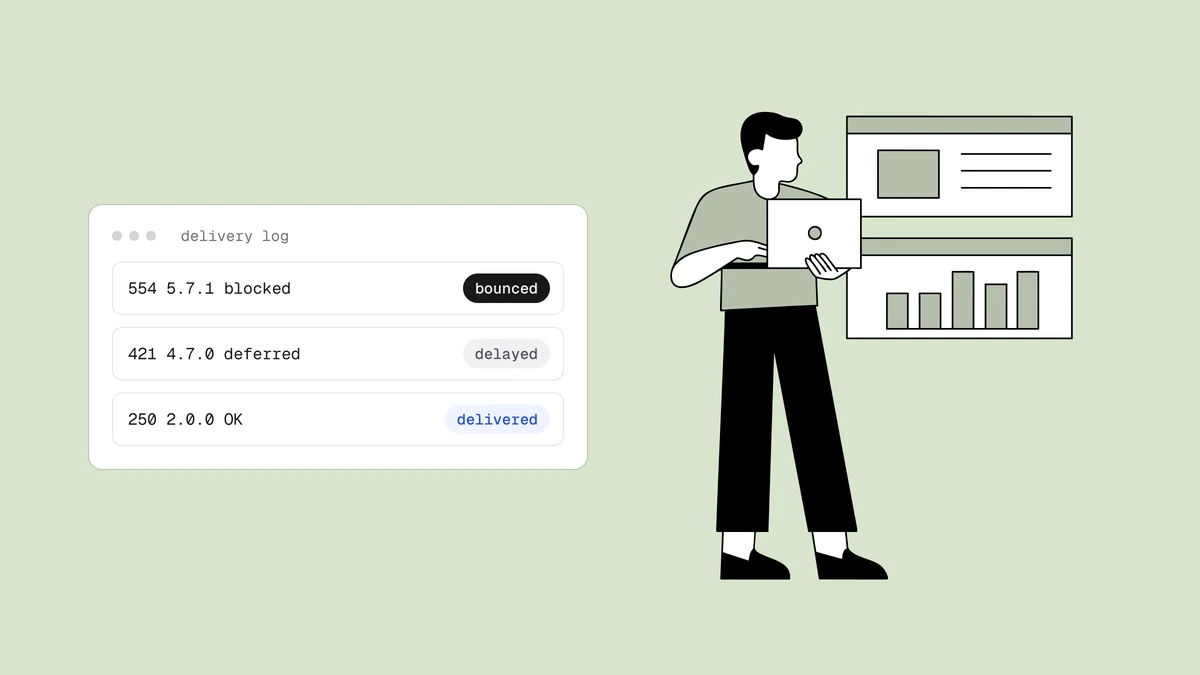
This is the most direct evidence you will ever get, and most senders never read it because their ESP's dashboard shows them a rounded "bounce rate" instead. The rejection usually names the list and links its removal page:
554 5.7.1 Service unavailable; Client host [203.0.113.45] blocked using
    zen.spamhaus.org; Listed by SBL, see https://check.spamhaus.org/sbl/query/SBL123456
That tail after the semicolon is literally the TXT record from the DNS lookup
above, pasted into the SMTP reply. The big mailbox providers phrase it their own
way, and the wording tells you which system refused you:
| Receiver | What you'll see | Reading it |
|---|---|---|
| Gmail | 550 5.7.1 [203.0.113.45] Our system has detected that this message is likely unsolicited mail. | Google's own reputation system, not a public list. There's no list to be removed from. |
| Gmail (throttle) | 421 4.7.28 ... unusual rate of unsolicited mail ... temporarily rate limited | A deferral. Slow down rather than retry harder. |
| Outlook.com | 550 5.7.1 Unfortunately, messages from [203.0.113.45] weren't sent ... on our block list (S3140). | Microsoft's consumer filtering. Delisting goes through their own form. |
| Exchange Online | 550 5.7.606 Access denied, banned sending IP [203.0.113.45] | Self-serve delisting at sender.office.com. The sibling code 5.7.511 is not self-serve. |
| Yahoo | 421 4.7.0 [TSS04] Messages from 203.0.113.45 temporarily deferred due to unexpected volume or user complaints | Complaint-driven throttling. Your complaint rate is the lever. |
| Barracuda | 554 5.7.1 Service unavailable; Client host [203.0.113.45] blocked using b.barracudacentral.org | A real DNSBL hit. Free removal form, usually handled within 12 hours. |
Response strings above sourced from provider documentation and public captures, verified September 2026. If a code is unfamiliar, our
SMTP response code guide and the
SMTP code lookup decode it.
What got listed changes what happens#
"Blacklisted" is one word for at least four different situations, and the first useful question isn't am I listed but what of mine is listed.
- Your sending IP. The classic case. Everything leaving that IP is affected
regardless of what's in the
Fromheader. Move to a clean IP and the problem follows only as far as your reputation does. - Your sending domain. Domain listings travel with you. Spamhaus's DBL lists
at the registered-domain level and every subdomain under it, and it's checked
against your
HELO, yourMAIL FROM, and your reverse DNS — none of which change when your ESP moves you to a different IP pool. This is the mechanical reason "switch IPs" fixes an IP listing and does nothing for a domain one. - A domain you only link to. URI blocklists read the message body. A link pointing at a listed domain — a shortener, a partner's site, a shared click-tracking domain — can get the message filtered while your IP and your sending domain are both spotless. SURBL runs a list specifically for click-tracking domains used by senders without confirmed opt-in, so a shared tracking host at your ESP can be the listed entity in every message you send. This is the listing senders most often fail to diagnose, because nothing about their identity is listed at all.
- A neighbour on a shared IP. On a shared pool, your mail leaves from an address other senders also use. AWS puts it bluntly for SES shared IPs: you don't know which addresses send your mail and they can change at any time. Your hygiene can be perfect and your delivery still collapse.
The practical consequence: when deliverability drops, check the IP, the From
domain, any sending subdomain, and the
domains of the links inside your messages. Checking one and stopping is how
listings run for weeks.
Not every listing is an emergency#
A multi-list lookup will light up red on lists nobody consults, and senders burn days chasing those while a real listing sits untouched. Weigh a hit by who acts on it. Researchers who analyzed 190 million bounce messages to see which blocklists receivers actually name found 307,244 domains using a DNSBL — and 288,514 of them, 90%, used Spamhaus. Nearly 95% relied on a single list. The asymmetry is not subtle.
| List | What a listing means | How urgent |
|---|---|---|
| Spamhaus SBL / CSS / XBL | Spam source, snowshoe pattern, or a compromised machine. Spamhaus tells receivers it's safe to reject outright. | Drop everything. |
| Spamhaus DBL | A domain of yours is listed. Survives every IP change. | Drop everything. |
| Spamhaus PBL | Policy, not accusation: this range shouldn't send directly. Route through a relay or ESP. | Fix the architecture, don't file a dispute. |
| Barracuda | Reputation-based IP listing, widely used by Barracuda appliances. | High. Free removal form, ~12 hours. |
| SpamCop | Report-driven. SpamCop itself calls it aggressive and asks receivers to tag rather than block. | Moderate. Expires automatically ~24h after the last report; there is no manual delisting. |
| CBL | Botnet and malware traffic from your IP. Folded into Spamhaus XBL since 2021. | Treat as a security incident first. |
| Invaluement | Conservative, low-false-positive, embedded inside commercial filters. | High — it rarely lists a legitimate sender by accident. |
| SpamRATS | Usually infrastructural: missing or generic reverse DNS on the sending IP. | Moderate, and often a quick fix. |
| UCEPROTECT L2 / L3 | Your netblock or your whole provider, not you. UCEPROTECT warns it "will cause collateral damage" and recommends scoring rather than blocking. | Low. Level 1 expires free after 7 clean days; the higher levels are your provider's problem. |
| Proofpoint / Cloudmark | A private feed you can't query — you only learn about it from a bounce. | High if you sell to enterprises, whose gateways use it. |
The first month, hour by hour#
| When | What's happening | What you'd notice |
|---|---|---|
| Minute 1 | Receivers that query the list begin rejecting, deferring, or spam-foldering. Nothing is sent to you. | Nothing. Mail that was accepted-then-filtered still reports as delivered. |
| Hours 1–24 | Rejections accumulate in your bounce logs; deferred mail retries and expires in the queue. | A bounce-rate bump, if you look. "I never got the reset email" tickets begin. |
| Days 2–7 | Opens and clicks fall at every affected provider. Engagement-based reputation starts sliding. | A campaign that underperforms. Easy to blame on the subject line. |
| Weeks 2–4 | Weak engagement is now its own filtering signal. Mail to providers that never consulted the list starts landing in spam too. | Deliverability looks broadly bad, and the listing is no longer the obvious explanation. |
| After delisting | The listing clears; the record of a bad month does not. | Mail still underperforms — which is where most senders conclude delisting "didn't work". |
The specific days vary with your volume and which list caught you. The shape doesn't: the listing is the smallest part of the curve, and every stage after it is a consequence of not having caught the first one.
The damage compounds#
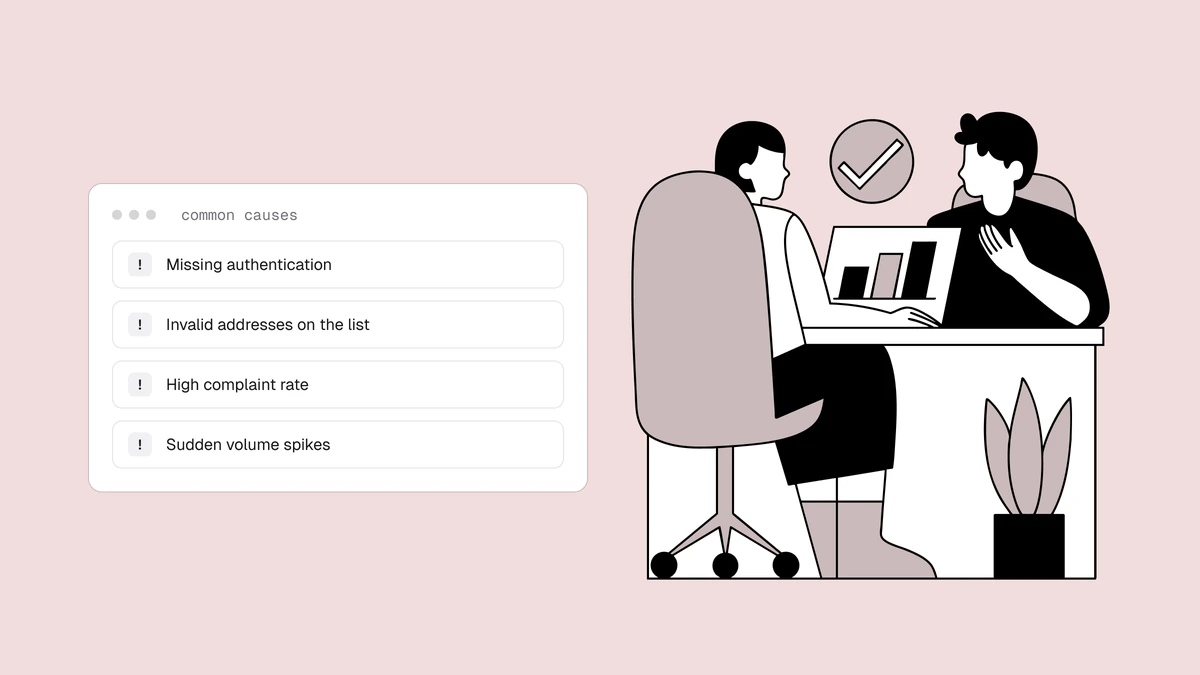
The first-order harm is the mail that doesn't arrive. The second-order harm is worse, because email deliverability is a feedback loop:
- Engagement craters. Fewer messages land, so opens, clicks, and replies fall.
- Low engagement lowers reputation. Mailbox providers read weak engagement as a sign nobody wants your mail — so even your unlisted channels start landing in spam.
- Bounces climb. Rejections push your bounce rate up, which is itself a listing trigger — so one listing can beget another.
This is why a listing that runs unnoticed for a month costs far more than one caught in an hour: you're not just losing a month of mail, you're digging a reputation hole you'll spend longer climbing out of.
What happens to each of your mail streams#
A listing doesn't hit your mail evenly, and the stream that hurts most is rarely the one you were worrying about.
- Marketing campaigns. The most visible casualty and the least urgent one. A suppressed newsletter is a bad week; it is not a broken product.
- Transactional mail. The expensive one. Password resets, receipts, and one-time codes are time-sensitive and non-substitutable — a receipt in the spam folder is a support ticket, and a login code that never arrives is a customer who can't use your product. If both streams leave from the same domain, one listing takes out both, which is the whole argument for separating them on a dedicated sending subdomain.
- Cold outreach. Already operating with the least margin for error, so a listing on an outreach domain usually means starting over on a new one rather than recovering the old — see cold email deliverability for why that margin is so thin.
- Everyday business mail. If your company mail shares a domain with your bulk mail, a listing can reach the replies your team sends by hand. That's when a deliverability problem becomes a company-wide one.
What happens at your ESP#
Your listing is also your provider's problem, and they usually act on it before you do.
- Automated throttling. Many platforms slow or pause a sender whose bounce and complaint rates spike, which is exactly what a listing looks like from their side.
- Pool reshuffling you don't control. SendGrid, for instance, documents automatically moving underperforming senders to a different shared pool within a day. That can restore your delivery immediately — or simply relocate the problem, if the listing was earned by your sending rather than a neighbour's.
- Account review or suspension. Sustained rejections against a shared pool threaten every other customer on it, so a listed sender can be quarantined, asked to justify their list source, or suspended.
- Delisting attempts that don't stick. SendGrid is candid that sometimes "just as quickly as we act to delist an IP, it is relisted again" — because delisting without fixing the cause never holds, whoever files the request.
- Nothing at all. Plenty of platforms don't surface blocklist status to customers. Silence from your ESP is not evidence you're clean.
The business fallout#
Behind the metrics are real consequences that land on real people:
- Lost revenue. Every order confirmation, abandoned-cart nudge, or promotion that doesn't arrive is money that doesn't come in — and the bill mounts fast. For a store, that's direct and immediate.
- Broken transactional mail. Password resets and receipts routed to spam create support tickets and erode trust — often the first symptom customers actually report.
- Client and stakeholder fallout. If you send on behalf of clients, a listing is their campaigns failing and your explanation to give. We cover that in blacklist monitoring for agencies.
- The scramble. Once you catch the warning signs and confirm it, a listing means dropping everything to diagnose, fix the cause, and request delisting — unplanned work with a deadline of "yesterday."
What doesn't happen#
Some of the fear around blacklisting attaches to things that aren't real, and knowing the difference saves panic and wasted effort.
- Your domain isn't seized, suspended, or removed from the internet. A blocklist is an opinion published over DNS that receivers choose to consult. Your website, your DNS, and your registration are untouched.
- Google doesn't "blacklist" you in the DNSBL sense. Neither does Microsoft. Both run internal reputation systems with their own remediation paths — there's no public list to be on and no entry to remove. A climbing spam rate or a run of delivery errors in Postmaster Tools is a different animal from a Spamhaus listing, and the fix is different too.
- Nobody emails you about it. Not the list operator, not the mailbox provider, not your ESP by default.
- Reputable lists never charge you to leave. Spamhaus states plainly that there's never a fee and that any paid Spamhaus-removal offer is a scam. The notable exception is UCEPROTECT, which sells express delisting for its higher levels — which is a large part of why receivers weight it lightly.
- Delisting doesn't restore yesterday's performance. It stops the bleeding. The reputation damage recovers on its own schedule.
How to see it in your own data#
Four sources, in the order they'll tell you something.
- Your bounce logs. The rejection text usually names the list and links its removal page, as above. Read the raw bounces, not the summarized rate.
- A lookup against the major lists. Check the sending IP and the sending domain. The free blacklist checker queries the well-known IP lists over live DNS. It takes IPv4 addresses only, so look the domain up with the list operators' own tools, such as Spamhaus's lookup. How to check if you're blacklisted covers finding your real sending IP first, which is where most checks go wrong.
- Provider dashboards. Google Postmaster Tools and Microsoft SNDS won't name a blocklist, but they're the only view you get into the two providers that don't publish a list at all. Google retired Postmaster's reputation dashboards, so read Gmail's spam rate (keep it under 0.3%, aim below 0.1%), compliance status and delivery errors; SNDS covers only the IPs you control. A climbing spam rate or new delivery errors alongside falling opens, plus a jump in bounce and deferral codes from that provider in your own logs, is strong corroboration.
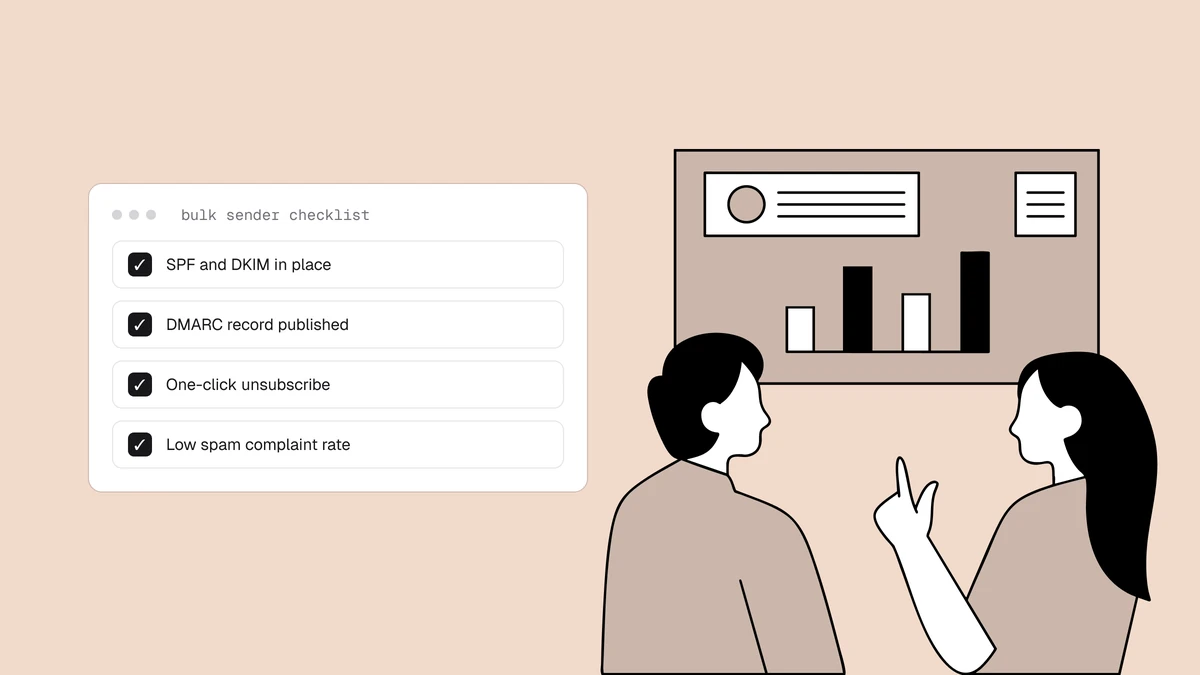
- The headers of a message that made it. Run a delivered message through the email header analyzer to see the receiving path and the authentication verdicts. If SPF, DKIM, or DMARC are failing too, you have a second problem stacked on the first.
What happens after you delist#
Delisting ends the mechanism, not the consequences.
- Cached answers expire first. Receivers cache DNS responses, and the lifetimes differ by list: Spamhaus's zones publish a 60-second TTL, while lists running on default settings can hold an answer for 35 minutes, and some receiving servers cache the result for up to an hour on top of that. Spamhaus itself tells senders to allow one to two hours. A short tail of rejections after removal is normal, not a failed delisting.
- Reputation lags much longer. Mailbox providers weight recent history, and you've just produced weeks of bad history. Resume at full volume into that and you invite the filtering you just escaped — ramp back up and mail your most engaged recipients first, much as you would during a warm-up.
- The cause is still the cause. If the spam traps or the complaint source are still in your list, the same detection catches you again — and a repeat listing is harder to clear than the first.
Why speed is the whole game#
You can't undo the mail that didn't arrive, but you can cap how much of it there is. Every hour a listing sits is more lost delivery and more reputation erosion, and the recovery afterwards scales with how long the listing ran. That's the single lever you control: time to detection. Catch it in an hour and you lose an hour; catch it in a month and you lose a month plus the climb back.
Frequently asked questions
01What actually happens when you get blacklisted?
Mail servers that use the list you're on start rejecting or spam-foldering your messages automatically, for every affected recipient. Your deliverability and engagement drop, and because low engagement further hurts your reputation, the damage compounds until you detect the listing and get delisted. Nothing notifies you, so it often runs unseen for weeks.
02How quickly does a blacklist listing start affecting my email?
Immediately. Receivers query blocklists in real time as each message arrives, so the first send after a listing appears is already being filtered - there's no propagation delay to wait out. What takes time is the visible damage: bounce logs move within hours, engagement metrics within days, and reputation-driven filtering over the following weeks.
03Can I still send email while I'm blacklisted?
Yes. Nothing stops your mail leaving - your ESP or server sends exactly as before. The change is on the receiving end: servers that consult the list reject, defer, or spam-folder those messages, while receivers that don't consult it deliver normally. That split is why a listing usually shows up as "some of my mail seems fine" rather than an obvious outage.
04Is being blacklisted the same as going to spam?
No - one is a cause, the other is a symptom. A listing is a discrete, checkable fact about your IP or domain. Landing in spam is one of several things a receiver may do about it, and it happens for plenty of other reasons too: weak authentication, poor sender reputation, high complaint rates, or spammy content. Rule out a listing first because it's the one you can verify in seconds, then work down the other causes.
05How bad is it to be on a blacklist?
It depends entirely on which list. A listing on a widely-used one like Spamhaus suppresses your mail to a large share of recipients and needs urgent action; a listing on an obscure regional list may affect almost no one. Prioritize by how many of your recipients' providers actually consult the list.
06Will I be notified if my domain or IP is blacklisted?
No. Blacklist operators don't alert the sender they've listed, and mailbox providers don't tell you they're now filtering you. The first sign is usually an unexplained drop in opens or deliverability - which is why senders use blacklist monitoring to be alerted the moment a listing appears.
07Does a blacklist listing go away on its own?
Sometimes, but slowly and not reliably. Some lists auto-expire a listing after a period of clean sending - SpamCop clears roughly 24 hours after the last report, UCEPROTECT's first level after seven clean days - while others require a manual removal request. Either way, a listing only truly clears once the underlying cause is fixed, and the reputation damage it caused takes longer to recover than the listing itself.
The harm from a listing scales with how long it goes unnoticed — so the fix is to notice immediately. Qualisend's blacklist monitoring watches your domains and mail IPs against 40+ lists continuously and alerts you the moment a listing appears or clears, while verifying your list removes the dead addresses and spam traps that cause most listings in the first place.